Windows Mail to Mailbird: How to Replace the Windows Mail App in 2026
Windows Mail is discontinued, so this 2026 guide shows how to replace it with Mailbird by reconnecting your accounts and exporting any local-only mail, contacts, and calendar before you retire the old app.



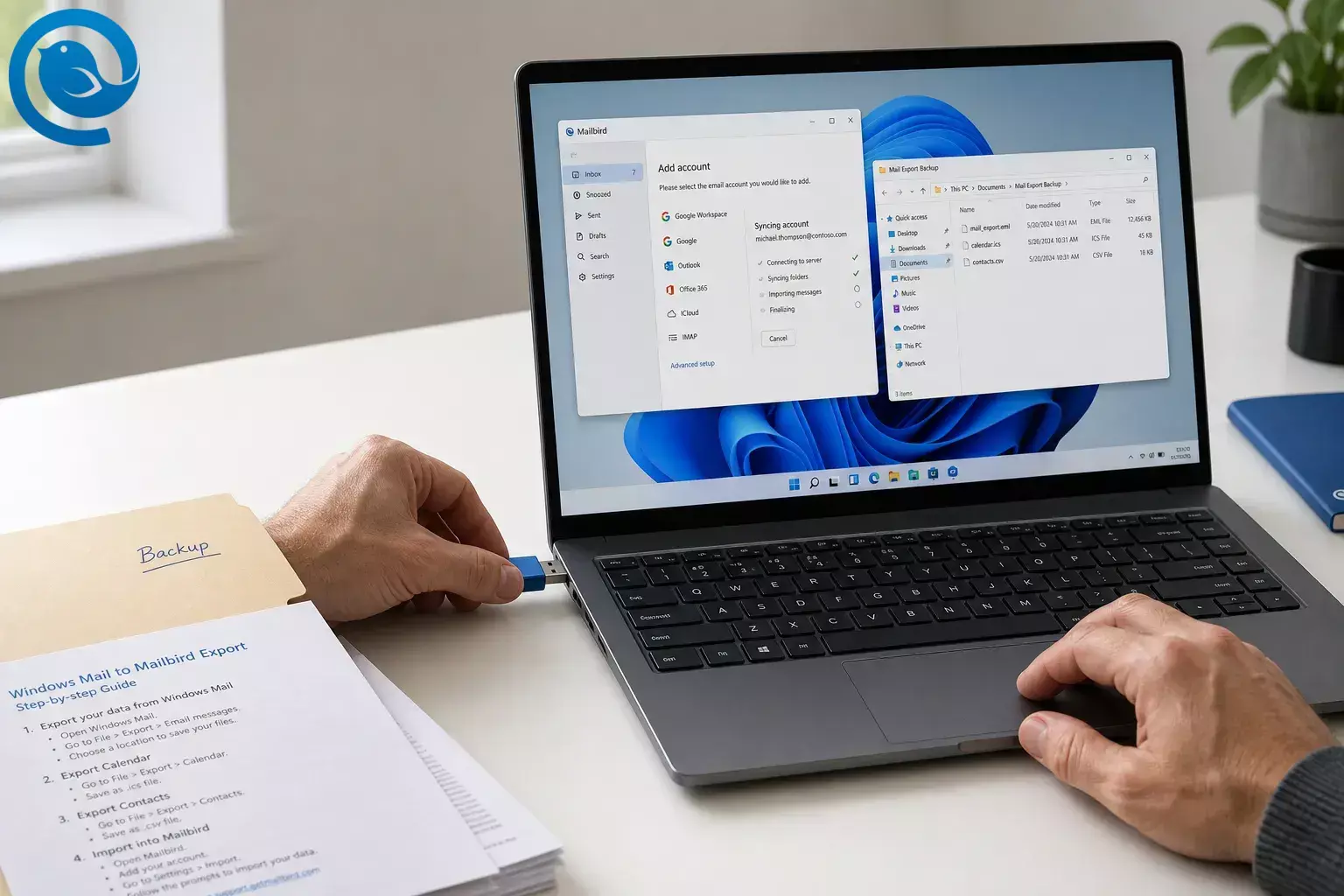
You can move from Windows Mail to Mailbird by adding the same email accounts, letting them sync, and exporting any local-only mail, contacts, or calendar files before you retire the old app.
If your mail already shows up in webmail, the switch is usually quick; if you also need to rescue POP mail or PC-only files, plan one uninterrupted session. Difficulty: easy if your mail is already online, moderate if you need to save local data. [3] [6] [16]
What’s new
Windows Mail is discontinued, and Microsoft says support for Windows Mail, Calendar, and People ended on December 31, 2024. If you need an alternative now that Windows Mail is retired, this guide shows how to replace the Windows Mail app with Mailbird and export any local-only data first. [1] [2] [3]
TL;DR
- Short answer: For most people, moving from Windows Mail to Mailbird means signing into the same account in Mailbird and letting it sync again. Export first only if you still have local-only mail, contacts, or calendar data on the PC. [3] [16]
- Important: Mailbird’s direct import list names Windows Live Mail, not the retired Windows Mail app. For the built-in Windows Mail app, the safe path is to reconnect the account and export any local-only data first. [3] [9]
- Best path for most people: 1) Check webmail. 2) Export local-only items if needed. 3) Add the same account to Mailbird. 4) Test send, receive, and any contacts or calendar data you moved before you retire the old app. [3] [7] [11] [12] [16] [19]
Before you move from Windows Mail to Mailbird
A Windows PC that can run Mailbird, the passwords for your email accounts, and the ability to sign in to each account in a browser. [4] If Mailbird shows provider-specific login issues, you may also need IMAP access or an app password from the provider. [8]
Mailbird has a free version to start with; paid upgrades are optional if you want extra features later. [5]
Do not remove a POP3 account or wipe the old setup until you have a backup. Microsoft’s export flow only captures data that is stored locally on the device. [3] Mailbird also warns that removing a POP3 account without a backup can permanently lose mail. [15]
If a provider asks for an app password, generate it on that provider’s own security page—not on a third-party site. [8]
How to replace the Windows Mail app with Mailbird
How to replace the Windows Mail app with Mailbird
-
Check whether your mail already lives online.
Sign in to the same account in a browser and compare your Inbox, Sent, and a couple of older folders against what you see in Windows Mail. If the same messages are already there, you usually just need to reconnect that account in Mailbird and let it sync. If important messages exist only on this PC, stop here and export first. [3] [16]
Check: you know whether any at-risk data is already online or stored only on this PC.
-
Export local mail and calendar from Windows Mail if you need it.
You do not need to write anything yourself. Open Microsoft’s Windows Mail export guide listed in the Sources section, copy the current PowerShell script from that page, run it, and then choose Export Data when the retired Mail app opens. Save the folder it creates and note the location; that folder can contain
.emlmessages and an.icscalendar file. [3]Check: you have an export folder on your PC and can see message files and, if you used Calendar, an ICS file.
-
Export contacts from the People app if you used them.
In the same export flow, let the People app open, click Download , then Export , and save the contacts file. Windows People exports contacts as a
.csvfile, so keep that file together with your mail export. [3]Check: you have a contacts CSV saved in the same backup folder.
-
Install Mailbird on your Windows PC.
Download Mailbird , run the installer, approve the Windows permission prompt if it appears, and then launch Mailbird from the Start menu. Mailbird currently supports Windows 10 and Windows 11, and you can start with the free version. [4] [5] [6]
Check: Mailbird opens to its first setup screen.
-
5) Add your first email account.
In Mailbird, open Menu > Settings > Accounts > Add , enter your email address, and let Mailbird detect the settings. If Mailbird identifies your work or school mailbox as Microsoft 365 or Exchange, follow the browser sign-in and approve the requested permissions so the account can finish connecting. [7] [17]
Check: the account appears in Mailbird’s Accounts list.
-
Fix provider login blockers before you retry.
If the account will not connect, fix the setting at the provider first. Gmail needs IMAP turned on in web settings; personal Outlook.com, Hotmail, or Live accounts may need IMAP turned on in Outlook web settings; Yahoo and AOL need an app password; iCloud needs an app-specific password; and Microsoft 365 mailboxes may need an admin to enable IMAP and modern authentication. If you are on IMAP, removing and re-adding the account is normally safe because the mail syncs back down; do not do that casually with POP3 unless you already made a backup. [8] [15]
Check: the error is gone and Mailbird reaches the account.
-
Let the first sync finish and verify the basics.
The first sync can feel slower than normal because Mailbird is pulling down messages, attachments, and account data in the background. Wait for your core folders to appear, then open a recent message, an older message, and Sent mail to confirm that the account looks right. [16]
Check: you can open live mail in Inbox and Sent without errors.
-
Bring over saved local messages only if you actually have PC-only mail.
If you are keeping a POP3 account in Mailbird, open Menu > Settings > Accounts , double-click that POP3 account, choose Import messages , and select the saved
.emlfiles. Mailbird can import.pst,.eml, and.msffiles into an existing POP3 account. [9]If your new mailbox in Mailbird is IMAP or Exchange, direct offline import into that live mailbox is not currently supported. In that case, keep the exported
.emlfolder as your archive. [3] [9]Check: either the imported mail appears in an Imported folder, or your exported EML archive is safely stored and opens correctly.
-
Add contacts and calendar with the right file type.
For contacts, open Mailbird’s Contacts app, click the gear icon, choose Accounts , and enable your Microsoft or Gmail account if that is where your contacts already live. If your contacts came out of Windows People as a
.csv, Mailbird’s manual import expects a vCard (.vcf) file, so a simple workaround is to import the CSV into your Microsoft account first and then let Mailbird sync that Microsoft account—or convert the CSV to VCF and in Mailbird choose Import contact from vCard . [3] [10] [11]For calendar, open Mailbird Calendar, click the gear icon, go to Settings > Import & export , and import the
.icsfile you exported from Windows Mail. Mailbird’s native calendar sync supports Gmail, Outlook, and Exchange accounts, so imported events are easiest to manage inside one of those calendars. [12] [19]Check: contact names show in Contacts and imported events show in Calendar.
-
Turn on Unified Inbox if you use more than one account.
Add your other mailboxes with the same Accounts > Add flow. Then go to Menu > Settings > Accounts and check Enable unified account . Mailbird’s Unified Inbox combines messages from connected accounts into one view, can search across them, and remembers which address received each message so replies go out from the correct account. [7] [13]
Check: Unified Inbox appears in the sidebar after you add a second account.
-
Make Mailbird your default and run a live test.
Open Menu > Settings > Advanced and click Set as default . Then send yourself a test message, reply to it, and confirm that new mail arrives, sent mail lands in the right folder, and clicking an email address on the web opens Mailbird instead of the old app. [14]
Check: send, receive, and reply all work from Mailbird.
Why moving from Windows Mail to Mailbird works
For most modern accounts, your messages live with the provider, not inside the retired Windows Mail app. That is why replacing Windows Mail with Mailbird is usually a reconnect-and-resync job, while the only risky part is rescuing anything that was saved locally on the PC—especially old POP mail, local People contacts, or calendar files. [3] [15] [16]
Windows Mail to Mailbird troubleshooting
- Symptom: Mailbird says “IMAP access is disabled” or will not finish setup. Likely cause: IMAP is off at the provider. Fix: turn IMAP on in the provider’s web settings, then remove and re-add the account if needed. [8]
- Symptom: A Microsoft 365 or work account keeps failing. Likely cause: the mailbox needs Exchange sign-in, or your admin has IMAP or OAuth settings locked down. Fix: use the Exchange setup path in Mailbird, and if IMAP is required, ask the admin to enable IMAP and modern auth. [8] [17]
- Symptom: Yahoo, AOL, or iCloud accepts your browser password but not Mailbird. Likely cause: those providers use app passwords for third-party mail clients. Fix: generate the provider’s app password or app-specific password and use that in Mailbird. [8]
- Symptom: older messages are missing after the move. Likely cause: they were local-only in Windows Mail, or they never fully downloaded to the PC. Fix: check the Windows Mail export folder and your webmail side by side; online mail can resync, but local-only mail must come from the export. [3] [16]
-
Symptom:
your saved
.emlfiles will not import into the new IMAP mailbox. Likely cause: Mailbird does not currently support direct offline import to IMAP accounts. Fix: keep the EML folder as your archive instead of trying to import it into the live IMAP mailbox. [9] - Symptom: Mailbird feels slow right after setup. Likely cause: first-time sync is still running. Fix: leave Mailbird open and let it finish downloading mail and attachments before you judge performance. [16]
- Symptom: mail stops syncing and you see a “too many simultaneous connections” error. Likely cause: too many apps are hitting the same IMAP mailbox at once. Fix: close extra mail apps or browser sessions, wait a moment, and try syncing again. [18]
- Symptom: contacts or calendars from some providers do not sync the way you expected. Likely cause: Mailbird Contacts sync is centered on Microsoft and Gmail accounts, and native calendar sync is centered on Gmail, Outlook, and Exchange. Fix: use vCard import for contacts and ICS import for calendar items when needed. [10] [11] [12] [19]
Common Windows Mail to Mailbird scenarios
- Single personal inbox: if you only use one Gmail, Outlook.com, Yahoo, or similar account and the same mail already appears in webmail, this Windows Mail to Mailbird switch is mostly just install, sign in, and wait for sync to finish. [6] [16]
- Multiple personal and work accounts: add each account one at a time, then turn on Unified Inbox so you can read and search them together while Mailbird still replies from the right address. [7] [13]
- Work or school Exchange mailbox: let Mailbird hand off sign-in to the browser and approve the Microsoft permissions it requests; that is usually the cleanest path for Exchange-backed accounts. [17]
-
Old POP archive:
export Windows Mail first, keep the backup folder, and only then import
.emlfiles into an existing POP3 account in Mailbird if you want them inside the app rather than just stored as an archive. [3] [9] [15]
Backup, storage, and multi-account setup
-
Backup:
create one dated folder on your PC before you start and keep every exported
.eml,.ics, and.csvfile there. [3] - Storage: keep that folder until you have already sent, received, searched, and opened older messages in Mailbird without problems. [16]
- Multi-account setup: if you manage several mailboxes, repeat the account-add flow for each one, then decide which accounts should appear in Unified Inbox, Contacts, and Calendar. [11] [13] [19]
Bottom line
If you need to replace the Windows Mail app in 2026, Mailbird is usually a straightforward switch to a modern desktop email client: reconnect the same accounts, let them sync, and export any local-only data before you clean up the old app. Once send, receive, contacts, and calendar all work, you can retire Windows Mail with much less risk. [3] [7] [11] [12] [16] [19]
Frequently Asked Questions
Is Windows Mail still usable in 2026?
Can I replace the Windows Mail app with Mailbird instead of Outlook?
Can Mailbird import directly from the Windows Mail app?
Will I lose old email if I switch?
How do I move contacts from Windows People to Mailbird?
Can Mailbird take over calendar too?
Is Mailbird free to start?
Yes. You can start with Mailbird’s free version and decide later whether you need a paid plan.
Sources: [5]
Quick checklist before you retire Windows Mail
Before you delete anything, run through this list and take a screenshot.
- I compared Windows Mail with webmail and know what is already online.
-
I exported local
.emlmail,.icscalendar files, and.csvcontacts if needed. - I installed Mailbird on my Windows PC.
- I added my primary account and fixed any IMAP or app-password issues.
- I verified Inbox, Sent, and older messages after the first sync.
- I imported POP3 mail if needed, or I kept the EML archive safely stored.
- I synced contacts and imported calendar data where needed.
- I turned on Unified Inbox if I use more than one account.
- I set Mailbird as my default email app.
- I sent, received, and replied to a test message successfully.
What can change
Mail provider login rules can shift quickly. Microsoft, Google, Yahoo, Apple, and Microsoft 365 admins can change IMAP access, app-password rules, or authentication requirements, and Mailbird’s plan details can change over time. If a screen looks different from the steps above, check the latest help pages in the Sources section before you assume the move failed. [5] [8]
Sources
- Microsoft Support — Your account settings are out-of-date in Mail or Calendar for Windows 10 https://support.microsoft.com/en-us/office/your-account-settings-are-out-of-date-in-mail-or-calendar-for-windows-10-4484de9e-66b2-46a9-8459-6ca1fcc110b4
- Microsoft Support — Outlook for Windows: The future of Mail, Calendar, and People on Windows 11 https://support.microsoft.com/en-us/office/outlook-for-windows-the-future-of-mail-calendar-and-people-on-windows-11-715fc27c-e0f4-4652-9174-47faa751b199
- Microsoft Support — Export emails and contacts from Windows Mail or People and import to new Outlook https://support.microsoft.com/en-us/office/export-emails-and-contacts-from-windows-mail-or-people-and-import-to-new-outlook-7ced6135-3d1d-409b-b2da-4282a69c151b
- Mailbird Support — What versions of Windows are supported by Mailbird? https://support.getmailbird.com/hc/en-us/articles/12486718644375-What-versions-of-Windows-are-supported-by-Mailbird
- Mailbird — Pricing https://hub.getmailbird.com/pricing
- Mailbird Support — How to Install Mailbird https://support.getmailbird.com/hc/en-us/articles/220107027-How-to-Install-Mailbird
- Mailbird Support — Multiple Email Accounts in Mailbird https://support.getmailbird.com/hc/en-us/articles/220106747-Multiple-Email-Accounts-in-Mailbird
- Mailbird Support — How to enable IMAP for your email account in Mailbird https://support.getmailbird.com/hc/en-us/articles/39932264536087-How-to-enable-IMAP-for-your-email-account-in-Mailbird
- Mailbird Support — How to Import Accounts and Emails to Mailbird https://support.getmailbird.com/hc/en-us/articles/220108247-How-to-Import-Accounts-and-Emails-to-Mailbird
- Mailbird Support — Importing and exporting a contact group and individual contacts https://support.getmailbird.com/hc/en-us/articles/115006251928-Importing-and-exporting-a-contact-group-and-individual-contacts
- Mailbird Support — Adding or removing an account from the Contacts App https://support.getmailbird.com/hc/en-us/articles/115006067047-Adding-or-removing-an-account-from-the-Contacts-App
- Mailbird Support — Import & Export Calendar https://support.getmailbird.com/hc/en-us/articles/360021869054-Import-Export-Calendar
- Mailbird Support — Unified Inbox https://support.getmailbird.com/hc/en-us/articles/220108147-Unified-Inbox
- Mailbird Support — Set Mailbird as Default Email Client https://support.getmailbird.com/hc/en-us/articles/220107467-Set-Mailbird-as-Default-Email-Client
- Mailbird Support — Server authentication failed https://support.getmailbird.com/hc/en-us/articles/360022659113-Server-authentication-failed
- Mailbird Support — IMAP Support in Mailbird https://support.getmailbird.com/hc/en-us/articles/220106687-IMAP-Support-in-Mailbird
- Mailbird Support — Adding Exchange Account in Mailbird https://support.getmailbird.com/hc/en-us/articles/360000309767-Adding-Exchange-Account-in-Mailbird
- Mailbird Support — Too many simultaneous connections https://support.getmailbird.com/hc/en-us/articles/16298148976279-Too-many-simultaneous-connections
- Mailbird Support — Connecting an Account to the Native Calendar https://support.getmailbird.com/hc/en-us/articles/360020028694-Connecting-an-Account-to-the-Native-Calendar


