Reviews of the top Windows email clients
Below is a quick review of each email client from the comparison table, including strengths, tradeoffs, and who it’s best for.
Mailbird – Best Email Client for Windows Overall
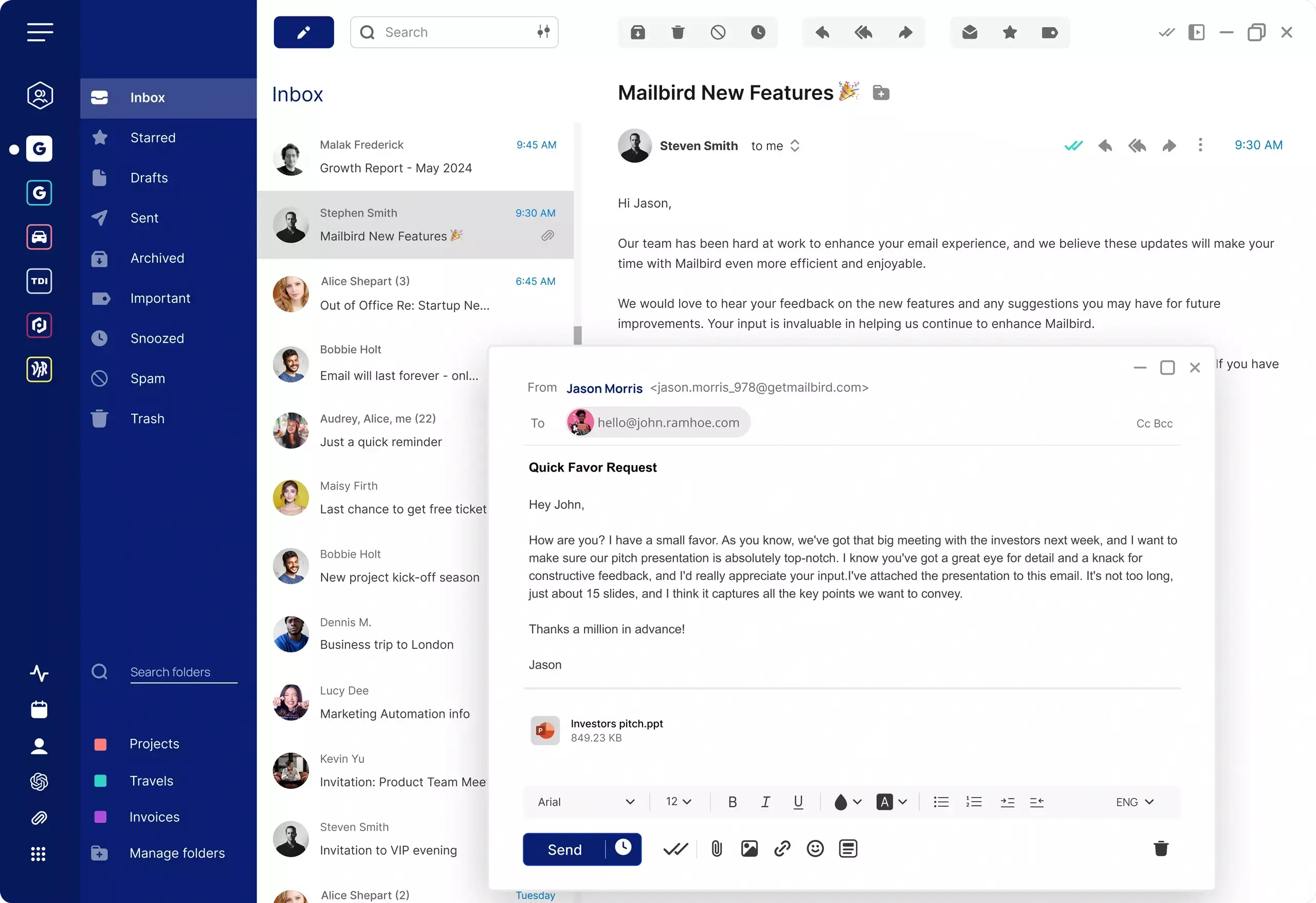
Mailbird is a modern desktop email client available for Windows and Mac. It’s known for a Windows-first experience and
helps users manage multiple email accounts from a single interface while bringing productivity tools into one workspace.
If you rely on email throughout the day, a dedicated desktop email client can reduce tab switching and keep your inbox workflow
organized. Mailbird focuses on speed, simplicity, and integrations—making it a strong option for users who want a centralized inbox
with a streamlined interface.
Mailbird works with major email providers including Gmail, Outlook, Yahoo Mail, iCloud Mail, Exchange,
and other accounts that support IMAP or SMTP.
Key Features
- Included:Unified inbox for managing multiple email accounts
- Included:Support for IMAP email providers
- Included:Integrations that can connect email workflows with other tools
- Included:Customizable layout and workspace organization
- Included:Keyboard shortcuts and productivity-focused controls
Pros
- Clean, modern interface with a strong Windows experience
- Manage multiple email accounts from one unified inbox
- Designed for everyday productivity and fast email workflows
Cons
- Some features and integrations may differ by platform and plan
Pricing
Mailbird offers a free version and paid plans that unlock additional features and customization options.
Try Mailbird Free
Microsoft Outlook – Best for Microsoft 365 workflows
Microsoft Outlook is a widely used email client, especially in workplaces that run on Microsoft 365. It combines email,
calendar, and contacts into one app and is commonly chosen by teams that rely on Microsoft accounts and Microsoft-managed mailboxes.
Outlook can also be used with non-Microsoft email providers, but supported account types and features can vary by Outlook version
and how the account is configured. If you’re comparing Outlook to other Windows email clients, the key tradeoff is often
the depth of Microsoft ecosystem features versus a lighter, more customizable productivity workspace.
Mailbird vs Outlook
Wondering how Mailbird compares to Microsoft Outlook? Read our full comparison: Mailbird vs Outlook.
Key Features
- Included:Strong integration with Microsoft 365 services
- Included:Calendar, contacts, and email in one application
- Included:Supports multiple accounts (feature set may vary by version)
- Included:Built-in search and message organization tools
Pros
- Excellent fit for Microsoft 365-based organizations
- Full suite feel: email + calendar + contacts
- Commonly supported in corporate IT environments
Cons
- Account support and features can vary by Outlook version and configuration
- May feel heavy for users who want a simpler, faster desktop email workflow
Pricing
Outlook is typically included with Microsoft 365 plans. Availability and pricing depend on your Microsoft subscription.
Mozilla Thunderbird – Best free, open-source option
Mozilla Thunderbird is one of the most popular open-source email clients available today. If you're deciding between the two, see our detailed Mailbird vs Thunderbird comparison.
Thunderbird is commonly used with IMAP/POP email accounts and can be extended with add-ons for additional functionality.
If you prioritize control, portability, and cost over a polished “workspace” experience, Thunderbird is often a strong choice.
Key Features
- Included:Free and open-source
- Included:Supports common email protocols (IMAP/POP/SMTP)
- Included:Add-ons and themes for customization
- Included:Multiple accounts in one client
Pros
- Free to use and widely supported by a large community
- Works across Windows, Mac, and Linux
- Highly customizable via add-ons
Cons
- The interface and workflow can feel less streamlined than modern commercial clients
- Some features users expect in “workspace” email apps may require add-ons or extra setup
Pricing
Thunderbird is free.
Spark – Best for collaboration-focused inbox workflows
Spark is an email client that emphasizes organization features and collaboration workflows. It’s often chosen by users who
want a smart inbox experience and team-oriented features (depending on plan and configuration).
Account compatibility can differ based on the provider you’re connecting and the Spark version/plan you’re using. If Spark is
on your shortlist, it’s worth confirming that it supports your exact account type and authentication method before migrating.
If you're deciding between Spark and a desktop-focused email client, read our full Mailbird vs Spark comparison to see how they differ in integrations, workflow, and productivity features.
Key Features
- Included:Inbox organization and prioritization features
- Included:Multiple accounts in one app (feature set may vary)
- Included:Collaboration features (availability depends on plan)
- Included:Works on Windows and Mac
Pros
- Strong focus on inbox organization and productivity
- Useful for users who want collaboration-style email workflows
- Modern user experience
Cons
- Some features depend on plan/version and may not apply to every account type
- Compatibility with specific providers should be verified before switching
Pricing
Spark typically offers free and paid tiers. Pricing depends on the features and plan you choose. If you’re deciding between Mailbird and Spark, see our Mailbird vs Spark comparison.