How to Change Your Default Email App on Windows 11 (And What to Switch To)
Windows 11 controls which app opens when you click an email address via the MAILTO default app setting. This guide walks through the steps to set your preferred email client as the default, troubleshoot common issues, and choose a replacement after the end of Windows Mail.



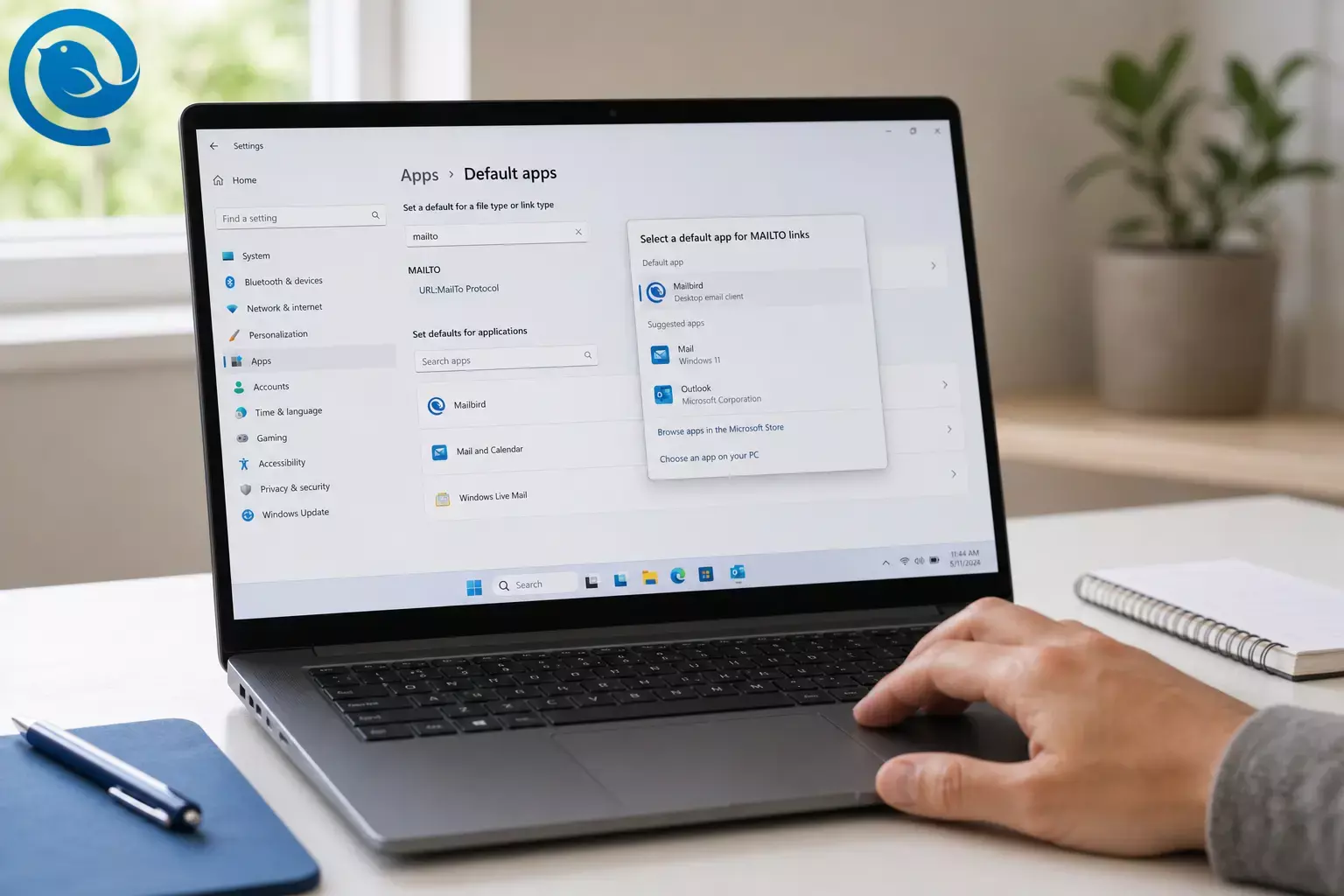
If email links are opening the “wrong” place (or not working), changing the Windows 11 email default for
mailto:
links is usually the fix.
TL;DR
Quick steps:
Open
Settings
→
Apps
→
Default apps
, search
mailto
, set
MAILTO
to your
preferred email app
(like Mailbird), then test with
mailto:test@example.com
.
Plan on 3–7 minutes ; difficulty: easy .
Key takeaways
- In Windows 11, the setting that controls clicks on email addresses is the default app for the MAILTO link type.
-
Set defaults in Settings under
Apps
→
Default apps
(by link type like
mailto, or by searching for an app name). -
Optional but recommended: set
.emlto the same email app so saved email messages open consistently. -
Verify your change with
Windows + R→mailto:test@example.com. -
If mail links still open webmail, check your browser’s protocol handler settings (for Chrome:
chrome://settings/handlers). - If your default won’t save or keeps snapping back, your PC may be managed by work/school policy.
- Default apps are set per Windows user profile—repeat the steps for each Windows account on the same PC.
- Download email apps from the Microsoft Store or the publisher’s official website to avoid fake installers.
Before you start
- Prereqs: A Windows 11 user account allowed to change default apps (some work PCs block it).
- You’ll need: Your chosen email app installed (Mailbird, Outlook, Thunderbird, or a browser for webmail).
- Time: 3–7 minutes.
- Cost: $0 to change the Windows setting. App pricing depends on what you choose.
- Safety: Download email apps from the Microsoft Store or the publisher’s official website to avoid fake installers.
Still deciding what to switch to? See our guide to the best email clients for Windows for a fuller comparison. Here are a few common options.
What to switch to (quick picks)
- Mailbird: A desktop email client that can pull multiple accounts into a Unified Inbox once you’ve added more than one account. 5
- Outlook for Windows (new Outlook) : Microsoft describes it as the future of Mail and Calendar on Windows 11. 1
- Thunderbird: A solid option if you prefer open-source desktop email.
-
Webmail in your browser:
Works if you don’t want to install anything—set your browser as the handler for
mailto:links (for example, Gmail in Chrome). 6
Step-by-step: set your default email client on Windows 11
Windows 11 lets you set defaults by
link type
(like
MAILTO
) or by
application
—both paths live in Settings under Default apps.
2
Setting
MAILTO
is what controls what happens when you click an email address on a website.
Step-by-step: set your default email client on Windows 11
-
Install (or update) the email app you want to use.
Open it once and finish any first-run prompts (sign-in, permissions, etc.).
Check: You can send yourself a test email and see it arrive in the app. -
Open Windows Settings
by pressing
Windows
+
I
.
Check: The Settings window appears. -
Apps
.
Check: You see app-related settings (Installed apps, Default apps, etc.). -
Default apps
.
Check: You see a search box for file types or link types. -
Set a default for a file type or link type
, type
mailto.
Check: A result named MAILTO appears. -
MAILTO
, choose your email app (for example,
Mailbird
), then confirm.
Check: The Default apps page now shows your chosen app as the default for MAILTO . -
.eml
files too.
Check: Double-clicking an.emlfile opens in the same email app. -
MAILTO
, go back to the Default apps page and search for the app by name (for example,
Mailbird
). Open the app’s Default apps page and set
MAILTO
from there.
Check: MAILTO points to your chosen app. -
If you chose Mailbird:
open Mailbird
→ Menu (three horizontal lines) →
Settings
→
Advanced
→ enable the “tell me if Mailbird is not the default” option, then click
Set as default
.
4
Check: Mailbird no longer warns that it isn’t the default. -
Test it.
Press
Windows
+
R
, type
mailto:test@example.com, then press Enter .
Check: Your chosen email app opens a new message withtest@example.compre-filled. -
If you’re using Chrome and mail links still open webmail:
open Chrome and go to
chrome://settings/handlers. Check whether a webmail service is set up to handle email links, then disable/remove it if you want a desktop email app to open instead, and test again. 6
Check: Clicking an email address on a website opens your desktop app—not a browser tab. - Check: Try again after signing in with an admin account—or ask IT to allow changing the MAILTO association for your profile.
Why this works
Most “email me” links use the
mailto:
scheme. Windows launches whatever app is set as the default for that link type, and it can also rely on file-type defaults (like
.eml
). When you set
MAILTO
to your preferred client, Windows routes those links to that app instead of an old mail app, a different email app, or a browser.
3
Troubleshooting (when mailto links open the wrong app)
| Symptom | Likely cause | Fix |
|---|---|---|
| You can’t find MAILTO in Default apps. | You’re not searching by link type (or you typed “mail to” with a space). |
Go to
Settings → Apps → Default apps
and search
mailto
. If that fails, search for your email app name and set
MAILTO
from the app’s page.
|
| Your email app isn’t listed as an option for MAILTO . | The app isn’t installed correctly, hasn’t registered link handling, or needs a first launch. | Open the app once, then return to Default apps. If you’re using Mailbird, use its in-app Set as default option (Step 9) and then re-check Windows Default apps. |
| Clicking an email address on a website opens a browser tab (webmail) instead of your desktop app. | Your browser is set as the MAILTO handler or has a protocol handler configured. | Set MAILTO back to your desktop email app (Steps 5–6). Then check Chrome protocol handlers (Step 11) and disable the unwanted mail handler. |
| Nothing happens when you click an email link. | No app is successfully assigned to MAILTO , or the chosen app is broken. |
Reassign
MAILTO
to a working email app, then test using
mailto:test@example.com
(Step 10). If it still fails, restart your PC and try again.
|
| The default changes back after a Windows update or after opening another mail app. | Another app is prompting to become default, or Windows re-applied associations. | Set MAILTO again (Steps 5–6). In your email app, look for an option like “Always check if default” so you can catch changes quickly. |
| Send to → Mail recipient still opens the wrong app. | That shortcut can use a different Windows association than just MAILTO . | Re-check MAILTO (Steps 5–6). If the shortcut still opens the wrong app, create a new email in your preferred app and attach the file manually. |
| You can set the default, but it won’t save (or the setting is locked). | Work/School device policy is enforcing defaults. | Try on a personal profile, or ask IT to approve your preferred mail client and allow changing the MAILTO association. |
| Mail opens, but the “To” line is blank after a test. | The link you clicked is malformed (extra spaces or unsupported formatting). |
Re-test with a simple link:
mailto:test@example.com
. If only one website is broken, it’s likely their link, not your default app.
|
Windows 11 Settings labels can shift slightly across versions. If your screen looks different, use the Default apps search box and search
mailto
.
Variations
- Set Mailbird as default from inside Mailbird (fast path): Mailbird includes an in-app Set as default button under Settings → Advanced, plus an option to alert you if it stops being default. 4
-
Use webmail as your “default email app”:
Set
MAILTO
to Google Chrome in Windows, then in Chrome allow Gmail to handle mail links so
mailto:opens a new draft in Gmail. 6 - Set defaults by app instead of by protocol: In Default apps, search for your email app name and assign the link/file types it supports (including MAILTO ). This helps when the protocol search feels confusing. 2
-
Split defaults on purpose:
Keep
MAILTO
pointing to one app (for composing new mail) but set
.emlto another app (for opening saved messages).
Before you switch (export + security + multi-user notes)
- Export what you need: If you’re moving off Windows Mail/Calendar , export any local emails, events, and contacts you need before you fully switch apps—Microsoft notes those local items remain exportable after the end of support. 1
- Keep account recovery info handy: Store backup codes, app passwords, and your provider’s IMAP/SMTP settings in a password manager.
- Multiple Windows accounts: Default apps are set per Windows user profile. If multiple people use the same PC, repeat the steps for each account that needs its own default email app.
Frequently Asked Questions
How do I set Mailbird as the default email app on Windows 11?
What setting actually controls the default email app in Windows 11?
Why don’t I see an “Email” category like older versions of Windows?
Windows 11 focuses on file types and link types. Use Default apps search and set the MAILTO link type to the email app you want.
Sources: 2
Mailbird (or my app) isn’t showing up for MAILTO
Open the app once, then try again. If it still won’t appear, use the app’s own “Set as default” option (if available) or reinstall the app and repeat the Windows Default apps steps.
Sources: 4
I changed MAILTO, but clicking email links still opens Gmail in Chrome. Why?
Chrome can be configured to handle email links via protocol handler settings. Check Chrome’s handler page and disable the webmail handler if you want a desktop app to open instead.
Sources: 6
Can I set Gmail as the default email “app” on Windows 11?
Yes. The usual approach is: set MAILTO to Google Chrome in Windows, then allow Gmail to handle mail links inside Chrome so clicking an email address opens a Gmail draft.
Sources: 6
What happened to the Windows Mail and Calendar apps?
They reached end of support and can’t send or receive new messages anymore, so most people need to switch to a different email app for Windows.
Sources: 1
Do I need admin rights to change the default email app?
Usually, no. But on some work or school PCs, the setting can be locked by policy. If it won’t save, you may need your IT admin to change it.
Can Windows updates reset my default email app?
It can happen. If it does, just re-set
MAILTO
(and
.eml
) in Default apps, then re-test with a
mailto:
link.
Quick checklist (screenshot this)
- I installed (or updated) my preferred email app and opened it once.
-
Settings → Apps → Default apps → searched
mailto. - I set MAILTO to my preferred app (example: Mailbird).
-
(Optional) I set
.emlto the same app. -
I tested with
Windows + R→mailto:test@example.com. -
If Chrome/webmail still intercepts links, I checked
chrome://settings/handlers. - If it’s a work PC and settings won’t stick, I contacted IT.
Sources
- Microsoft Support: Outlook for Windows — the future of Mail, Calendar, and People on Windows 11 (end of support for Windows Mail/Calendar)
- Microsoft Support: Change Default Apps in Windows (set defaults by file type/link type or by application)
- Microsoft Learn: Launch the default Windows app for a URI (mailto launches the default email app)
- Mailbird Help Center: Set Mailbird as Default Email Client (in-app steps)
- Mailbird Help Center: Unified Inbox (what it is and when it appears)
- Maricopa Community Colleges IT Help: Set Gmail as default email application (MAILTO + Chrome protocol handlers)


