How to Forward an Email as an Attachment
This method lets you attach an email to another email while keeping the original message separate from the text of your new draft. Different email apps use slightly different labels, but the workflow is usually simple.



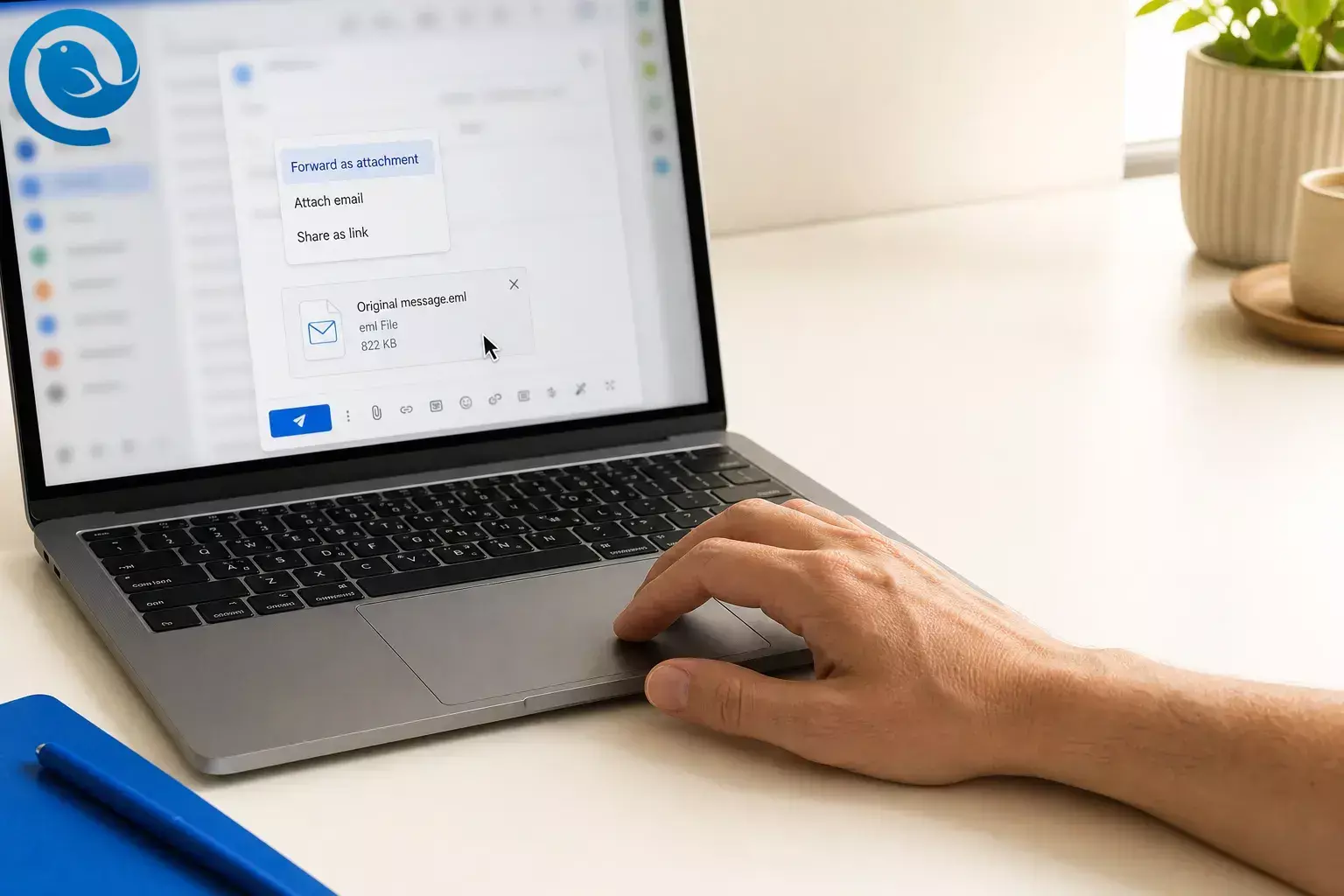
This method lets you attach an email to another email while keeping the original message separate from the text of your new draft. Different email apps use slightly different labels, but the workflow is usually simple. 3 4 5 13
TL;DR
Quick answer: Open the original message, start a new draft, then choose Forward as Attachment , Attach Email , Attach Item , or drag the message into the draft. If your app does not offer that option, save the message as an email file such as .eml ; some apps also use .msg . Then attach the saved file instead. 3 4 6 7 13
- Use Forward as Attachment , Attach Email , Attach Item , or drag the message into the draft. 3 4 5 13
- If you only see quoted text in the body, you used a standard forward, not an attached message.
- In Outlook, forwarded messages keep the original attachments, but replies do not. 3
- On iPhone Mail, you can choose whether to include attachments when you forward a message with files. 9
- If the command is missing, save the message as .eml ; some apps also use .msg , then attach the saved file. 6 7
- If the draft becomes too large, use a share link or a smaller copy instead. 13
- If the email is important, send a test to yourself before final delivery.
Before you start
- Prerequisites: the original email, the recipient’s address, and access to your email app or webmail.
- Tools: your email app or webmail; a file browser helps if you need the save-and-attach fallback.
- Time: usually 1–3 minutes; allow a little longer if you need to save the message as a file first. 3 5 6
- Cost: usually none if your current email app already supports attaching messages or saved email files.
- Safety: double-check the recipient before you send, and remove anything private you do not mean to share. If an attachment is flagged as unsafe, stop and use your organization’s approved sharing method instead of forcing it through. 12 14
What can change: app menus move around. You may see Forward as Attachment , Attach Item , Attach Email , or a drag-and-drop target in the compose window instead of the same button name everywhere. 2 3 4 5 13
To verify: use your app’s Help search for “forward as attachment,” “attach email,” or “attach item” if the control is not where this page shows it.
Step-by-step
- Open the original email you want to attach.
- Start a new email draft, or open the draft where you want the attached email to appear.
- Look for a command such as Forward as Attachment , Attach Email , Attach Item , or a three-dot More menu. In classic Outlook, for example, the direct paths are More Respond Actions > Forward as Attachment or Attach Item > Outlook Item . 3 4
- If you do not see a button, try dragging the message from your message list into the compose window. Depending on the app, the drop area may appear below the subject line or inside the draft. 5 13
- Check the attachment area right away. You should see the original email listed as an attached message or email file. If you only see quoted text in the body, you used a standard forward. Remove it and use the attach-message option instead.
- Add the recipient, write a clear subject line, and include a short note such as “Attached is the original message for reference.”
- Check whether the original attachments came along. In Outlook, forwarded messages keep the original attachments, but replies do not. On iPhone Mail, you can choose Include or Don’t Include when you forward a message with files. 3 9
- If your app still will not attach the message itself, save or download the original email as an email file such as .eml . Some apps also use .msg . Then attach that saved file to your draft. 6 7
- If the draft becomes too large, send the original document as a share link or attach a smaller copy instead of forcing the whole package into one message. 13
- If the email is important, send a test to yourself. Open the attached message and any files inside it, then send the final copy to the real recipient.
Why this works
Attaching a message is one of several attachment mechanics; our email attachment guide covers size caps, attaching on each platform, and when a cloud link is the better choice. Forwarding as an attachment keeps the original message as a separate item instead of placing all of its text inside your new email. That makes it easier for the recipient to open the original message on its own, and in apps like Outlook it can preserve the original attachments when you forward it. 3 4 6
Troubleshooting
-
Symptom: You only see the original email text in the body, not in the attachment area. Likely cause: you used a standard forward instead of attaching the message itself. Fix: start a new draft and use Forward as Attachment , Attach Email , Attach Item , or drag the message into the draft. 3 4 5 13
-
Symptom: You clicked Reply and the original attachments vanished. Likely cause: replies do not carry the original attachments in Outlook. Fix: use Forward instead, or attach the files again manually. 3
-
Symptom: You cannot find Forward as Attachment . Likely cause: the command is under More , Attach Item , or your version expects drag and drop. Fix: check the three-dot menu, try Attach Item , or drag the message into a new draft. 3 4 5 13
-
Symptom: Dragging the message does nothing. Likely cause: you are dragging from the wrong view or dropping in the wrong spot. Fix: open a fresh draft and drop the message into the compose area, below the subject line, or wherever the draft shows a drop target. 5 13
-
Symptom: The attached email opens, but the original documents are missing. Likely cause: you used Reply instead of Forward , or your phone asked whether to include attachments and you skipped them. Fix: forward again and choose Include if prompted. 3 9
-
Symptom: The message will not send. Likely cause: the combined email and files are too large. Fix: switch to a share link or attach a smaller copy of the file instead. 13
-
Symptom: The recipient cannot open the attached message. Likely cause: the saved message format needs a different email app. Fix: resend it as .eml if your app offers that format, or ask the recipient to open it in an app that supports saved email files. 6 7
-
Symptom: A suspicious or executable file disappeared when you forwarded the email. Likely cause: Outlook can block potentially unsafe attachments, and blocked unsafe files are not included in forwards. Fix: stop and use your organization’s approved file-sharing or security process instead of renaming the file on your own. 12 14
Common variations
Forward multiple emails at once
If you need to send several messages to the same person, select all of them first, then forward multiple emails . In Outlook, that creates one new email with the selected messages attached. 3
Save the email, then attach the file
If your email app hides the attach-message option, save or download the original message as an email file such as .eml . Some apps also use .msg . Then attach that saved file like any other file. 6 7
Use a normal forward when the recipient only needs the attachments
If the other person only needs the documents or photos from the original message, a standard forward may be enough. In Outlook, forwarded messages keep the original attachments, and on iPhone Mail you can choose whether to include them. 3 9
Attachment handling tips
- Save for reuse: save frequently reused messages as email files such as .eml or .msg in a clearly named folder so you can attach them faster later. 6 7
- Store carefully: if you download saved email files, move them out of Downloads and delete local copies you no longer need, especially if they contain sensitive material.
- Batch when it helps: when you need to send several related emails to the same person, group them into one message instead of sending several separate forwards. 3
Manage attachments often? Try Mailbird
If you forward older messages and attachments a lot, Mailbird is a practical cross-platform desktop email client for Windows and Mac that works well for attachment-heavy email. Its search tools can help you find older emails and attachments faster before you forward them. 10 11
Frequently Asked Questions
What is the difference between Forward and Forward as Attachment?
Can I send more than one email as attachments in one message?
Yes. In Outlook, selecting multiple emails and forwarding them creates one new message with the selected emails attached.
Sources: 3
Why do attachments disappear when I reply?
In Outlook, replies do not include the original attachments. Use Forward if you need those files to travel with the message.
Sources: 3
Can I do this on my phone?
On iPhone Mail, you can forward a message and choose whether to include existing attachments. Whether the email itself can be attached as a separate item depends on the mobile app you use.
Sources: 9
What file type does an attached email use?
What if my app has no Forward as Attachment button?
Can I drag an email into a new message instead of using a menu?
Quick checklist
- Open the original email.
- Start a new draft.
- Use Forward as Attachment , Attach Email , Attach Item , or drag the message into the draft.
- Confirm the email appears in the attachment area.
- Check whether the original attachments came along.
- Add the recipient, subject line, and a short note.
- Use the save-and-attach fallback if the button is missing.
- Send yourself a test if the message matters.
- Send the final email.
Sources
- Microsoft Support — Your account settings are out-of-date in Mail or Calendar for Windows 10
- Microsoft Support — Switch to new Outlook for Windows
- Microsoft Support — Reply to or forward an email message
- Microsoft Support — Send and receive attachments
- Microsoft Support — Get help with Outlook.com
- Microsoft Support — Save an Outlook message as a .eml file, a PDF file, or as a draft
- Microsoft Support — Open .eml, .msg, and .oft files in new Outlook and Outlook on the web
- Apple Support — Read and respond to emails in Mail on Mac
- Apple Support — Reply to and forward emails in Mail on iPhone
- Mailbird — Features, tools & superpowers
- Mailbird — Desktop Email Client for Windows and Mac
- Microsoft Support — Open, save, and edit attachments received in Outlook
- Microsoft Support — Add pictures or attach files to emails in Outlook
- Microsoft Support — Outlook blocked access to the following potentially unsafe attachments


