Mailbird vs Thunderbird: Which Email Client Is Better? (2026 Comparison)
Mailbird vs Thunderbird: compare features, integrations, price, and platform support to see which email client is better for Windows, Mac, or Linux in 2026.



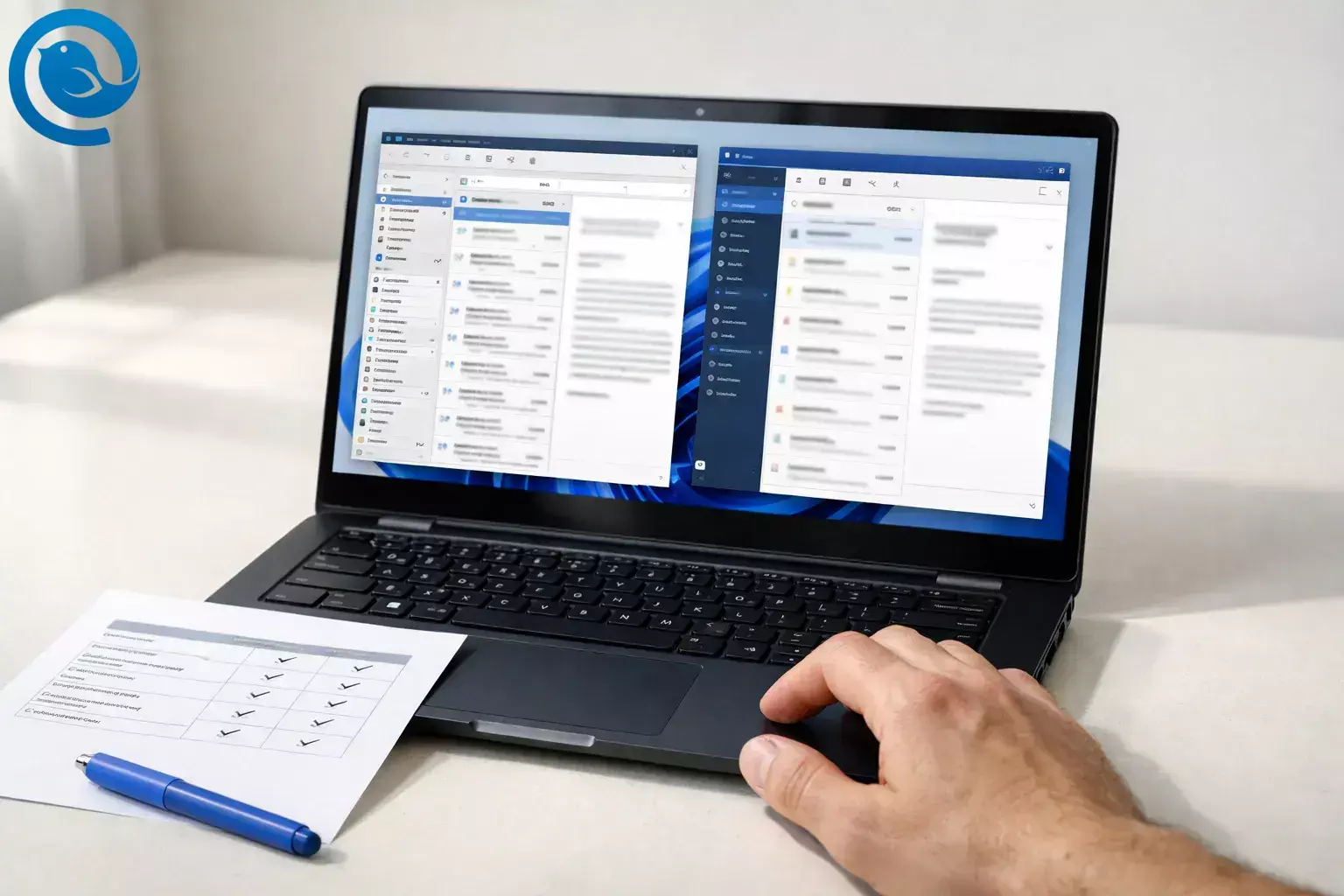
If you're exploring different email apps, our guide to the best email client for Windows compares the most popular options.
TL;DR (verdict snapshot)
- Mailbird Best for busy professionals who want a modern unified inbox and productivity-focused desktop email client, built‑in app integrations, and a paid support path on Windows or macOS. 2 3 6 7
- Thunderbird Best for power users who want a free, open‑source client that runs on Windows, macOS, and Linux, is highly customizable with add-ons, and includes built‑in OpenPGP end‑to‑end encryption. 13 14 15 19
What’s new
On , Mailbird announced that Mailbird for Mac is officially live on the Apple App Store. 1 What it means for you: the decision is no longer “Thunderbird because I’m on a Mac” — now it’s mostly about workflow (integrations vs add-ons), support expectations, and how much control you want.
Below is a head-to-head that forces a clear choice, plus a switching plan so you can change direction without losing your history.
Key takeaways
- Mailbird supports Windows 10/11 and macOS Ventura or later. 2 3
- Thunderbird runs on Windows 10+, macOS 10.15+, and Linux. 14
- Mailbird doesn’t have an iOS/Android app today; Thunderbird has an Android app available. 4 18
- Thunderbird is free and open source; Mailbird offers a Free plan (limited to 1 account) and paid plans for more features and support. 13 2
- Mailbird emphasizes a unified inbox workflow plus built-in app integrations; Thunderbird leans on add-ons for customization and workflow upgrades. 6 7 15
- Thunderbird Release 145+ added native Exchange email support via EWS (email-only for now). 17
- Microsoft has announced it will start blocking EWS requests to Exchange Online on October 1, 2026 unless tenant admins take action. 20
- For switching with minimal loss: IMAP is usually easiest; POP3/local archives are where export/upload matters most. 23 9
Mailbird vs Thunderbird: side-by-side comparison
| What changes your day-to-day | Mailbird | Thunderbird | Quick pick |
|---|---|---|---|
| Desktop platforms | Windows 10/11; macOS Ventura or later 2 3 | Windows 10+; macOS 10.15+; Linux 14 | If you need Linux or older macOS, pick Thunderbird. If you’re on modern Windows/Mac and want a workspace-style client, pick Mailbird. |
| Mobile | No iOS/Android app today 4 | Android app available 18 | If you want one brand across desktop + Android, Thunderbird wins. If you’re desktop-first, mobile doesn’t decide. |
| Price model | Free plan (1 account); Premium plans unlock unlimited accounts + advanced features 2 | Free, open source 13 | If your budget is $0, pick Thunderbird. If you’ll pay to save time and get VIP support, pick Mailbird Premium. |
| How you extend it | Built-in app integrations inside the client 7 | Add-ons (extensions/themes); support varies by author 15 | If you want integrations without tinkering, pick Mailbird. If you like building a custom setup, pick Thunderbird. |
| Microsoft 365 / Exchange | Microsoft 365 OAuth 2.0 supported; OAuth 2.0 isn’t supported for on‑prem Exchange per Mailbird’s docs 5 | Native Exchange email via EWS in Release 145+ (email only for now) 17 | If you need native Exchange mail in Thunderbird without third-party add-ons, test Thunderbird Release 145+. If you want a commercial client with support, lean Mailbird. |
| Updates & change control | Standard app updates; Pay Once owners may need “Lifetime Updates” for future major versions 8 | Monthly Release channel (default download) or annual ESR; ESR can be safer when add-ons are critical 16 21 | If you want fewer surprises, pick Mailbird (or Thunderbird ESR). If you want features sooner and accept change, pick Thunderbird Release. |
| Support model | Premium includes VIP customer support; Free relies on knowledge base support 2 | Community support; built by volunteers plus paid staff 13 | If a direct support path matters, Mailbird wins. If you’re comfortable self-serving and using forums, Thunderbird wins. |
Mailbird references: platform requirements, Free plan limits, Premium benefits, POP3 on Mac, and support tiers are from Mailbird’s official pricing and help-center pages. 2 3 4 5 8
Thunderbird references: OS requirements, add-ons guidance, Android support, and native Exchange email support come from Thunderbird/Mozilla support pages, release notes, and the Thunderbird blog. 14 15 16 17 18 21
Mailbird vs Thunderbird: what each app is
Mailbird vs Thunderbird: where they’re meaningfully different
1) Platforms + mobile: do you need Linux or Android?
Winner: Thunderbird if you need Linux or want one standard client across Windows/macOS/Linux (plus Android). Mailbird is a strong fit for modern Windows and Ventura+ macOS desktops, but it doesn’t currently offer a mobile app for iOS or Android. 14 18 2 3 4
2) Out-of-the-box workflow vs “build your own”
Winner: Mailbird when you want a polished, modern “workspace” feel immediately — less time hunting settings, more time clearing your inbox.
Winner: Thunderbird when you enjoy tuning your setup. Thunderbird is powerful, but it rewards people who are willing to configure views, filters, and (often) add-ons for their exact workflow.
3) How you extend the app: integrations vs add-ons
Mailbird’s edge: app integrations inside the client (Mailbird lists popular apps such as Slack, Dropbox, Google Calendar, and Asana). Thunderbird’s edge: an add-on ecosystem (extensions/themes) — but add-ons are commonly created and supported by their authors rather than Thunderbird itself. 7 15
4) Multi-account + unified inbox: same idea, different execution
Both can handle multiple accounts and both can present a unified view — but Mailbird leans into it more as a primary workflow. The Mailbird email client includes a Unified Inbox that combines folders (inbox, drafts, sent, archive, and more) across all connected accounts into a single view and keeps replies routed from the correct address. Thunderbird also supports managing accounts separately or in a unified inbox, but unified mode is one option among many in a more traditional email-client layout. 6 22
5) Microsoft 365 and Exchange: what works today (and what’s still coming)
Mailbird’s advantage: Mailbird’s docs focus heavily on modern authentication for Microsoft 365. For Microsoft 365 accounts, Mailbird automatically attempts OAuth 2.0 and tries to use its Exchange connection by default. Mailbird also notes that OAuth 2.0 isn’t supported for on‑prem Exchange, and that using IMAP/POP may require SMTP AUTH to be enabled in your organization. 5
Thunderbird’s advantage: Thunderbird’s monthly Release channel (version 145+) added native Exchange email support via EWS (no third‑party add‑on required for email). The same announcement notes that Exchange calendar and address book integration are still in development. 17
Important 2026 risk for Exchange Online: Microsoft has announced it will start blocking EWS requests to Exchange Online on October 1, 2026 (with guidance to migrate to Microsoft Graph). If your Exchange mailbox is in Microsoft 365/Exchange Online, treat EWS-based access as “works today, may tighten tomorrow” — and check with IT before standardizing. 20
6) Updates + compatibility: how much change do you tolerate?
Thunderbird gives you a choice: Monthly “Release” (the default download since March 2025) vs the annual “ESR” track. Thunderbird’s own guidance warns that if you use add-ons, sticking with ESR can be safer during transitions. 21 16
Mailbird keeps it simpler: you update like a typical commercial desktop app. The key difference is ownership: on Pay Once plans, future major versions are tied to the optional “Lifetime Updates” add-on; yearly subscriptions include updates by default. 8
7) Support, privacy, and control
Support winner: Mailbird if you want a direct, paid support path. Mailbird’s Premium plans include VIP customer support, while the Free plan emphasizes knowledge base support. Thunderbird support is largely community-driven, and add-on support typically comes from the add-on author. 2 13 15
Control/ownership winner: Thunderbird if open source is a must-have. Thunderbird also includes built-in end-to-end encryption (OpenPGP). 13 19
Mailbird states that OAuth tokens are used to synchronize emails to your local device and that Mailbird doesn’t maintain server-side copies of those tokens or the emails they access. 12
Mailbird vs Thunderbird: costs, effort, and ownership trade-offs
Money
Lowest cost winner: Thunderbird. Thunderbird is free and open source. Mailbird has a Free plan (limited to 1 account), and Premium plans that unlock unlimited accounts and advanced features; if you choose Pay Once, future major versions may require the optional Lifetime Updates add-on. 13 2 8
Time and effort
Lowest effort winner: Mailbird. You’re paying for fewer decisions: a cleaner default workflow, curated integrations, and a more guided support experience.
Highest control winner: Thunderbird. You save money, but you “pay” with time: dialing in settings, picking add-ons, and occasionally troubleshooting compatibility when something in your setup changes.
Ownership and long-term predictability
If you want software freedom and the confidence that you’re not dependent on a specific vendor’s licensing model, Thunderbird is the safer long-term bet. If you prefer a commercial roadmap, bundled features, and a VIP support path, Mailbird is the more predictable day-to-day experience. 13 2
What can change:
- Mailbird pricing, promotions, and which features are included in each tier (always confirm current plan details before buying).
- Thunderbird’s release-channel guidance and add-on compatibility over time.
- Microsoft’s enforcement mechanics and timeline around blocking EWS for Exchange Online (starts October 1, 2026).
Mailbird vs Thunderbird: risks and dealbreakers
Mailbird is a bad choice if…
- You need Linux support.
- You need a mobile app on iOS/Android today.
- You rely on POP3 on a Mac (Mailbird for Mac doesn’t support POP3 yet).
- Your organization uses on‑prem Exchange and requires OAuth 2.0 (Mailbird’s OAuth guidance explicitly calls this out as unsupported).
- You want multiple accounts on the free tier.
Thunderbird is a bad choice if…
- You want a paid, VIP support relationship and clear vendor accountability.
- Your workflow depends on one specific add-on and you’re not willing to stay on the ESR track when needed.
- You need full Exchange parity today (Thunderbird’s native Exchange support is email-only for now, with calendar/address book still in progress).
- You want “modern workspace + integrations” without spending time on customization.
Switching path: if you chose wrong, how to change direction with minimal loss
Rule #1 for painless switching: IMAP makes switching easy because your mail stays on the server and the new client can re-sync. POP3 and local-only archives are where people lose history—so export or upload before you uninstall anything. 23
Thunderbird → Mailbird (lowest-friction route)
- IMAP accounts: add the same accounts in Mailbird and let it sync. Then enable Mailbird’s Unified Inbox once you have multiple accounts.
- Bring your setup over faster: use Mailbird’s built-in import feature (it supports importing accounts from Thunderbird ).
- Have Thunderbird “Local Folders”? Mailbird’s own guidance notes that importing local folders into an IMAP account isn’t supported directly; the reliable bridge is uploading those local folders to an IMAP server (if you have space) so Mailbird can sync them.
Mailbird → Thunderbird (lowest-friction route)
- IMAP accounts: add the same accounts in Thunderbird and let it sync; your folders should appear as they exist on the server.
-
POP3 or local archives:
use Mailbird’s Export Tool to export messages as
.emlfiles or upload them directly to an IMAP server of your choice (which lets the next client sync them without relying on file imports). - If you depended on integrations: decide which ones are “must-have.” In Thunderbird, many workflow upgrades are add-on driven, and support often comes from the add-on author.
Mailbird vs Thunderbird decision tree (if/then)
- If you need Linux, then choose Thunderbird.
- If you want the cleanest “one-window workspace” with built-in app integrations on Windows or Mac, then choose Mailbird.
- If you have multiple email accounts and refuse to pay, then choose Thunderbird.
- If you’re willing to pay to unlock unlimited accounts + VIP support (and reduce setup time), then choose Mailbird Premium.
- If your organization runs Microsoft 365/Exchange and you want native Exchange email in Thunderbird, then test Thunderbird Release 145+ (but plan for the EWS retirement timeline).
- If you use POP3 on macOS, then choose Thunderbird (Mailbird for Mac doesn’t support POP3 yet).
- If you want an Android client under the same brand, then choose Thunderbird.
Fast way to validate your pick: install the winner for your scenario, add one account, and test your daily flow for 15 minutes (search, attachments, move/label, rules, calendar handling). If it doesn’t feel easier, switch — IMAP accounts keep switching low-risk.
Mailbird vs Thunderbird: which email client is better for Windows?
For Windows users, both Mailbird and Thunderbird are strong options, but they serve different audiences.
Mailbird focuses on productivity features such as a unified inbox, built-in app integrations, and a modern workspace interface designed for managing multiple accounts.
Thunderbird offers a highly customizable open-source platform with strong privacy features and Linux compatibility.
If you are primarily working on Windows and want a streamlined workflow with built-in integrations, Mailbird is often the easier solution.
You may also want to compare Mailbird with Microsoft Outlook.
If you're looking for a modern email client designed for productivity, you can download Mailbird and try it for free.
If you're comparing multiple modern email clients, you may also want to read our Mailbird vs Spark comparison to see how Spark differs in design, integrations, and workflow.
Frequently Asked Questions
Which is better: Mailbird or Thunderbird? — Depends on you
Neither is “best” for everyone. Choose Mailbird if you want a modern unified inbox, built-in app integrations, and a paid support path on Windows or macOS. Choose Thunderbird if you want a free, open-source client with Linux support, extensive add-ons, an Android app, and built-in OpenPGP encryption. 2 3 6 7 13 14 15 18 19
Is Mailbird free? — Yes, one account
Yes. Mailbird has a Free plan, but it’s limited to one email account. Paid plans unlock unlimited accounts and additional features. 2
Does Mailbird work on Mac? — Yes, Ventura+
Does Mailbird support Windows 10 and Windows 11? — Yes, supported
Yes. Mailbird’s Windows support documentation lists Windows 10 and Windows 11 as supported versions. 3
Does Mailbird have an iPhone or Android app? — Not yet
Not yet. Mailbird is currently a desktop email client, and a mobile app is listed as a future roadmap item. 4
Is Thunderbird really free and open source? — Yes, open source
Yes. Thunderbird is described as a free, open-source app, supported by volunteers plus paid staff and funded by community donations. 13
Does Thunderbird have a mobile app? — Yes, Android
Yes—Thunderbird for Android has an official Mozilla Support area with its own help articles. 18
Does Thunderbird support Microsoft Exchange? — Email via EWS
Thunderbird’s monthly Release channel (145+) added native Exchange email support via EWS. Calendar and address book integration are still in progress. 17
Should I worry about EWS being retired in Microsoft 365/Exchange Online? — Plan a fallback
If your mailbox is in Exchange Online, Microsoft has announced it will start blocking EWS requests beginning October 1, 2026 unless tenant admins take action. If your workflow depends on EWS, plan a fallback. 20
Can I switch from Mailbird to Thunderbird later without losing mail? — Export first
- Mailbird Blog — “Why We’re on the Apple App Store — And What It Means for You” (Published Sep 9, 2025). URL: https://www.getmailbird.com/mailbird-apple-app-store-launch-mac/
- Mailbird — Pricing and plans (includes Free plan limit, macOS requirement, POP3 on Mac note, support tiers). URL: https://www.getmailbird.com/pricing/
- Mailbird Help Center — Supported Windows versions. URL: https://support.getmailbird.com/hc/en-us/articles/12486718644375-What-versions-of-Windows-are-supported-by-Mailbird
- Mailbird Help Center — Mailbird for Mobile (Android/iOS) and Mac notes. URL: https://support.getmailbird.com/hc/en-us/articles/360014806554-Mailbird-for-Mobile-Android-iOS
- Mailbird Help Center — Microsoft OAuth 2.0 (modern authentication) support. URL: https://support.getmailbird.com/hc/en-us/articles/360052453913-Microsoft-OAuth-2-0-modern-authentication-support
- Mailbird Help Center — Unified Inbox feature. URL: https://support.getmailbird.com/hc/en-us/articles/220108147-Unified-Inbox
- Mailbird — Features (including app integrations). URL: https://www.getmailbird.com/features/
- Mailbird Help Center — Lifetime Updates (Pay Once vs Yearly update entitlement). URL: https://support.getmailbird.com/hc/en-us/articles/15354532511255-Why-am-I-being-charged-for-Lifetime-Updates
- Mailbird Help Center — Export Tool (export to .eml or upload to IMAP server). URL: https://support.getmailbird.com/hc/en-us/articles/115013591887-How-to-Use-Mailbird-s-Export-Tool
- Mailbird Help Center — Import accounts and emails to Mailbird (includes Thunderbird support). URL: https://support.getmailbird.com/hc/en-us/articles/220108247-How-to-Import-Accounts-and-Emails-to-Mailbird
- Mailbird Help Center — Import Local Folders from Thunderbird to Mailbird (limitations and IMAP upload approach). URL: https://support.getmailbird.com/hc/en-us/articles/7649524412439-How-to-import-Local-Folders-from-Thunderbird-to-Mailbird
- Mailbird — “Third-Party Login Tokens Expose Email Metadata” (local sync / no server-side copies statement). URL: https://www.getmailbird.com/third-party-login-tokens-expose-email-metadata/
- Mozilla Support — Thunderbird FAQ (free, open source, community support)
- Thunderbird — Release Notes (includes system requirements)
- Mozilla Support — Thunderbird add-ons FAQ (support responsibility and add-ons site)
- Thunderbird Blog — Release channel update (ESR vs Release guidance, add-ons caution)
- Thunderbird Blog — Native Microsoft Exchange email support via EWS (Release 145+; email-only scope)
- Mozilla Support — Thunderbird for Android support
- Mozilla Support — End-to-end encryption (OpenPGP) in Thunderbird
- Microsoft Exchange Team Blog — Retirement of Exchange Web Services (EWS) in Exchange Online (Oct 1, 2026 blocking)
- Thunderbird Blog — Release channel becomes default download (March 2025)
- Thunderbird — Official product page (unified inbox, desktop + mobile positioning)
- Mozilla Support — IMAP vs POP3 in Thunderbird


