Mailbird vs Spark (2026): which email client should you choose?
Mailbird vs Spark: a detailed comparison of two modern email clients. Learn how they differ in features, pricing, integrations, and productivity workflows.



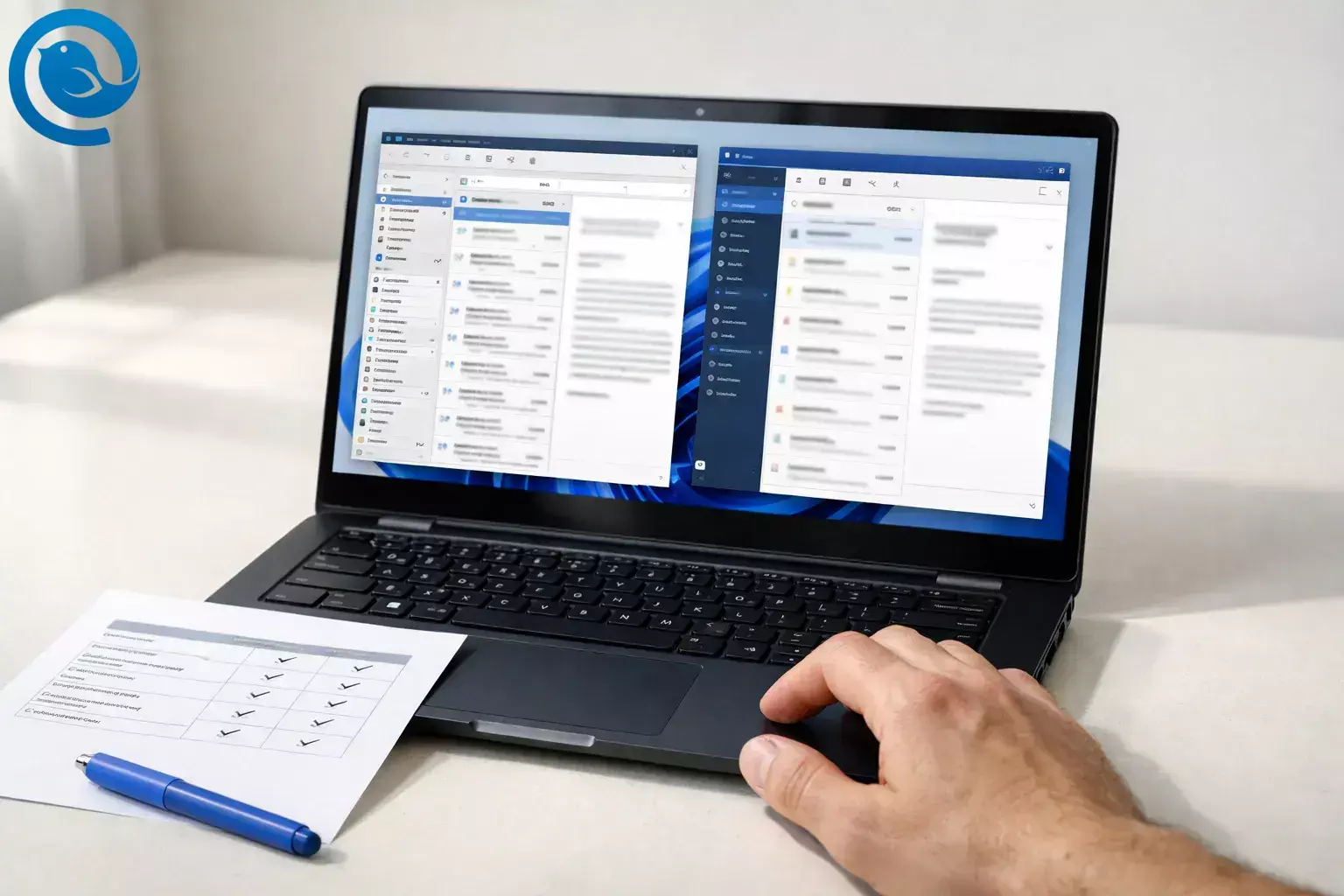
Mailbird is a desktop email client for Windows and macOS, while Spark is a cross-platform email app that emphasizes Smart Inbox automation, syncing, and optional AI and collaboration features across devices. If you’re still comparing options, you may also want to explore our guide to the best email client for Windows.
TL;DR
Verdict snapshot:
Plan names, pricing, and AI usage limits can change; details below reflect the vendors’ public documentation on the date above.[2][3]
What changed recently (and why it matters)
What’s new
In November 2025, Spark introduced its AI Assistant and shifted new customers to Plus and Pro subscription plans (with Premium no longer available for new sign-ups). That makes ongoing plan fit and long-term cost a bigger part of the Mailbird vs Spark decision.[1][2]
Mailbird remains a desktop email client for Windows and Mac, with a Free plan and Premium licenses (including a Pay Once option) built around multi-account management, a Unified Inbox, and an app sidebar for productivity tools.[3][6][7]
Mailbird works especially well as a desktop client for Gmail accounts.
Key takeaways
- Spark is available across desktop + mobile (Windows, macOS, iPhone/iPad, Android), while Mailbird is desktop-only (Windows + macOS).[4][3]
- On free plans, Spark supports unlimited email accounts; Mailbird Free is limited to 1 account per device.[2][3]
- Mailbird offers Premium licenses including a Pay Once option; Spark’s paid tiers (Plus/Pro) are subscriptions.[3][2]
- Mailbird focuses on a Unified Inbox and a sidebar “work hub” with third-party apps; Spark focuses on Smart Inbox automation and a synced inbox-first flow.[6][7][4]
- Spark Pro includes Shared Inboxes and Read Statuses for team workflows; Mailbird is positioned more as an individual desktop productivity client.[2]
- Mailbird describes local storage on your computer; Spark says some features rely on encrypted server-side processing (and relies on Google Cloud infrastructure).[8][5]
- Spark’s AI Assistant is opt-in and tied to current plans with usage limits; Mailbird lists a ChatGPT integration in Premium.[1][2][3]
Mailbird vs Spark comparison
Skim this table first—the sections below explain what each difference means in day-to-day use.
| Criteria | Mailbird | Spark |
|---|---|---|
| Devices you can actually use | Desktop: Windows + macOS.[3] | Desktop + mobile: Windows, macOS, iPhone/iPad, Android, plus Apple Watch support.[4] |
| Free plan: multiple email accounts | Limited to 1 account per device on the Free plan.[3] | Unlimited email accounts on the Free plan.[2] |
| How you pay (and typical starting prices) | Premium Yearly shown as $4.03/user/month (billed yearly); Premium Pay Once shown as $99.75/user one-time, with optional add-ons like “Lifetime Updates.”[3] | Subscription tiers: Plus $10/user/month or $99/year; Pro $20/user/month or $199/year.[2] |
| License coverage across devices | Premium license covers up to 3 devices per user.[3] | Subscription unlocks paid features on all devices where you use Spark.[2] |
| Inbox style | Unified Inbox combines messages across connected accounts into one view, and replies come from the correct address.[6] | Smart Inbox auto-sorts new email into categories and supports controls like Priority and Gatekeeper.[4] |
| Integrations and “work hub” feel | Third-party app integrations that run in Mailbird’s sidebar alongside your inbox.[7] | Productivity integrations are included in paid plans, with some CRM integrations listed as “soon” in Pro.[2] |
| Team workflows inside the email app | Primarily a desktop client for individual multi-account productivity. | Pro includes Shared Inboxes and Read Statuses; paid tiers also list team collaboration features.[2] |
| Data handling posture (high-level) | Mailbird describes itself as a local email client that stores emails, attachments, and personal data on your computer rather than on Mailbird’s servers.[8] | Spark says some features rely on server-side processing (e.g., notifications and advanced features), with stored data encrypted and infrastructure relying on Google Cloud.[5] |
| AI approach | Premium includes a ChatGPT integration.[3] | AI Assistant is opt-in, builds a private index local to your device, and is bundled into current plans with usage limits.[1][2] |
What Mailbird and Spark are
Mailbird is a desktop email client for Windows and macOS designed to manage multiple accounts in one place and keep productivity apps next to your inbox.[3][7]
Spark is a cross-platform email app that emphasizes Smart Inbox automation, syncing, and optional AI and collaboration features across devices.[2][4]
Where they’re meaningfully different
1) Device coverage: “desktop command center” vs “everywhere inbox”
If your day is split between desktop and phone/tablet, Spark’s advantage is being available across platforms and built around that experience. If you primarily work from a Windows or Mac computer and want a dedicated desktop client, Mailbird’s desktop-first approach keeps your workflow focused and customizable.[4][3]
Winner: Spark for multi-device life; Mailbird for desktop-first work.
2) Inbox strategy: Unified Inbox vs Smart Inbox automation
Mailbird’s Unified Inbox is about consolidation: it combines messages from connected accounts into a single view and keeps replies tied to the correct address. Spark’s Smart Inbox is about triage: it automatically categorizes new mail and adds controls like Priority and Gatekeeper to speed up processing.[6][4]
Winner: Mailbird if you want “one place for everything” without forced categories; Spark if you want automation that actively sorts and screens for you.
3) Workflow and integrations: Mailbird’s app-sidebar hub vs Spark’s inbox-first flow
Mailbird leans into the “work hub” idea: a sidebar of third-party apps can live alongside your inbox. Spark offers integrations too, but its core value is more about the inbox experience (Smart Inbox, syncing, collaboration) than turning email into a general-purpose desktop workspace.[7][2]
Winner: Mailbird if you want email + other tools in one desktop window; Spark if you prefer a cleaner, email-first UI with automation and collaboration.
4) Collaboration and shared inboxes: Spark is built for teams
If you need shared inboxes (like sales@ or support@) plus read statuses and collaboration inside the email client, Spark’s paid tiers (especially Pro) are designed around that workflow. Mailbird is a better fit when you’re optimizing an individual desktop inbox rather than managing team collaboration inside the client.[2]
Winner: Spark for teams; Mailbird for individual desktop productivity.
5) Privacy and data control: local-first vs cloud-assisted features
Mailbird frames privacy around local storage: email content lives on your computer rather than on Mailbird’s servers (while still depending on whatever email provider you connect to). Spark, by design, uses server-side processing for things like notifications and certain advanced features; Spark says that data is encrypted and relies on Google Cloud infrastructure.[8][5]
Winner: Mailbird if “keep it local” is non-negotiable; Spark if you’re comfortable with encrypted cloud-assisted features in exchange for syncing, collaboration, and automation.
6) AI: lightweight help vs a deeper inbox layer
Mailbird lists a ChatGPT integration in Premium, which can help with writing. Spark’s AI Assistant is positioned as a Q&A and summarization layer over your inbox, tied to current plans with usage limits and opt-in settings (including a private index stored locally on your device).[3][1][2]
Winner: Spark if you want AI as a core workflow; Mailbird if you want optional writing help inside a desktop-centric email hub.
Mailbird vs Spark pricing, effort, and ownership trade-offs
Cost over time (using the current list prices)
- Mailbird: Free plan (1 account/device) and Premium licenses, including a Yearly option shown at $4.03/user/month billed yearly and a Pay Once option shown at $99.75/user, with optional add-ons like “Lifetime Updates.”[3]
- Spark: Free plan plus paid tiers, including Plus ($10/user/month or $99/year) and Pro ($20/user/month or $199/year). Spark advertises a seven-day free trial for Plus and Pro, while Mailbird advertises a 14-day money-back guarantee.[2][3]
At those prices, Mailbird’s Pay Once license is roughly comparable to about 10 months of Spark Plus (or about 5 months of Spark Pro). If you’re “desktop-only” and you want to avoid ongoing fees, that math often favors Mailbird. If you need team collaboration or a cross-platform experience, Spark’s subscription can be easier to justify because it bundles those capabilities into the service layer.[3][2]
Effort: setup, learning curve, and ongoing maintenance
Setup is similar either way: add your accounts, verify folders (Sent/Drafts/Archive), then tune notifications, signatures, and any rules. The real effort difference is habits—Spark works best when you lean on Smart Inbox categorization, while Mailbird shines when you build a desktop cockpit with a Unified Inbox and sidebar apps.[4][6][7]
Ownership: licensing and where your day-to-day data lives
If you think of software as something you “own,” Mailbird’s Pay Once option is the closest match (with optional paid updates surfaced on the pricing page). Spark is closer to a subscription service: plans are per-user, and many of Spark’s differentiated features are tied to ongoing tiers.[3][2]
On the data side, Mailbird emphasizes local storage on your computer, while Spark’s privacy materials describe encrypted server-side processing for certain features (like notifications and some advanced tools).[8][5]
Risks and dealbreakers
Mailbird is a bad choice if…
- You need an iPhone/iPad email app today (Mailbird for Mac is not currently compatible with iPads or iPhones).[3]
- You rely on POP3 on macOS (Mailbird for Mac currently doesn’t support POP3 connections).[3]
- You want to file messages into local/offline folders that don’t sync back to your mail server (this isn’t currently supported).[9]
- You want to manage multiple accounts for free (Mailbird Free is 1 account per device).[3]
Spark is a bad choice if…
- You want a pay-once license and minimal ongoing fees (Spark’s paid plans are subscription tiers).[2]
- Your policy forbids any server-side processing of email snippets for features like push notifications and certain advanced tools (Spark describes encrypted server-side processing for these).[5]
- You require identical features and UX on every platform (Spark notes it is still working toward feature parity between platforms).[4]
- You’re on an older Spark Premium plan and need predictability—Spark explicitly warns that features and usage limits can differ for legacy plans.[2]
Switching path: if you chose wrong, how to change direction with minimal loss
If you chose Spark but want to move to Mailbird
- Keep your email accounts server-based. If your account supports IMAP/Exchange, switching clients won’t delete anything—your email stays with your provider.
- Add the same accounts to Mailbird. Let the initial sync finish before judging (especially if you have a large archive).
- Rebuild your “workflow layer.” Recreate signatures, templates/snippets, and any rules the way you actually work.
- Turn Spark into “read-only” for a week. Use it only for search/history while you confirm Mailbird is sending from the correct aliases and filing correctly.
- Clean up your Spark footprint. If you want to remove synced data from Spark’s services, Spark provides an in-app “Remove My Data From Spark” option (steps differ by platform).[5]
If you chose Mailbird but want to move to Spark
- Make sure you actually need Spark’s strengths. Spark earns its keep when you want Smart Inbox automation, collaboration, and/or AI features.[4][2][1]
- Connect your accounts in Spark and match folders. Verify Sent/Drafts/Archive behavior so your email provider stays organized the way you expect.
- Recreate your organization system. If you rely on Mailbird’s sidebar apps, decide what must stay inside the email app vs what can live elsewhere.[7]
- Cancel the plan you don’t need. Once you’ve had a full workweek in Spark without surprises, downgrade or cancel your Mailbird Premium renewal (or simply stop there if you bought Pay Once).[3]
Why many Spark users switch to Mailbird
- Unified inbox for multiple accounts
- Desktop-first productivity workflow
- One-time license option instead of subscriptions
Decision tree (forces a choice)
- If you need a true multi-device email experience (desktop + phone/tablet), then choose Spark.[4]
- If you’re desktop-first and want the option to pay once instead of ongoing per-user fees, then choose Mailbird.[3]
- If you run shared inboxes and want read statuses + collaboration inside the email client, then choose Spark Pro.[2]
- If “keep my email data local to my computer” is a hard requirement, then choose Mailbird.[8]
- If Smart Inbox categories + Gatekeeper-style screening are must-haves, then choose Spark.[4]
- Otherwise, choose Mailbird for a customizable desktop work hub; choose Spark for a synced, automation-heavy inbox.
Plan details and capabilities referenced above are based on the vendors’ current public documentation and can change.[3][2][4]
Frequently Asked Questions
Is Mailbird free? — Free plan available
Mailbird has a Free plan for light use, and paid Premium licenses if you want unlimited accounts and advanced features.[3]
Is Spark free? — Yes, Free plan
Yes. Spark offers a Free plan, and paid plans if you want AI features and advanced collaboration.[2]
Does Mailbird work on iPhone or iPad? — Not currently
Not currently. Mailbird is positioned as a desktop client, and its pricing FAQ notes Mailbird for Mac isn’t compatible with iPads or iPhones today.[3]
Does Spark have a unified inbox? — Yes, Unified Inbox
Yes. Spark offers a Unified Inbox and layers Smart Inbox categorization on top to help you triage mail faster.[4]
Which one is better for managing multiple accounts? — Unlimited accounts free
Which one is better for privacy? — Local storage preferred
How many devices does Mailbird Premium cover? — Up to 3
Mailbird’s Premium license is shown as covering up to 3 devices per user.[3]
Does Mailbird for Mac support POP3? — Doesn’t support POP3
Mailbird’s pricing FAQ notes that Mailbird for Mac currently doesn’t support POP3 connections.[3]
Will switching email clients delete my emails? — Typically no
Typically no. With IMAP/Exchange, your messages live with your email provider; a new client just syncs a view. The safest approach is to add the new client first, confirm everything matches, then remove the old one.
Sources
- Spark Blog — “Meet your personal AI Assistant — now in Spark.” (Nov 2025; AI Assistant + new plans/pricing)
- Spark — Pricing and plans comparison (Free, Plus, Pro, Enterprise)
- Mailbird — Pricing and plans (Free, Premium Yearly, Premium Pay Once, licensing limits, platform notes): https://www.getmailbird.com/pricing/
- Spark — Smart Inbox feature page (categorization, unified inbox, platform availability, parity note)
- Spark Blog — “Spark Email Privacy: Everything you Need to Know.” (server-side processing explanations)
- Mailbird Support — Unified Inbox: https://support.getmailbird.com/hc/en-us/articles/220108147-Unified-Inbox
- Mailbird Support — Third-Party Apps List (integrations): https://support.getmailbird.com/hc/en-us/articles/360039832053-Mailbird-Third-Party-Apps-List
- Mailbird Blog — “The Privacy Cost of Email Convenience” (local storage and privacy trade-offs): https://www.getmailbird.com/privacy-cost-email-convenience/
- Mailbird Support — Local/offline folders availability (roadmap note): https://support.getmailbird.com/hc/en-us/articles/15016669052439-Is-it-possible-to-save-messages-in-local-i-e-offline-folders-with-Mailbird


