Spark Email App Review: Who It Suits and Who It Doesn’t
Spark stands out for shared drafting, shared inboxes and cleaning up multiple accounts, but it is a weaker fit if you want minimal vendor-side processing or deep Microsoft 365 controls.



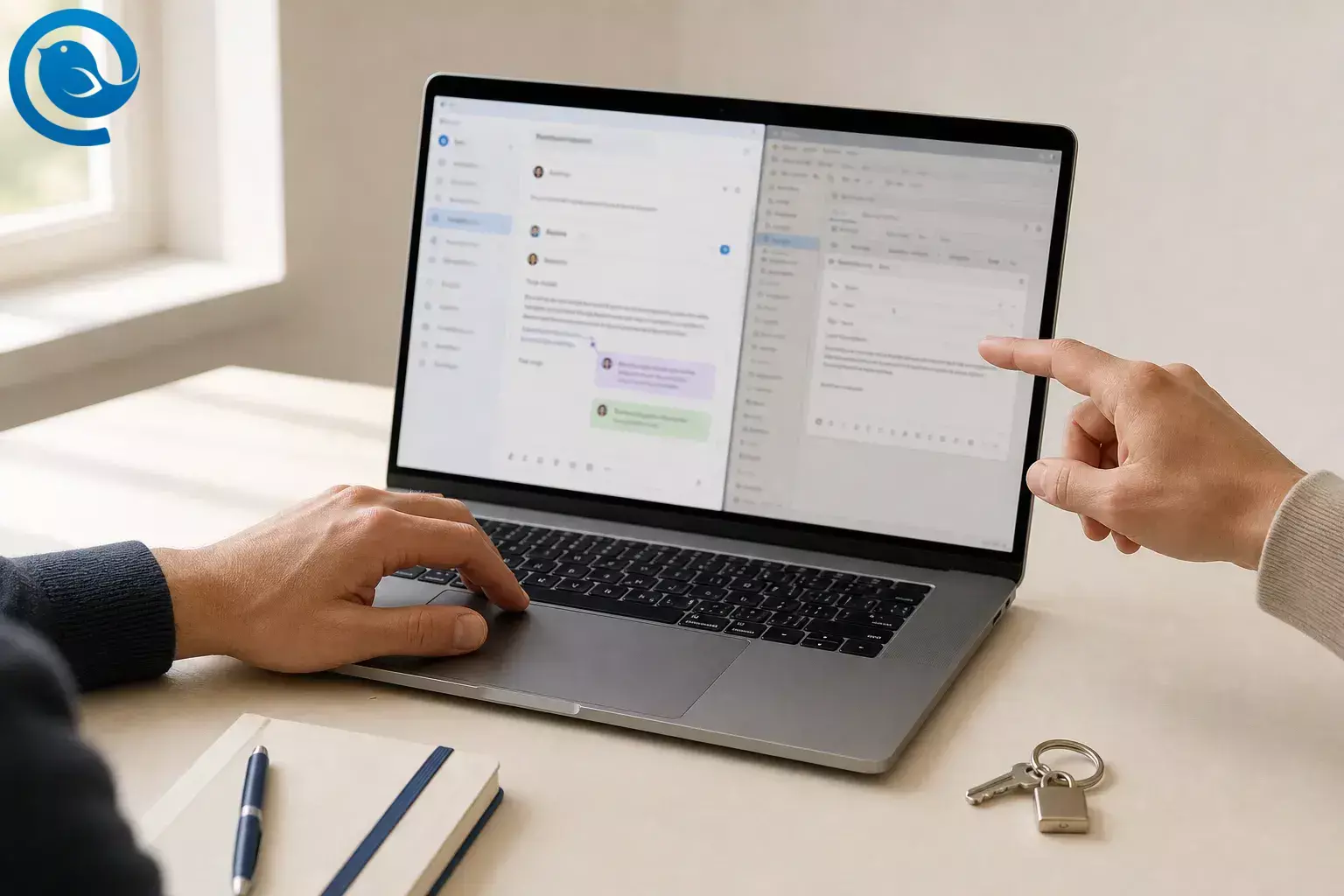
This Spark email review looks at the current app: its collaboration features, privacy trade-offs, pricing, platform coverage, and Spark vs Outlook. The short version is simple: Spark stands out for shared drafting, shared inboxes, and cleaning up multiple accounts, but it is a weaker fit if you want minimal vendor-side processing or deep Microsoft 365 controls.
Verdict: Choose Spark if you want a focused email client that makes co-writing replies and handling shared inboxes easier. Skip it if you want the most conservative privacy setup, perfect feature parity across every device, or the deepest native Microsoft 365 integration. 6, 7, 10, 15, 16
What’s new
Older Spark email reviews can miss two changes that matter in 2026. First, Spark’s current self-serve paid lineup centers on Plus and Pro, and it stopped taking new sign-ups for the older Premium plan when AI Assistant launched on November 7, 2025. 1, 2
Second, Spark moved Microsoft accounts from Exchange Web Services to Microsoft Graph in July 2026, and Microsoft says Exchange Online EWS will be disabled on October 1, 2026. If you use Outlook, Hotmail, or Microsoft 365 with Spark, the Graph-based connection is now the one that matters. 23, 24
Key takeaways
- Spark stands out for shared drafting, shared inboxes, and cleaning up multiple accounts. 6, 7, 10, 12
- The free plan is useful, while Plus is listed at $10 per user per month or $99 per year and Pro at $20 per user per month or $199 per year. 2
- Spark’s privacy posture is mixed because several advanced features rely on Spark’s servers or third-party AI providers. 2, 3, 4
- Platform coverage is broad across macOS, Windows, iOS, and Android, but feature parity still varies by platform. 9, 10, 14
- Outlook remains the safer choice for Microsoft-first organizations that need deeper Microsoft 365 features and controls. 15, 16, 17, 18
- Spark moved Microsoft accounts to Microsoft Graph in July 2026, and Exchange Online EWS will be disabled on October 1, 2026. 23, 24
- Spark says it cannot currently be set as the default email client on Windows. 11
Spark review score breakdown
- Day-to-day email workflow: Strong. Smart Inbox, Unified Inbox, Smart Search, Send Later, Snooze, Reminders, Set Aside, and Done Marker give Spark more control than a basic mail app. 5, 10
- Team collaboration: Strong. Shared Drafts support real-time co-editing and private comments, and Pro adds Shared Inboxes and Read Statuses. 6, 7, 8
- Privacy posture: Mixed. Spark says email data is mainly processed on your device, but several advanced features require Spark’s servers or third-party AI providers, and that is central to how the app works. 2, 3, 4
- Platform coverage: Broad, but uneven. Spark is on macOS, Windows, iOS, and Android, but Spark itself says feature parity still varies across platforms, and some integrations are platform-specific. 9, 10, 14
- Value for money: Depends on your workflow. The free plan is useful; paid plans start at $10 per user per month and become much easier to justify when you actually need collaboration or AI. 2
What Spark email is built for
Spark is a cross-platform email client for macOS, Windows, iOS, and Android. It works with Gmail, iCloud, Yahoo, Exchange, Outlook, Kerio Connect, and other IMAP/EWS accounts, then layers focused inbox tools on top. 9, 10, 12
The bigger goal is to turn email into a work surface rather than just a message list. That is why Spark mixes supported calendars, app integrations, and collaboration tools instead of stopping at folders and labels. 5, 13, 14
Bottom line: this is compelling if email is where approvals, handoffs, and follow-ups actually happen in your day. If email is mostly something you clear and forget, Spark can feel like extra machinery.
Who it suits and who it doesn’t
Best for
- People juggling several work and personal inboxes
- Small teams that co-write replies or manage addresses like sales@ and support@
- Users who prefer a triage-first inbox over sorting everything manually
- Anyone who wants email and a supported calendar in the same app
Why: Spark combines multi-account support with Smart Inbox, supported calendars, and built-in team tools. 5, 10, 12, 13
Not for
- Privacy maximalists who want as little processing on the app maker’s servers as possible
- Microsoft-first organizations that lean on classic Outlook features and Microsoft-specific controls
- People who expect identical behavior on Mac, Windows, iPhone, and Android
- Solo users who do not need collaboration or AI and just want the cheapest solid inbox
Main reasons: several advanced features rely on Spark’s servers, platform parity is still uneven, and the paid tiers only shine if you use what they add. 2, 3, 4, 10, 15
Key strengths
- Collaboration is the real differentiator. Shared Drafts let multiple people edit one outgoing message in real time and talk privately inside the draft. Pro-level Shared Inboxes let teams run addresses like sales@ or support@ without sharing account passwords. 6, 7
- The inbox is opinionated in useful ways. Smart Inbox sorts incoming mail into personal, newsletters, and notifications. Gatekeeper screens unknown senders, while Priority, Group by Sender, Mute Threads, Snooze, and Reminders help reduce low-value mail without losing it. 5, 10
- It handles mixed accounts well. Spark supports major consumer and business providers and pulls them into a unified inbox, which is still one of its clearest practical advantages. 10, 12
- The AI and privacy disclosures are relatively concrete. Spark says AI is disabled by default, says it does not sell user data, and says it does not use your data to train AI models. That does not make Spark minimal-data software, but it does make the trade-offs easier to read. 2, 3, 4
- It reaches beyond plain email in practical ways. Spark supports Google, Exchange/Microsoft 365, Outlook, and iCloud calendars, and it integrates with tools such as Asana, Notion, Todoist, Trello, Microsoft Teams, Slack, and Zoom. 13, 14
- Paid access follows you across devices. Spark says a subscription bought on one platform works on Spark for Windows, Mac, iOS, and Android. 2
Main trade-offs
- Privacy-sensitive users have to accept real server-side processing. Spark says push notifications, shared drafts, shared emails and comments, shared links, delegation, templates, and Send Later rely on Spark’s servers. That is a meaningful trade-off, not a footnote. 3, 4
- Platform coverage is broad, but the experience is not identical. Spark explicitly says feature parity is still in progress, and some integrations only exist on certain platforms. 10, 14
- Windows and Android default-app behavior is limited. Spark says it cannot currently be set as the default email client on Windows, and Android support is limited to handling mailto links rather than full default-mail control. 11
- Calendar support is narrower than email account support. Spark works with many mail providers, but its built-in calendar only supports Google, Exchange/Microsoft 365, Outlook, and iCloud calendars. 12, 13
- Read statuses are useful but imperfect. Spark’s read indicators rely on tracking pixels, so privacy-focused recipients or blocked remote images can break the signal. 8
- The paid tiers are not cheap unless you use them. Spark Free is genuinely useful, but $10 per user per month for Plus and $20 per user per month for Pro is only easy to justify when collaboration or AI saves real time. 2, 17, 18
Spark pricing and value
Spark currently offers Free, Plus, Pro, and Enterprise. On the public pricing page, Plus is listed at $10 per user per month or $99 per year, while Pro is $20 per user per month or $199 per year. Plus adds Spark +AI, AI Assistant, 40 AI Meeting Notes, custom templates, integrations, and essential team collaboration; Pro adds Shared Inboxes, Read Statuses, and unlimited AI Meeting Notes. 2
Bottom line: Spark Free is the obvious place to start. Paid Spark becomes easier to defend when even one messy shared inbox, delayed handoff, or duplicate reply costs more than the subscription. For many solo users, though, the paid jump is hard to justify.
Spark privacy posture
Spark’s app privacy policy says email and linked calendar data are mainly processed on your device, but it also says data may be processed in Spark systems when a feature needs it. The policy lists email and draft content, attachments, contacts, comments, calendar data, read statuses, meeting notes, and AI-related inputs and outputs among the categories it may process. 4
The help docs make the trade-off even plainer: push notifications, teams, shared emails and comments, shared drafts, shared links, delegation, templates, and Send Later all rely on server-side processing. Spark says that data is encrypted and that it uses Google Cloud for this infrastructure. 3, 4
On the reassuring side, Spark says AI is off by default, says it does not use your data to train AI models, and says outside AI providers may retain inputs for up to 30 days for abuse monitoring. Spark also says it uses app-specific tokens for Gmail, Outlook, and Yahoo accounts; for AOL, Exchange, and custom IMAP accounts, it says the stored credential can be the account login/password, additionally encrypted in its database. 2, 3, 4
If you decide against Spark later, the company provides in-app data-removal options and publishes a DPO address for access or deletion requests. 3, 4
My take: Spark’s privacy posture is not reckless, but it is not minimalist. If you are comfortable trading some vendor-side processing for collaboration, smart notifications, and AI, Spark stays within the norms of modern productivity apps. If you want your email client to touch as little as possible, Spark’s design will probably be the reason you pass.
Recent changes that matter
- November 7, 2025: Spark launched AI Assistant, introduced Plus and Pro, and stopped taking new sign-ups for the older Premium plan while keeping existing Premium users on their current price and feature set. 1, 2
- November 7, 2025: Spark’s app privacy policy was rewritten in a more detailed format, with clearer categories for data processing, lawful bases, retention, and AI-related handling. 4
- July 2026 to October 1, 2026: Spark moved Microsoft accounts from EWS to Microsoft Graph, and Microsoft says EWS in Exchange Online will be disabled on October 1, 2026. That matters for anyone using Spark with Outlook, Hotmail, or Microsoft 365 accounts. 23, 24
Why this matters: older Spark reviews that ignore these changes are stale. Spark is moving toward a more collaboration-heavy and AI-aware product, not a lighter personal inbox app. 1, 2, 23
Spark vs Outlook
Outlook remains the safer choice for Microsoft-first organizations. Microsoft’s own comparison tables show deeper native support for shared mailboxes on PC and web, inbox rules on PC and web, categories, public folders, retention controls, PST export on Windows, and tighter ties to the wider Microsoft 365 bundle. 15, 16, 17, 18
Spark is the better fit when you care more about day-to-day inbox experience than native Microsoft administration. It centers Smart Inbox, Unified Inbox, shared drafts, private team comments, and Pro-level shared inboxes for mixed-account workflows. 6, 7, 10, 12
| Area | Spark | Outlook |
|---|---|---|
| Best fit | People who want a cleaner multi-account inbox and lighter collaboration inside email. 6, 7, 10, 12 | Microsoft-first organizations that need deeper native Microsoft 365 tools and controls. 15, 16, 17 |
| Inbox view | Smart Inbox and Unified Inbox are core parts of the experience. 10 | Outlook for Mac has a unified inbox, while Outlook for Windows does not. 16 |
| Team workflows | Shared Drafts, private comments, Shared Inboxes, and Read Statuses are the main draw. 6, 7, 8 | Shared mailboxes are more fully supported in Outlook on PC and the web. 15 |
| Microsoft depth | Works with Outlook and Microsoft 365 accounts, but Outlook still goes deeper on rules, categories, public folders, retention controls, and PST export on Windows. 12, 15, 16 | Built more deeply into Microsoft-specific workflows, especially on Windows. 15, 16 |
| Price context | Free plan available; paid plans make more sense when collaboration saves real time. 2 | Often feels cheaper if your company already pays for Microsoft 365. 17, 18 |
To be fair, Outlook is not perfectly uniform either. Microsoft’s own docs show real differences between PC, web, iOS, Android, and Mac. The difference is that Outlook’s deepest version is still more capable for Microsoft-centric work, especially on Windows. 15, 16
- Pick Spark if you want multi-account email to feel lighter, cleaner, and more collaborative. 6, 10, 12
- Pick Outlook if your company already pays for Microsoft 365 and you need deeper Microsoft-native capabilities. 15, 17
- Important nuance: Outlook for Mac has a unified inbox, while Outlook for Windows does not. On Mac, the gap is narrower; on Windows, Spark’s unified view is a bigger differentiator. 16
Price comparison is not straightforward. Outlook may already be included in a Microsoft 365 plan, starts at $1.99 per month in Microsoft 365 Basic for consumer Outlook features, or can be bought as a $179.99 standalone desktop app. If you already pay Microsoft, Outlook often feels “free” even when it technically is not. 17, 18
Where Spark fits against Outlook, Apple Mail, and Mailbird
Spark sits in the middle of the market: more structured than Apple Mail and less enterprise-native than Outlook. That makes it easiest to understand as a collaboration-leaning productivity client rather than a minimal inbox app. 10, 15, 20
Outlook
Best if Microsoft 365 is your home base and you want email, calendar, contacts, storage, and Office in one ecosystem. 15, 17, 18
Apple Mail
Best if you want the least setup on iPhone, iPad, and Mac and prefer Apple’s built-in mail experience. 19, 20
Mailbird
Best if you want a desktop-focused alternative centered on a unified inbox and app integrations. 21, 22
What to check before you commit
- Which accounts do you actually use? Spark’s email support is broad, but calendar support is limited to Google, Exchange/Microsoft 365, Outlook, and iCloud. 12, 13
- Will your team really use shared drafts, comments, or shared inboxes every week? If not, stay on Free first. 2, 6, 7
- Are you comfortable with Spark’s servers being involved in notifications, send-later mail, shared features, and some AI workflows? 3, 4
- Do you need the same experience on every device? Spark says parity still varies by platform, and integrations differ by platform too. 10, 14
- Do you need Spark to own mailto behavior on Windows? It cannot currently be set as the default email client there. 11
- If you use Microsoft 365 at work, test the Graph-based sign-in with your IT team before rollout. Some organizations require admin approval, and EWS is being turned off for Exchange Online on October 1, 2026. 23, 24
- If read tracking matters, test it with real recipients. Spark’s Read Statuses depend on tracking pixels and can fail when images are blocked. 8
Spark Email FAQ
Is Spark email free?
Yes. There is a real free plan, so you can try the core Spark experience before paying for Plus or Pro.
Sources: 2
Is Spark available on Windows?
Yes. Spark has a Windows app, and the current help docs say it requires Windows 10 or later.
Sources: 9
Does Spark work with Gmail and Outlook accounts?
Yes. Spark supports Gmail, Outlook, iCloud, Yahoo, Exchange, Kerio Connect, and other IMAP/EWS accounts.
Sources: 12
Does Spark have a built-in calendar?
Yes, but only for supported providers. It is not a universal calendar layer for every email account you can connect.
Sources: 13
Is Spark good for teams?
Yes—if your team truly collaborates inside email. Shared Drafts, comments, Shared Inboxes, and Read Statuses are the reason to pay for Spark, not a side bonus.
Sources: 6, 7, 8
Is Spark worth paying for?
Usually only if you use the paid features. Spark Free is a solid place to start, while Plus and Pro make more sense when shared drafts, Shared Inboxes, or AI save real time.
Sources: 2, 6, 7
Spark vs Outlook: which is better?
Spark is better for a cleaner mixed-account inbox and lighter collaboration inside email. Outlook is better if your work already runs inside Microsoft 365 and you need deeper Microsoft-specific capabilities.
Sources: 6, 7, 10, 15, 16, 17
Is Spark private?
Private enough for many people, but not minimal. Several convenience and collaboration features depend on Spark’s servers, so privacy-sensitive users should read the policy before connecting important mail.
Sources: 2, 3, 4
Can Spark be the default email client on Windows?
Not at the moment, according to Spark’s current help page.
Sources: 11
Do Microsoft 365 users need to do anything because of the 2026 account update?
Maybe. Many people will only need to sign in once again, but some work accounts require admin approval for the newer Microsoft Graph connection.
Sources: 23, 24
If Spark feels close—but not quite right
If you want a simpler desktop-focused alternative, Mailbird is worth trying. It focuses on a unified inbox, app integrations, and a more traditional email-client feel. 21, 22
What could change
Spark’s plan pricing, annual discounts, AI limits, and Microsoft account connection steps have changed recently. Some Pro features are also still presented as upcoming on the public pricing page, so check the latest pricing page, privacy policy, and Microsoft 365 sign-in guidance before you commit. 2, 4, 23, 24
Sources
- Spark Blog — Meet your personal AI Assistant — now in Spark
- Spark Pricing
- Spark Help Center — Spark Email Privacy: Everything You Need to Know
- Spark — App Privacy Policy archive
- Spark Features
- Spark Help Center — Shared Drafts: Write Emails Together With Your Team
- Spark Help Center — Shared Inboxes
- Spark Help Center — Read Statuses
- Spark Help Center — Is Spark Available for Windows?
- Spark Features — Smart Inbox
- Spark Help Center — Set Spark as a default email client
- Spark Help Center — Connect to Your Email Account in Spark
- Spark Help Center — Enable and view Calendars in Spark
- Spark Features — Integrations for Desktop
- Microsoft Support — Compare Outlook for PC, Outlook on the web, and Outlook for iOS & Android
- Microsoft Support — Compare Outlook for Windows and Outlook for Mac in Office 365
- Microsoft 365 — Outlook email plans and pricing
- Microsoft — Buy Outlook (PC or Mac)
- Apple Support — Mail Support
- Apple Support — Mail User Guide for Mac
- Mailbird — Best Email Client for Windows and Mac
- Mailbird — Pricing and Plans
- Spark Help Center — Microsoft Account Sign-In Required After Spark Update
- Microsoft Learn — Deprecation of Exchange Web Services in Exchange Online


