How to Unarchive an Email in Outlook
If you need to know how to unarchive email in Outlook, open Archive, select the message, and use Move or Move to to send it back to Inbox or another folder. If the email is not there, also check In-Place Archive / Online Archive or an older .pst archive in classic Outlook.



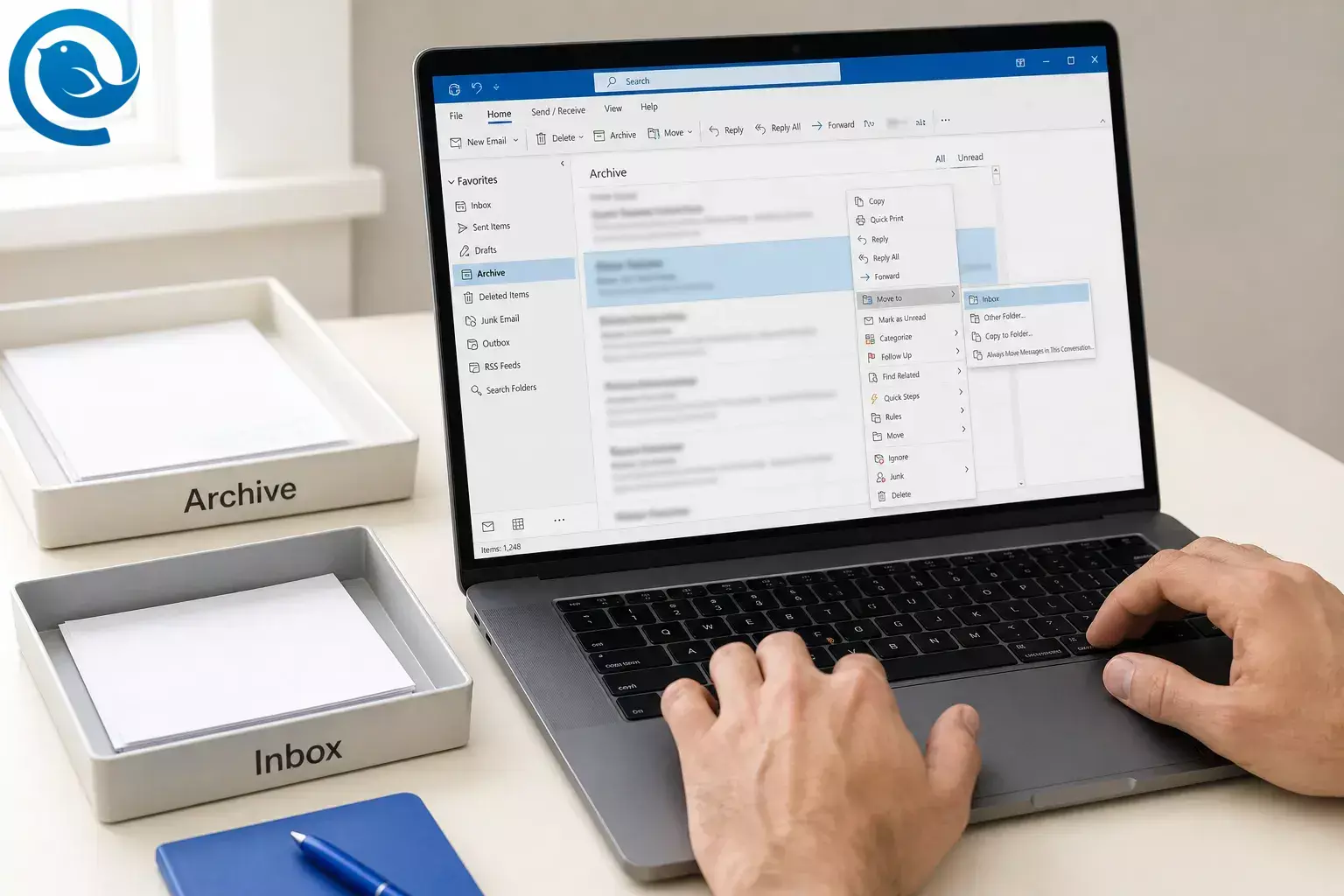
If you need to know how to unarchive email in Outlook, open Archive , select the message, and use Move or Move to to send it back to Inbox or another folder. If the email is not there, also check In-Place Archive / Online Archive or an older .pst archive in classic Outlook. [2] [5] [8] [9]
TL;DR
- Identify your Outlook version : browser = Outlook on the web; Windows app with a File tab = classic Outlook; Windows app with a Settings gear and no File tab = new Outlook. [4]
- Open Archive first: archived mail goes to Archive , not Deleted Items . [2] [7]
- Find the email: search inside Archive by sender, subject, or date. [2] [5]
- Move it back: use Move or Move to , then choose Inbox or another folder. [9]
- If the email is missing: also check In-Place Archive / Online Archive or an older .pst archive in classic Outlook. [8] [5]
- Keep expectations clear: AutoArchive is a classic Outlook feature, and Microsoft lists .pst support in new Outlook as partial. [1] [10]
Where archived Outlook email lives
Archive
The regular Archive folder is the first place to check. It keeps messages out of your inbox, but it is still part of the same mailbox. [2]
In-Place Archive / Online Archive
Work or school accounts may also have a separate archive mailbox. New Outlook and the web call it In-Place Archive ; classic Outlook usually shows Online Archive . [8]
Archive vs Deleted Items
Archive keeps the email. Deleted Items holds email you removed. In classic Outlook, Backspace archives the selected message, while the Delete key sends it to Deleted Items . [2] [7]
How to unarchive an email in new Outlook
How to unarchive an email in new Outlook
-
Select the message, choose Move , then pick Inbox or another destination folder. You can also drag the message to the folder you want. [9]
How to unarchive an email in classic Outlook
How to unarchive email in Outlook on the web
If the email is not in Archive
-
Check In-Place Archive / Online Archive
If you use a Microsoft 365 work or school account, open the separate archive mailbox and search there. In classic Outlook, search from your main Inbox will not include Online Archive unless you open that mailbox first. [8]
-
Open an old .pst archive
In classic Outlook, go to File > Open & Export > Open Outlook Data File , open the .pst , and drag the message back to your mailbox. Microsoft says
archive.pstis commonly stored inDocuments\Outlook Fileson newer setups and may be inAppData\Local\Microsoft\Outlookon older ones. [5]New Outlook supports .pst files only partially. If it will not open the file, use classic Outlook or the import flow under Settings > Data files > import Outlook accounts for a larger restore. [1] [6]
-
Check Deleted Items if the message was deleted, not archived
Open Deleted Items and use Move or Restore . If it is not there, check Recover deleted items . In Outlook on the web and Outlook.com, email is automatically deleted from Deleted Items after 30 days, and items removed from Deleted Items are recoverable for 30 days. [7]
Troubleshooting
-
You can’t see Archive: the folder pane may be hidden. In classic Outlook, use View > Folder Pane > Normal . If you use Outlook 2016 or Outlook for Microsoft 365 and Archive still does not appear, update Outlook. [2]
-
Search finds nothing: search inside the Archive folder itself, then check Online Archive or an open .pst file if you use one. [2] [5] [8]
-
The message keeps moving again: a retention label or archive policy may still be acting on that item or folder. [11]
-
Archiving did not reduce mailbox size: the regular Archive folder is still part of the same mailbox. A separate Online Archive mailbox is different. The same is true of archiving in Gmail : the message leaves the inbox but still counts toward your storage. [2] [8]
Frequently Asked Questions
Is there an Unarchive button in Outlook? — Not usually
Where is the Archive folder in Outlook? — Folder list
Can I unarchive more than one email at once? — Yes, several messages
Yes. Select several messages, then move them together to Inbox or another folder. [9]
What if Outlook auto-archived my email? — Open old .pst
Does the regular Archive folder reduce mailbox size? — No, same mailbox
What if my company uses Online Archive? — Separate archive mailbox
Check the separate archive mailbox too. That is where older mail may live in many work or school accounts. [8]
Want a simpler desktop inbox for Outlook?
If you would rather not hunt through Archive folders in several accounts at once, our step-by-step guide to moving from Outlook to Mailbird walks through the switch.
Mailbird is an Outlook alternative that keeps your accounts in one unified inbox, so archived mail has a single place to look.
Sources
- Microsoft Support — Feature comparison between new Outlook and classic Outlook
- Microsoft Support — Archive in Outlook for Windows
- Microsoft Support — Organize your inbox with Archive, Sweep, and other tools in Outlook on the web
- Microsoft Support — What version of Outlook do I have?
- Microsoft Support — Open and find items in an Outlook Data File (.pst)
- Microsoft Support — Import email, contacts, and calendar from an Outlook .pst file
- Microsoft Support — Recover and restore deleted items in Outlook
- Microsoft Support — Manage email storage with In-Place/Online Archive mailboxes
- Microsoft Support — Move or copy an item to another folder in Outlook
- Microsoft Support — Archive older items automatically
- Microsoft Support — Assign retention labels and archive policies in Outlook on the web


