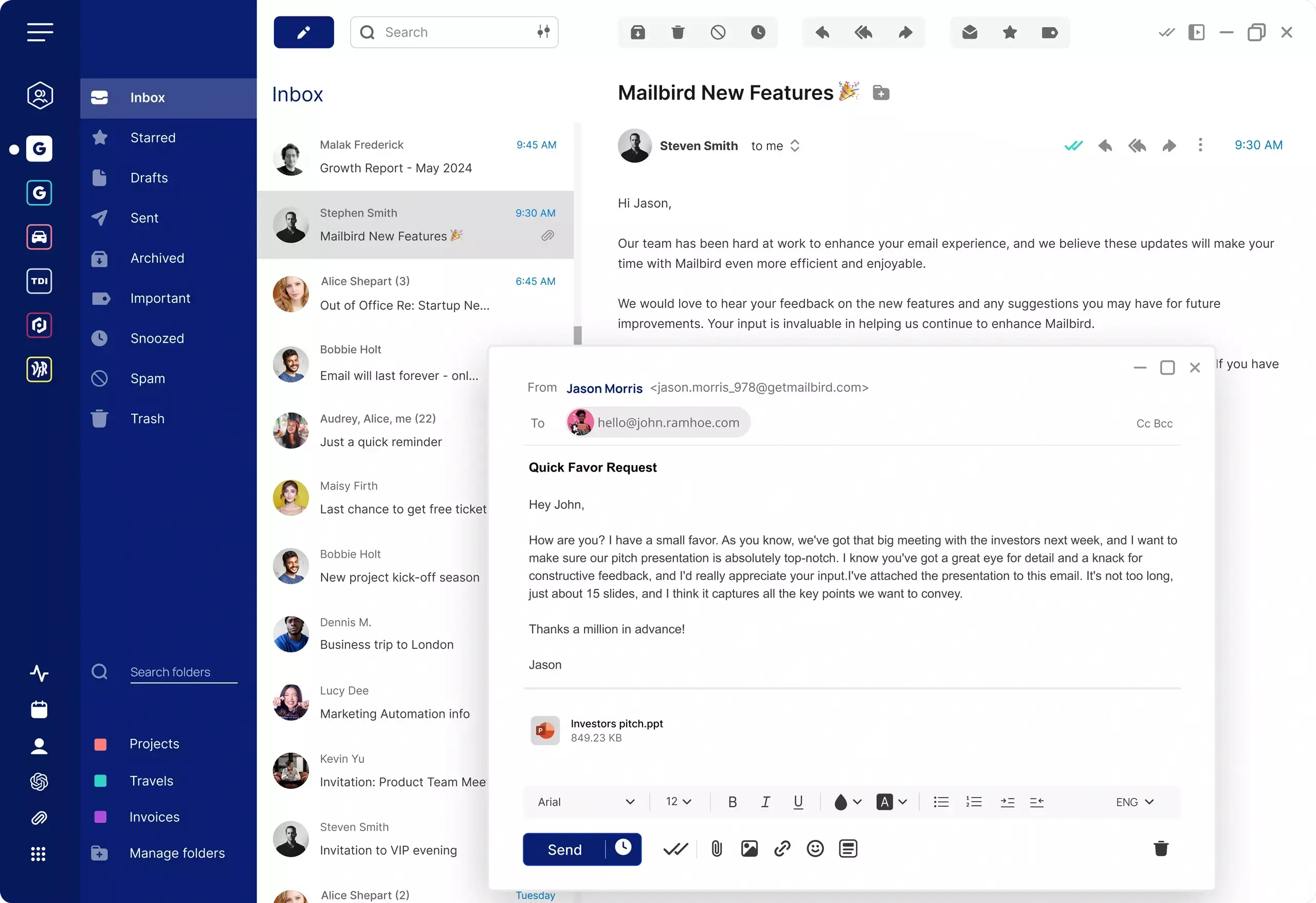
Outlook alternatives at a glance
Outlook remains one of the most widely used email platforms, but not every user wants the same experience. Some people prefer the depth and familiarity of Classic Outlook, while others are adjusting to the new Outlook for Windows or using Outlook on the web. As these experiences continue to evolve, many users start looking for a simpler and more focused email client.
The best Outlook alternative depends on what matters most to you. Some users want easier multi-account management. Others want a cleaner interface, fewer workflow interruptions, or a more modern desktop email client that still works with major providers like Gmail, Outlook, Yahoo, iCloud Mail, and Exchange.
On this page, you can compare leading alternatives including Mailbird, Microsoft Outlook, Mozilla Thunderbird, Spark, and Apple Mail. You can also explore platform-specific options for best email client Windows and best email client Mac, or see how provider-specific setups work on our Gmail email client page.
Why people look for an Outlook alternative
People usually do not search for an Outlook alternative because Outlook is unusable. More often, they are trying to simplify email, reduce friction, and find a setup that better fits the way they work every day.
One common reason is complexity. Outlook can be powerful, but for many users that power comes with a heavier interface, more settings to manage, and more structure than they need for everyday email. If your goal is to get through inboxes faster and manage multiple accounts more easily, a lighter desktop email client may feel like a better fit.
Another major reason is interface change. Microsoft Outlook now exists in multiple forms, including Classic Outlook, the new Outlook for Windows, and Outlook on the web. Users who were comfortable with Classic Outlook may find the transition to the new experience disruptive, especially if familiar workflows, layout habits, or productivity patterns have changed.
Some people are also switching because they want better day-to-day workflow. That can mean easier account switching, less visual clutter, faster access to important mail, or a more streamlined way to connect personal and professional inboxes in one place.
In practice, the best replacement for Outlook is the one that keeps the essentials users care about while reducing the parts that slow them down. For many users, that means finding an email client that supports major providers, works smoothly on desktop, and feels easier to use from the start.
Compare the best Outlook alternatives
This comparison gives a practical overview of common desktop email client choices for users considering an Outlook replacement.
| Email client | Best for | Platforms | Multiple accounts | Works with | Pricing |
|---|---|---|---|---|---|
| Mailbird | Users who want a cleaner desktop experience with multiple accounts in one place | Windows, Mac | Yes | Gmail, Outlook, Yahoo Mail, iCloud Mail, Exchange and other common email accounts | Free for 1 account. Paid plans available |
| Microsoft Outlook | Users already committed to the Microsoft ecosystem and Outlook workflows | Windows, Mac, Web | Yes | Microsoft accounts, Exchange, and common email providers | Included in some Microsoft plans; pricing varies by plan |
| Mozilla Thunderbird | Users who want a traditional desktop email client with extensive configuration options | Windows, Mac, Linux | Yes | Common email providers via standard protocols | Free |
| Spark | Users who prefer a modern interface and collaborative email features | Windows, Mac, iOS, Android | Yes | Common email providers and integrations | Free plan available; paid plans available |
| Apple Mail | Mac users who want a built-in email app with a familiar Apple experience | Mac, iPhone, iPad | Yes | iCloud Mail, Gmail, Outlook, Yahoo Mail and other common accounts | Included with Apple devices |
Compare Outlook alternatives with AI
Want a quick second opinion? Use these AI prompts to compare Mailbird with Outlook based on simplicity, multiple accounts, and everyday email productivity.
Top Outlook alternative reviews
These quick reviews are designed to help you understand where each email client fits best when you are evaluating alternatives to Outlook.
Mailbird
Mailbird is a strong Outlook alternative for users who want a more streamlined desktop email experience without losing support for multiple accounts and major providers. It is especially well suited to people who want to combine work and personal inboxes in one place and reduce the friction that can come with heavier email workflows. Mailbird has been rebuilt as Mailbird Next, running on Windows and Mac from a single codebase, with a modernised interface and a simpler account setup.
Best for: Users who want a practical Outlook replacement with a cleaner interface and broad account support.
Platforms: Windows, Mac
Microsoft Outlook
Outlook remains a capable option for users who rely heavily on Microsoft services and established Outlook workflows. It is often a better fit for people who want continuity inside the Microsoft ecosystem than for users looking to simplify their email setup.
Best for: Microsoft-focused users who prefer to stay within Outlook and related tools.
Platforms: Windows, Mac, Web
Mozilla Thunderbird
Thunderbird appeals to users who want a traditional desktop email client with extensive configuration flexibility. It can be a reasonable alternative to Outlook for users who value control and customisation, though it may feel less streamlined for those prioritising simplicity.
Best for: Users who want a configurable desktop email client with a long-established approach.
Platforms: Windows, Mac, Linux
Spark
Spark is often considered by users who prefer a more modern interface and want email features aimed at collaboration and team workflows. It can be a good alternative to Outlook for users who want a different feel and approach to inbox management.
Best for: Users who prefer a modern email interface and team-oriented workflows.
Platforms: Windows, Mac, iOS, Android
Apple Mail
Apple Mail is a natural option for users already committed to Apple devices and looking for a built-in email app. It is most relevant for Mac users, but it is less suitable as a universal Outlook replacement for people who need a platform-agnostic desktop setup.
Best for: Mac users who want a built-in Apple email experience.
Platforms: Mac, iPhone, iPad
What to look for in an Outlook replacement
The best Outlook alternative is not just the one with the longest feature list. It is the one that supports your real workflow and makes daily email easier to manage.
1. A simpler interface that still feels capable
If you are leaving Outlook because it feels too complex or too heavy, prioritise an email client that keeps navigation clear and reduces unnecessary friction without removing important everyday functions.
2. Reliable support for multiple accounts
Many users replacing Outlook want one place to manage work and personal email together. Make sure the client supports multiple accounts and makes switching between them straightforward.
3. Compatibility with major email providers
A good Outlook alternative should work smoothly with common providers such as Gmail, Outlook, Yahoo Mail, iCloud Mail, and Exchange so you do not have to rebuild your email setup from scratch.
4. A strong desktop experience on the platform you use
Since this page serves both Mac and Windows audiences, it is important to choose an email client that fits your desktop environment well.
5. A workflow that feels easier from day one
Replacing Outlook should lead to a more efficient daily routine. Look for an email client that helps you organise, read, and reply faster instead of forcing you to adapt to a more complicated interface.
FAQ
What is the best Outlook alternative?
The best Outlook alternative depends on what you want to improve. If you are looking for a simpler desktop workflow, support for multiple accounts, and compatibility with major providers, Mailbird is a strong option to consider.
Why are people switching from Outlook?
People often switch from Outlook because they want a less complex email experience, a cleaner interface, or a workflow that feels faster and easier to manage. Recent changes between Classic Outlook and the new Outlook experience have also increased switching intent for some users.
Is there a simpler replacement for Microsoft Outlook?
Yes. Many users looking for a replacement for Outlook want a desktop email client that is easier to use while still supporting multiple accounts and major providers. Mailbird is designed around that kind of simplified desktop experience.
Can I use an Outlook alternative with Gmail and other providers?
Yes. Many Outlook alternatives support major providers such as Gmail, Outlook, Yahoo Mail, iCloud Mail, and Exchange. If you specifically want to explore Gmail setups, see our Gmail email client page.
Should I choose a different email client for Windows or Mac?
Not always. Some email clients work well across both platforms, while others are stronger on one operating system. For platform-specific guidance, compare our best email client Windows and best email client Mac pages.


