How to Delete Read-Only Contacts and Remove Synced Contacts
A contact becomes read-only when your phone or email app is only showing a synced, directory, or linked contact instead of owning it. That is why the cleanest way to remove synced contacts is to delete the original record first. Mailbird help also notes support limits for some contact sources and sync workflows.



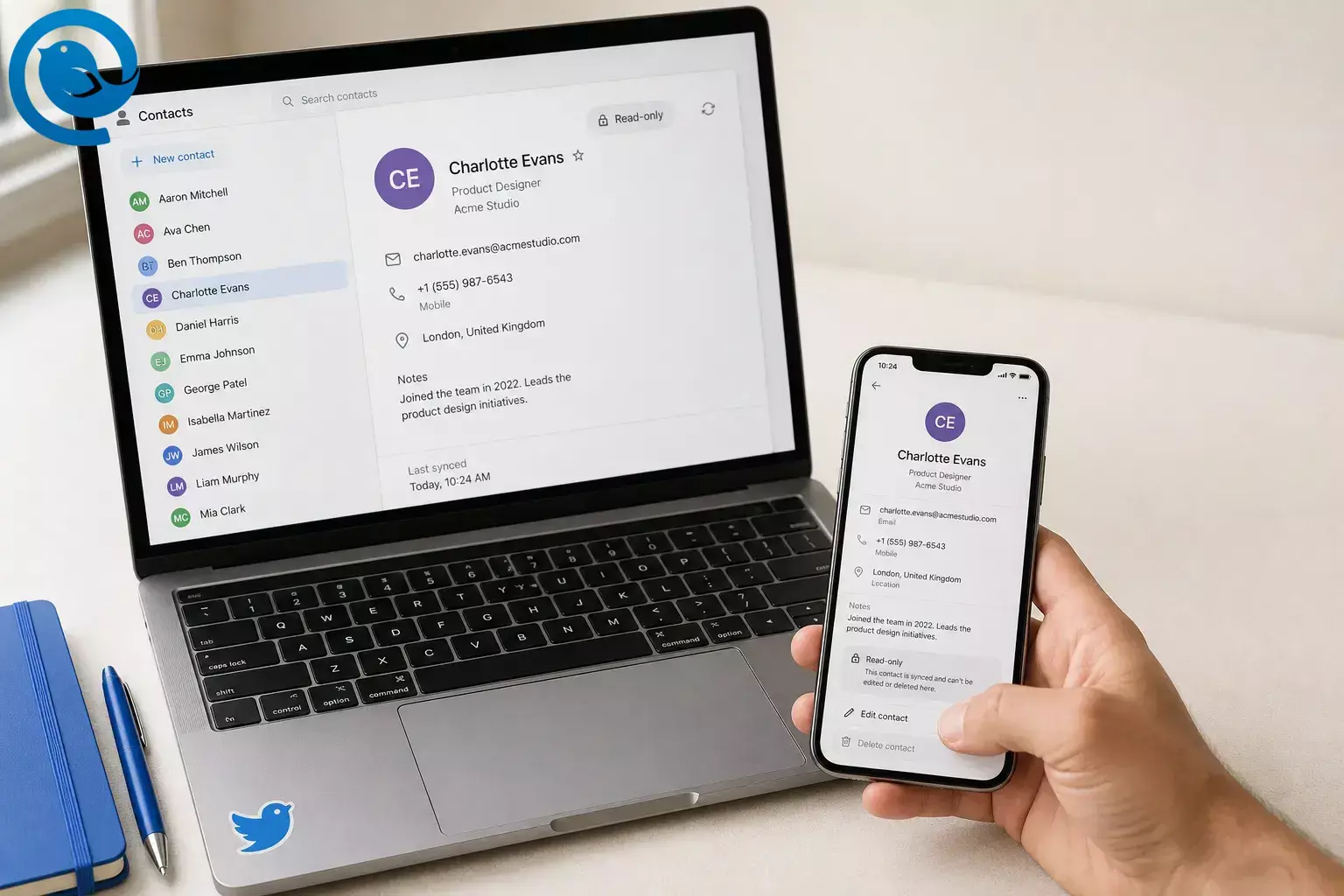
A contact becomes read-only when your phone or email app is only showing a synced, directory, or linked contact instead of owning it. That is why the cleanest way to remove synced contacts is to delete the original record first. Mailbird help also notes support limits for some contact sources and sync workflows. [1] [2] [3] [4] [5] [6]
Key takeaways
Quick answer: If you cannot delete a read-only contact, the contact usually belongs to a synced account, directory, SIM, device list, or linked card, not the app where you see it. Find the source that owns it—Google, iCloud, Outlook or Microsoft 365, Exchange, SIM, Device, or Directory—delete it there, then refresh your phone and Mailbird. [2] [3] [4] [5] [6]
- Open one problem contact, not your whole list.
- Find the owner: Google, iCloud, Outlook, Exchange, SIM, Device, or Directory.
- Delete the contact in that source, not just from the all-contacts view.
- Check Google Other contacts if the name keeps returning.
- Split linked or unified cards before deleting.
- Refresh your phone and Mailbird after the source is clean.
- Confirm the contact is gone on the provider’s web page, then on your phone, then in Mailbird.
Before you start
Safety notes
Deleting a contact from a synced account can remove it from every device signed into that account. Company directory or Global Address List contacts may not be deletable by you. If the source is outside current Mailbird contact support, remove it in the original provider instead. [1] [2] [4]
How to delete read-only contacts step by step
How to delete read-only contacts step by step
-
Open one problem contact
Search the exact name or phone number and open the full card. If you see duplicates, start with one entry so you can confirm the fix before you do any bulk cleanup.
-
Find the source account that owns it
Look for an account label such as Google, iCloud, Outlook, Microsoft 365, Exchange, SIM, Device, or Directory. On iPhone and iPad, Contacts can show entries from multiple accounts, and in Mailbird Contacts App you can switch between connected accounts to see which list the contact belongs to. If the label is still unclear, check the provider’s web contacts page. [2] [7]
-
Try Edit or Delete once
Tap or click Edit or Delete one time. If the card deletes cleanly, stop and let sync finish. If the app blocks the change, move to the matching source below.
-
If it is a Google contact, delete it in Google Contacts
Open Google Contacts in a browser or the Contacts app, select the contact, and choose Delete or Move to trash . Google says contacts saved to your Google Account sync with Google Contacts and your Android devices, and deleted contacts stay in Trash for 30 days unless you delete them forever. [8]
-
If Google keeps bringing it back, clear Other contacts too
In Google Contacts, open Other contacts , delete the matching entry, then turn off Contact info saved from interactions if you do not want Google services to save it again automatically. [9]
-
If it belongs to iCloud or another iPhone/iPad account, remove it there
On current iPhone and iPad versions, open the contact, tap Edit , then tap Delete Contact . If you want to remove an entire synced list, go to Settings > Apps > Contacts > Contacts Accounts, open the account, then turn Contacts off or delete the account. Apple notes that deleting a contact from an email account also removes it from other devices signed into that account. [2]
-
If it belongs to Outlook or Microsoft 365, delete it in People
Open People in Outlook, new Outlook, or Outlook on the web , select the contact, and choose Delete . If the contact is in your organization’s Global Address List, Microsoft says you can view it but you cannot add, edit, or delete it yourself, so ask your admin or IT team to remove or update it. [4] [10]
-
If it belongs to SIM, Device, or another synced service, remove it at the source
Google’s Android help says device and SIM contacts can be saved as Google contacts, but contacts syncing with other cloud services may only be manageable on the original device or source service. Delete the contact there, then sync again and recheck the list. [3]
-
Split unified or linked cards before deleting
If one card mixes info from two accounts, you are probably looking at a unified contact. Apple linked contacts and Mailbird linked contacts can show separate records as one visible person, so unlink or open the underlying entry first and delete only the unwanted source card. [5] [6]
-
Refresh Mailbird and verify everywhere
When the source record is gone, reopen the provider’s contacts page, then your phone, then Mailbird. Current Mailbird help says you can refresh or restart Mailbird if contacts do not appear right away, and Mailbird Contacts App also lets you disconnect and reconnect an email account if an old entry keeps hanging around. [1] [11]
Why this works
Contacts apps usually show a combined view, not one master list. Google, Microsoft, Apple, and Mailbird all describe the same basic rule: personal contacts live in an owning account, organization contacts live elsewhere, and linked cards can merge several records into one visible person. Delete the owner record, and sync has nothing left to bring back. [3] [4] [5] [6]
Troubleshooting when you cannot delete a contact
- The contact disappears, then comes back. The original source still has it, or Google saved it again under Other contacts . Delete it at the source, then clear the matching Other contacts entry and turn off auto-save if needed. [3] [9]
- You can see the contact in Outlook but there is no real delete option. It may be in the Global Address List. Ask your admin or IT team to change the directory entry. [4]
- Your iPhone will not remove the contact cleanly. It usually belongs to a synced account, not just the phone view. Delete it in the owning account or turn Contacts off for that specific account in Settings. [2]
- The contact is gone on the provider site but still shows in Mailbird. Mailbird may be holding a stale synced view, or the source may be outside the current contact-sync flow. Restart Mailbird, refresh contacts if available, or disconnect and reconnect the account. [1] [11]
- The name is gone from Google Contacts but still appears as a suggestion. It may still live in Other contacts or auto-save is still on. Delete the Other contacts entry and change the saved-interactions setting. [9]
- One visible person shows data from two accounts. It is probably a unified or linked contact. Unlink the records, then remove the specific source card you do not want. [5] [6]
- You deleted the wrong Google contact. Restore a regular Google contact from Trash. If it was only in Other contacts , use Google’s Undo changes option instead. [8] [9]
- You deleted the wrong Outlook contact. Open People > Deleted and restore it. Recovery options depend on the account you use. [13]
- You turned off Google contact sync, but the contact still exists in Google. Turning sync off does not delete contacts already saved there, so remove it manually in Google Contacts. [3] [8]
Other ways to remove synced contacts
- Browser-first route: For Google and Outlook contacts, use the web contacts page if the phone app hides the source. Those views make it easier to select the exact record and delete it. [8] [10]
- iPhone account toggle: If the problem is an entire synced list, not one person, turn Contacts off for that account in Settings instead of deleting entries one by one. [2]
- Mailbird contact route: If the entry is stored in Mailbird, delete it there. If it comes from a connected Google or Microsoft account, remove it at the provider first and then refresh Mailbird. [1] [7] [11]
- Work-directory route: If it is a company or school directory contact, stop trying to delete it locally and ask the admin who manages that directory. [4]
Backup and bulk cleanup
- Back up first if you are deleting a lot: Export or back up the source contact list before a large cleanup. Mailbird also documents a local data backup if you want a safety copy of app data first. [12]
- Do big Google cleanups on the web: Google Contacts on a computer lets you select multiple contacts, use Trash, and use Undo changes from one screen. [8]
- Keep the backup until every screen matches: Wait until the provider page, your phone, and Mailbird all show the same result before you delete the backup.
- Stop repeat suggestions before bulk cleanup: If Gmail keeps repopulating names you do not want, turn off Contact info saved from interactions before you clean the list in bulk. [9]
Frequently Asked Questions
What does “read-only contact” usually mean?
Why can’t I delete a contact on my phone?
How do I remove synced contacts without deleting the whole account?
Why does the contact come back after I delete it?
Can I delete company directory or Global Address List contacts?
Usually no. Those entries are owned by your organization, so you normally need an admin or IT team to change or remove them.
Sources: [4]
Will deleting a contact remove it from all devices?
Why does Mailbird still show the old contact?
How do I delete Google Other contacts?
Open Google Contacts, go to Other contacts , delete the entry there, and then change the auto-save setting if you do not want it to return.
Sources: [9]
Quick checklist
- Open one problem contact, not your whole list.
- Find the owner: Google, iCloud, Outlook, Exchange, SIM, Device, or Directory.
- Delete the contact in that source, not just from the all-contacts view.
- Check Google Other contacts if the name keeps returning.
- Split linked or unified cards before deleting.
- Refresh your phone and Mailbird after the source is clean.
- Confirm the contact is gone on the provider’s web page, then on your phone, then in Mailbird.
To verify: the source account is the final check. If the contact is still present there, it can sync back to your phone or Mailbird. If it is gone there, a refresh or reconnect should usually clear the last stale copy. [1] [2] [3] [4]
Want a cleaner desktop email setup?
Download Mailbird and keep your email workflow in one place.
Sources
- Mailbird Help: Native Contacts in Mailbird Next (updated Aug. 5, 2026)
- Apple Support: Manage and delete contacts on your iPhone or iPad (published Feb. 10, 2026)
- Google Contacts Help: Back up & sync device & SIM contacts
- Microsoft Support: Delete a contact in Outlook for Windows
- Apple User Guide: Get rid of duplicate contacts on iPhone
- Mailbird Help: Linking a Contact
- Mailbird Help: Mailbird Contacts App
- Google Contacts Help: Edit or delete contacts
- Google Contacts Help: Change who's saved & suggested as contacts
- Microsoft Support: Add, find, edit, or delete a contact in Outlook
- Mailbird Help: Adding or removing an account from the Contacts App
- Mailbird Help: How to backup your email data
- Microsoft Support: Restore or recover a deleted contact in Outlook


