Best Email Client With Built-In Calendar in 2026: Why Mailbird Fits Desktop Users
Mailbird is easiest to recommend to desktop users who want a unified inbox first and built-in calendar convenience second. It fits best when your day runs across multiple accounts and your calendar lives in Google or Microsoft services.



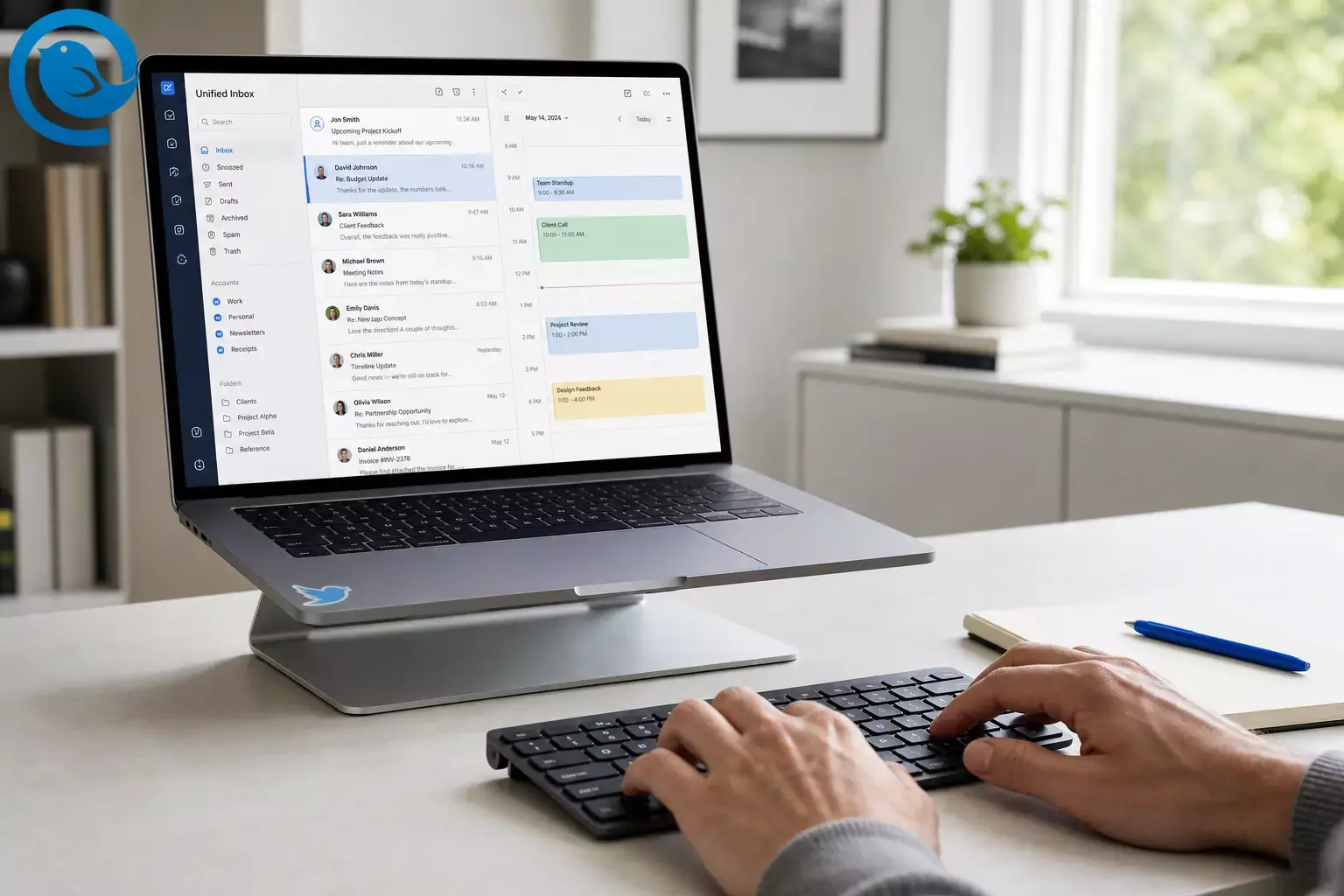
Mailbird is easiest to recommend to desktop users who want a unified inbox first and built-in calendar convenience second. It fits best when your day runs across multiple accounts and your calendar lives in Google or Microsoft services. [2] [4] [5]
What’s new
For Mac users, Mailbird for Mac also became officially available on the Apple App Store on , which made installation and updates easier through Apple’s App Store flow. [1] That gives it a more practical Windows-and-Mac presence than it had a year earlier.
TL;DR
- If you are comparing the best email client with built-in calendar for desktop use, Mailbird is a strong fit when you need one place for multiple inboxes and your schedule lives in Google or Microsoft accounts. [2] [4] [5]
- It is a weaker fit if you need iCloud, CalDAV, or a mature mobile app. [4] [7] [8] [13] [15]
- If you want an email app with built-in calendar on desktop, Mailbird is positioned as a multi-account client that keeps multiple inboxes and calendar access in the same place, with Unified Inbox plus native and integrated calendar options inside the app. [2] [3] [4]
At-a-glance scorecard
| Criterion | Rating | What it means |
|---|---|---|
| Unified inbox workflow | Strong | Unified Inbox combines inbox, drafts, sent, archive, and search across accounts, and it replies from the correct address. [2] |
| Calendar convenience | Good | The native calendar and calendar sidebar keep Day View and Schedule View inside the desktop workflow. [4] [6] |
| Calendar compatibility | Mixed | Mailbird fits Google, Outlook, and Exchange best, but not iCloud, CalDAV, or CardDAV. [4] [5] |
| Platform coverage | Mixed | Mailbird supports Windows 10/11 and macOS Ventura or later, and its iOS and Android apps are in beta. [13] [14] [15] |
| Pricing clarity | Mixed | Free and Premium are the current options for new buyers; check the pricing page for current terms. [7] [8] [15] |
Criterion
Unified inbox workflow
Strong
Unified Inbox combines inbox, drafts, sent, archive, and search across accounts, and it replies from the correct address. [2]
Criterion
Calendar convenience
Good
The native calendar and calendar sidebar keep Day View and Schedule View inside the desktop workflow. [4] [6]
Criterion
Calendar compatibility
Mixed
Mailbird fits Google, Outlook, and Exchange best, but not iCloud, CalDAV, or CardDAV. [4] [5]
Criterion
Platform coverage
Mixed
Mailbird supports Windows 10/11 and macOS Ventura or later, and its iOS and Android apps are in beta. [13] [14] [15]
Criterion
Pricing clarity
Mixed
Free and Premium are the current options for new buyers; check the pricing page for current terms. [7] [8] [15]
The facts are sourced below. The ratings are editorial judgment.
What Mailbird is
Fact: Mailbird is presented as a multi-account desktop email client with Unified Inbox, IMAP/POP3 support, Premium Exchange support, and in-app tools including calendar options. [2] [3] [7] [8] [9]
Judgment: The product makes the most sense as a desktop email-and-calendar workspace, not as a specialist calendar suite.
Best for
- People managing two or more inboxes on desktop every day.
- Google Calendar or Microsoft 365 users who want one desktop email and calendar app.
- Freelancers, consultants, founders, recruiters, and client-facing teams who switch identities often.
- Buyers who want to test a free desktop setup before paying for Premium.
Not for
- People who rely on iCloud inside the native calendar.
- Users who need CalDAV or CardDAV.
- Anyone who expects the same mature app across desktop, phone, and tablet today.
- Buyers who want identical update terms on every purchase path.
How Mailbird handles email client calendar sync
- Supported sync is clearest with Google, Outlook, and Exchange. Mailbird documents native calendar support for those providers, and its setup guide says changes made in Mailbird sync back to the connected provider once the calendar is linked. [4] [5]
- Google and Microsoft do not use the same setup path. Google calendars can be added without connecting the related email account, while Microsoft calendars require the email account first. [5]
- Unsupported accounts have limits. Mailbird warns that events created for unsupported accounts such as Yahoo do not sync back to the host server. [11]
-
Import and export stay simple.
Calendar import and export use
.icsfiles. [12]
Why Mailbird works well as an email app with built-in calendar
- Unified Inbox is more than a merged inbox. Fact: Mailbird’s Unified Inbox combines inbox, drafts, sent, archive, and other folders from connected accounts into one view, lets you choose which accounts appear, remembers the correct reply address, and supports search across accounts. Why it matters: This is the clearest reason to choose Mailbird if your main problem is account overload. [2]
- Calendar access stays inside the email workflow. Fact: Mailbird documents both a native calendar and a calendar sidebar with Day View and Schedule View, so you can check events without opening a separate calendar app. Why it matters: For quick planning, that is more useful than constant tab or window switching. [4] [5] [6]
- Google and Microsoft users are in the product’s sweet spot. Fact: Mailbird’s native calendar support is clearly documented for Google Calendar, Exchange (EWS), and Outlook via Exchange. Why it matters: If your calendar lives in Google or Microsoft services, Mailbird makes more sense than a mail-only client. [4] [5]
-
The calendar basics are practical.
Fact:
Mailbird lets you set a default calendar, default event duration, week start, and time format, and it supports calendar import and export through
.icsfiles. Why it matters: That covers the day-to-day scheduling needs of many desktop users, even if it is not built for every heavy calendar workflow. [11] [12] - Integrations help it behave like a desktop hub. Fact: Mailbird lets you add custom apps by URL, and its current cross-platform help lists Mailbird app integrations such as Mailbird Calendar, Google Calendar, Outlook Calendar, ChatGPT, Slack, and Todoist. Mailbird also says third-party integrations are not included in the Free plan. Why it matters: If you want your inbox beside tasks, chat, notes, or a calendar, this matters a lot. [3] [9] [10]
- It is easy to test before you commit. Fact: Mailbird currently offers a Free plan with one account, paid plans with unlimited accounts, and a 14-day money-back guarantee on paid purchases. Why it matters: That lowers the risk for buyers who want to test real inboxes and real calendar habits before committing. [7] [8]
Where Mailbird is not the right fit
- Calendar compatibility is narrower than many buyers expect. Fact: Mailbird’s native calendar currently supports Google Calendar, Exchange (EWS), and Outlook via Exchange. It does not support iCloud, and Mailbird says CalDAV and CardDAV will not be supported in the future because of technical limitations. Why it matters: If your email client calendar sync depends on iCloud or open calendar protocols, this is a real limitation. [4]
-
Some sync rules are easy to miss.
Fact:
Mailbird says Google calendars can be added without connecting the related email account, but Microsoft calendars require the email account first; it also warns that events created for unsupported accounts such as Yahoo will not sync back to the host server, and calendar import is limited to
.icsfiles. Why it matters: Mailbird works best when your email and calendar both live in the Google or Microsoft lane and your setup is fairly standard. [5] [11] [12] - The mobile apps are still in beta. Fact: Mailbird’s iOS and Android apps are available in beta. Why it matters: If you want a mature email-and-calendar app on both desktop and phone, a competitor may fit better right now. [13]
- Desktop support is modern, not backward-looking. Fact: Mailbird supports Windows 10 and Windows 11, while Mailbird for Mac requires macOS Ventura or later. Why it matters: That is fine for many buyers, but it can rule out older personal machines or slower-moving company fleets. [14] [15]
- The pricing story needs a careful read. Fact: Mailbird’s public docs show Free and Premium as the current options for new buyers, and update terms differ depending on where you buy. Why it matters: Check the terms for your purchase path before you buy. [7] [8] [15]
What changed going into 2026
- On , Mailbird announced official availability on the Apple App Store for Mac, which matters because it made Mac installation and updates simpler. [1]
- On , Microsoft ended support for Windows Mail, Calendar, and People and now points users to new Outlook, which raised the stakes for anyone replacing the old built-in Windows mail-and-calendar setup. [16]
- Mailbird’s cross-platform help page lists Mailbird Calendar, Google Calendar, and Outlook Calendar among supported in-app integrations, which shows the product is still being positioned as more than a basic inbox. [3]
- Mailbird’s current support pages also show a clearer split between Free and Premium for new buyers, while Standard remains a legacy plan for earlier customers only. [8]
How Mailbird compares with Outlook, Thunderbird, and Spark
What to check before you commit
- How many inboxes do you need? Free is limited to one account; the paid plans are where Mailbird becomes a real multi-account tool. [7] [8]
- Where does your calendar live? Mailbird’s native calendar is documented for Google, Outlook, and Exchange, not iCloud, CalDAV, or CardDAV. [4] [5]
- Do you need event creation to sync back for every provider? Mailbird warns that events created for unsupported accounts such as Yahoo will not sync back to the host server. [11]
-
How are you migrating?
Calendar import and export are
.ics-only, so confirm your current setup can export that cleanly. [12] - What devices and OS versions are in play? Mailbird is desktop-first today, with support documented for Windows 10/11 and macOS Ventura or later, and Android and iOS apps in beta. [13] [14] [15]
- Where are you buying? Check the update rules on the exact purchase path you plan to use, especially if you are comparing the website plan with the Mac App Store plan. [7] [15]
Bottom line
Mailbird is easiest to recommend to desktop users who want a unified inbox first and built-in calendar convenience second. It fits best when your day runs across multiple accounts and your calendar lives in Google or Microsoft services. [2] [4] [5]
For many people comparing the best email and calendar app for desktop, that is the core workflow that matters most. If it matches your setup, starting with the Free plan is the simplest way to test fit before paying for Premium. [7] [8]
Frequently Asked Questions
Does Mailbird have a built-in calendar?
Which calendars work best with Mailbird?
How does Mailbird handle email client calendar sync?
Can Mailbird combine multiple inboxes?
Yes. Its Unified Inbox can pull several accounts into one place and still reply from the correct address.
Sources: [2]
Is Mailbird available on Windows and Mac?
Does Mailbird have a mobile app?
Can Mailbird import or export calendar data?
Yes, but the documented format is
.ics
.
Sources: [12]
Is Mailbird free?
Is Mailbird a good desktop email and calendar app?
What could change
Prices, plan names, and update policies can change, especially around the split between direct download and App Store purchasing. The Windows comparison can also shift as Microsoft keeps evolving Outlook, so it is worth checking the current pricing page and the exact calendar feature you need right before you buy. [3] [7] [15] [16]
Sources
- Mailbird Blog — Why We’re on the Apple App Store — And What It Means for You https://www.getmailbird.com/mailbird-apple-app-store-launch-mac/
- Mailbird Help Center — Unified Inbox https://support.getmailbird.com/hc/en-us/articles/220108147-Unified-Inbox
- Mailbird Next Help — How to Enable and Use App Integrations in Mailbird Next https://nextsupport.getmailbird.com/hc/en-us/articles/26265189008151-How-to-Enable-and-Use-App-Integrations-in-Mailbird-Next
- Mailbird Help Center — Mailbird Native Calendar https://support.getmailbird.com/hc/en-us/articles/360016953673-Mailbird-Native-Calendar
- Mailbird Help Center — Connecting an Account to the Native Calendar https://support.getmailbird.com/hc/en-us/articles/360020028694-Connecting-an-Account-to-the-Native-Calendar
- Mailbird Help Center — How to use the Calendar Sidebar https://support.getmailbird.com/hc/en-us/articles/360045678074-How-to-use-the-Calendar-Sidebar
- Mailbird — Pricing and Plans https://www.getmailbird.com/pricing/
- Mailbird Help Center — Key differences between our licenses https://support.getmailbird.com/hc/en-us/articles/22564569803287-Key-differences-between-our-licenses
- Mailbird Help Center — What apps are available in each Mailbird plan? https://support.getmailbird.com/hc/en-us/articles/360039349814-What-apps-are-available-in-each-Mailbird-plan
- Mailbird Help Center — Adding Custom Apps to Mailbird https://support.getmailbird.com/hc/en-us/articles/19282390588823-Adding-Custom-Apps-to-Mailbird
- Mailbird Help Center — All about calendar settings https://support.getmailbird.com/hc/en-us/articles/360021867914-All-about-calendar-settings
- Mailbird Help Center — Import & Export Calendar https://support.getmailbird.com/hc/en-us/articles/360021869054-Import-Export-Calendar
- Mailbird Help Center — Mailbird for Mobile (Android, iOS) https://support.getmailbird.com/hc/en-us/articles/360014806554-Mailbird-for-Mobile-Android-iOS
- Mailbird Help Center — What versions of Windows are supported by Mailbird? https://support.getmailbird.com/hc/en-us/articles/12486718644375-What-versions-of-Windows-are-supported-by-Mailbird
- Mailbird Next Help — Mailbird for Mac’s Plans on the Apple App Store https://nextsupport.getmailbird.com/hc/en-us/articles/34100602786839-Mailbird-for-Mac-s-Plans-on-the-Apple-App-Store
- Microsoft Support — Outlook for Windows: The Future of Mail, Calendar, and People on Windows 11 https://support.microsoft.com/en-us/office/outlook-for-windows-the-future-of-mail-calendar-and-people-on-windows-11-715fc27c-e0f4-4652-9174-47faa751b199
- Microsoft — Outlook Personal Email and Calendar https://www.microsoft.com/en-us/microsoft-365/outlook/email-and-calendar-software-microsoft-outlook
- Thunderbird — Features https://www.thunderbird.net/en-US/features/
- Thunderbird Help — Create new calendars https://support.mozilla.org/en-US/kb/creating-new-calendars
- Spark Knowledge Base — Enable and view Calendars in Spark https://sparkmailapp.com/help/calendars/enable-and-view-calendars-in-spark


