Norton and LifeLock Scam Emails: How to Spot a Fake Renewal Invoice
A Norton or LifeLock scam email pretends to be a purchase receipt, renewal notice, or account alert. Its aim is to get you to call a fake support number, follow a link, share information, or pay for a charge that may not exist. Do not use the message to check its own claim. Open your account and payment records separately instead.



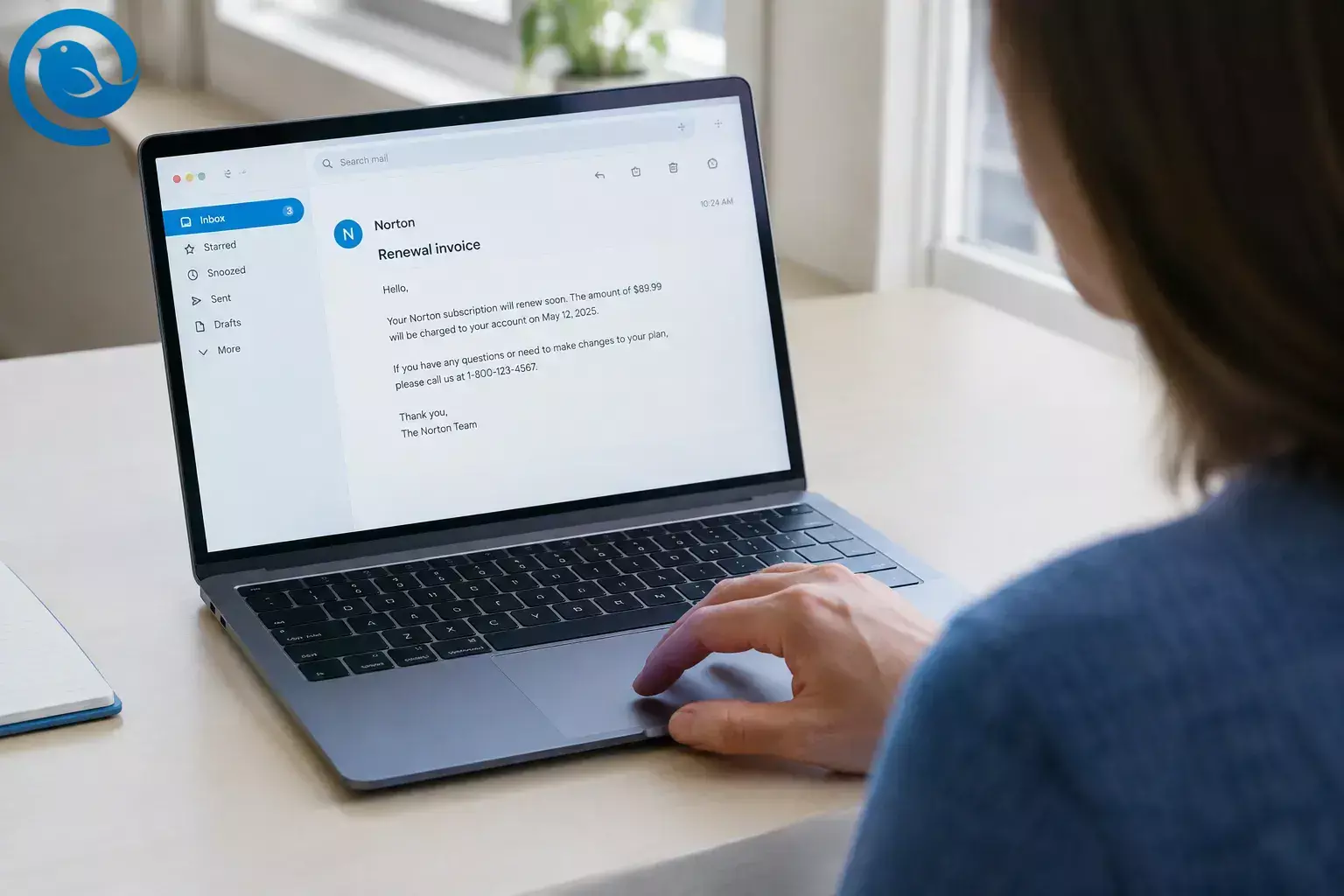
A Norton or LifeLock scam email pretends to be a purchase receipt, renewal notice, or account alert. Its aim is to get you to call a fake support number, follow a link, share information, or pay for a charge that may not exist. Do not use the message to check its own claim. Open your account and payment records separately instead.
Key takeaways
- Do not use the message to check its own claim.
- The sender name and invoice are not proof of a charge.
- Not every renewal email is a scam.
- Open your bank or card app yourself.
- If a charge appears in your real records, do not dismiss it merely because the email looked suspicious.
-
Forward the suspected impersonation email
as an attachment
to
spam@norton.com.
What a fake Norton or LifeLock invoice looks like
A fake Norton invoice email may use a subject such as “Your Norton renewal is complete” or “Invoice for your LifeLock subscription.” These are examples, not fixed wording. The message may show a logo, an order number, a PDF attachment, and a sender name like “Norton Billing.” It often says you must call immediately to cancel a charge or get a refund. Norton describes these purchase and renewal impersonation emails.
Illustrative example—not a genuine notice:
Subject: Norton subscription renewal confirmed
“Your plan has renewed. If you did not authorize this payment, call the billing number in the attached invoice today.”
The sender name and invoice are not proof of a charge. Some fake renewal notices even appear in a message from another familiar company. Researchers at Norton’s parent company have also documented fake Norton and Norton LifeLock receipts in shopping-app order histories. Wherever the claim appears, verify it through your own account and payment records—not the number in the receipt. Norton explains common scam tactics, and Gen Digital describes the shopping-app example.
Seven signs a Norton or LifeLock email may be fake
- You do not recognize the purchase. The plan, amount, or renewal date is unfamiliar. Check your records rather than calling to dispute it.
- It demands an immediate call. A deadline to cancel or secure a refund pushes you toward a number supplied by the sender.
- The sender address looks wrong. Expand the display name and inspect the full address for a misspelled or unrelated domain. An address that looks right is not, by itself, proof that the message is genuine.
- Replies go somewhere else. An unrelated reply-to address is another reason to pause.
- It directs you to a link or unexpected attachment. A sign-in button or invoice PDF may contain the scammer’s next instruction. Do not use it to check the charge.
- “Support” asks for a password, payment details, or remote access. Stop the conversation and contact the company through a route you found independently. The FTC warns about fake tech-support requests.
- The explanation changes. A supposed renewal turns into a refund problem, a claim that your computer is infected, or a request for another payment.
A polished design and correct spelling do not make a message safe. The decisive check is whether the claimed transaction appears in records you opened yourself.
How to check a renewal or charge safely
Not every renewal email is a scam. Norton says it sends genuine purchase information, renewal reminders, and billing notices. It also
publishes domains used for its emails, including
@norton.com,
@nortonlifelock.com, and
@lifelock.com. Checking the sender can help, but it does not replace checking the transaction.
How to check a renewal or charge safely
-
Leave the email.
Open a new browser tab and type
my.norton.comyourself. For LifeLock member help, start from the official LifeLock site or a member portal you already know. Do not use the email’s links or phone numbers. - Check your account. Compare the message with My Subscriptions and Order History. A subscription obtained through a service provider or preinstalled on a computer might not appear in Norton’s order history; if the records remain unclear, find support through the official site. Norton explains where to find purchase receipts.
- Check your payment records separately. Open your bank or card app yourself. If you see an unfamiliar charge, contact the payment provider through its app or the number on your card.
Remember: Account screens, contact details, and sender domains can change. Use current information you find independently on the official site, never details supplied by a suspicious message.
For other patterns to compare, see our phishing email examples guide. The FTC’s phishing guide also explains how deceptive messages try to prompt a response.
What to do if you clicked, called, or paid
- You only read the email: Do not reply, call, or open an attachment. Report the message and delete it.
- You clicked a link: Close the page. If you entered a password, change it through the real site and enable two-factor authentication. If you ran a downloaded file, update your security software and scan the device.
- You called: Hang up. Do not share a one-time code, payment details, or remote access. If you already shared something, take the relevant steps below.
- You paid or shared bank or card details: Contact your bank, card issuer, or payment app immediately through a trusted channel. Explain what happened and ask how to protect the account and whether the payment can be reversed.
- You allowed remote access: End the session, disconnect the device from the internet, remove the remote-access software, and run an updated security scan. Change exposed passwords from another trusted device if possible.
-
You shared identity information:
Visit
IdentityTheft.govfor steps suited to what you disclosed.
The FTC’s recovery guide provides further steps based on what you shared or paid. If a charge appears in your real records, do not dismiss it merely because the email looked suspicious.
How to report a Norton or LifeLock scam email
Forward the suspected impersonation email
as an attachment
to
spam@norton.com. Norton says an ordinary forward can lose details useful for examining the message. You can also mark it as phishing or junk in your email app. See
Norton’s reporting instructions.
Report the attempted scam to the FTC at ReportFraud.ftc.gov, even if you did not lose money. Describe the message and what happened, but do not include passwords or full payment numbers.
Frequently asked questions
Is every Norton renewal email a scam?
No. Norton sends genuine renewal and billing messages. Check the claim through your independently opened account and payment records.
Why did I get a LifeLock invoice if I have never subscribed?
A scammer may send a fake purchase claim to someone with no account. Do not call to cancel it; check your payment records directly.
Should I call the number on the invoice?
Not while you are unsure the invoice is genuine. Find contact details through the official site you opened yourself.
What if I clicked but entered nothing?
Close the page. If a file downloaded, do not run it. If you ran a file or later realize you entered information, follow the relevant recovery steps above.
Can a fake invoice appear outside my inbox?
Yes. An unexpected receipt in another app still needs to be checked against your account and payment records.
Want a desktop home for your email?
Mailbird is an email client for Windows and Mac. Whatever app you use, check unexpected charges outside the message—not through its links or phone numbers.
To download Mailbird, type
getmailbird.com/downloading/
into your browser.
- Norton: How to recognize and report Norton scam emails
- Norton Support: Verify that an email you receive from Norton is legitimate
- Norton Support: Find the receipt for your Norton purchase
- Norton Support: Report a spam or scam email to Norton
- LifeLock: Contact information
- Federal Trade Commission: What to do if you were scammed
- Gen Digital: Fake invoices in shopping apps


