Major ISPs Blocking Port 25: What Email Users Need to Know in 2026
Major ISPs and cloud providers now block SMTP port 25, creating significant obstacles for self-hosted email servers. This guide explains why these restrictions exist, how they impact email delivery, and what workarounds are available for users running their own mail infrastructure in 2026.



If you've ever tried to set up your own email server or troubleshoot email delivery issues, you've likely encountered the frustrating reality of port 25 blocking. This isn't a minor technical hiccup—it's a fundamental shift in how email infrastructure operates across the internet, affecting millions of users who rely on email for personal and professional communication.
The challenge is real and widespread: major residential ISPs like Comcast/Xfinity, Verizon, and AT&T now block outbound SMTP port 25 by default, while cloud providers including Microsoft Azure have implemented similar restrictions across most subscription types. For anyone attempting to run their own mail server or troubleshoot email connectivity, these blocks create significant obstacles that weren't present just a few years ago.
What makes this particularly frustrating is the lack of clear communication. Many users discover port 25 blocking only after investing hours in server configuration, only to find their carefully crafted email infrastructure can't deliver a single message. According to Comcast's official documentation, port 25 is no longer supported for email submission, with the company citing the prevalence of malware-infected computers sending spam without users' knowledge.
This comprehensive guide addresses the critical questions facing email users in 2026: Why are ISPs blocking port 25? How does this affect your ability to send and receive email? What workarounds exist for self-hosted email enthusiasts? And most importantly, how do desktop email clients like Mailbird navigate these restrictions to ensure reliable email delivery?
Understanding Port 25 and Its Traditional Role in Email
To understand why port 25 blocking matters, it's essential to grasp how email infrastructure traditionally worked. Email on the internet relies primarily on the Simple Mail Transfer Protocol (SMTP), a text-based protocol that has been moving messages between mail servers since the early 1980s. Port 25 has served as the standard "SMTP" port registered with the Internet Assigned Numbers Authority (IANA) for server-to-server message transport.
In the classic email architecture, when Gmail delivers a message to Outlook.com or any other provider, that connection almost always occurs over port 25, with DNS MX records determining which server to contact. This server-to-server transport role remains foundational to email delivery even today, according to SMTP.com's technical analysis.
The Evolution: Submission Ports vs. Relay Ports
As email abuse escalated, the internet community introduced a critical separation between message submission by end users and message relay between mail servers. RFC 6409 formally reserved port 587 as the "Message Submission" port, specifying that user agents and mail submission agents should use 587 with authentication and appropriate policy enforcement, while port 25 remained the domain of server-to-server relay.
Modern guidance from email infrastructure providers reflects this separation clearly. Mailgun characterizes port 25 as the default relay port for servers, while recommending port 587 for client submission. Similarly, Twilio (SendGrid) describes port 25 as suitable only for server-to-server traffic and advises client applications to use 587 or, where necessary, 465.
This architectural distinction is crucial: Port 25 handles the "behind-the-scenes" delivery between mail servers, while ports 587, 465, and 2525 handle authenticated submission from email clients and applications. Understanding this difference is key to navigating modern email restrictions.
Security Layer: TLS, STARTTLS, and Encryption
Initially, SMTP transmitted messages in clear text, making email vulnerable to interception and tampering. The industry gradually adopted SSL and TLS encryption using two main patterns: implicit TLS (where connections start encrypted, as with traditional "smtps" on port 465) and explicit TLS using the STARTTLS command on ports 25 or 587.
According to RFC 3207, which defined the SMTP Service Extension for Secure SMTP over TLS, clients and servers negotiate encryption via STARTTLS after establishing an unencrypted connection. In practice, port 25 connections between mail servers often use "opportunistic" STARTTLS—encrypting where possible but falling back to plaintext if the peer doesn't support TLS—whereas submission ports typically require STARTTLS or implicit TLS along with authentication.
Why Major ISPs and Cloud Providers Block Port 25
The frustration of discovering port 25 blocking is compounded by the question: Why would ISPs deliberately restrict a fundamental email function? The answer lies in the massive scale of spam and malware abuse that has plagued email infrastructure for decades.
Residential ISP Restrictions: The Spam and Malware Problem
Consumer broadband providers have increasingly blocked port 25 to combat spam and malware originating from compromised customer devices. Comcast's Xfinity explains in its support documentation that port 25 is no longer supported for email submission, emphasizing that much of the current use of port 25 comes from malware-infected computers sending spam without the user's knowledge.
The security rationale is compelling: By blocking port 25, ISPs prevent compromised machines from participating in spam campaigns, thereby reducing the overall volume of unwanted email and protecting their IP reputation from broad blacklisting. Varidata's analysis emphasizes that spammers frequently target port 25 to send bulk messages from infected machines, making port 25 blocking a defensive necessity.
Verizon's community forums describe port 25 as "insecure" and "horribly insecure," with contributors noting that Verizon blocks port 25 on residential accounts and is unlikely to unblock it, advising users to switch to port 587 or 465 with TLS for SMTP. AT&T's published broadband network practices list port 25 among several ports that the company may block to prevent malicious or disruptive traffic, alongside Windows file-sharing and other high-risk services.
Cloud Platform Restrictions: Azure and VPS Providers
Port 25 restrictions extend far beyond residential broadband. Major cloud platforms have tightened outbound SMTP policies to protect their IP reputation and reduce abuse. Microsoft Azure's official documentation states that the Azure platform blocks outbound SMTP connections on TCP port 25 for most deployed virtual machines, particularly for subscription types such as Pay-As-You-Go, free trials, and many others—and that requests to remove this restriction for those subscription types are not granted.
Azure allows exceptions primarily for enterprise-grade subscription types. For Enterprise Agreement (EA) and certain Microsoft Customer Agreement for enterprise (MCA-E) subscriptions, outbound port 25 is not blocked by default, though Azure warns that external domains may still reject or filter mail from these IPs based on their own policies and reputation assessments.
Shared hosting providers adopt similar stances. DreamHost's knowledge base explains that it blocks port 25 for outgoing SMTP on shared hosting servers, though not on VPS or dedicated servers, warning that many ISPs also block port 25 as an anti-spam technique.
Industry Best Practices: The M3AAWG Recommendations
The Messaging, Malware and Mobile Anti-Abuse Working Group (M3AAWG) provides industry best-practices perspective, recommending that Internet and email service providers block access to port 25 from all hosts on their networks except those explicitly permitted to operate as SMTP relays. M3AAWG further recommends providing submission services on ports 465 and 587, requiring authentication for email submission, and allowing customers to connect to submission servers on these ports both within their own network and on other networks.
These guidelines seek to funnel all user-originated email through authenticated submission channels, where providers can enforce rate limits, content filtering, and reputation management, while reserving port 25 for controlled server-to-server traffic.
The Rising Bar: Email Authentication Requirements in 2026
Port 25 blocking doesn't exist in isolation—it's part of a broader transformation in email security and deliverability standards. Even when port 25 is technically available, modern email delivery now requires sophisticated authentication mechanisms that were optional just a few years ago.
SPF, DKIM, and DMARC: From Optional to Mandatory
Email authentication standards—Sender Policy Framework (SPF), DomainKeys Identified Mail (DKIM), and Domain-based Message Authentication, Reporting and Conformance (DMARC)—were introduced to verify that messages originate from authorized senders and haven't been tampered with. Cloudflare's overview explains that DMARC requires alignment between the visible "From" domain and the domains used in SPF and/or DKIM, and that properly configured SPF, DKIM, and DMARC together significantly reduce spoofing and phishing risk.
The enforcement timeline has accelerated dramatically: Proofpoint's analysis details how, beginning February 2024, Google and Yahoo introduced mandatory email authentication requirements for bulk senders, including SPF and DKIM on all outgoing mail, a published DMARC record with at least p=none, alignment between the From domain and SPF/DKIM domains, one-click unsubscribe for promotional messages, and low spam complaint rates.
By November 2025, Google began strict rejection of non-compliant messages at the SMTP level, while Microsoft's Outlook.com and Microsoft 365 also moved to require SPF, DKIM, and DMARC for high-volume senders as of May 2025.
Regulatory Pressure: PCI DSS, NIS2, and Compliance Mandates
DuoCircle's 2026 analysis argues that email authentication has become a mandatory requirement for organizations that send significant volumes of email or handle sensitive data, with DMARC even written into standards like PCI DSS v4.0 as a compliance obligation. European cybersecurity frameworks such as NIS2 and DORA recognize email authentication as a required control.
For self-hosted email operators, this means that securing open port 25 is only the beginning. Without proper SPF, DKIM, and DMARC configuration—along with clean IP reputation, proper reverse DNS, and consistent sender practices—messages are likely to be quarantined or rejected regardless of port availability.
The Reality Check: How Port 25 Blocking Affects Self-Hosted Email
For individuals and small businesses attempting to run their own mail servers, port 25 blocking represents a fundamental obstacle that transforms what was once straightforward into a complex architectural challenge.
Residential Self-Hosting: Practical Impossibility
The Mail-in-a-Box community, focused on simplifying self-hosted email, states bluntly that computers on most residential networks are blocked from sending mail on port 25 by their ISP, and that even if outbound mail were possible, receiving servers often blacklist residential IP ranges because those computers are frequently hijacked to send spam.
The residential self-hosting dream has effectively ended for most users. Mail-in-a-Box maintainers and experienced users typically advise against trying to host email directly from a home broadband line, recommending instead the use of hosted VPS providers that allow SMTP, or external mail hosting services.
A practical example comes from Bryan Chan, who describes setting up a self-hosted mail server on a home NAS but encountering the problem that his residential ISP blocks outbound port 25, preventing his server from delivering mail directly to the wider Internet. To resolve this, he purchased a low-cost VPS from a hosting provider, configured Postfix there as an SMTP relay (smarthost), and pointed his home server's outbound mail through this VPS, which then delivered messages over port 25 from a data-center IP.
VPS and Cloud Hosting: Mixed Policies and Hidden Restrictions
For users who self-host email on VPS or dedicated servers, the situation is somewhat more favorable but still constrained. Many VPS providers allow outbound port 25 from data-center IPs, though sometimes only after manual review or for paying customers with verified identities, while others block it outright.
DuoCircle's step-by-step guide emphasizes the importance of choosing a provider that explicitly allows outbound SMTP on port 25, and recommends verifying this via documentation or support before committing. The "awesome-mail-server-providers" list on GitHub, curated by the Forward Email project, highlights hosts like Linode and DartNode as budget options that offer open port 25 out-of-the-box, though it notes that many other hosts do not.
The Hidden Impact on Web Applications
Port 25 blocking manifests in unexpected ways for web applications that rely on local mail sending. Many content management systems, forums, and web apps—such as WordPress, Discourse, and custom applications—assume they can send email either via a local mail transfer agent that relays directly over port 25 or via direct SMTP connections to remote MX hosts on port 25.
When the underlying network blocks outbound port 25, these messages fail silently or generate connection timeout errors, breaking password resets, notifications, and other transactional flows. Administrators discover that WordPress mail fails in environments where port 25 is blocked, because WordPress or the underlying PHP mail() function typically attempts to use the default port 25 for outbound SMTP.
These issues are especially salient for small businesses that host their own web servers on generic VPS providers without realizing that outbound port 25 is blocked. They may find that contact forms and order confirmations never reach customers, harming user experience and revenue.
Practical Workarounds: How to Send Email When Port 25 Is Blocked
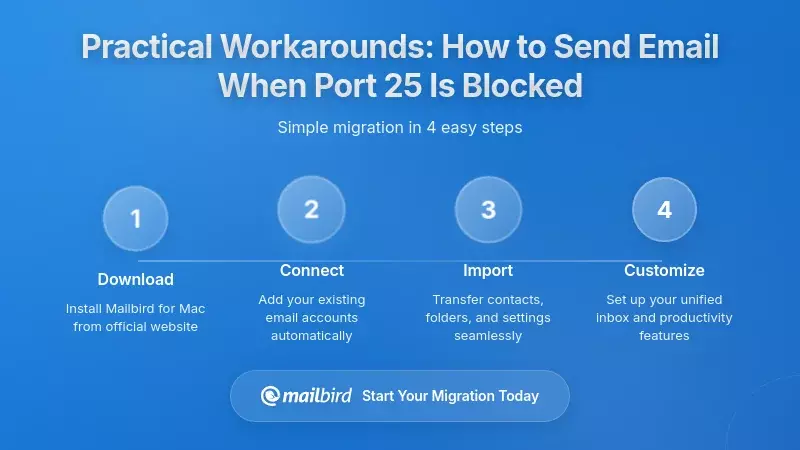
While port 25 blocking creates significant challenges, the email industry has developed several practical workarounds that allow users to maintain email functionality even in restricted environments.
Solution 1: Authenticated SMTP Relay (Smarthost)
The most widely recommended workaround is using an authenticated SMTP relay, sometimes called a "smarthost." In this architecture, an application or self-hosted mail server submits outgoing messages to a relay provider on port 587, 465, or 2525 using SMTP authentication and TLS. The relay, operating from well-managed, high-reputation IP space, then delivers messages to recipient domains over port 25.
Azure's guidance explicitly recommends this approach, stating that for most subscription types where outbound port 25 is blocked, customers should use authenticated SMTP relay services operating on TCP port 587, and noting that connections to such services are not restricted regardless of subscription type.
The market for SMTP relay and email API services is mature and competitive. Providers such as SendGrid, Amazon SES, Brevo, SMTP2Go, SendPulse, MailerSend, Mailjet, and Maileroo offer generous free tiers suitable for low-volume users, with submission support over ports 587 and 465, and some also offering 2525 as an alternative.
Solution 2: Inbound Store-and-Forward Services
When inbound port 25 is blocked—either by the ISP or by lack of control over edge networking—users can employ store-and-forward services to receive email. Dynu's Email Store/Forward service is a prominent example: it allows domain owners to point their MX records to Dynu's servers, which receive email on port 25 from the internet, store it, and then forward it to the user's mail server on a custom port that the user configures, such as 26 or 2525.
This approach enables customers whose ISPs block port 25 to run email servers on alternate ports while still participating in global email exchange. However, store-and-forward services address only inbound transport; for outbound mail, users still need either a smarthost or separate infrastructure with open port 25.
Solution 3: Selecting Mail-Friendly Hosting Providers
An alternative to working around port 25 blocking is to choose connectivity providers that don't impose such restrictions, or that will remove them upon request. NoIP's blog advises users to contact their ISP to ask explicitly whether inbound or outbound port 25 is blocked, noting that some ISPs may unblock port 25 on request for certain account types.
For more predictable results, self-hosters often turn to VPS or dedicated server providers that explicitly support SMTP. The Forward Email "awesome mail-server-providers" list points to hosts like Linode and DartNode as budget options where port 25 is open by default and documentation supports mail server use cases.
How Mailbird Users Navigate Port 25 Restrictions
Understanding how port 25 blocking affects desktop email clients requires clarity about where email clients fit in the overall email infrastructure. This is where many users experience confusion—and where Mailbird's architecture provides significant advantages.
Mailbird's Position in the Email Stack
Mailbird is a desktop email client for Windows and macOS, designed to aggregate multiple email accounts—including Gmail, Outlook, Exchange, and IMAP accounts—into a unified workspace. It connects to mail servers using standard protocols such as IMAP and POP for incoming mail and SMTP for outgoing mail, with support for modern authentication methods like OAuth 2.0 for services such as Microsoft 365.
Critically, Mailbird does not operate its own email transport infrastructure. Instead, it acts as a front-end that synchronizes with whatever mail servers the user configures, whether those are large providers, corporate servers, or self-hosted instances. In terms of connectivity, Mailbird expects users to provide incoming and outgoing server parameters: hostnames, ports, encryption types (SSL/TLS or STARTTLS), usernames, and authentication methods.
Why Port 25 Blocking Rarely Affects Mailbird Users
For typical Mailbird users on residential broadband, their email accounts are hosted by providers such as Gmail, Outlook.com, Yahoo, iCloud, or corporate mail servers accessible over the internet. These providers expose submission ports (commonly 587 with STARTTLS or 465 with implicit TLS) for users' clients to send mail, while their own infrastructure handles delivery to recipients' MX servers over port 25.
Comcast/Xfinity, Verizon, AT&T, and other ISPs that block outbound port 25 generally do so for arbitrary connections from customer endpoints to the internet, not for connections from those endpoints to port 587 or 465 on recognized mail providers. Thus, when Mailbird connects to smtp.gmail.com:587 or smtp.mail.me.com:587, those flows are unaffected by port 25 blocking policies because they use different ports that ISPs explicitly allow.
Indeed, ISP support documentation often explicitly recommends configuring email clients for port 587 or 465. Mailbird's setup guide for iCloud accounts, for example, shows connecting to IMAP servers on port 993 with SSL and SMTP on port 587 with TLS—exactly the configuration that bypasses port 25 restrictions.
Self-Hosted Server Users: Understanding the Division of Responsibilities
The picture becomes more nuanced when Mailbird connects to self-hosted mail servers. In these scenarios, Mailbird typically connects to the self-hosted server via IMAP over port 993 and SMTP submission over ports such as 587 or 465, just as it would with a commercial provider.
For the client-to-server leg, the relevant question is whether the user's ISP allows outbound connections to those submission ports on the server's IP—residential ISPs generally don't block 587/465, and VPS providers almost never block inbound 587/465, so Mailbird's connectivity is usually unimpeded at this layer.
However, once Mailbird submits a message to the self-hosted server, the server itself must then deliver it to recipients' MX hosts, which almost always happens over port 25. If the self-hosted server resides on a network where outbound port 25 is blocked—such as a residential ISP, a restrictive VPS host, or an Azure subscription without port 25 exemption—Mailbird will report that the message was sent successfully to the server, but the server's delivery attempts will fail with connection timeouts or refused connections.
From the user's perspective in Mailbird, this can be confusing: the client reports no errors, but recipients never receive the mail, and only careful inspection of server logs or queue status reveals the underlying port 25 blockage.
Practical Guidance for Mailbird Users
For Mailbird users who use major hosted providers (Gmail, Outlook, iCloud, etc.), the main practical guidance is to ensure their accounts are configured with correct IMAP and SMTP settings, using provider-specified submission ports and TLS. Mailbird's setup guide advises users to rely on OAuth sign-in where available and to accept auto-detected settings when they match provider documentation.
For users operating self-hosted servers, Mailbird should be configured to use submission ports (587 or 465) with authentication and TLS when sending mail, and IMAP on secure ports (usually 993) for receiving mail. The self-hosted server should, in turn, be validated for outbound port 25 connectivity using tools like telnet or Test-NetConnection, and, if blocked, be configured to relay through an authenticated SMTP service on submission ports.
Mailbird itself doesn't need to be modified to accommodate these server-side workarounds—only the server's SMTP settings do. This separation of concerns is one of Mailbird's key strengths: it provides a consistent, reliable interface regardless of the underlying infrastructure complexity.
Why a Dedicated Client Still Matters in 2026
One might ask whether increasing centralization of email infrastructure diminishes the relevance of desktop clients. However, independent analyses argue that dedicated email clients retain value as unified workspaces, particularly for users juggling multiple accounts across providers and for those concerned about where their data is synchronized.
Mailbird's performance characteristics also appeal to power users. Independent tests suggest that Mailbird synchronizes messages quickly across multiple IMAP accounts while maintaining relatively low resource usage compared to some competing clients. In environments where servers are remote (VPS, cloud) and where port 25 is constrained to specific, well-managed infrastructure, a fast, efficient client that can manage many accounts via secure submission ports remains valuable.
For self-hosters, Mailbird provides a familiar, feature-rich interface to an otherwise complex backend architecture shaped by port 25 policies and deliverability requirements. With Mailbird's premium plans supporting unlimited accounts and offering integrations with productivity apps, it remains attractive for users with complex email setups, including those involving self-hosted servers.
Frequently Asked Questions
Does Mailbird work when my ISP blocks port 25?
Yes, Mailbird works perfectly even when your ISP blocks port 25. Mailbird connects to email servers using standard submission ports (587 or 465) for sending mail and IMAP/POP ports (993 or 995) for receiving mail—none of which are typically blocked by ISPs. Port 25 blocking affects server-to-server communication, not client-to-server connections that Mailbird uses. Whether you're using Gmail, Outlook, iCloud, or other major providers, Mailbird connects on ports that bypass port 25 restrictions entirely.
Can I use Mailbird with a self-hosted email server if port 25 is blocked?
Yes, you can use Mailbird with a self-hosted server even if port 25 is blocked on your local network. Mailbird connects to your server via IMAP (port 993) and authenticated SMTP submission (port 587 or 465), which are typically not blocked. However, your self-hosted server itself will need a workaround for outbound delivery—such as using an authenticated SMTP relay service or hosting the server with a provider that allows port 25. Mailbird's client-side functionality remains unaffected; the port 25 restriction is a server-side challenge that requires server-side solutions.
What ports does Mailbird use for sending and receiving email?
Mailbird uses industry-standard ports that are designed to work with modern email security requirements. For incoming mail, Mailbird typically uses IMAP on port 993 with SSL/TLS or POP3 on port 995. For outgoing mail, Mailbird uses SMTP submission ports—primarily port 587 with STARTTLS or port 465 with implicit SSL/TLS. These ports are specifically designed for client-to-server communication with authentication and encryption, which is why they remain accessible even when ISPs block port 25. Mailbird's setup process auto-detects the correct ports for major email providers.
Why do ISPs block port 25 but not ports 587 or 465?
ISPs block port 25 because it's historically been the primary vector for spam and malware from compromised computers. Port 25 was designed for server-to-server email relay and traditionally didn't require authentication, making it easy for malware to abuse. In contrast, ports 587 and 465 are designated "submission" ports that require authentication and encryption before accepting mail, making them much more secure. The Messaging, Malware and Mobile Anti-Abuse Working Group (M3AAWG) explicitly recommends that ISPs block port 25 from general hosts while keeping submission ports open. This is why email clients like Mailbird use ports 587/465—they're both more secure and universally accessible.
What should I do if my email isn't sending through Mailbird?
If Mailbird reports that messages are sent successfully but recipients aren't receiving them, the issue is likely server-side rather than with Mailbird itself. First, verify that your outgoing SMTP settings in Mailbird use port 587 or 465 (not 25) with proper authentication. If you're using a self-hosted server, check whether your hosting provider blocks outbound port 25—you can test this using telnet or network diagnostic tools. If port 25 is blocked, configure your mail server to relay through an authenticated SMTP service like SendGrid, Amazon SES, or similar providers. For hosted email services (Gmail, Outlook, etc.), ensure your account credentials in Mailbird are current and that you're using the provider's recommended server settings.
Is it still possible to run a self-hosted email server in 2026?
Yes, but it requires careful planning and often a hybrid architecture. Running a completely self-contained mail server from a residential internet connection is now largely impractical due to port 25 blocking and residential IP blacklisting. The viable approach is to use a VPS or dedicated server from a hosting provider that explicitly allows SMTP on port 25, provides static IPs with reverse DNS delegation, and maintains good IP reputation. Even then, you'll need to implement SPF, DKIM, and DMARC authentication, configure proper TLS encryption, and potentially use external SMTP relay services for outbound delivery. Mailbird works seamlessly with properly configured self-hosted servers, connecting via standard IMAP and authenticated SMTP submission ports.
How does Mailbird compare to webmail when dealing with port restrictions?
Mailbird and webmail both avoid port 25 restrictions, but they do so differently. Webmail services access your email entirely through HTTPS (port 443), never touching SMTP ports directly from your browser. Mailbird uses standard email protocols (IMAP/POP and SMTP submission) on their designated secure ports (993/995 and 587/465), which are also typically unrestricted. The advantage of Mailbird is that it provides a unified interface for multiple accounts, works offline, offers better performance and features than most webmail interfaces, and doesn't require keeping a browser tab open. Both approaches successfully navigate port 25 restrictions, but Mailbird offers a more powerful and efficient email management experience for users with multiple accounts or complex workflows.


