Does Reply All Include BCC? What Happens to BCC Recipients
Usually no. In major email apps such as Gmail and Outlook, Reply All goes to the sender and the visible To/CC recipients.



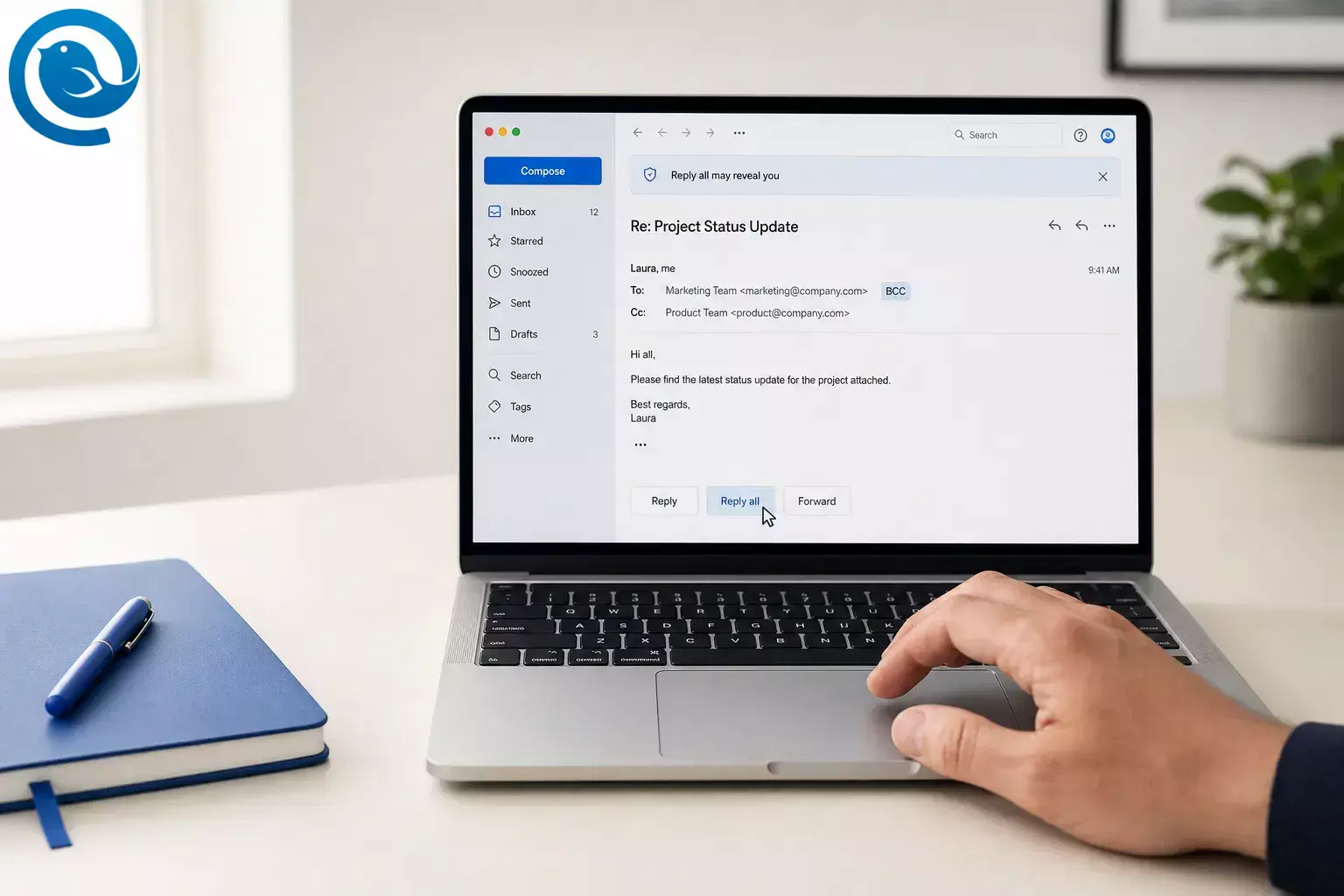
Usually no. In major email apps such as Gmail and Outlook , Reply All goes to the sender and the visible To/CC recipients. Hidden BCC recipients are not automatically carried into that new message. 1, 3, 5, 6
What’s new
The privacy mistake is the opposite of what many people expect: a BCC recipient can still hit Reply All, and that reply can reveal them to the visible people on the thread. Google added a Gmail warning in 2026 for exactly that risk. 2, 3, 5
Key takeaways
Short answer: Does Reply All include BCC? Usually no. If you're asking, “does BCC get Reply All?”, the practical answer is also no: not automatically. Someone would have to add those hidden addresses again by hand on the next message. 1, 3, 5, 6
- If a visible recipient clicks Reply All, BCC recipients are normally not included. 3, 5, 6
- If a BCC recipient clicks Reply All, their reply can expose that they were copied. 2, 3, 5
- If everyone else was in BCC, Reply All usually goes back only to the visible sender or Reply-To address. 1, 3, 5, 9
BCC hides the original recipient list. It does not make later replies private by default. 1, 2, 4
For the broader field-by-field comparison, see our BCC vs CC guide.
How Reply All handles BCC
Think of BCC as hiding names on the first message, not as locking down the whole conversation. 1, 2, 3
- The sender creates one message using To, CC, and optionally BCC. The email standard defines To as the main recipient field, CC as the visible copy field, and BCC as the hidden copy field. 1
- When the message is delivered, the visible recipients should not see the BCC list. That is the point of BCC. 1
- If someone clicks Reply, the reply normally goes to the Reply-To address if one exists; otherwise it goes to the sender’s From address. 1
- If someone clicks Reply All, common clients start with the visible people. Gmail says Reply All sends to the sender and anyone in the To and CC lines, and Outlook describes the same behavior. 3, 5
- Outlook’s underlying reply-all logic is even more explicit: when it builds the reply-all recipient list, blind-carbon-copy recipients are removed. 6
- So the main risk is not that Reply All includes BCC recipients. The risk is that a hidden recipient joins the visible thread and reveals that they received the original message. 2, 3, 5
What happens if a BCC recipient clicks Reply All?
The reply normally goes to the visible thread: the sender plus the people in To and CC. Once that hidden recipient sends the reply, the visible participants can see the sender’s address on the new message and know that person was copied on the original email. 2, 3, 5
That is why Gmail introduced a warning for BCC recipients before they use Reply All. The original BCC list stays hidden, but the hidden person can still expose themselves by replying to everyone. 2, 4
Examples
Simple example
Lena sends one email to Omar in To and Priya in BCC. If Omar hits Reply All, Priya does not receive Omar’s reply, because Priya was never in Omar’s visible recipient list. 3, 4, 5
Realistic example
A recruiter emails a candidate in To, copies a coordinator in CC, and quietly adds a hiring manager in BCC. If the manager answers with Reply All, the candidate and coordinator will see the manager’s address and learn the manager was hidden on the original message. Microsoft specifically warns against using BCC this way on sensitive threads. 2, 7
Edge case: everyone else is hidden
You send a group notice with your own address in To and everyone else in BCC. If one BCC recipient hits Reply All, the reply normally comes back just to you, because you are the only visible recipient from the original message. Microsoft documents this self-in-To pattern for keeping distribution lists hidden. 3, 5, 9
Edge case: mixed email apps
Gmail says a BCC recipient can see that they were added with BCC, but recipients using non-Gmail apps may not see that label. That can make mixed-client threads easier to misunderstand. 4
Common misconceptions
- “Reply All includes everyone who got the original email.” Usually not. In Gmail and Outlook, Reply All targets the sender and the visible To/CC recipients, not the hidden BCC list. 3, 5, 6
- “If I’m BCC’d, I can’t press Reply All.” You often can. The risk is that the visible group will see your reply and realize you were copied, which is why Gmail now warns about it. 2, 3, 5
- “BCC keeps the whole conversation private.” No. It hides addresses on the original message only; each later reply is a new message with its own recipient list. 1, 3, 5
- “Other BCC recipients will see my Reply All.” Usually not. Common reply-all behavior does not carry other hidden recipients forward, and Outlook explicitly removes them from the reply-all list it builds. 3, 5, 6
- “Every BCC recipient sees a BCC label.” Not always. Gmail says recipients who do not use Gmail may not see that they were added through BCC. 4
- “BCC is the right way to secretly keep a manager in the loop.” Not on a sensitive thread. Microsoft recommends forwarding afterward instead, because the hidden recipient may reply to everyone and expose the copy. 7
- “Nobody can ever see the BCC list again once the message is sent.” Other recipients can’t, but the sender can still view BCC recipients in Sent Items in Outlook. 8
When BCC makes sense — and when it does not
Use BCC when...
- You need to send one message to people who should not see one another’s addresses. 1, 4, 9
- You want replies to come back to one visible mailbox only, so your address is the only visible one on the original send. 3, 5, 9
- You are sending to a personal distribution list and want the recipient list to stay hidden. 1, 9
Do not rely on BCC when...
Key terms
- To
- The main recipient line.
- CC
- The visible copy line.
- BCC
- The hidden copy line.
- Reply-To
- The address the sender wants replies sent to.
- Reply
- A response only to the sender or Reply-To address.
- Reply All
- A response to the sender plus the visible recipients from the original thread .
- Thread
- The running conversation made from the original message and later replies.
These meanings match the email standard and the way major clients such as Gmail and Outlook describe their reply behavior. 1, 3, 5
What can vary by email app
Buttons, banners, and labels vary by client. The email standard leaves some automatic reply behavior to the app, and Gmail notes that non-Gmail recipients may not even see that they were BCC’d. The more stable rule in major clients is that hidden recipients are not moved into the visible Reply All list. 1, 4, 6
To verify
Before sending a high-stakes message, test it with three addresses you control: one in To, one in CC, and one in BCC. Then use Reply and Reply All from each inbox. That shows you exactly what your setup does before a real thread matters.
Keeping recipients straight is easier when every account sits in one inbox.
Frequently Asked Questions
Does Reply All include BCC recipients?
Usually no. In common email clients, Reply All goes to the sender and the visible To/CC list, not the hidden BCC list. 1, 3, 5, 6
What happens if a BCC recipient clicks Reply All?
The reply usually goes to the visible thread. That can expose the hidden recipient to the people in To and CC. 2, 3, 5
Does BCC get Reply All?
Not automatically. Ordinary Reply All in Gmail and Outlook does not carry hidden recipients into later replies. 3, 5, 6
If I was BCC’d, should I use Reply or Reply All?
Use Reply if only the sender needs your answer. Reply All can expose you to the visible participants on the thread. 2, 3, 5
Do BCC recipients see each other?
No. A BCC recipient does not see the name or address of the other hidden recipients. 4, 8
Can the sender still see who was BCC’d?
Yes. In Outlook, the sender can view BCC recipients later from the sent message. 8
What happens if everyone is in BCC?
Reply All usually goes back only to the visible To or Reply-To address, which is often just the sender in that setup. 1, 3, 5, 9
Is BCC the right way to secretly copy a manager?
Not on a sensitive thread. Forwarding later is safer than risking a hidden recipient exposing themselves with Reply All. 7
Keep recipient mistakes from turning into awkward threads
If you want one place to handle daily email, download Mailbird and build a workflow that helps you double-check To, CC, BCC, Reply, and Reply All before you hit send.
Sources
- IETF Datatracker — RFC 5322: Internet Message Format
- Google Workspace Updates — Prevent accidental disclosures with new Reply All BCC warnings in Gmail (July 30, 2026)
- Gmail Help — Reply to messages in Gmail
- Gmail Help — Send or unsend Gmail messages
- Microsoft Support — Reply to or forward an email message
- Microsoft Learn — Sending a reply
- Microsoft Support — Outlook Best Practices: Write great email
- Microsoft Support — Show, hide, and view the Bcc (blind carbon copy) field in Outlook for Windows
- Microsoft Support — Hide names and addresses in a personal distribution list


