How to Recover Deleted Emails on iPhone
If you just deleted an email in Apple Mail, try Undo immediately. If that doesn’t work, check the correct account’s Trash, then look at your email provider’s recovery options. You may also have a separate copy on another device.



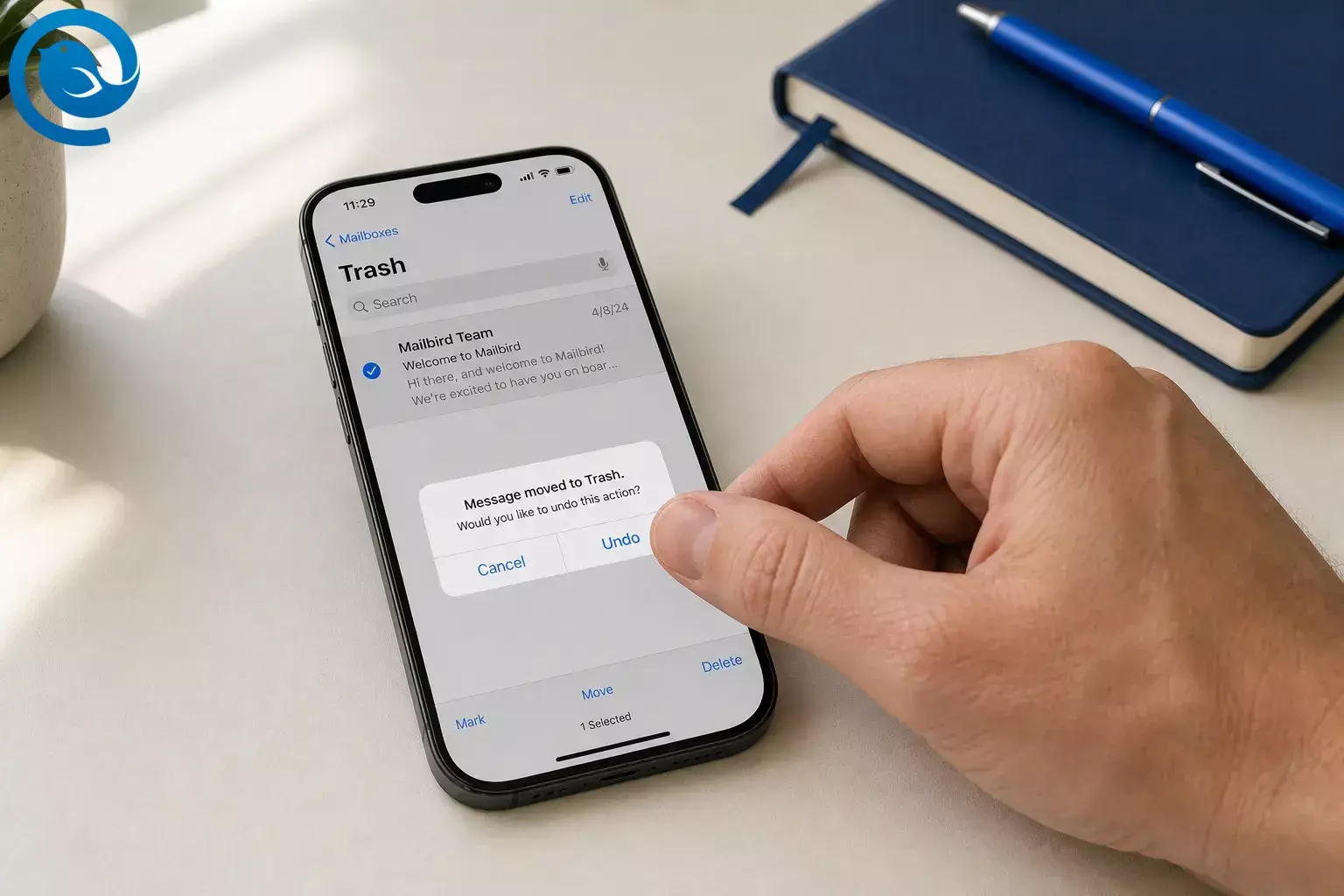
If you just deleted an email in Apple Mail, try Undo immediately. If that doesn’t work, check the correct account’s Trash, then look at your email provider’s recovery options. You may also have a separate copy on another device.
Key takeaways
- Try Undo immediately after deleting a message in Apple Mail.
- Check the receiving account’s Trash, other accounts, and Archive.
- If the message is missing in Apple Mail, check your provider’s website and recovery options.
- Don’t empty Trash while you search.
- Outlook.com’s second recovery stage requires a PC or Mac.
- If you’ve used POP, a computer may have downloaded a separate copy.
Before you start
You’ll need access to the email account and an internet connection. Don’t empty Trash while you look: doing so can end your usual recovery option. Outlook.com’s second recovery stage requires a PC or Mac. [4], [5], [7]
Recover your deleted email
Recover your deleted email
- Try Shake to Undo right away. If you just deleted the message in Apple Mail, keep Mail open and gently shake your iPhone. Tap Undo if a prompt appears. This applies to a recent action, not a message deleted days ago. Apple documents the Mail gesture in an earlier iPhone guide; the Shake to Undo setting is under Settings → Accessibility → Touch. [1], [2]
- Check the right Trash folder. In Apple Mail, tap back until you reach Mailboxes. Under the account that received the email, open Trash. If you find the message, open it, tap the mailbox or folder button, and move it to Inbox or another folder. Open it there to confirm it was restored. [3]
- Look in other accounts and Archive. Each account can have its own Trash. From Mailboxes, check your other accounts, or tap Edit and enable All Trash. Check Archive too: a swipe may have archived the message instead of deleting it. [3]
- For iCloud Mail, check iCloud.com. Sign in to iCloud Mail and open Trash. Move the message to Inbox if you find it. iCloud normally keeps deleted mail in Trash for up to 30 days, though another mail app’s settings may remove it sooner. Apple says messages cannot be recovered through iCloud Mail after its Trash is emptied. [4]
- For Gmail, check Gmail’s Trash. In the Gmail app, open Menu → Trash. Touch and hold the message, tap More → Move, and choose Inbox. You can also check Gmail on the web. Gmail normally keeps deleted messages in Trash for up to 30 days. If the message isn’t there, search All Mail and Spam. If you think someone accessed your account without permission and deleted it, try Google’s Gmail message recovery tool. That tool is not a guaranteed way to reverse an emptied Trash folder. [5], [6]
- For Outlook.com, try both recovery stages. Sign in to Outlook.com and check Deleted Items. If the message isn’t there, sign in on a PC or Mac, open Deleted Items, and select Recover items deleted from this folder. Select the message and choose Restore. Microsoft says this second stage is unavailable in a mobile browser. Outlook.com automatically removes messages from Deleted Items after 30 days and normally allows another 30 days to recover items removed from that folder. [7]
- For work or school mail, contact your administrator. Give them the sender, subject, and approximate deletion date. Restoration windows and retention policies may differ from those for personal accounts. [7], [8]
Why IMAP and POP change the answer
With IMAP, mailbox changes generally sync across devices, so deleting a message may remove it from the same folder everywhere. POP can download a separate copy to an email program on a computer. Depending on its settings, that program may leave a copy on the server or remove it. If you’ve used POP, check the computer that downloaded the message and the original provider’s website. [9]
If the message is absent from Trash, the provider’s available recovery options, and any separate copy, it may be gone for good. Ask the sender to resend it rather than assuming an iPhone recovery app can reverse a provider’s permanent deletion.
If you still can’t find it
- Shaking does nothing: Check Settings → Accessibility → Touch → Shake to Undo. If deletion is no longer the most recent action, move on to Trash. [1], [2]
- Apple Mail’s Trash is empty: Check the Trash folder for each account, plus All Trash and Archive. [3]
- It appears on the provider’s website but not your iPhone: Confirm that you’re viewing the same account on both, and keep the website copy while you check your iPhone’s connection.
- Outlook.com shows no second recovery option on your phone: Use a PC or Mac browser. [7]
- A restored message disappears again: Check the provider’s website and any other mail apps or account rules that might be moving it.
Frequently asked questions
Can I recover an email after emptying iCloud Trash?
Not through iCloud Mail. Check for a separately saved copy or ask the sender to resend it. [4]
How long does Gmail keep deleted emails?
Normally up to 30 days in Trash. Emptying Trash or permanently deleting a message ends the usual Trash recovery option. [5]
Will restoring an iPhone backup bring back permanently deleted email?
Don’t count on it for a synced mailbox. Check your provider’s recovery options and any separately saved copies first.
Why deleting an email isn’t always final
Deleting a message often moves it to a temporary folder rather than erasing it immediately. What happens after that depends on the account provider and whether another copy exists. For more detail, see Mailbird’s explainer, “Why deleting an email does not mean it is gone,” at getmailbird.com/why-deleting-email-doesnt-mean-gone/.
Manage your email on desktop
Mailbird is an email client for Windows and Mac, and it cannot override your provider’s recovery limits. Mailbird is on Android and iPhone too. Get it on Google Play and the App Store.
Sources
- Apple: Earlier iPhone User Guide
- Apple: Adjust how iPhone responds to your touch
- Apple: Delete and recover emails in Mail on iPhone
- Apple: Delete email in Mail on iCloud.com
- Google: Delete and recover Gmail messages on iPhone and iPad
- Google: Gmail message recovery tool
- Microsoft: Recover and restore deleted items in Outlook
- Google Workspace: Restore a user’s permanently deleted email
- Microsoft: IMAP and POP synchronization basics


