Follow-Up Email After Application: When to Send It, What to Say, and Templates
Short answer: a follow-up email after application should be short and specific: name the role, say when you applied, add one reason you fit, and ask about the timeline for next steps. If the employer shared a timeline, follow it.



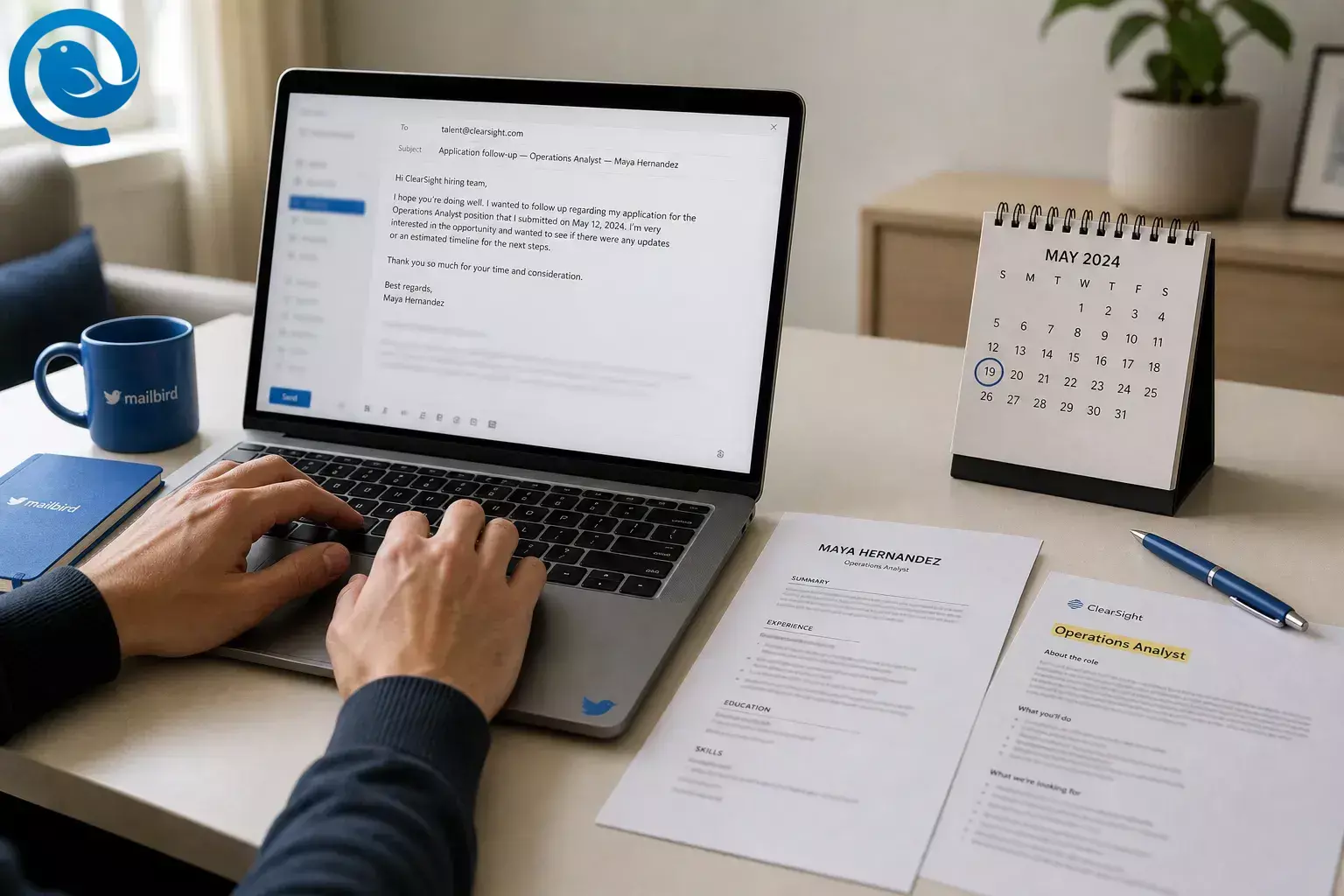
Short answer: a follow-up email after application should be short and specific: name the role, say when you applied, add one reason you fit, and ask about the timeline for next steps. If the employer shared a timeline, follow it. If not, about a week after you apply is a solid default. 3 5 6
Use this guide to write a job application follow-up email before any interview. You’ll get subject lines , a copy-ready template, examples, and a final checklist so you can send it today.
Key takeaways
- Follow the employer’s stated timeline first; if none, about a week after you apply is a solid default.
- Start with the recruiter or hiring manager named in the post.
- Name the role, say when you applied, add one relevant proof point, and ask one simple question about timeline or next steps.
- Email is usually the cleaner choice than an unexpected phone call at this stage.
- Do not send your Social Security number, driver’s license, bank details, or payment information in a follow-up email.
- Save the final wording so you can reuse it for future applications.
Before you send
Prerequisites
- You already submitted the application.
- You know the exact job title and the date you applied.
- You saved the posting or can still view it.
- You can reach a real person or the company careers page.
Tools
- An email account
- Your resume or portfolio link, if relevant
- A calendar reminder
- Optional: Mailbird or any email app
Time
- One short sitting
Cost
- None required
How to write a follow-up email after application
How to write a follow-up email after application
-
Decide if today is the right day to send it
Read the job post, confirmation email, and any recruiter message first. If the employer gave a closing date or asked candidates not to follow up, use that instruction. If no timing was given, a practical first-email window is about one week after you apply, while some job guidance allows a slightly longer one-to-two-week wait. 3 5 6
Check: You can point to a clear reason for sending today.
-
Choose the best person to contact
Start with the recruiter or hiring manager named in the post. If no contact is listed, check the company careers page, staff directory, or LinkedIn for a recruiter tied to that team, or use our guide to finding email addresses . At this stage, email is usually the cleaner choice than an unexpected phone call. 3 4 5 6
Check: You have one real recipient, and you did not reply to a no-reply address.
-
Pull together the facts before you draft
- The exact job title
- The requisition number, if there is one
- The date you applied
- One strong fit point from your background
- One simple question you want answered
Check: You can say the role name, applied date, and your one best reason for fit without looking around for details.
-
Write a subject line that says exactly what the email is
Make the subject line specific. Skip “Just checking in” and use the role name so the reader knows what your email is about before opening it.
- Application follow-up — Data Analyst — Maya Hernandez
- Following up on my application for Marketing Coordinator — Marcus Lee
- Product Designer application — Priya Shah
Check: You can understand the subject line in one glance.
-
Open with context, not small talk
Your first line should answer three questions fast: who you are, which role you applied for, and when you applied. That gives the reader context immediately.
Try: Hi Ms. Chen — I applied for the Operations Analyst role on August 18 and wanted to follow up on the timeline for next steps.
Check: Your first sentence names the role and the date you applied.
-
Add one proof point that matches the role
Pick one requirement from the posting and match it with one example from your work, internship, coursework, or volunteer experience. Keep it to one clear sentence.
Example: In my current support role, I handle high-volume customer questions and document fixes clearly, which lines up well with your need for someone who can manage tickets and write clean process notes.
Check: You used one example, not your whole resume.
-
Ask one easy-to-answer question
Ask for the timeline or whether the team is still reviewing applications. One question is enough. The easier the reply, the better.
- Could you share the expected timeline for next steps?
- Is the team still reviewing applications for this role?
- Would any additional information from me be helpful?
Check: There is one clear ask, not a list of requests.
-
Use this follow-up email after application template
Subject: Application follow-up — Operations Analyst — Maya HernandezHi Ms. Chen,I applied for the Operations Analyst role on August 18 and wanted to follow up on the timeline for next steps.I’m especially interested in this role because it focuses on managing tickets and writing clean process notes. In my current support role, I handle high-volume customer questions and document fixes clearly, which lines up well with your need for someone who can manage tickets and write clean process notes.If helpful, I’m happy to send any additional information. Could you share whether the team is still reviewing applications for this role?Thank you for your time,Maya Hernandez
Check: The role name, applied date, and proof point match your application.
-
Proof it like an employer will read it
Read the email once for facts, once for tone, and once on a phone-sized screen. Confirm the company name, role title, applied date, links, signature, and attachment status. If you mention an attachment, make sure it is actually attached.
Check: You found zero wrong names, wrong dates, or broken links.
-
Send it, then save the wording for next time
If you use Mailbird Premium, you can save the finished draft as an Email Template ; recipient fields are not stored in the template. If Send Later is available in your version of Mailbird Next, you can schedule the message . If you connect more than one account in Mailbird, Unified Inbox can show those connected accounts in one view. 8 9 10
Fallback option: if you are not using Mailbird, paste the template into a notes app or a saved draft and set a calendar reminder.
Check: The message is sent, and your reusable version is saved somewhere you will actually find later.
Why this follow-up format works
This format works because hiring can move more slowly than applicants expect, but the actual review window at the front end can still be short. A follow-up that quickly shows the role, the date you applied, and one relevant proof point is easier to place and easier to answer than a vague “just checking in” message. 1 2 6
Troubleshooting
| Symptom | Likely cause | Fix |
|---|---|---|
| You want to send the email the same day you applied. | You do not have a real reason to write yet. | Wait until the employer’s stated window passes, or use about one week as your first checkpoint if no timing was given. 3 5 6 |
| Your message bounced, or you only have a no-reply address. | You replied to an automated confirmation. | Find a recruiter or hiring manager on the company site or LinkedIn, or use the careers contact listed by the employer. 4 5 |
| Your email sounds pushy. | You asked for a decision instead of a timeline. | Change the ask to a status question such as “Could you share the timeline for next steps?” |
| Your email feels too long. | You pasted a cover letter into the body. | Cut it down to context, one fit point, one question, and a polite close. |
| The “recruiter” asks for your SSN, bank details, or ID before any interview. | That is a major scam warning sign. | Stop, verify the sender through the company’s official site, and do not send sensitive information by email. 7 |
| Your scheduled email did not send from Mailbird. | The app was closed, offline, or the account needed attention. | Reopen Mailbird Next, confirm the account is connected, and send yourself a quick test before relying on Send Later again. 9 |
| Your reply vanished from your inbox after you sent it. | Send + Archive is turned on. |
Turn off
Show Send & Archive button
in Mailbird Settings > Composing if you do not want replies archived after sending.
11
|
| You missed the employer’s reply because you use more than one email address. | Your job-search messages are scattered across accounts. | Use one folder or label for job-search mail, or use Mailbird’s Unified Inbox if you have connected more than one account. 10 |
You want to send the email the same day you applied.
Likely cause: You do not have a real reason to write yet.
Fix: Wait until the employer’s stated window passes, or use about one week as your first checkpoint if no timing was given. 3 5 6
Your message bounced, or you only have a no-reply address.
Likely cause: You replied to an automated confirmation.
Fix: Find a recruiter or hiring manager on the company site or LinkedIn, or use the careers contact listed by the employer. 4 5
Your email sounds pushy.
Likely cause: You asked for a decision instead of a timeline.
Fix: Change the ask to a status question such as “Could you share the timeline for next steps?”
Your email feels too long.
Likely cause: You pasted a cover letter into the body.
Fix: Cut it down to context, one fit point, one question, and a polite close.
The “recruiter” asks for your SSN, bank details, or ID before any interview.
Likely cause: That is a major scam warning sign.
Fix: Stop, verify the sender through the company’s official site, and do not send sensitive information by email. 7
Your scheduled email did not send from Mailbird.
Likely cause: The app was closed, offline, or the account needed attention.
Fix: Reopen Mailbird Next, confirm the account is connected, and send yourself a quick test before relying on Send Later again. 9
Your reply vanished from your inbox after you sent it.
Likely cause: Send + Archive is turned on.
Fix:
Turn off
Show Send & Archive button
in Mailbird Settings > Composing if you do not want replies archived after sending.
11
You missed the employer’s reply because you use more than one email address.
Likely cause: Your job-search messages are scattered across accounts.
Fix: Use one folder or label for job-search mail, or use Mailbird’s Unified Inbox if you have connected more than one account. 10
Follow-up email after application examples
Standard follow-up
Subject: Application follow-up — Data Analyst — Maya HernandezHi Ms. Chen, I applied for the Data Analyst position on August 18 and wanted to ask about the timeline for next steps. In my current support role, I handle high-volume customer questions and document fixes clearly, which matches the role’s focus on clean process notes. If helpful, I can send anything else you need. Thank you.
If you were referred
Subject: Operations Analyst application follow-up — Priya ShahHi Ms. Chen, Marcus Lee suggested I reach out after I applied for the Operations Analyst position on August 18. I’m especially interested in this role, and my experience handling high-volume customer questions and document fixes clearly lines up well with the role. Could you share the timeline for next steps?
If you do not have a name
Subject: Follow-up on Marketing Coordinator application — Marcus LeeHello Hiring Team, I recently applied for the Marketing Coordinator opening on August 18 and wanted to follow up on my application. I’m especially interested in this role, and I’d be happy to send more information if useful. Thank you for your time.
If you have a meaningful update
Subject: Product Designer application follow-up + update — Maya HernandezHi Ms. Chen, I applied for the Product Designer opening on August 18 and wanted to share one short update. Since applying, I completed a project, which strengthens my fit for writing clean process notes. Is the team still reviewing applications for this role?
Save and reuse your follow-up email template
Make-ahead
Make-ahead: build one master version with blank fields for the role, company, date, fit point, and question. Keep it short enough that you can tailor it quickly without sounding copied.
Storage
Storage: if you use Mailbird Premium, save your polished draft as an Email Template. Mailbird notes that recipient fields are not stored in the template, while a signature already in the draft can be saved with it. If you are not using Mailbird, keep your best versions in a notes app or draft folder with clear names like “Job follow-up — standard” and “Job follow-up — referral.” 8
Scaling
Scaling: keep a simple tracker with company, role, date applied, contact, follow-up sent, and reply. If you connect more than one account in Mailbird, Unified Inbox can show messages from those connected accounts in one view. 10
Checklist before you send
- I checked the posting, confirmation email, and careers portal first.
- I used a real contact instead of a no-reply address.
- My subject line names the role and me.
- My first sentence says what I applied for and when.
- I included one relevant proof point.
- I asked one clear question.
- I removed sensitive personal information.
- I saved the final version for future applications.
Safety note: if anything about the recruiter or request feels off, stop and verify it through the company’s official site before replying. 7
Frequently asked questions
What should a follow-up email after application include?
Keep it brief: mention the role, say when you applied, add one relevant proof point, and ask one simple question about timeline or next steps. Then close politely.
Source: 6
When should I send the first follow-up email after applying?
Who should I email if no contact name is listed?
Is LinkedIn okay instead of email?
Should I attach my resume again?
Only if the employer asked for materials by email or you are sending a real update. If you attach anything, make sure it is the version you want reviewed.
Source: 6
What if the only email I have is a no-reply address?
How long should the email be?
Short enough to read in one glance: context, one fit point, one question, and a polite close.
Source: 6
Should I call instead of email?
Usually only if the employer invited calls. For most application-stage follow-ups, email is the safer first move.
Source: 3
Should I send a second follow-up if nobody replies?
Possibly, but this page stops at the first application-stage note so you can get that first message right before planning anything later.
I already interviewed. Is this still the right template?
No. This guide is only for the gap between submitting an application and getting the first interview.
Download Mailbird
Want your follow-up email after application template ready every time you apply? Download Mailbird and keep your best drafts where you actually send them. In Mailbird Premium, you can save polished follow-ups as Email Templates. If Send Later is available in your version of Mailbird Next, you can schedule the message, and if you connect more than one account, Unified Inbox can help you watch for replies in one place. 8 9 10
Sources
- SHRM, “2026 Recruiting Executives Benchmarking: Attracting Critical Talent”
- SmartRecruiters, “Recruiting Benchmarks 2025–2026” (PDF)
- Santa Clara University Career Center, “Professional Communication”
- Santa Clara University Career Center, “Employer Follow-Up”
- University of Tampa Career Services, “Follow-Up Correspondence” (PDF)
- Indeed Career Guide, “How To Write a Follow-Up Email After a Job Application”
- FTC Consumer Advice, “Job scammers are looking to hire you”
- Mailbird Support, “Email Templates”
- Mailbird Next Support, “Using Send Later in Mailbird Next”
- Mailbird Support, “Unified Inbox”
- Mailbird Support, “When I reply to an email, it disappears from my Inbox. Why?”


