Employee Onboarding Software: What It Does and Whether You Need It
Employee onboarding software is a digital system that coordinates the forms, tasks, approvals, and access steps that move a new hire from offer acceptance to ready-to-work employee. Some onboarding tools stop at packets and checklists.



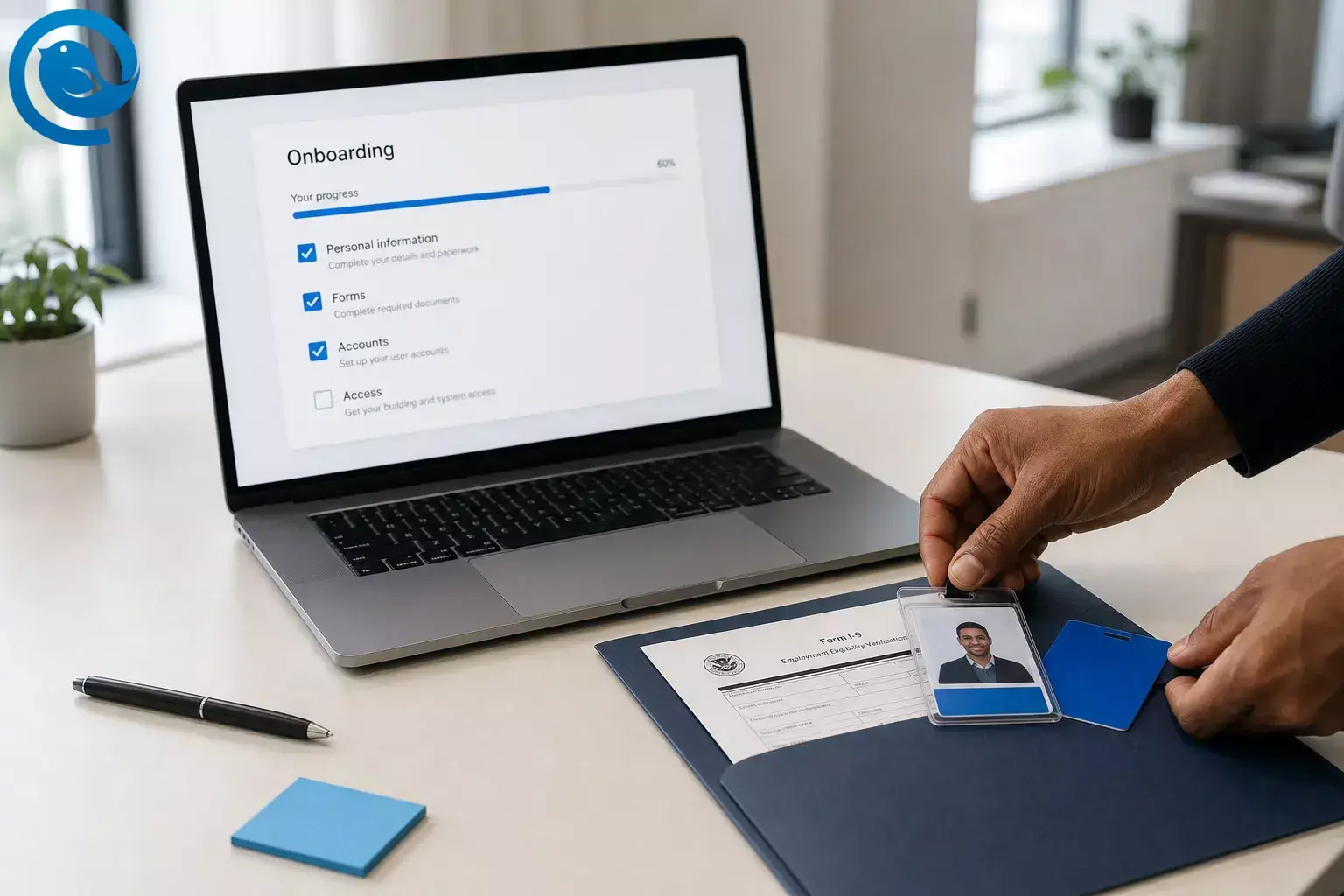
Employee onboarding software is a digital system that coordinates the forms, tasks, approvals, and access steps that move a new hire from offer acceptance to ready-to-work employee. [4] Some onboarding tools stop at packets and checklists. Others also connect HR, IT, and identity systems for account provisioning and email access. [5][7][8]
That same process now often reaches beyond paperwork. Some employee onboarding platforms connect HR and IT so that a new employee can receive the right accounts, app access, and work email setup on day one instead of waiting through manual handoffs. [5][8]
Many teams do not need a standalone employee onboarding platform until missed handoffs between HR, managers, IT, payroll, and compliance become a pattern.
TL;DR
Employee onboarding software at a glance
- Core job: keep forms, tasks, approvals, and access moving in one workflow.
- Big difference between tools: some stop at checklists, while others also help provision accounts, apps, and work email. [5][7][8]
- Compliance pressure: Starting August 1, 2026, USCIS says employers should use the Form I-9 version with the 05/31/2027 expiration date. [1][2]
- Best fit: teams that keep losing time to handoffs between HR, managers, payroll, IT, and compliance.
- If email access is the issue: ask whether the system creates accounts directly or only opens tasks for IT.
- Mailbird’s role: it is an email client, so it fits after the mailbox already exists and access is granted. [14]
How employee onboarding software works
If you remember one thing, remember this: employee onboarding software is coordination software. The documents matter, but the bigger job is keeping employee data, tasks, and access moving together.
Most onboarding tools work across three connected layers: a record layer for employee data and forms, a workflow layer for tasks and reminders, and an access layer for accounts, permissions, and day-one readiness. That is why two products can both call themselves an employee onboarding platform and still feel very different in practice. [5][7][12]
- A hire event starts the process. In many systems, onboarding starts when recruiting or HR marks someone as hired, or when an applicant tracking system triggers the handoff into an HR or onboarding system. [9][10][12]
- The platform chooses the right packet. The employee onboarding platform assigns forms, messages, and tasks based on role, location, start date, manager, or employment type, whether that looks like a simple packet template or a staged onboarding plan. [7][9]
- The new hire enters information. This is where personal details, tax and banking information, policy acknowledgments, and role-specific documents are collected. In the U.S., employees must complete Section 1 of Form I-9 no later than the first day of employment, and employers must complete Section 2 within three business days. [2]
- People on the company side get their tasks. Managers may add welcome messages or meetings, HR may review documents, payroll may check pay details, and IT may prep equipment or access. [7][10]
- Accounts and access are provisioned. When the tool is connected to an identity layer, the new employee record can trigger user creation and updates to other business apps. Some platforms also describe automating app provisioning and work email account creation. [5][8]
- Day-one guidance is delivered in manageable chunks. Some onboarding software stages tasks and guidance so the employee sees what matters first and what can wait, rather than getting everything at once. [9][12]
- The system keeps syncing after the first day. If the start date changes, the person is rehired, or the employee leaves, some systems can update tasks and access instead of forcing the team to start over manually. [5][10]
Can employee onboarding software handle account provisioning and email access?
This is where buyers most often talk past each other. Some onboarding software mainly creates a checklist for IT. Other onboarding stacks can trigger identity, application, and mailbox steps through connected systems. [5][8]
Microsoft describes HR-driven provisioning as creating and updating user accounts from the HR system, and Rippling describes automating app provisioning plus work email account creation. [5][8]
If email access is part of your first-day failure pattern, do not settle for vague “IT integration” language. Ask these questions instead:
- Does the system create accounts directly, or only open tasks for IT?
- Can access rules be tied to job role, department, or location?
- Can it generate the employee’s email address and push it back to the HR record?
- What happens if the start date moves, the offer is withdrawn, or the hire is a no-show?
- How are rehires handled: reactivate the old account, reprovision, or create a new one?
- What is native, and what depends on a partner, custom API, or manual step?
How employee onboarding software looks in practice
Simple example: a small agency
A 15-person agency hires one account coordinator every few months. It mainly needs a repeatable packet, signatures, a basic checklist, and a clean handoff to payroll and IT. In that situation, a standalone onboarding tool may be unnecessary if the current HR system already handles the steps reliably.
Realistic example: a remote company hiring in batches
A 250-person remote software company hires 12 people in the same week. HR needs documents, managers need introductions and training plans, payroll needs clean data, and IT needs role-based app access before Monday morning. Here, onboarding software earns its keep because the hard part is cross-team timing, not just forms.
Edge case: a rehire with a new role
A former employee comes back after six months, but now joins a different department. The software needs to avoid duplicate records, decide whether to reactivate or reprovision accounts, and update access to match the new role; Microsoft documents automatic reactivation or reprovisioning for rehires, and SAP documents rehire-specific onboarding behavior. [5][10]
Common employee onboarding tools: an honest roundup
Different employee onboarding platforms solve different parts of the problem. The table below groups common onboarding tools by what their own documentation emphasizes, not by rank.
| Platform | Best if you need | What it is built around |
|---|---|---|
| BambooHR | Packets, checklists, and e-signatures in one HR-first setup | New-hire packet templates, e-signatures, checklists, progress tracking, and I-9/E-Verify through a Mitratech-powered flow. [7] |
| Rippling | Onboarding plus app and email setup | App provisioning, device management, and work email account creation tied to onboarding. [8] |
| Workday | Structured preboarding and staged onboarding plans | Preboarding, onboarding plans, task tracking, and day-one guidance delivered over time. [9] |
| SAP SuccessFactors Onboarding | Documents, tasks, and onboarding inside SuccessFactors | Guided tasks, forms, and early document sharing, plus a move from new hire to employee inside the suite; SAP also notes the shift from legacy Onboarding 1.0 to the latest Onboarding solution. [10][11] |
| Enboarder | A coordination layer across existing systems | Journeys launched from recruiting events, real-time sync, integrated U.S. compliance, and IT or operational triggers based on lifecycle events. [12] |
| WorkBright | U.S. compliance-heavy onboarding | Digital I-9 workflows, E-Verify integration, and automated updates to federal and state forms. [13] |
BambooHR
- Best if you need
- Packets, checklists, and e-signatures in one HR-first setup
- What it is built around
- New-hire packet templates, e-signatures, checklists, progress tracking, and I-9/E-Verify through a Mitratech-powered flow. [7]
Rippling
- Best if you need
- Onboarding plus app and email setup
- What it is built around
- App provisioning, device management, and work email account creation tied to onboarding. [8]
Workday
- Best if you need
- Structured preboarding and staged onboarding plans
- What it is built around
- Preboarding, onboarding plans, task tracking, and day-one guidance delivered over time. [9]
SAP SuccessFactors Onboarding
- Best if you need
- Documents, tasks, and onboarding inside SuccessFactors
- What it is built around
- Guided tasks, forms, and early document sharing, plus a move from new hire to employee inside the suite; SAP also notes the shift from legacy Onboarding 1.0 to the latest Onboarding solution. [10][11]
Enboarder
- Best if you need
- A coordination layer across existing systems
- What it is built around
- Journeys launched from recruiting events, real-time sync, integrated U.S. compliance, and IT or operational triggers based on lifecycle events. [12]
WorkBright
- Best if you need
- U.S. compliance-heavy onboarding
- What it is built around
- Digital I-9 workflows, E-Verify integration, and automated updates to federal and state forms. [13]
Notice how different these tools are. Some are built around HR documents and checklists, some around access and IT setup, and some around coordination across systems. That is why shopping this category by feature list alone gets confusing fast. [7][8][9][12]
Common misconceptions about onboarding software
- “It’s basically a digital filing cabinet.” Not really. Modern onboarding software may include documents, but it can also handle task routing, reminders, compliance, and sometimes access provisioning. [4][5]
- “If we have an HR system, the problem is already solved.” Sometimes yes, sometimes no. Some teams only need built-in packets and checklists; others still need a stronger access or coordination layer. [7][12]
- “If the mailbox exists, onboarding is done.” Email access is only one output. A person can have an inbox and still be missing role context, policy acknowledgments, training, or critical app permissions. [7][9]
- “More automation always means a better first week.” Automation prevents misses, but it does not replace manager attention, clarity, or a human welcome.
- “Remote hiring removes Form I-9 complexity.” It does not. The current form still includes specific timing rules and references DHS-authorized alternative procedures rather than removing the process entirely. [2]
- “Every company needs a standalone employee onboarding platform.” Not if hiring is infrequent and the current system already handles the steps that matter.
- “Mailbird belongs in onboarding software comparisons.” No. Mailbird is an email client, not an employee onboarding platform. [14]
When to use employee onboarding software — and when not to
Use onboarding software when…
- every hire touches HR, managers, IT, payroll, or compliance
- start dates get derailed by missing signatures, missing devices, or missing access
- you hire remotely, in batches, or across multiple locations
- you need auditable records for employment paperwork and approvals
- app access and email setup are part of the same day-one problem as documents
Do not add a standalone tool when…
- hiring is infrequent and the workflow is simple enough to manage in your current HR system
- your real pain starts after the employee already has an account and is mostly struggling with email overload or focus
- you cannot keep HR, payroll, and identity data in sync, which would turn a new tool into one more silo
- you expect software alone to solve culture, management, or training quality problems
A practical boundary test: if the failure happens before the person can legally and technically start work, onboarding software may help. If the failure happens after the account already exists and the person simply needs a better way to manage communication, you are shopping for a different category of tool.
Key terms in onboarding software
- Preboarding
- The period between offer acceptance and the first day, often used for early forms, messages, and login setup. [9]
- Provisioning
- Creating or updating a user identity in a target system so the employee can access the apps or services they need. [5]
- HR-driven provisioning
- Using the HR system as the source that triggers account creation and updates in identity or application systems. [5]
- Deprovisioning
- Removing or blocking that identity when the person leaves or no longer qualifies for access. [5]
- SCIM
- A standard designed to make cloud identity management easier and reduce the cost and complexity of user management across systems. [6]
- E-Verify
- An internet-based system operated by DHS in partnership with SSA that participating employers can use, in addition to Form I-9, to electronically verify work eligibility for newly hired employees. [3]
- Employee onboarding platform
- A broad label for software that helps HR teams manage paperwork, training, system setup and access, and compliance during onboarding. [4]
Frequently Asked Questions about employee onboarding software
What is employee onboarding software in plain English?
It is the system that keeps first-day tasks, forms, approvals, and access from living in separate emails, spreadsheets, and folders.
Sources: [4]
Do small businesses need a standalone employee onboarding platform?
Not always. If hiring is light and your current HR tool already handles packets, reminders, and sign-offs, you may not need another tool yet.
Can employee onboarding software create email accounts automatically?
Sometimes. Some products stop at checklists, while others connect to identity and IT systems and can trigger account, app, and mailbox setup.
Sources: [5][8]
What should U.S. employers check for Form I-9 and E-Verify support?
Look for current form handling, timing reminders, document storage, alternative-procedure support where allowed, and clarity on whether E-Verify is native or partner-based.
Sources: [1][2][3]
Is preboarding the same as onboarding?
No. Preboarding happens after the offer is accepted and before day one; onboarding continues once the employee starts.
Sources: [9]
What is the difference between onboarding software and product onboarding tools?
Employee onboarding software helps employers bring people into a company. Product onboarding tools help software users learn an app.
Can onboarding software handle rehires?
Better systems can, and that matters because reactivating or reprovisioning the right record is usually safer than creating duplicates blindly.
Sources: [5][10]
Is Mailbird employee onboarding software?
No. Mailbird is an email client. It becomes relevant after the employee already has an email account and access.
Sources: [14]
Where Mailbird fits after employee onboarding
Once your onboarding software or identity stack has created the mailbox and granted access, the next problem is usually day-to-day email overload . Mailbird is an email client that brings multiple inboxes into one place, so it fits after onboarding rather than in place of it. [14]
If your main bottleneck is I-9, provisioning, or approvals, solve that first. If the bottleneck is managing email once access already exists, that is where Mailbird helps. Learn how to set up Mailbird .
What can change
Compliance form versions, E-Verify procedures, integrations, and vendor packaging can change. Before you buy or set policy, confirm the current Form I-9 edition, any E-Verify workflow, and any provisioning claims in the vendor’s live documentation or demo. This page is general information, not legal advice. [1][2][3]
Whatever software you pick, onboarding still runs through email.
Sources
- USCIS — Forms Updates (Form I-9 edition change notice)
- USCIS — Form I-9, Employment Eligibility Verification
- USCIS — E-Verify Quick Reference Guide
- Capterra — onboarding software overview
- Microsoft Learn — What is provisioning with Microsoft Entra ID?
- RFC Editor — RFC 7643, System for Cross-domain Identity Management (SCIM)
- BambooHR — onboarding product overview
- Rippling — IT overview for app provisioning and work email
- Workday documentation — Onboarding Plans
- SAP Help Portal — About SAP SuccessFactors Onboarding
- SAP Help Portal — Onboarding 1.0 transformation resources
- Enboarder — integrated HRIS and lifecycle triggers
- WorkBright — compliant onboarding and I-9 overview
- Mailbird — product overview


