Employee Onboarding Program: How to Build One That Sticks
Build an employee onboarding program that covers preboarding through day 90, gives each task an owner, and turns a scattered onboarding process into a repeatable system. This guide walks through the phases, owners, metrics, common failure points, and the employee onboarding best practices that matter most.



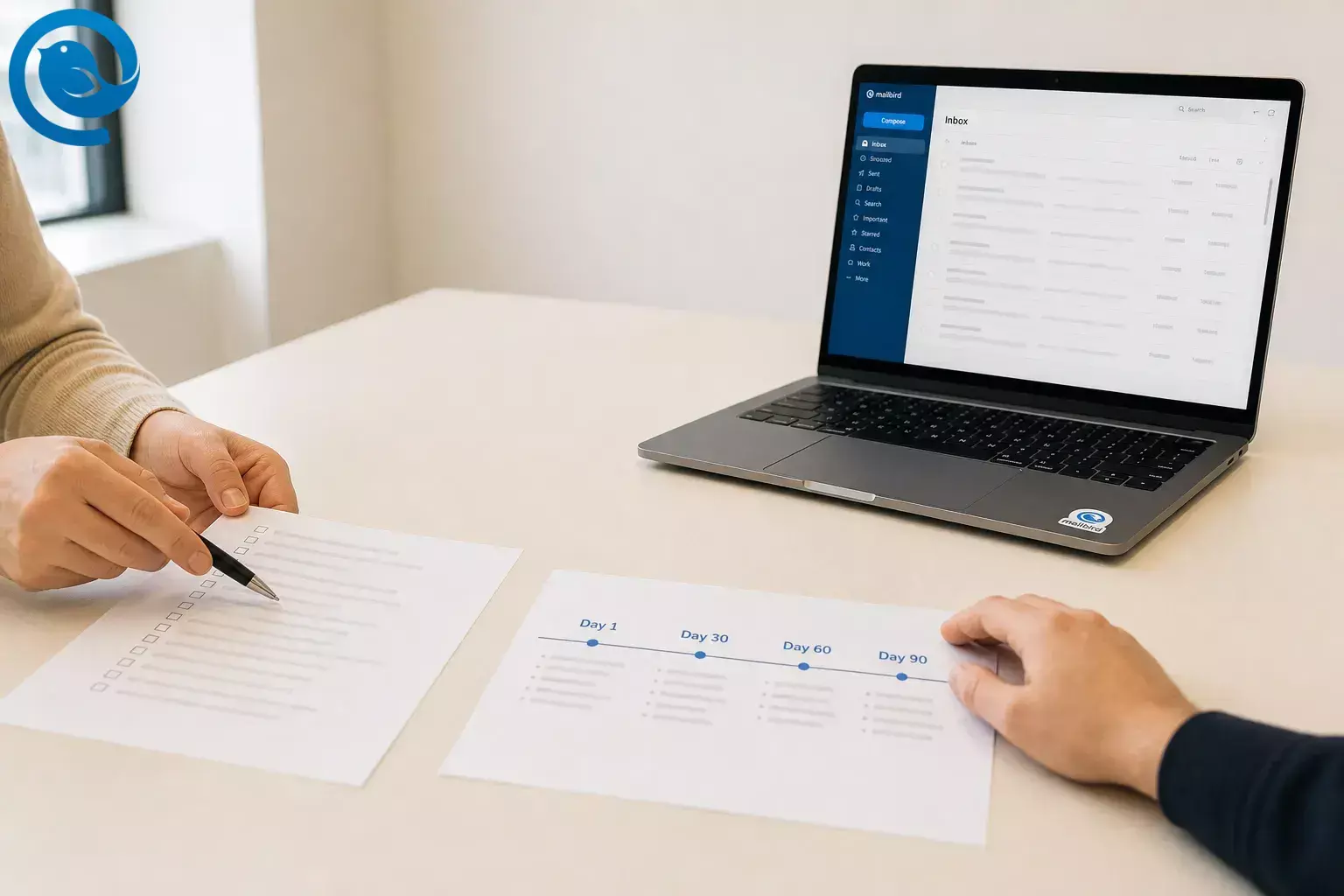
Build an employee onboarding program that covers preboarding through day 90, gives each task an owner, and turns a scattered onboarding process into a repeatable system. This guide walks through the phases, owners, metrics, common failure points, and the employee onboarding best practices that matter most. Most teams spread the program across the first 90 days instead of trying to do it all on day one, and setting it up is a moderate lift because HR, managers, and support teams each own part of the work. [6] [8]
What’s new
U.S. compliance note: , USCIS says employers should use the Form I-9 edition with the 05/31/2027 expiration date, and employers must complete Section 2 within three business days of the employee’s first day of employment. If your onboarding packet, HR system, or checklist still points to an older I-9 edition, update it before your next start date. [1] [2]
Key takeaways
- An employee onboarding program is the full onboarding process from accepted offer through the first 90 days in many teams, not just a first-day orientation. [6] [12]
- Start with six checkpoints: accepted offer to start date, day 1, week 1, day 30, day 60, and day 90. [6] [12]
- Assign one primary owner to every step and name one backup for every line item so nothing sits under team responsibility. [8]
- Measure five things: time-to-productivity, 90-day retention, checklist completion, new-hire feedback, and manager follow-through. [7] [8]
- Keep day one short, ordered, and human, and turn week one into practice, not presentations. [6] [9] [11] [12]
- Start with tools you already own and add software later only when handoffs start slipping.
What an employee onboarding program includes
An employee onboarding program is the full onboarding process from accepted offer through the first 90 days in many teams. It covers preboarding, paperwork, access, role training, manager check-ins, and progress reviews, not just a first-day orientation. [6] [12]
If you want the shortest version, start with six checkpoints: accepted offer to start date, day 1, week 1, day 30, day 60, and day 90. Then assign one primary owner to every step and measure five things: time-to-productivity, 90-day retention, checklist completion, new-hire feedback, and manager follow-through. [6] [7] [8]
Before you start
- Prerequisites: a confirmed start date, a hiring manager, a payroll or benefits owner, an IT or ops owner for accounts and equipment, and a secure place for forms.
- Tools: a shared doc or spreadsheet, a calendar, secure forms or an HR system, a shared onboarding inbox , and a chat or video tool.
- Time: plan around preboarding, day 1, week 1, day 30, day 60, and day 90. Many teams also use extra check-ins between those milestones. [6] [12]
- Cost: start with tools you already own and add software later only when handoffs start slipping.
- Safety notes: keep ID, tax, compensation, and benefits data in approved systems only. For Form I-9, let employees choose which acceptable documents to present; do not ask for specific ones. [3]
Employee onboarding program phases: a 90-day map
Use this as the backbone of your employee onboarding program. A practical onboarding process uses preboarding, day 1, week 1, day 30, day 60, and day 90, with smaller checkpoints inside that window. [6] [12]
| Phase | Main goal | Primary owner | Mark complete when |
|---|---|---|---|
| Accepted offer to start date | Remove uncertainty before the start date | HR | Welcome email sent, first-week plan shared, accounts requested |
| Day 1 | Give access, context, and a warm welcome | Manager | Core tools work, team intro is done, first small task is assigned |
| Week 1 | Move from orientation to real work | Manager + buddy | Basic training is complete and the first real deliverable is reviewed |
| Day 30 | Build basic independence | Manager | Skill gaps are clear and near-term goals are set |
| Day 60 | Expand ownership | Manager | Recurring work is handled with routine support |
| Day 90 | Review fit, progress, and next steps | Manager + HR | Review is complete, feedback is logged, next goals are written |
Accepted offer to start date
- Main goal
- Remove uncertainty before the start date
- Primary owner
- HR
- Mark complete when
- Welcome email sent, first-week plan shared, accounts requested
Day 1
- Main goal
- Give access, context, and a warm welcome
- Primary owner
- Manager
- Mark complete when
- Core tools work, team intro is done, first small task is assigned
Week 1
- Main goal
- Move from orientation to real work
- Primary owner
- Manager + buddy
- Mark complete when
- Basic training is complete and the first real deliverable is reviewed
Day 30
- Main goal
- Build basic independence
- Primary owner
- Manager
- Mark complete when
- Skill gaps are clear and near-term goals are set
Day 60
- Main goal
- Expand ownership
- Primary owner
- Manager
- Mark complete when
- Recurring work is handled with routine support
Day 90
- Main goal
- Review fit, progress, and next steps
- Primary owner
- Manager + HR
- Mark complete when
- Review is complete, feedback is logged, next goals are written
How to build an employee onboarding program
Use the steps below to turn a loose onboarding process into a repeatable program with phases, owners, and measurable checkpoints.
How to build an employee onboarding program
-
Write the scope on one page
Define who this program covers, when it starts, when it ends, and what “finished onboarding” means. Keep one core program, then note where managers, executives, remote hires, or regulated roles need extra steps. [6] [13]
- List hire types: full-time, part-time, intern, seasonal, contractor.
- List work modes: on-site, hybrid, remote.
- Define the start point: accepted offer.
- Define the end point: day 90, or later if the role needs more ramp time.
Done when: a manager can tell whether a task belongs in onboarding without asking for clarification.
-
Split the work into dated phases
Use fixed checkpoints instead of a vague “first few weeks.” A solid baseline is preboarding, day 1, week 1, day 30, day 60, and day 90. If your roles are more complex, add extra check-ins between those milestones. [6] [12]
- Add a date or trigger to every phase.
- Write one success statement per phase.
- Add one meeting, deliverable, or training goal to each phase.
- Put the phase dates on the manager’s calendar now.
Done when: every phase has a date, an owner, and a clear finish line.
-
Assign one primary owner to every task
SHRM’s model spreads onboarding across HR, supervisors, co-workers, executives, and a buddy. Use that idea, but name one primary owner and one backup for every line item so nothing sits under “team responsibility.” [8]
Work item Primary owner Backup Mark complete when Welcome email and forms HR Office manager Employee received the packet and knows the schedule Role goals and first task Manager Department lead Written expectations are shared Device, email, and app access IT Ops admin Employee can sign in without help Day-to-day questions Buddy Backup buddy New hire knows who to ask first Payroll and benefits setup Payroll or benefits owner HR Forms are filed and questions are answered Welcome email and forms
- Primary owner
- HR
- Backup
- Office manager
- Mark complete when
- Employee received the packet and knows the schedule
Role goals and first task
- Primary owner
- Manager
- Backup
- Department lead
- Mark complete when
- Written expectations are shared
Device, email, and app access
- Primary owner
- IT
- Backup
- Ops admin
- Mark complete when
- Employee can sign in without help
Day-to-day questions
- Primary owner
- Buddy
- Backup
- Backup buddy
- Mark complete when
- New hire knows who to ask first
Payroll and benefits setup
- Primary owner
- Payroll or benefits owner
- Backup
- HR
- Mark complete when
- Forms are filed and questions are answered
Done when: no row in your checklist says “everyone” or “team.”
-
Build the preboarding checklist first
As soon as the offer is accepted, send a welcome email with the first-week schedule, manager contact, arrival or remote instructions, and links to any forms the employee can complete early. Then set up the workstation, device, software, and access before the first day. [6] [10]
For U.S. hires, update your packet to the current Form I-9 edition, make sure Section 1 is completed no later than the first day of employment, and complete Section 2 within three business days. [1] [2]
Ask for a signed Form W-4 when the employee starts work, and if you use E-Verify, create the case no later than the third business day after the employee starts work for pay. [4] [5]
- Create a role-based access list.
- Test every login from a normal user account.
- Load your welcome email template.
- Schedule the first-week meetings before the employee arrives.
Done when: the employee can open the packet, see the plan, and arrive knowing what happens first.
-
Script day one in order
Keep day one short, ordered, and human. SHRM places day one inside a longer onboarding journey, and ADP notes that spreading tasks over time helps prevent information overload. [6] [9]
- Start with working logins, not a long slide deck.
- Introduce the team and the support contacts.
- Review written expectations for the next checkpoint.
- Assign one small real task before the day ends.
- Close with a short manager check-in and tomorrow’s plan.
Done when: the new hire knows what to do tomorrow and who to ask if something breaks.
-
Turn week one into practice, not presentations
Use week one to move from presentations to practice. ADP highlights clear guidance, consistent communication, and human connection across the first 90 days, while Indeed recommends training, manager check-ins, and mentor support through the first week and first month. [11] [12]
- Walk through the core tools the employee will actually use.
- Assign one real task tied to the role.
- Review the result and give specific feedback.
- Have the buddy answer routine questions the manager does not need to handle.
- Collect one end-of-week note: what felt clear, missing, or late.
Done when: the employee finishes one real task without needing a rescue.
-
Write a simple 30-60-90 plan
Turn the role into a plain-language 30-60-90 plan. Common checkpoints include basic role mastery by day 30, broader ownership by day 60, and a formal review with next goals by day 90, supported by weekly or biweekly one-on-ones. [6] [12]
- Write three outcomes for day 30, day 60, and day 90.
- Add the people the employee needs to meet at each stage.
- Define what “good enough” looks like for the first recurring tasks.
- Put the review dates on the calendar immediately.
Done when: the manager and employee can both name the next checkpoint and the goal tied to it.
-
Create one communication lane
Build one communication lane for the whole onboarding program. Start with a shared onboarding inbox and a status checklist; if your handoffs live in email, Mailbird email client can manage multiple email accounts in one app, and its Unified Inbox becomes available once more than one account is added. [14] [15]
- Create an address such as onboarding@company.com.
- Add folders or labels: New Hire, Waiting on Employee, Waiting on IT, Completed.
- Save reply templates for welcome notes, missing forms, and start-day reminders.
- If you do not want a shared inbox, use a shared checklist plus calendar reminders as your fallback.
Done when: anyone covering PTO can see what is open and what is late.
-
What to measure: five things only
Measure only the items that tell you whether onboarding actually worked. SHRM recommends metrics such as time-to-productivity, retention or turnover, new-hire surveys, engagement or satisfaction, performance measures, and informal feedback; a lean program can track five of those without turning into a reporting project. [7]
Metric How to define it Where to log it Time-to-productivity Days until the employee can handle core work at the expected level Manager tracker 90-day retention Did the employee stay through the formal onboarding period? HR tracker Checklist completion Which steps were late, skipped, or repeated? Shared checklist New-hire feedback What felt clear, confusing, or unnecessary? Survey or form Manager follow-through Were the planned check-ins and reviews actually done? Calendar or task board Time-to-productivity
- How to define it
- Days until the employee can handle core work at the expected level
- Where to log it
- Manager tracker
90-day retention
- How to define it
- Did the employee stay through the formal onboarding period?
- Where to log it
- HR tracker
Checklist completion
- How to define it
- Which steps were late, skipped, or repeated?
- Where to log it
- Shared checklist
New-hire feedback
- How to define it
- What felt clear, confusing, or unnecessary?
- Where to log it
- Survey or form
Manager follow-through
- How to define it
- Were the planned check-ins and reviews actually done?
- Where to log it
- Calendar or task board
Done when: you can tell which step slowed the hire down and who owns the fix.
-
Pilot it with the next hire and revise fast
Use the next real hire as your test. Gather feedback at day 30 and day 90, ask what arrived late or felt unclear, and revise the checklist before the next start date. [7] [10]
- Ask the employee what was late, confusing, or repetitive.
- Ask the manager which step still depended on memory.
- Ask IT which requests arrived too late.
- Delete any step nobody reads or uses.
Done when: the second hire gets a cleaner start than the first.
Simple onboarding software stack
You do not need full onboarding software to launch. Start with the simplest tool that keeps tasks visible, then add automation only after handoffs start slipping.
| Need | Start with this | Upgrade when... | Mailbird fit or fallback |
|---|---|---|---|
| Email coordination | Shared onboarding inbox plus folders | Messages are split across HR, IT, and manager inboxes | Good if email is your main handoff tool; fallback: any shared mailbox |
| Task tracking | Spreadsheet or shared doc | Owners keep missing steps or asking for status | Paste task IDs into email replies so the thread and checklist stay linked |
| Forms and sign-off | Fillable PDFs and a secure folder | Data gets re-entered into multiple places | Keep legal forms out of a general inbox folder |
| Calendar and meetings | Your existing work calendar | Managers forget check-ins | Keep invites, updates, and reminders in one mailbox view |
| Apps and reference links | One start page with links | New hires keep asking where tools live | Helpful if you want email and work apps close together |
Email coordination
- Start with this
- Shared onboarding inbox plus folders
- Upgrade when...
- Messages are split across HR, IT, and manager inboxes
- Mailbird fit or fallback
- Good if email is your main handoff tool; fallback: any shared mailbox
Task tracking
- Start with this
- Spreadsheet or shared doc
- Upgrade when...
- Owners keep missing steps or asking for status
- Mailbird fit or fallback
- Paste task IDs into email replies so the thread and checklist stay linked
Forms and sign-off
- Start with this
- Fillable PDFs and a secure folder
- Upgrade when...
- Data gets re-entered into multiple places
- Mailbird fit or fallback
- Keep legal forms out of a general inbox folder
Calendar and meetings
- Start with this
- Your existing work calendar
- Upgrade when...
- Managers forget check-ins
- Mailbird fit or fallback
- Keep invites, updates, and reminders in one mailbox view
Apps and reference links
- Start with this
- One start page with links
- Upgrade when...
- New hires keep asking where tools live
- Mailbird fit or fallback
- Helpful if you want email and work apps close together
ADP notes that integrated onboarding software can reduce duplicate entry and missed steps; on the communication side, Mailbird, an email client, offers multi-account email management, a Unified Inbox, and app integrations. Email management for HR teams , but keep legal records in your approved HR or document system. [10] [14] [15]
Where the onboarding process usually fails
The most common employee onboarding process failure points are the same: preboarding starts too late, managers never spell out expectations, day one gets overloaded, new hires feel isolated, and nobody checks whether the employee became productive after the forms were done. [6] [7] [10]
- If access breaks on day one, move IT tasks earlier.
- If questions repeat, write a one-page start guide instead of answering the same email five times.
- If remote hires go quiet, add a buddy and smaller check-ins.
- If turnover appears around day 60 to day 90, review role clarity and manager follow-through first.
Why this onboarding program works
This works because it replaces memory with schedule. The employee gets small, usable chunks of information, and the company gets a clear record of who promised what, by when.
Troubleshooting common onboarding problems
| Symptom | Likely cause | Fix |
|---|---|---|
| Day one turns into waiting for logins | Access requests started after the offer was accepted | Trigger IT setup from the signed offer and test each login before start day |
| The employee asks the same basic questions all week | Information was spoken once and never written down | Send one start page with links, schedule, contacts, and common terms |
| The manager keeps skipping check-ins | Manager tasks were never built into the checklist | Pre-book the meetings when the start date is set |
| A remote hire stays quiet in meetings | No buddy and too many group-only calls | Assign a buddy and add smaller one-on-one check-ins |
| Paperwork is complete but work output is still slow | Training never turned into a real assignment | Add one job-specific task in week one and review the result |
| I-9 or E-Verify is late | The checklist is outdated or the owner is unclear | Move compliance steps into preboarding and name one owner for each item |
| Survey scores look fine but 90-day turnover is high | You measured courtesy, not clarity or productivity | Compare survey comments with time-to-productivity and manager feedback |
| One template works for one department but not another | Role-specific training is missing | Keep one core checklist and add department modules |
Day one turns into waiting for logins
- Likely cause
- Access requests started after the offer was accepted
- Fix
- Trigger IT setup from the signed offer and test each login before start day
The employee asks the same basic questions all week
- Likely cause
- Information was spoken once and never written down
- Fix
- Send one start page with links, schedule, contacts, and common terms
The manager keeps skipping check-ins
- Likely cause
- Manager tasks were never built into the checklist
- Fix
- Pre-book the meetings when the start date is set
A remote hire stays quiet in meetings
- Likely cause
- No buddy and too many group-only calls
- Fix
- Assign a buddy and add smaller one-on-one check-ins
Paperwork is complete but work output is still slow
- Likely cause
- Training never turned into a real assignment
- Fix
- Add one job-specific task in week one and review the result
I-9 or E-Verify is late
- Likely cause
- The checklist is outdated or the owner is unclear
- Fix
- Move compliance steps into preboarding and name one owner for each item
Survey scores look fine but 90-day turnover is high
- Likely cause
- You measured courtesy, not clarity or productivity
- Fix
- Compare survey comments with time-to-productivity and manager feedback
One template works for one department but not another
- Likely cause
- Role-specific training is missing
- Fix
- Keep one core checklist and add department modules
For the compliance-related fixes above, recheck current Form I-9, E-Verify, and IRS instructions before each hire. [1] [2] [4] [5]
Common employee onboarding program variations
Remote employees need the same structure as on-site employees, and managers or executives usually need role-tailored onboarding instead of the same basic plan everyone else gets. [10] [13]
Remote or hybrid
Ship equipment earlier, test camera and audio, run a live video welcome, and give the employee a written list of who to contact for tech, role, and HR questions.
High-volume or hourly hiring
Keep one shared orientation block, then swap in role-specific training by job family. Use one status board so late paperwork and missing access show up fast.
Managers and executives
Add stakeholder maps, decision rights, people policies, and a broader review of goals, culture, and leadership expectations.
Security-heavy or regulated roles
Add approval chains, mandatory training, and sign-off before the employee touches live systems or protected data.
Templates, storage, and scaling the onboarding program
Make-ahead
Write these once: the welcome email, the first-week calendar, the access matrix by role, the buddy introduction note, and the 30-60-90 template.
Storage
Keep one master checklist, then duplicate it for each hire. Store tax, ID, compensation, and benefits records only in approved systems with limited access.
Scaling
Once the same tasks repeat often, connect the accepted-offer event to task creation, account requests, reminder emails, and survey sends. ADP’s guidance on onboarding software points to guided workflows and single-platform data entry, while Mailbird can keep the communication side tidy if email is where your handoffs happen. [10] [14]
Employee onboarding checklist you can screenshot
Keep this next to your shared onboarding inbox. It follows the common pattern of preboarding, day 1, week 1, and the first 90 days. [6] [12]
Download the employee onboarding checklist
Prefer a plain-text copy you can paste into a doc, task board, or shared onboarding inbox? Download it below. The software stack section above shows where each piece fits, and if email is where your handoffs live, Mailbird can help keep messages from different accounts in one place. [14] [15]
Preboarding
- Scope and owner list confirmed
- Welcome email sent
- First-week schedule shared
- Current I-9 edition confirmed
- W-4 and payroll forms ready
- Laptop, accounts, and permissions tested
- Buddy assigned
Day 1
- Team intro complete
- Core logins work
- Start guide shared
- Written expectations reviewed
- First small task assigned
Week 1
- Basic training complete
- One real task reviewed
- Manager check-in complete
- Buddy check-in complete
- Employee feedback captured
Day 30 / 60 / 90
- 30-60-90 plan shared
- Role goals reviewed
- Time-to-productivity tracked
- Survey sent
- 90-day review complete
Employee onboarding program FAQs
How long should an employee onboarding program last?
What’s the difference between orientation and onboarding?
Orientation is the event. Onboarding is the longer ramp that helps the employee learn the role, tools, and culture.
Sources: [6]
Who should own onboarding?
One person should own each task. In most companies, HR coordinates the program, the manager owns role clarity and feedback, IT owns access, and a buddy handles routine questions.
Sources: [8]
What should I measure first?
Start with time-to-productivity, 90-day retention, checklist completion, new-hire feedback, and manager follow-through.
Sources: [7]
How do I onboard remote employees without losing the human side?
Keep the same milestones, add earlier tech checks, use video for the key introductions, and assign a buddy so the employee has a low-friction way to ask everyday questions.
Sources: [10]
Do I need onboarding software right away?
Which U.S. forms usually show up in new-hire onboarding?
Should every role use the same onboarding plan?
Use one core template for every hire, then swap in role training, systems access, and stakeholder meetings by department or seniority.
Sources: [13]
Onboarding runs smoother when every team inbox is in one place.
Sources
- USCIS — Forms Updates
- USCIS — Form I-9, Employment Eligibility Verification
- USCIS — Instructions for Form I-9
- E-Verify — User Manual, Create a Case
- IRS — Hiring Employees
- ADP — Employee Onboarding Process Guide for Employers
- SHRM — How to Measure Onboarding Success
- SHRM — Employee Onboarding Guide: Roles & Responsibilities
- SHRM — What Happens on an Employee’s First Day at Work?
- ADP — Online Onboarding Process
- ADP — What New Grads Notice in Their First 90 Days at Work
- Indeed — New Hire Onboarding Checklist
- SHRM — Role-Tailored Onboarding
- Mailbird — Features, Tools & Superpowers
- Mailbird Support — Unified Inbox


