Email Etiquette Training for Employees: A Practical Onboarding Guide
Email etiquette training for employees works best when it is short, repeatable, and tied to real inbox behavior.



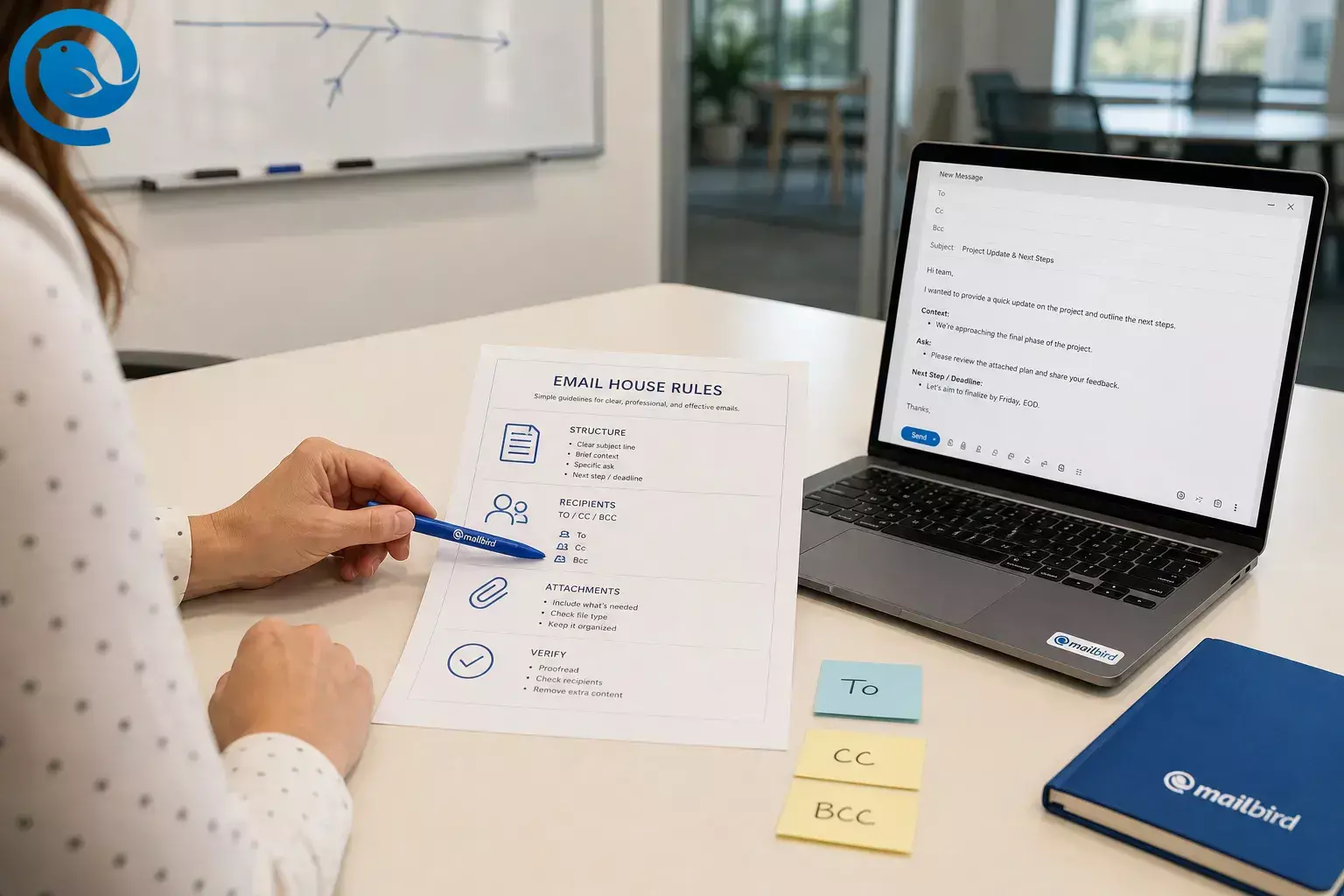
Email etiquette training for employees works best when it is short, repeatable, and tied to real inbox behavior.
This guide is written for the manager or HR lead running the training, with a one-page rule sheet, a live practice session, good and bad examples, and a simple scorecard to measure whether it stuck. It also works as a lightweight in-house email etiquette course or the baseline for larger corporate email etiquette training.
What’s new
Why it matters now: The FBI’s 2025 IC3 Annual Report, published in 2026, logged $568,048,472 in reported U.S. losses from business email compromise, and APWG said phishing attacks rose 13.8% in Q1 2026. That is why employee email etiquette training now needs to teach clarity, recipient control, and verification—not just greetings and signatures. [1] [2]
Key takeaways
- Plan one short live kickoff during onboarding, then short refreshers based on the mistakes managers still see.
- Keep the rules on one page and group them by message structure, recipient choice, attachments, and escalation.
- Give people a simple pattern to copy: subject line → short context → clear ask → next step or deadline .
-
Use
Tofor action,CCfor visibility,BCCto protect addresses in the right situations, Reply when only the sender needs the answer, and Reply All when the whole thread needs the answer to move work forward. - If the email changes money, access, account details, or payroll information, stop. Verify by phone or through the approved system before anyone acts. [3]
- Score what participants write so they can see what pass and revise look like.
- Publish the rule sheet, phrase bank, and examples where new hires can reach them fast.
Before you build the training
One owner for the training, one approver for the rules, and a place to publish the final guide. If possible, line up HR, IT, Comms, or Legal before you build examples.
A slide deck or plain PDF, anonymized email examples, a shared doc, and a quick quiz method. If you do not have polling software, use chat, paper, or a shared spreadsheet.
Plan one short live kickoff during onboarding, then short refreshers based on the mistakes managers still see.
Usually low if you run it in-house. Cost rises only if you buy outside training, record role-specific modules, or hire a facilitator.
Strip out customer names, bank details, personal data, passwords, one-time codes, and anything confidential from every sample email. If you later buy a full email etiquette course, keep your own house rules and scoring rubric so outside material still matches your actual workplace.
For risky requests, teach one hard stop: never trust urgent money, password, or account-change instructions on email alone. Verify outside the thread using a known phone number or your approved process, not the contact details inside the message. [3]
What to cover in what order: a session outline you can run today
Use this as the default agenda and swap only the examples by team.
| Order | Suggested time | Cover this | Do this | Success signal |
|---|---|---|---|---|
| 1 | 5 min | Why email rules matter now | Show one bad email and one clean email. Ask which one gets answered faster and why. | People can name subject line, clear ask, recipients, tone, or risk without prompting. |
| 2 | 5 min | Your one-page house rules | Hand out the rules and tie each rule to one real example from your workplace. | No one is left guessing what professional means in your company. |
| 3 | 8 min | Structure and subject lines | Rewrite a weak email live into subject + context + ask + next step. | Participants can copy the pattern right away. |
| 4 | 8 min | To, CC, BCC, Reply, Reply All | Run short scenarios and have people choose the right recipient setup. | People stop treating visibility and action as the same thing. |
| 5 | 8 min | Tone, attachments, and risky requests | Use a rewrite drill for tone, then ask which examples should stay in email and which should move to another channel. | Participants know when to pause, verify, and switch channels. |
| 6 | 5 min | Check learning before people leave | Run a short quiz, chat check, or paper exercise and assign manager follow-up. | You leave with evidence, not hope. |
1 — Why email rules matter now
- Suggested time
- 5 min
- Do this
- Show one bad email and one clean email. Ask which one gets answered faster and why.
- Success signal
- People can name subject line, clear ask, recipients, tone, or risk without prompting.
2 — Your one-page house rules
- Suggested time
- 5 min
- Do this
- Hand out the rules and tie each rule to one real example from your workplace.
- Success signal
- No one is left guessing what professional means in your company.
3 — Structure and subject lines
- Suggested time
- 8 min
- Do this
- Rewrite a weak email live into subject + context + ask + next step.
- Success signal
- Participants can copy the pattern right away.
4 — To, CC, BCC, Reply, Reply All
- Suggested time
- 8 min
- Do this
- Run short scenarios and have people choose the right recipient setup.
- Success signal
- People stop treating visibility and action as the same thing.
5 — Tone, attachments, and risky requests
- Suggested time
- 8 min
- Do this
- Use a rewrite drill for tone, then ask which examples should stay in email and which should move to another channel.
- Success signal
- Participants know when to pause, verify, and switch channels.
6 — Check learning before people leave
- Suggested time
- 5 min
- Do this
- Run a short quiz, chat check, or paper exercise and assign manager follow-up.
- Success signal
- You leave with evidence, not hope.
If you need a shorter session, shorten discussion time before you shorten the drills.
How to run email etiquette training during onboarding
How to run email etiquette training during onboarding
-
Write the house rules on one page
Draft the exact rules employees must follow. Keep them on one page and group them by message structure, recipient choice, attachments, and escalation. Get approval before rollout so managers are not teaching different versions.
Sample house rules- Write a subject line that names the topic and the action.
- Put the ask near the top of the email.
-
Use
Tofor action,CCfor visibility, andBCCto protect addresses in the right situations. - Use Reply All only when the full group needs your answer.
- Name attachments in the body and say what the recipient should do with them.
- State the deadline or next step.
- Pause and verify anything involving money, credentials, or suspicious urgency.
Check: A new hire can read the page once and explain what to do with subject lines, recipients, attachments, and suspicious requests.
-
Build a small bank of real examples
Pull internal emails that show the mistakes people actually make: vague subject lines, buried asks, wrong recipients, sloppy tone, missing attachment references, and risky requests. Redact everything sensitive. If screenshots are too risky, rewrite the message text into a safe training version.
Check: Every example maps to one rule, and no example contains live customer or employee data.
-
Teach structure before tone
Start with the shape of a good email. Employees can fix tone later, but if the subject line is vague and the ask is buried, the message is already slow and expensive.
Bad and good email structure example Bad Good Subject: Quick question
Hi, just circling back on this. Can you take a look when you get a chance?Subject: Approval needed today: revised onboarding checklist
Hi Maya—please approve the revised onboarding checklist by 3 p.m. ET so I can send it to the vendor today. The only policy change is in section 4.Example rewrite
- Bad
-
Subject: Quick question
Hi, just circling back on this. Can you take a look when you get a chance?
- Good
-
Subject: Approval needed today: revised onboarding checklist
Hi Maya—please approve the revised onboarding checklist by 3 p.m. ET so I can send it to the vendor today. The only policy change is in section 4.
Give people a simple pattern to copy: subject line → short context → clear ask → next step or deadline .
Check: Participants can rewrite one unclear email into that four-part pattern without coaching.
-
Teach recipient logic with quick scenarios
Most inbox frustration is really routing failure. Make recipient choice a separate lesson, not a side note.
Recipient logic for To, CC, BCC, Reply, and Reply All Choice Use it when Do not use it for To The person must act, answer, approve, or decide. People who only need awareness. CC Someone should see the thread but does not need to act. Quiet pressure, blame, or over-copying. BCC You need to protect addresses in an external group message. Hiding internal politics. Reply Only the sender needs your answer. Group decisions or shared updates. Reply All The whole thread needs the answer to move work forward. “Thanks,” “Got it,” or side comments. To
- Use it when
- The person must act, answer, approve, or decide.
- Do not use it for
- People who only need awareness.
CC
- Use it when
- Someone should see the thread but does not need to act.
- Do not use it for
- Quiet pressure, blame, or over-copying.
BCC
- Use it when
- You need to protect addresses in an external group message.
- Do not use it for
- Hiding internal politics.
Reply
- Use it when
- Only the sender needs your answer.
- Do not use it for
- Group decisions or shared updates.
Reply All
- Use it when
- The whole thread needs the answer to move work forward.
- Do not use it for
- “Thanks,” “Got it,” or side comments.
Check: Each participant can sort sample messages into To, CC, BCC, Reply, or Reply All without guessing.
-
Create a tone library and a pause rule
Give people approved phrases for openings, reminders, status checks, handoffs, and closers. Ban sarcasm, all-caps urgency, vague “per my last email” friction, and emotionally hot replies sent in the moment.
Bad and good tone examples Bad Good ASAP!!! Why wasn’t this done? I need the shipment status by 2 p.m. so I can update the client. If you’re blocked, tell me what you need. Per my last email… Following up on the note below. Please send the final file by noon if it’s ready. Rewrite example 1
- Bad
- ASAP!!! Why wasn’t this done?
- Good
- I need the shipment status by 2 p.m. so I can update the client. If you’re blocked, tell me what you need.
Rewrite example 2
- Bad
- Per my last email…
- Good
- Following up on the note below. Please send the final file by noon if it’s ready.
Then add one behavior rule: if the email feels emotional, save the draft, reread it, and decide whether it should be a call instead.
Check: Everyone leaves with a short phrase bank and can rewrite one sharp email into neutral, usable language.
-
Add attachment, link, and verification rules
Teach employees to name attachments clearly, mention them in the body, and say what action is needed. Then add the hard boundary: suspicious links, urgent account updates, and money or bank-change requests are never “just email.” The FBI advises people to examine sender details carefully and verify changes outside the message using a known phone number or approved process. [3]
Simple training ruleIf the email changes money, access, account details, or payroll information, stop. Verify by phone or through the approved system before anyone acts.
Check: Participants can tell you which examples should stay in email and which should move to a verified call or system.
-
Run the live session in the same order every time
Do not improvise the flow. Repetition makes your corporate email etiquette training easier to run and easier to scale.
- Open with one bad and one good email.
- Show the one-page rules.
- Run a structure rewrite.
- Run a recipient-choice drill.
- Run a tone or risky-email drill.
- Close with a quiz, chat check, or paper exercise.
If time gets tight, cut extra explanation before you cut practice.
Check: Your deck, handout, and examples follow the same order every time the training runs.
-
Score the practice in the room
Do not end with “Any questions?” Score what people write so they can see what pass and revise look like.
Rubric for scoring email practice Criterion Pass looks like Needs revision looks like Subject line Names the topic and the action Vague or missing Ask One clear request or decision Unclear, buried, or scattered Recipients Only needed people included Wrong people or too many copied Tone Neutral, direct, respectful Emotional, casual, or sharp Risk handling Safe link and attachment behavior, correct escalation Suspicious request treated as normal Subject line
- Pass looks like
- Names the topic and the action
- Needs revision looks like
- Vague or missing
Ask
- Pass looks like
- One clear request or decision
- Needs revision looks like
- Unclear, buried, or scattered
Recipients
- Pass looks like
- Only needed people included
- Needs revision looks like
- Wrong people or too many copied
Tone
- Pass looks like
- Neutral, direct, respectful
- Needs revision looks like
- Emotional, casual, or sharp
Risk handling
- Pass looks like
- Safe link and attachment behavior, correct escalation
- Needs revision looks like
- Suspicious request treated as normal
Check: Participants can explain why a sample email passes or needs revision.
-
Measure real emails after onboarding
Ask managers to review a small set of real emails from each new hire using the same rubric. Compare those follow-up reviews with the first review and note the mistakes that keep repeating. Also track the operational signals you already notice: vague subjects, needless reply-all chains, missing attachment references, or messages that should have moved off email.
- Use the same rubric every time.
- Use similar types of email, not random outliers.
- Turn repeat mistakes into the next refresher.
Check: You can name the repeat errors by team and send a targeted refresher instead of another generic lecture.
-
Reinforce the rules in the email client
Publish the rule sheet, phrase bank, and examples where new hires can reach them fast. If your team uses Mailbird, make the client part of the training: show employees Unified Inbox , Keyboard Shortcuts, Send Later, and Undo Send. If your team has Mailbird Premium, load approved replies into Email Templates so the standard sits inside daily work instead of a forgotten file. [5] [6] [7] [8] [9]
Check: A new hire can find the guide, use one approved reply, and locate the key inbox settings without asking for help.
How to measure whether it stuck
You do not need perfect analytics. You need a repeatable rubric that managers actually use.
- In the room: Score one rewrite exercise as pass or revise using subject line, ask, recipients, tone, and risk handling.
- After onboarding: Ask managers to review a small sample of real emails from each new hire with the same rubric.
- Watch the repeat errors: Vague subject lines, buried asks, wrong recipients, needless Reply All chains, missing attachment references, and risky requests handled inside email.
- Close the loop: Turn the top repeat error into the next refresher instead of rerunning the whole session.
Why this email etiquette course format works
People rarely change email habits from a buried policy PDF. They change when the rule is short, the example looks like real work, and the refresher appears when they need it. ATD describes microlearning as short, on-demand support inside the flow of work, which is why short rewrite drills and follow-up nudges tend to land better than a lecture alone. [4]
Troubleshooting
| Symptom | Likely cause | Fix |
|---|---|---|
| People still send vague subject lines | The rule sounded polite but not specific | Require a formula: topic + action + deadline when needed |
| Reply All chains keep happening | Employees heard “be careful,” not a real decision rule | Teach one test: does the whole group need my answer to act, decide, or stay aligned? |
| Emails sound nicer but are still unclear | The session focused on tone before structure | Move subject line, ask, and next step earlier in the training |
| Managers ignore the standard | Managers never calibrated their own email habits | Run a manager-only sample review first and use the same rubric |
| Sensitive issues still land in email | No one knows when to stop and switch channels | Add a simple trigger list for money, account changes, conflict, credentials, and suspicious urgency |
| The session turns into a lecture | Too many slides and not enough drills | Cut theory, keep the rewrite exercise and the recipient-choice exercise |
| No lasting change after onboarding | There was no follow-up audit or refresher | Use manager review notes to send a short targeted refresher |
| Remote or global teams say the examples feel off | The examples reflect one office only | Add time-zone, handoff, and cross-cultural tone examples |
People still send vague subject lines
- Likely cause
- The rule sounded polite but not specific
- Fix
- Require a formula: topic + action + deadline when needed
Reply All chains keep happening
- Likely cause
- Employees heard “be careful,” not a real decision rule
- Fix
- Teach one test: does the whole group need my answer to act, decide, or stay aligned?
Emails sound nicer but are still unclear
- Likely cause
- The session focused on tone before structure
- Fix
- Move subject line, ask, and next step earlier in the training
Managers ignore the standard
- Likely cause
- Managers never calibrated their own email habits
- Fix
- Run a manager-only sample review first and use the same rubric
Sensitive issues still land in email
- Likely cause
- No one knows when to stop and switch channels
- Fix
- Add a simple trigger list for money, account changes, conflict, credentials, and suspicious urgency
The session turns into a lecture
- Likely cause
- Too many slides and not enough drills
- Fix
- Cut theory, keep the rewrite exercise and the recipient-choice exercise
No lasting change after onboarding
- Likely cause
- There was no follow-up audit or refresher
- Fix
- Use manager review notes to send a short targeted refresher
Remote or global teams say the examples feel off
- Likely cause
- The examples reflect one office only
- Fix
- Add time-zone, handoff, and cross-cultural tone examples
Corporate email etiquette training variations
- Fast-start version: Use the one-page rules, one rewrite drill, one recipient-choice drill, and one quiz. Good for small teams with tight onboarding windows.
- Manager calibration version: Train supervisors first, score the same sample emails together, and then let them reinforce the rules with new hires.
- Customer-facing version: Add brand voice, handoff language, out-of-office replies, and escalation wording for delayed responses.
- Security-heavy version: Spend more time on suspicious links, payment changes, vendor spoofing, and channel-switch rules.
- Cross-functional corporate version: Keep the core rules fixed for everyone, then swap only the examples by department.
How to store and scale the training
- Make-ahead: Prepare the rule sheet, example bank, phrase bank, quiz, and scoring rubric once. Reuse them for every cohort.
- Storage: Save everything in your onboarding portal, LMS, or shared drive with the date in the filename so people know which version is current.
- Scaling: Keep one master deck and one core handout. Duplicate them by team and change only the examples and approved phrases.
- Ownership: Decide who updates the rules when policy changes: HR, IT, Comms, Legal, or the onboarding lead.
Email etiquette training checklist
- One-page email rule sheet approved
- Training examples redacted and ready
- Subject-line formula taught
- To/CC/BCC/Reply All rules taught
- Phrase bank shared
- Attachment and verification rule included
- Live rewrite drill completed
- Quiz or chat check completed
- Manager follow-up owner named
- Refresher and inbox guide published
Ready to reinforce the training inside the inbox?
If you want the rules to show up inside daily work instead of living in a forgotten PDF, Mailbird can support the rollout with Unified Inbox, Keyboard Shortcuts, Send Later, Undo Send, and, if your team uses Mailbird Premium, Email Templates. [5] [6] [7] [8] [9]
Frequently Asked Questions
What should employee email etiquette training cover first?
Start with the mistakes that waste time fastest: subject lines, the first sentence, recipient choice, and when not to use email.
How long should the first session be?
Keep the kickoff short enough to fit into onboarding. Use the outline once, and if you need less time, trim the discussion before the drills.
Is onboarding enough, or do we need a full email etiquette course?
Onboarding is enough for a baseline. Use a larger course later only if you need deeper writing coaching, client-facing language training, or role-specific practice.
Should managers attend the same session?
Yes. If managers ignore the standard, employees will copy the manager instead of the handout.
How do I stop pointless “Reply All” chains?
Give one yes-or-no rule: Reply All only when the whole group needs your answer to act, decide, or stay aligned.
Should security be part of corporate email etiquette training?
Yes. Employees should know how to pause on suspicious requests , inspect sender details, and verify money or account-change requests outside the email thread.
How do I measure whether it stuck?
Use the same rubric on real emails after training, then review the mistakes that still repeat by team or role.
Do remote or global teams need different examples?
They need the same core rules plus examples for time zones, handoffs, directness, and tone across cultures.
Can Mailbird help reinforce the rules?
Yes—if you build it into onboarding. Show the settings and features that support repeatable habits so the rules live inside daily work, not only in a document.
Recheck these items before you rerun the training
Threat patterns and client features can change. Before you rerun this training, recheck current fraud guidance and retest any Mailbird feature your instructions depend on. For example, Mailbird’s Send Later needs the app open and online, Undo Send uses a configurable short delay, and Email Templates are a Premium feature. [1] [2] [7] [8] [9]
To verify
- Send one delayed test email from the same kind of account employees use.
- Confirm your approved signature, template wording, and escalation path.
- Ask IT or security whether phishing-reporting or secure-file-sharing steps changed since the last onboarding update.
Sources
- FBI Internet Crime Complaint Center — 2025 IC3 Annual Report
- Anti-Phishing Working Group — Phishing Activity Trends Report, 1st Quarter 2026
- FBI — Business Email Compromise
- Association for Talent Development — What Is Microlearning?
- Mailbird Support — Unified Inbox
- Mailbird Support — Keyboard Shortcuts
- Mailbird Support — Send Later
- Mailbird Support — Undo send feature in Mailbird
- Mailbird Support — Email Templates


