Invoice Email Template: What to Say When You Send a Bill
Use this invoice email template when you need clear invoice email wording that tells a client what is attached, how much is due, when it is due, and how to pay. Copy the default version below, fill in the amount, due date, terms, payment methods, and attachment name, then save it in Mailbird if you want a reusable template for invoice emails.



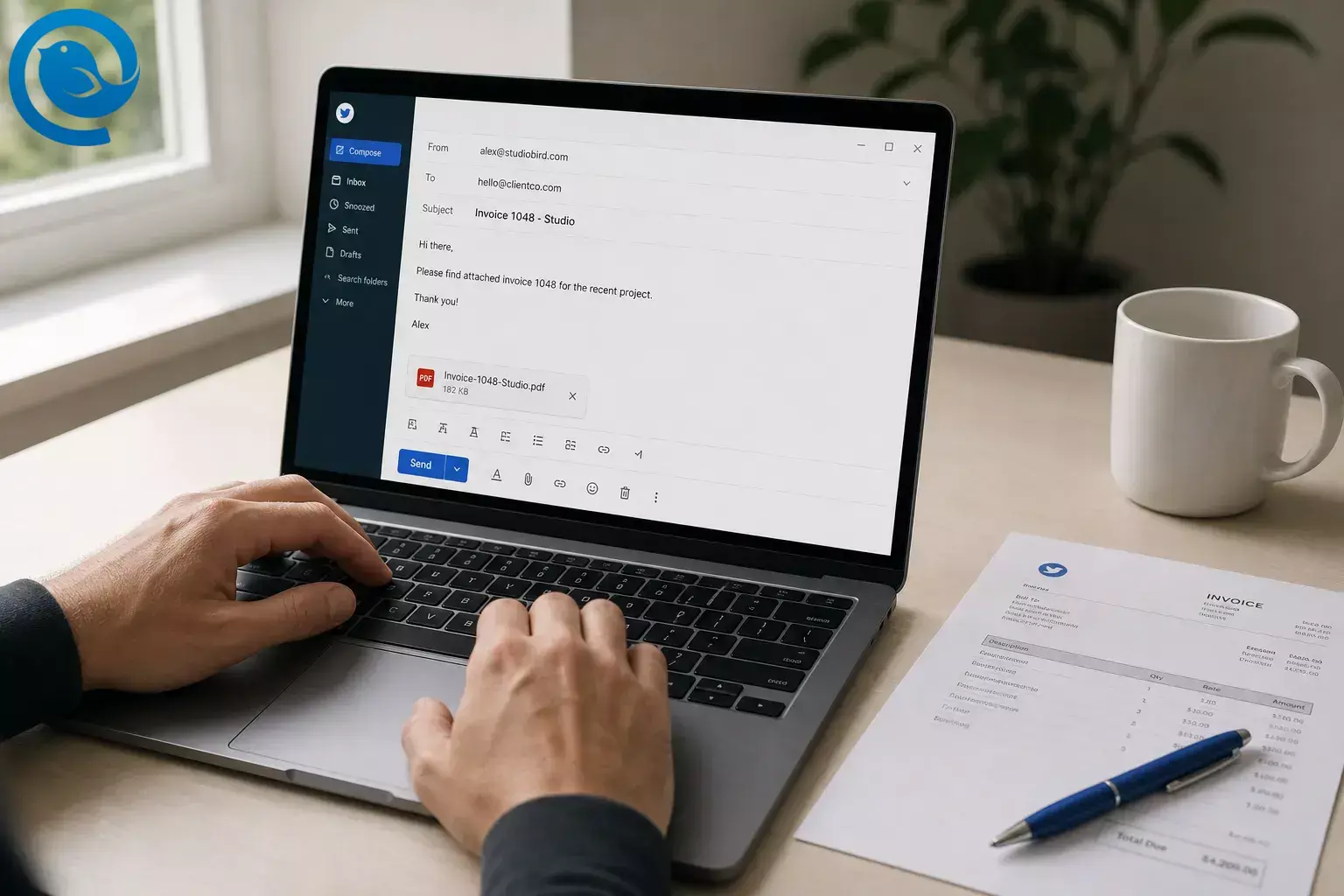
Use this invoice email template when you need clear invoice email wording that tells a client what is attached, how much is due, when it is due, and how to pay. [10] [11] Copy the default version below, fill in the amount, due date, terms, payment methods, and attachment name, then save it in Mailbird if you want a reusable template for invoice emails. [3]
If you want a faster first draft, Parakeet can help you generate one for free. [4] If you want the invoice to arrive during business hours, Mailbird Next includes Send Later, and Mailbird’s support guide says scheduled emails send when the app is online and connected at the chosen time. [1] [2]
Key takeaways
- Include a short body summary with what is attached, what it covers, the amount due, the exact due date, the terms, and how to pay. [10] [11]
- Use the exact calendar due date in the email, not only “Net 15” or “Net 30.” [6]
- Send the invoice to the billing contact or accounts payable mailbox when the client uses one.
- Start the subject line with “Invoice,” then add the invoice number and, if it helps, the due date. [10] [11]
- Attach a PDF with a clear, searchable file name. [10] [11]
- Mailbird can save a finished draft as a reusable template, but To , Cc , and Bcc are not stored with it. [3]
- If you schedule with Send Later in Mailbird Next, the app needs to stay online and connected until send time. [2]
- If payment instructions change, verify them outside email before anyone pays. [5]
TL;DR
What to include in an invoice email: Say the invoice is attached, name what it covers, list the amount due, give the exact calendar due date, state the terms, show the payment methods, and include any PO or vendor reference the client needs. Keep the file name clear and searchable. [10] [11]
Copyable invoice email template
Use this as your default email template for invoice sends.
Subject: Invoice [Invoice Number] from [Business Name] — Due [Month Day, Year]Hi [Client Name],Thanks again for the opportunity to work on [Project or Service].Attached is invoice [Invoice Number] for [Project, Deliverable, or Billing Period].Amount due: [Amount]Due date: [Month Day, Year]Terms: [Due on receipt / Net 15 / Net 30]Payment methods: [ACH, card link, bank transfer, check]If you need a reference on the payment, please use [Invoice Number or PO Number].Please let me know if your records need any additional billing details.Best,[Your Name][Business Name][Billing Email][Phone, if you use it]
Fill these in before you write
| Field | What to enter |
|---|---|
| Billing contact | [Client name or billing team email] |
| Invoice number | [Invoice Number] |
| What the invoice covers | [Project, deliverable, service, or billing period] |
| Amount due | [Amount] |
| Due date | [Month Day, Year] |
| Terms | [Due on receipt / Net 15 / Net 30 / custom terms] |
| Payment methods | [ACH / card link / bank transfer / check / portal] |
| Payment reference | [Invoice Number / PO Number / Vendor ID if required] |
| Attachment name |
Invoice-[Invoice Number]-[Business Name].pdf
|
Billing contact
- What to enter
- [Client name or billing team email]
Invoice number
- What to enter
- [Invoice Number]
What the invoice covers
- What to enter
- [Project, deliverable, service, or billing period]
Amount due
- What to enter
- [Amount]
Due date
- What to enter
- [Month Day, Year]
Terms
- What to enter
- [Due on receipt / Net 15 / Net 30 / custom terms]
Payment methods
- What to enter
- [ACH / card link / bank transfer / check / portal]
Payment reference
- What to enter
- [Invoice Number / PO Number / Vendor ID if required]
Attachment name
- What to enter
-
Invoice-[Invoice Number]-[Business Name].pdf
Before you start
- Prerequisites
- A finished invoice PDF, the correct billing contact, the exact due date, payment terms, accepted payment methods, and any purchase order or vendor reference the client requires.
- Tools
- Any inbox and PDF export will work. Mailbird is useful if you want to save the wording as a reusable template, and Parakeet is useful if you want a free starter draft. Mailbird Email Templates are a Premium feature. [3] [4]
- Time
- Usually one quick sitting for the first setup; much faster after that once you reuse the same wording or start from a Parakeet draft. [3] [4]
- Cost
- No extra cost for a one-off send from an existing inbox. Optional paid features apply only if you want saved templates inside Mailbird. [3]
- Safety notes
- Use the billing address from the contract or purchase order, verify any bank or mailing change outside email, and remember that invoice fields can vary by industry and location. [5] [6]
- Deliverability note
- If you send from your own domain, ask your provider whether SPF, DKIM, and DMARC are set up. Gmail’s sender rules and enforcement can affect whether messages reach the inbox or get rejected, especially at higher volume. [7] [8] [9]
Step-by-step: write and send the invoice email
Step-by-step: write and send the invoice email
-
Finish the invoice before you open a draft
Open the invoice and verify the basics: invoice number, issue date, actual due date, total due, terms, and payment method. If the invoice only says “Net 15” or “Net 30,” also write the calendar due date in the email so the client does not have to calculate it. [6]
-
Use the billing contact, not just the person you worked with
Check the contract, purchase order, client portal, or last paid invoice and copy the billing email exactly. If the client uses a separate accounts payable mailbox, put that in To and add your day-to-day contact only if they need visibility.
-
Rename the attachment before you compose
Rename the file before attaching it. Use
Invoice-[Invoice Number]-[Business Name].pdforInvoice-[Client Name]-[Invoice Number].pdf, then open it once from your desktop to confirm it is the right version and it loads cleanly. [10] [11] -
Write a subject line that makes sense at a glance
Use a subject line the client can recognize in one glance. Put the word “Invoice” first, then the invoice number, then your business or project, and then the due date if it fits. [10] [11]
Invoice [Invoice Number] from [Business Name] — Due [Month Day, Year]Invoice [Invoice Number] for [Project or Service] — Due [Month Day, Year][Business Name] invoice [Invoice Number] for [Billing Period]
-
Use the default template and keep it short
Use the default template above or paste your own short version. The body should say what is attached, what it covers, what is due, and how to pay. The line-item detail can stay in the invoice itself. [10] [11]
-
Replace every bracketed field and keep the summary visible
Replace every bracketed field once, then scan the draft for any brackets you missed. Keep the amount due, due date, terms, and payment methods on separate lines so the client can skim them without opening the PDF first. [10] [11]
-
Add the payment line people actually need
Write the payment line in plain English. If you accept more than one method, list them once. If the client must include a PO number, vendor ID, or invoice number in the payment reference, say that in one short sentence. If you use a secure payment page, link to it directly. [10] [11]
-
Attach the PDF and test the exact file from the draft
Attach the invoice as a PDF file , then open the exact attachment from the draft window before sending. If the wrong file opens or the PDF looks broken, remove it, fix it, and attach it again. Avoid image files or editable invoice attachments when a clean PDF will do. [11]
-
Save the wording for reuse in Mailbird
If you want an email template for invoice sends that you can reuse, save the finished draft in Mailbird so you do not rewrite this every time. Click the Email Templates icon, choose Save draft as template , then Save as new template , and give it a name you will recognize later. Mailbird does not save To , Cc , or Bcc with the template, but it does keep a signature that is already in the draft. [3]
If you are not using saved templates, keep the final wording in a plain-text note so you can paste it into any inbox.
-
Send now or schedule it, then do one final check
If you want the invoice to arrive during working hours, schedule it with Send Later in Mailbird Next and keep the app online and connected until the send time. Right before you send, read the message once like a busy client: can they tell what the bill is for, what is due, when it is due, and how to pay in a few seconds? [1] [2]
Want a faster first draft?
Generate a free starter draft in Parakeet , then download Mailbird and save the version you like as a reusable template. If you want more ready-made wording after this one, browse Mailbird’s email templates library. [3] [4]
Why this works
A good invoice email answers the reader’s first questions in the order they care about them: what this is, which invoice it is, how much is due, when it is due, and how to pay. Clear subject lines, a short body summary, and a searchable PDF name make the message easier to open, route, file, and pay. [10] [11]
Troubleshooting
| Symptom | Likely cause | Fix |
|---|---|---|
| Client replies, “Which invoice is this?” | The subject line is too vague. | Rewrite the subject to start with “Invoice,” then add the invoice number and your business or project name. [10] [11] |
| Client asks for the amount or due date | The email body has no quick summary. | Add a short summary block with amount due, calendar due date, terms, and payment methods. [10] [11] |
| Accounts payable cannot post the bill | A PO number, vendor ID, or billing reference is missing. | Add the required reference in the first paragraph, payment line, or subject if the client asks for it there. |
| Attachment will not open | Wrong file type or broken export. | Resend as a PDF and open the exact file yourself before you hit send. [11] |
| Email lands in spam or gets rejected | Sender identity looks inconsistent or domain authentication is incomplete. | Use a consistent From name, avoid misleading subject or display-name tricks, and ask your email provider or host about SPF, DKIM, and DMARC. [7] [8] [9] |
| Scheduled email did not go out | Mailbird Next was closed, offline, or the account lost connection. | Reopen Mailbird, reconnect the mailbox if needed, and send manually if timing matters. [2] |
| Client questions changed payment instructions | Bank or mailing changes were announced only by email. | Verify any change through a phone call or another known channel before the client pays. The FBI specifically warns about fake invoice and payment-detail change messages. [5] |
| Template keeps old recipients or signature | You reused an old draft instead of a clean master. | Start from the saved template, fill To , Cc , and Bcc fresh each time, and overwrite the template only after the signature is correct. [3] |
Client replies, “Which invoice is this?”
Client asks for the amount or due date
Accounts payable cannot post the bill
- Likely cause
- A PO number, vendor ID, or billing reference is missing.
- Fix
- Add the required reference in the first paragraph, payment line, or subject if the client asks for it there.
Attachment will not open
- Likely cause
- Wrong file type or broken export.
- Fix
- Resend as a PDF and open the exact file yourself before you hit send. [11]
Email lands in spam or gets rejected
Scheduled email did not go out
- Likely cause
- Mailbird Next was closed, offline, or the account lost connection.
- Fix
- Reopen Mailbird, reconnect the mailbox if needed, and send manually if timing matters. [2]
Client questions changed payment instructions
- Likely cause
- Bank or mailing changes were announced only by email.
- Fix
- Verify any change through a phone call or another known channel before the client pays. The FBI specifically warns about fake invoice and payment-detail change messages. [5]
Template keeps old recipients or signature
- Likely cause
- You reused an old draft instead of a clean master.
- Fix
- Start from the saved template, fill To , Cc , and Bcc fresh each time, and overwrite the template only after the signature is correct. [3]
Invoice email wording variations
Keep only a few versions. Too many tiny one-off edits create mistakes.
Short default version
Use this when the client already knows the work and only needs the billing details.
Subject: Invoice [Invoice Number] — Due [Month Day, Year]Hi [Client Name],Attached is invoice [Invoice Number] for [Service or Period].Amount due: [Amount]Due date: [Month Day, Year]Payment methods: [ACH, card link, bank transfer, check]Best,[Your Name]
New client or accounts payable version
Use this when the invoice needs a PO number, vendor ID, or billing reference.
Subject: Invoice [Invoice Number] from [Business Name] — PO [PO Number]Hi [Client Name or Accounts Payable Team],Attached is invoice [Invoice Number] for [Project or Service].Amount due: [Amount]Due date: [Month Day, Year]Terms: [Terms]Payment methods: [Methods]PO reference: [PO Number]Vendor reference: [Vendor ID, if needed]Best,[Your Name][Business Name]
Monthly retainer version
Use this for recurring work where the only real change is the billing period.
Subject: [Month/Period] invoice [Invoice Number] from [Business Name]Hi [Client Name],Attached is invoice [Invoice Number] for [Month/Period] retainer services.Amount due: [Amount]Due date: [Month Day, Year]Terms: [Terms]Payment methods: [Methods]Best,[Your Name]
Online payment link version
Use this when you want the payment path to be obvious in the email body.
Subject: Invoice [Invoice Number] — Pay by [Month Day, Year]Hi [Client Name],Attached is invoice [Invoice Number] for [Project or Service].Amount due: [Amount]Due date: [Month Day, Year]Pay online: [Secure Payment Link]If you need a reference field, please use [Invoice Number].Best,[Your Name]
Make-ahead, storage, and scaling
Make-ahead
Create three masters now: Standard , PO required , and Monthly . Save them before month-end so you are not editing invoice wording when you are tired.
Storage
Keep the master version with square-bracket placeholders so you never accidentally send a real client name or an old due date. If you save it in Mailbird, remember that To , Cc , and Bcc are not stored with the template, while a signature in the draft is stored. [3]
Scaling
If more than one person sends invoices, standardize one subject-line formula, one payment block, and one attachment naming rule. If bank details ever change, update the master in one place and confirm the change with clients outside email. [5]
Frequently Asked Questions
What should I say in an invoice email?
Say that the invoice is attached, what it covers, the amount due, the exact due date, the terms, and how to pay. Keep it short enough to read on one screen.
Sources: [11]
Should I put the amount in the subject line?
Usually keep the amount in the body, not the subject, unless the client expects it and privacy is not a concern. The safer default is invoice number plus due date.
Sources: [11]
Should I attach a PDF or paste the whole invoice into the email?
Attach the invoice as a PDF and keep only a short summary in the body. That gives the client the basics fast without making the email too long.
Sources: [11]
Can I save this as a template in Mailbird?
Yes. In Mailbird Premium, you can save a finished draft as a reusable template from Compose or Quick Reply.
Sources: [3]
Can I schedule invoice emails in Mailbird?
Why do invoice emails sometimes go to spam?
Do invoice rules vary by industry or country?
Yes. The email can stay simple, but the invoice itself may need different fields depending on your location, tax setup, and type of work.
Sources: [6]
Where can I get more templates fast?
Use Parakeet for a quick starter draft, then save the final version in Mailbird or browse Mailbird’s email templates library for more ready-made wording.
Sources: [4]
Quick checklist
Screenshot this and use it before every send.
- The subject starts with Invoice and includes the invoice number.
- The billing email address is correct.
- The body shows the amount due.
- The body shows the exact calendar due date.
- The terms are written once, clearly.
- The payment methods or payment link are visible.
- The attachment name is clean and the PDF opens.
- If you used a Mailbird template, you filled To , Cc , and Bcc fresh for this send. [3]
- If you used Send Later in Mailbird Next, the app will stay online and connected until send time. [2]
- If payment instructions changed, the client verified them through another channel. [5]
Disclosure and limitations
This page covers the email around the invoice, not tax or legal advice. Your actual invoice may need more fields depending on where you operate and what you sell. [6]
What can change: Mailbird features can differ by app version and license, and mailbox-provider rules can change over time. If template, scheduling, or delivery behavior looks different on your setup, check Mailbird’s current help pages and your sender-authentication settings again. [2] [3] [7] [8]
Sources
- Mailbird, “Mailbird Next Release Notes”
- Mailbird Next for Mac & Windows, “Using Send Later in Mailbird Next”
- Mailbird Help Center, “Email Templates”
- Parakeet by Mailbird
- FBI, “Business Email Compromise”
- Stripe, “How to Create an Invoice: What Businesses Need to Know”
- Gmail Help, “Email sender guidelines FAQ”
- Gmail Help, “Email sender guidelines”
- Federal Trade Commission, “Cybersecurity for Small Business”
- Stripe, “Writing a friendly invoice message for email”
- Shopify, “Invoice Email Template: How to Write One”


