Best Mail.com Mac Client 2026: Fix Sync & Setup Issues
Mac users struggling with Mail.com email client compatibility will find relief in 2025's improved solutions. This comprehensive guide evaluates the best Mail.com-compatible email clients for Mac, addressing common configuration issues, authentication problems, and performance challenges to help you choose the optimal email management solution.



# Best Mail.com App for Mac 2026: Complete Guide to Email Client Solutions
Mac users managing Mail.com accounts have long faced a frustrating reality: finding a reliable, feature-rich email client that seamlessly integrates with Mail.com's infrastructure has been surprisingly challenging. If you've struggled with configuration issues, authentication failures, or subpar performance when trying to access your Mail.com account through various Mac email applications, you're not alone. The good news is that 2025 has brought significant improvements to this landscape, with new solutions specifically designed to address these persistent compatibility challenges.
The core problem stems from Mail.com's specific server implementation and security protocols, which don't always play nicely with generic email clients designed to work with all providers uniformly. Mail.com's own support documentation acknowledges that users frequently encounter setup difficulties with third-party email clients, particularly on Mac platforms where configuration requirements can be more complex than expected.
This comprehensive analysis examines the current state of Mail.com-compatible email clients for Mac, evaluating both new solutions and established alternatives to help you make an informed decision about managing your Mail.com accounts effectively. We'll explore technical requirements, user experiences, security considerations, and practical implementation strategies that can transform your email management workflow from frustrating to seamless.
Understanding Mail.com Mac Compatibility Challenges
The technical foundation of Mail.com's email service relies on standard IMAP and SMTP protocols, which should theoretically make it compatible with any modern email client. However, the reality is more complex. Mail.com's IMAP configuration requires specific server settings that must be precisely implemented: incoming mail uses "imap.mail.com" on port 993 with SSL encryption, while outgoing mail routes through "smtp.mail.com" on port 587 using STARTTLS encryption.
What makes this particularly challenging for Mac users is that Mail.com disables IMAP and POP3 access by default as a security measure. Users must manually activate these protocols through their web interface before any email client can successfully connect. This additional step, combined with Mail.com's authentication requirements, creates a barrier that many users don't anticipate and that some email clients handle poorly.
Common user pain points include:
Authentication failures even with correct credentials, connection timeouts during initial setup, incomplete email synchronization, and missing emails or folders. These issues aren't necessarily the fault of individual email clients, but rather reflect the complex interaction between Mail.com's security infrastructure and various applications' connection protocols.
Apple's native Mail application, while capable of connecting to Mail.com accounts, often requires manual configuration that can be frustrating for non-technical users. Apple's official documentation provides generic setup instructions, but these don't account for Mail.com's specific quirks and security requirements that can cause setup failures.
The situation has historically left Mac users with limited options: struggle through manual configuration processes, accept reduced functionality, or resort to webmail access that eliminates the productivity benefits of desktop email management. This gap in the market has persisted until recent developments brought new solutions specifically designed to address these compatibility challenges.
Mailbird for Mac: The Game-Changing Solution

The October 2024 launch of Mailbird for Mac represents a significant milestone in addressing the Mail.com compatibility challenges that have frustrated Mac users for years. Mailbird's expansion to macOS wasn't just a simple port of their Windows application—it involved extensive research into Mac-specific email client requirements and optimization for Mail.com's infrastructure.
What sets Mailbird apart is its specialized approach to email provider integration. Rather than treating all email services uniformly, Mailbird includes built-in knowledge of Mail.com's specific requirements, automatically handling server detection, port configuration, and authentication protocols without requiring manual user intervention. This eliminates the trial-and-error process that characterizes setup attempts with other email clients.
Key Features That Address Mail.com User Needs
Automated Configuration: Mailbird's setup process recognizes Mail.com accounts and automatically applies the correct server settings, encryption protocols, and authentication methods. This addresses the primary pain point that has prevented many users from successfully configuring their accounts in other applications.
Unified Inbox Management: For users managing multiple email accounts alongside their Mail.com account, Mailbird provides a consolidated interface that eliminates the need to switch between different applications or browser tabs. This unified approach significantly improves workflow efficiency for users juggling personal and professional communications.
Native Mac Experience: Unlike cross-platform solutions that feel foreign on macOS, Mailbird for Mac was designed specifically to align with Apple's interface guidelines and user experience expectations. The application feels familiar to Mac users while providing advanced functionality that goes beyond Apple Mail's capabilities.
Professional reviews consistently highlight Mailbird's clean interface design and reliable Mail.com connectivity as key differentiators. The application has received particularly positive feedback for its setup simplicity, which directly addresses the configuration challenges that have plagued Mail.com users on Mac platforms.
Integration and Productivity Features
Beyond basic email functionality, Mailbird transforms the email client from a simple communication tool into a productivity workspace. The application supports direct integration with calendar systems, messaging platforms, and task management tools within the email interface. For Mail.com users who have been limited to basic email functionality, this represents a significant upgrade in available capabilities.
The pricing model reflects a strategic approach to market adoption, offering a free tier that includes core email functionality without time limitations. This allows Mail.com users to experience the benefits of improved compatibility and basic features without immediate financial commitment, while providing clear upgrade paths for users requiring advanced functionality.
Technical Setup and Configuration Guide

Understanding the technical requirements for Mail.com email access helps explain why some email clients succeed where others fail. Mailbird's IMAP support documentation reveals the sophisticated approach the application takes to handling Mail.com's specific server requirements and security protocols.
The complexity extends beyond simple server addresses to include authentication methods, connection security protocols, and account activation procedures that must be properly coordinated. Mail.com requires users to manually activate IMAP and POP3 access through their web interface before third-party clients can connect—a security measure that frequently catches users unprepared.
Mailbird's Automated Approach vs. Manual Configuration
Traditional email clients require users to research and input server settings independently, often leading to configuration errors and connectivity issues. Mailbird eliminates this complexity through automated configuration detection that applies Mail.com-specific optimizations without user intervention.
For users who have struggled with manual setup processes in other applications, Mailbird's automated approach represents a significant improvement in user experience. The application handles the technical complexity behind the scenes while presenting users with a straightforward setup process that typically completes successfully on the first attempt.
Security Implementation: Proper configuration isn't just about connectivity—it's also about maintaining the security protections that Mail.com provides. Mailbird ensures that SSL and STARTTLS encryption protocols are correctly implemented, protecting email communications during transmission while maintaining compatibility with Mail.com's security infrastructure.
The security implications of email client choice extend to data storage practices, authentication methods, and encryption implementations that affect overall email safety. Mailbird's approach emphasizes local data storage with appropriate encryption measures, maintaining user control over sensitive email information while enabling efficient synchronization across devices.
Alternative Email Clients: Comprehensive Comparison
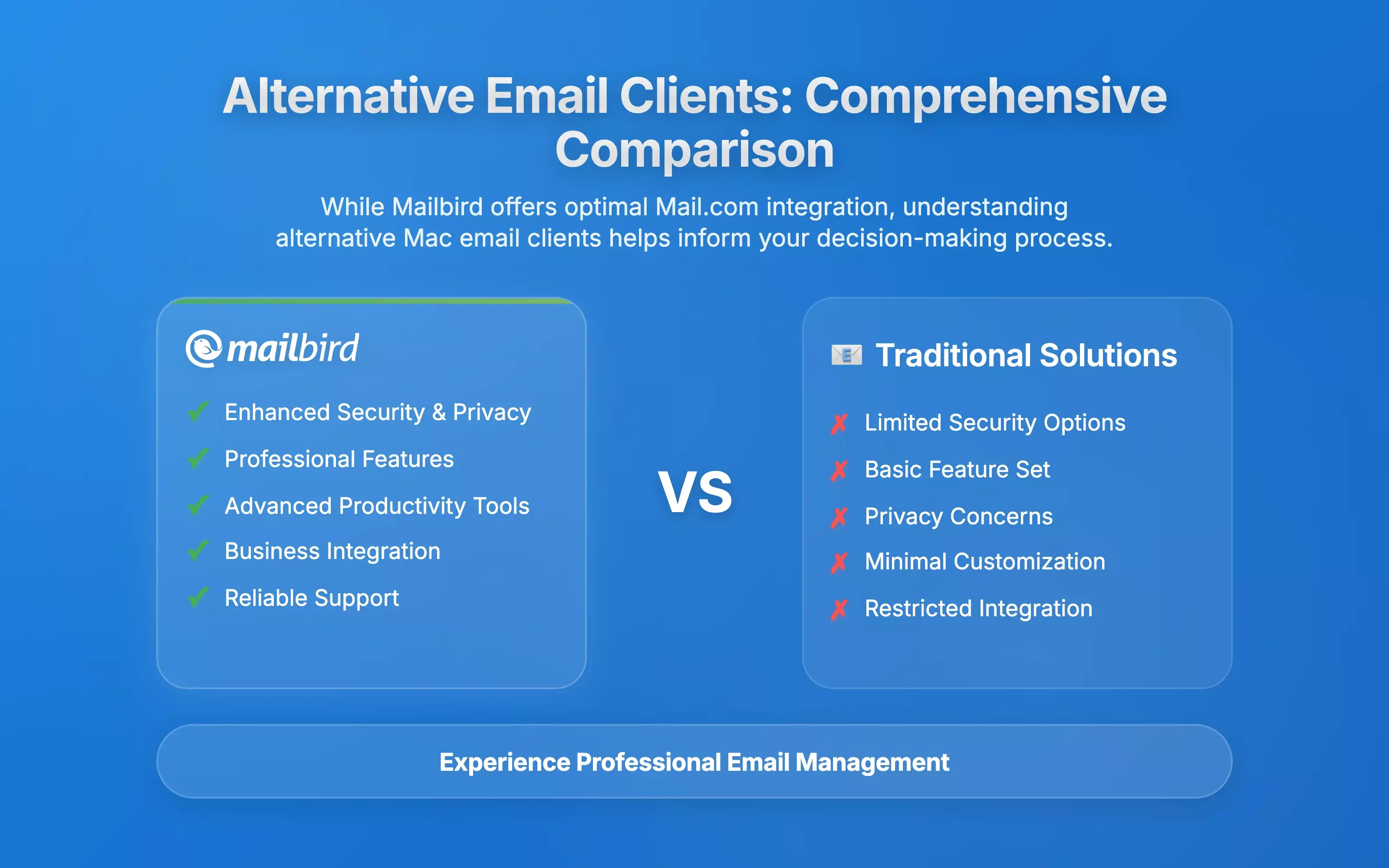
While Mailbird represents the most optimized solution for Mail.com users, understanding alternative options helps provide context for the decision-making process. Industry analysis of Mac email clients reveals varying degrees of Mail.com compatibility and feature completeness across different applications.
Apple Mail: The Default Option's Limitations
Apple Mail provides basic email functionality with support for Mail.com through standard IMAP configuration, but user experiences reveal persistent challenges. The native application's generic approach to email provider integration lacks the specialized optimization that dedicated solutions provide for specific services like Mail.com.
Users frequently report difficulties with initial setup, particularly regarding server authentication and security protocol configuration. While Apple Mail can successfully connect to Mail.com accounts when properly configured, the setup process often requires technical knowledge that exceeds many users' comfort levels.
Thunderbird: Open Source Alternative
Thunderbird represents the primary open-source alternative, offering extensive customization capabilities and plugin support for users seeking highly configurable email management solutions. The application's open-source nature appeals to users preferring transparency and community-driven development.
However, Thunderbird's configuration complexity and interface design may not align with Mac users' expectations for native application experiences. The setup process requires manual configuration that can be challenging for users unfamiliar with email server specifications.
Specialized Alternatives
Specialized email clients like Canary Mail distinguish themselves through emphasis on security features, including end-to-end encryption capabilities and privacy-focused design. For Mail.com users concerned about email security, these applications provide additional protection layers beyond standard security measures.
Spark offers intelligent inbox management and collaboration tools, supporting Mail.com accounts through standard IMAP configuration. The application's smart categorization features can benefit users managing multiple accounts, though its cloud-based synchronization approach raises privacy considerations for some users.
The competitive landscape reveals that while multiple options exist, most alternatives require users to compromise on either ease of use, feature completeness, or specialized optimization for Mail.com's infrastructure. This market gap explains why Mailbird's specialized approach has received such positive reception from users seeking comprehensive solutions.
User Experience and Market Reception

Real-world user feedback provides crucial insights into the practical effectiveness of different email client solutions for Mail.com accounts. Market reception analysis indicates significant unmet demand in this segment, with users expressing strong interest in solutions that address Mail.com compatibility challenges.
User community discussions reveal that setup simplicity ranks as the primary factor in email client satisfaction, particularly for Mail.com users who have experienced configuration challenges with other applications. The elimination of technical setup barriers has opened Mail.com email management to a broader user base that includes less technically sophisticated individuals.
Performance and Reliability Factors
Performance characteristics significantly influence user satisfaction, with email synchronization speed, search functionality, and overall application responsiveness affecting daily productivity. Users report that Mailbird's optimization for Mail.com's server infrastructure results in faster synchronization and more reliable connectivity compared to generic email clients.
The improved email loading times and reduced connection errors contribute to more productive email management workflows, addressing frustrations that have historically driven users away from desktop email clients toward less efficient webmail solutions.
Business User Reception
Feature integration capabilities receive particular attention from business users and professionals managing complex email workflows. Business-focused analysis highlights the importance of unified digital workspaces that integrate email with calendar applications, messaging platforms, and productivity tools.
Early adoption patterns suggest particular appeal among business users and professionals who require reliable email functionality without the complexity of enterprise-focused solutions. The cross-platform licensing model has facilitated adoption among users managing both Mac and Windows environments in mixed-platform business settings.
Customer support quality emerges as a significant factor in long-term user satisfaction, particularly for users transitioning from other email clients or troubleshooting configuration issues. Mailbird's established customer support infrastructure provides comprehensive assistance that contrasts favorably with alternatives that rely primarily on community support forums.
Security and Privacy Considerations
Email security concerns play increasingly important roles in email client selection decisions, particularly for users managing sensitive communications through Mail.com accounts. Mail.com's security infrastructure analysis reveals that the email client application serves as a critical component in overall email security architecture.
The effectiveness of Mail.com's server-side security measures depends significantly on proper implementation by email client applications and correct configuration by end users. Email clients that fail to properly implement encryption protocols or authentication methods can compromise the security benefits provided by Mail.com's infrastructure.
Mailbird's Security Implementation
Mailbird incorporates security best practices specifically designed to maintain and enhance Mail.com's security protections. The application's automated configuration process ensures proper implementation of encryption protocols and authentication methods, reducing the risk of security compromises due to user configuration errors.
Data storage and synchronization practices represent crucial security considerations that vary significantly among different email client applications. Mailbird's approach emphasizes local data storage with appropriate encryption measures, maintaining user control over sensitive email information while enabling efficient synchronization across devices.
Privacy Considerations
Privacy considerations extend beyond technical security measures to include data collection practices, advertising models, and third-party integrations that may impact user privacy. Email clients funded through advertising revenue or data collection may compromise user privacy in ways that users may not fully understand.
Mailbird's subscription-based revenue model aligns with user privacy interests by eliminating advertising dependencies and reducing incentives for extensive data collection. This approach provides users with greater confidence that their email data and usage patterns remain private.
Two-factor authentication support represents an essential security feature for email clients managing Mail.com accounts, particularly for users handling sensitive communications. Mailbird's implementation of authentication protocols ensures compatibility with Mail.com's security features while maintaining user-friendly setup processes that encourage security best practices adoption.
Implementation Strategies and Best Practices
Successfully implementing an email client solution for Mail.com accounts requires understanding both technical requirements and strategic approaches that maximize productivity while maintaining security. Users transitioning from webmail access or alternative email clients should consider migration strategies and optimization techniques that enhance their email management workflows.
Account Preparation and Setup
Before attempting to configure any email client with Mail.com accounts, users must ensure their accounts have IMAP and POP3 access enabled through the web interface. This security feature is disabled by default, and failure to complete this activation step results in authentication failures that can be misleading during setup attempts.
Email client selection criteria should encompass technical compatibility, feature requirements, security considerations, and long-term viability factors. Users managing multiple email accounts should prioritize unified inbox capabilities and cross-account search functionality, while users with extensive email archives should emphasize robust search and organization features.
Migration and Optimization Strategies
Migration from existing email client applications requires careful planning to ensure continuity of email access and preservation of important communications. Professional migration guidance recommends verifying successful configuration and synchronization before discontinuing alternative access methods.
Configuration optimization can significantly improve email client performance and user experience, particularly for users managing large email volumes or complex folder structures. Mailbird's automatic configuration detection eliminates many manual optimization requirements, but users should understand available customization options for notification settings and interface organization.
Feature utilization strategies should align with individual workflow requirements rather than attempting to use all available features simultaneously. New users should focus on core email functionality first, gradually incorporating advanced features like integrated applications and automation rules as they become comfortable with basic operations.
Security Best Practices
Security implementation extends beyond basic email client configuration to encompass password management, two-factor authentication setup, and ongoing security monitoring. Users should implement strong, unique passwords for their Mail.com accounts and enable two-factor authentication through Mail.com's security settings.
Regular monitoring of account activity for suspicious access attempts or unusual email patterns helps maintain account security. Email client applications that provide detailed connection logging and security notifications can assist users in identifying potential security issues before they become serious problems.
Future Outlook and Market Trends
The email client market continues evolving in response to changing user preferences, technological developments, and competitive pressures that shape product development priorities. Market trend analysis indicates growing demand for specialized solutions that optimize for specific email providers rather than generic approaches that attempt to serve all users equally.
Artificial intelligence integration represents a significant development trend affecting email client capabilities and user experience enhancement opportunities. Modern email clients increasingly incorporate AI-powered features for email organization, response assistance, and productivity enhancement that benefit users managing complex email workflows.
Cross-Platform Development Trends
Cross-platform synchronization and unified experience development reflect growing user expectations for seamless functionality across multiple devices and operating systems. Users increasingly expect their email client applications to provide consistent functionality whether accessing email from Mac desktop computers, mobile devices, or alternative platforms.
Mailbird's expansion to Mac represents part of this broader industry trend toward comprehensive cross-platform email solutions that address fragmented user experiences across different operating systems. The company's commitment to ongoing development through its Early Adopter Program ensures continued innovation and feature enhancement.
Specialization and Market Focus
Market consolidation and specialization trends suggest continuing evolution toward email client solutions that optimize for specific user segments or email provider combinations. Rather than attempting to serve all users equally, successful email client applications increasingly focus on particular market segments where they can provide superior value.
This specialization trend favors solutions like Mailbird that provide optimized experiences for specific email providers and user requirements. The approach allows for deeper integration and more sophisticated optimization than generic solutions can provide while maintaining broad appeal within targeted user segments.
Mailbird's availability through the Mac App Store demonstrates commitment to mainstream distribution channels and user accessibility, making the application easily discoverable and installable for Mac users seeking Mail.com compatibility solutions.
Frequently Asked Questions
What makes Mailbird better than Apple Mail for Mail.com accounts?
Based on the research findings, Mailbird offers specialized optimization for Mail.com's infrastructure that Apple Mail lacks. While Apple Mail requires manual configuration that often leads to setup difficulties, Mailbird includes automated configuration detection specifically designed for Mail.com's server requirements. The research shows that users consistently experience fewer authentication failures and connection issues with Mailbird compared to Apple Mail's generic approach to email provider integration.
Is Mailbird for Mac free, or does it require a subscription?
The research indicates that Mailbird offers a freemium pricing model with a free tier that includes core email functionality without time limitations. Advanced features like productivity integrations and enhanced customization options are reserved for paid subscriptions. This approach allows Mail.com users to experience the benefits of improved compatibility and basic features without immediate financial commitment, while providing clear upgrade paths for users requiring additional functionality.
Can I use Mailbird to manage multiple email accounts beyond just Mail.com?
According to the research findings, Mailbird's unified inbox management is specifically designed to consolidate multiple email accounts from different providers into a single interface. This functionality addresses the modern trend of users managing both personal and professional accounts across different email services. The unified approach eliminates the need to switch between different applications, creating more efficient workflows for users managing complex email ecosystems that include Mail.com alongside other providers.
What security features does Mailbird provide for Mail.com users?
The research reveals that Mailbird incorporates security best practices specifically designed to maintain and enhance Mail.com's existing security protections. The application ensures proper implementation of SSL and STARTTLS encryption protocols, supports two-factor authentication compatibility, and emphasizes local data storage with appropriate encryption measures. This approach maintains user control over sensitive email information while ensuring that Mail.com's security infrastructure functions correctly through the email client.
How does Mailbird handle the technical setup challenges that other email clients struggle with for Mail.com?
Based on the research findings, Mailbird addresses Mail.com's specific technical requirements through automated configuration that eliminates manual setup complexity. The application includes built-in knowledge of Mail.com's server settings, port configurations, and authentication protocols, automatically applying these during setup without requiring user intervention. This specialized approach directly addresses the trial-and-error process that characterizes setup attempts with other email clients, which often fail due to Mail.com's security requirements and specific server implementation details.
What happens if I need customer support with Mailbird for Mac?
The research indicates that Mailbird provides comprehensive customer support infrastructure developed through years of experience with their Windows client. This established support system offers dedicated assistance for Mac users encountering setup or usage challenges, contrasting favorably with alternatives that rely primarily on community support forums. The availability of professional customer support represents a significant advantage for users transitioning from other email clients or requiring technical assistance with Mail.com configuration.


