The Best GMX Mail App for Mac in 2026: Complete Guide to Email Client Solutions
Mac users struggle with GMX email integration as Apple Mail suffers from slow synchronization, frequent disconnections, and poor performance. This analysis explores GMX-compatible email clients for Mac, highlighting how Mailbird's 2024 launch has expanded reliable options for seamless GMX account management.



Mac users managing GMX email accounts face a frustrating reality: the native Apple Mail app often struggles with GMX's server configuration, leading to slow synchronization, frequent disconnections, and poor overall performance. This comprehensive analysis examines the current landscape of GMX-compatible email clients for Mac, revealing how recent developments—particularly Mailbird's official Mac launch in 2024—have transformed the available options for users seeking reliable GMX integration.
The challenge extends beyond simple connectivity issues. Users report Apple Mail taking over a minute to display new GMX emails, with individual message loading times exceeding 30 seconds even for basic text messages. These performance problems stem from compatibility issues between Apple Mail's IMAP implementation and GMX's server infrastructure, creating productivity bottlenecks that affect both personal and professional email workflows.
Understanding GMX Integration Challenges on Mac

GMX Mail serves over 20 million users worldwide as a German-based email service offering robust security features and data protection standards. However, Mac users consistently encounter technical hurdles when attempting to integrate their GMX accounts with email clients, primarily due to specific server configuration requirements that many applications struggle to handle effectively.
The core technical challenge revolves around GMX's server settings, which require IMAP connections to imap.gmx.com on port 993 with SSL encryption, and SMTP connections to mail.gmx.com on port 587 with STARTTLS. While these settings are standard, many Mac email clients experience performance degradation or connection instability when communicating with GMX servers.
Authentication adds another layer of complexity. When two-factor authentication is enabled on GMX accounts, users must generate application-specific passwords for third-party email clients rather than using their standard login credentials. This security measure protects accounts but creates an additional configuration step that many users find confusing or overlook entirely.
Performance issues manifest in several ways that directly impact user productivity. Beyond the documented slow loading times, users experience frequent authentication prompts, inconsistent message synchronization, and difficulties with folder management. These problems are particularly pronounced during peak usage hours or when managing multiple GMX accounts simultaneously.
Native Solutions and Their Limitations

GMX provides an official mobile application available through the Apple App Store, designed specifically for iOS devices. The application offers comprehensive email management, cloud storage integration, and news features, with a Smart Inbox that automatically categorizes incoming messages and supports multiple GMX accounts within a single interface.
However, this official solution targets mobile devices exclusively, leaving Mac users without a native desktop application. The absence of a dedicated macOS app forces users to rely on web browser access or third-party email clients, neither of which provides the seamless integration with macOS features that users expect from native applications.
Apple Mail, while pre-installed on all Mac devices, presents significant challenges for GMX users. Connection problems are frequently reported, with users experiencing authentication failures, slow message retrieval, and inconsistent synchronization. The application's generic IMAP implementation appears poorly optimized for GMX's specific server characteristics.
Web browser access through GMX's interface provides full functionality but lacks the deep macOS integration that enhances productivity. Users miss out on system-wide notifications, Spotlight search integration, and seamless interaction with other Mac applications. This limitation becomes particularly problematic for users who rely on email as a central component of their workflow.
Third-Party Email Client Solutions

The third-party email client market has evolved to address GMX integration challenges, with several applications providing optimized solutions for Mac users. Canary Mail positions itself as the best overall Mac email client, offering end-to-end encryption, AI-powered email organization, and specialized optimization for various email providers including GMX.
Canary Mail's approach to GMX integration includes automated configuration processes that handle the technical complexity of server settings, reducing the likelihood of connection issues that plague other clients. The application supports multiple account management with unified inbox capabilities, making it particularly valuable for users managing both personal and business GMX accounts.
Spark Mail provides specific GMX integration guides and offers both automatic and manual setup options for GMX accounts. The application includes smart categorization features, cloud storage integration, and collaborative email management tools that enhance productivity for team-based workflows.
Thunderbird represents a cross-platform solution that provides robust GMX integration capabilities across different operating systems. As an open-source application, Thunderbird offers extensive customization options and community-supported enhancements that can address specific GMX configuration requirements. The application's comprehensive support for email standards ensures compatibility with GMX's server infrastructure.
Mailbird's Game-Changing Mac Launch
The most significant development in GMX email client solutions occurred with Mailbird's official launch of their macOS application in October 2024. This expansion from Windows-only to cross-platform availability addresses a critical gap in the market for users seeking modern, unified email experiences across different operating systems.
Mailbird's Mac application brings the same design philosophy and feature set that made it successful with over 2 million Windows users, adapted specifically for macOS user expectations. The development team focused on creating a native macOS experience rather than simply porting the Windows application, ensuring compatibility with Mac-specific features and design patterns.
The application's availability through the Apple App Store provides users with trusted installation and update processes while maintaining the security standards that Mac users expect. This distribution method also simplifies adoption for users who prefer App Store installations over direct downloads.
For GMX users specifically, Mailbird's email engine is designed to handle the performance characteristics and server requirements of various email providers. The application provides both automatic and manual configuration options for GMX accounts, with optimization features that can improve reliability compared to native Apple Mail integration.
The strategic decision to expand to Mac was driven by increasing demand from existing Windows users seeking cross-platform compatibility and Mac users looking for alternatives to over-engineered email solutions. This market response demonstrates the significant unmet need for quality GMX integration solutions on macOS.
Technical Configuration and Setup Optimization
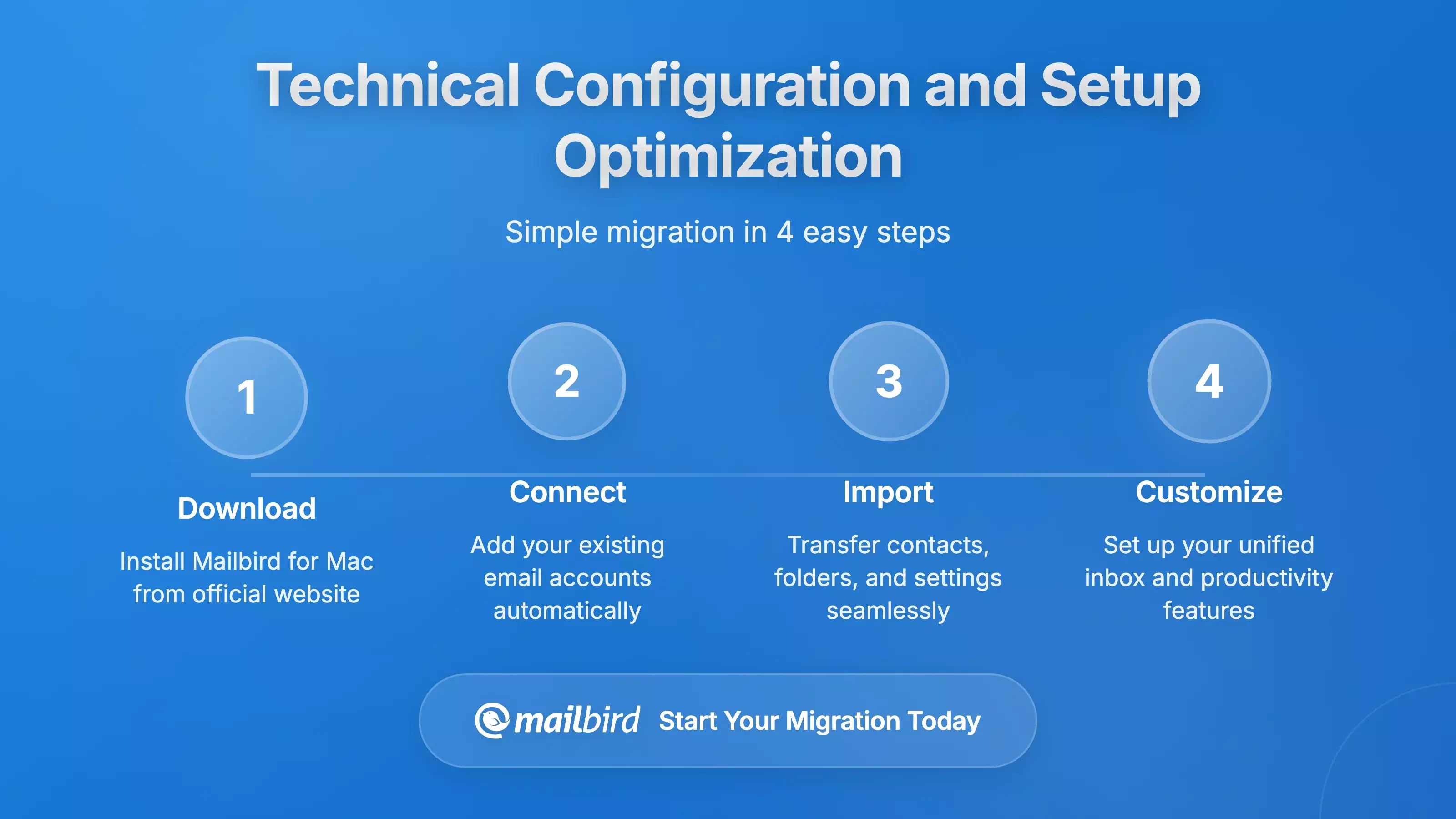
Proper GMX account configuration on Mac email clients requires understanding the specific server settings and authentication requirements that GMX implements for security and performance. Standard GMX configuration requires IMAP connections to imap.gmx.com on port 993 with SSL encryption, and SMTP connections to mail.gmx.com on port 587 with STARTTLS.
Authentication complexity increases when two-factor authentication is enabled on GMX accounts. Users must generate application-specific passwords through the GMX web interface rather than using their standard account credentials. This security measure protects against unauthorized access but requires an additional configuration step that many email clients don't clearly explain.
Performance optimization becomes critical for users experiencing slow synchronization or connection issues. GMX servers may have limitations on concurrent IMAP connections, which can impact performance when email clients attempt to synchronize multiple folders simultaneously. Users can improve performance by adjusting synchronization settings to reduce concurrent operations or limiting automatic folder synchronization.
Security considerations are particularly important for GMX configuration, as the service handles sensitive personal and business communications. Proper SSL/TLS configuration ensures that email communications are encrypted during transmission between the email client and GMX servers. Users should verify that their chosen email client properly validates server certificates and uses current encryption protocols.
Performance Analysis and User Experience
User experience with GMX integration varies dramatically depending on the chosen email client and configuration approach. Apple Mail users consistently report performance issues that can severely impact productivity, particularly for business users who depend on timely email access for critical communications.
The performance problems extend beyond simple loading delays. Users experience extended inbox synchronization times, with some reporting delays exceeding one minute for new message retrieval. Individual message loading can be significantly slower than expected, even for simple text messages without attachments, creating frustrating interruptions in email workflow.
Third-party email clients generally provide superior performance for GMX integration, though results vary based on the specific application's optimization approach. Applications that provide configurable connection management and intelligent synchronization scheduling typically deliver better user experiences than those using generic IMAP implementations.
Mailbird's approach to GMX integration leverages specialized email engine optimization designed to handle the specific requirements and performance characteristics of different email providers. Early user feedback suggests improved connectivity reliability and better synchronization performance compared to Apple Mail, while offering additional productivity features that enhance overall email workflow efficiency.
Security and Privacy Considerations
Security features have become critical differentiators in the email client market, particularly for users handling sensitive personal or business communications through their GMX accounts. End-to-end encryption capabilities ensure that email contents remain protected even if server infrastructure is compromised, complementing GMX's German data protection standards.
Advanced email clients use machine learning and pattern recognition to identify potentially malicious messages and warn users before they interact with suspicious content. These features complement GMX's built-in spam and virus protection by providing additional security layers at the client level, creating comprehensive protection against email-based threats.
Local data protection and privacy features address concerns about how email clients handle and store user data on local devices. Applications that provide biometric security, local encryption, and transparent data handling practices appeal to users who want to maintain control over their personal information while benefiting from advanced email client features.
Authentication security becomes particularly important when configuring GMX accounts with two-factor authentication enabled. Email clients that properly handle application-specific passwords and provide secure credential storage help users maintain account security while avoiding the inconvenience of repeated authentication prompts.
Migration and Data Management Solutions
Migration tools address the practical challenges of moving existing email data between different email clients or consolidating multiple email accounts. Specialized GMX backup and migration tools provide capabilities for users who need to preserve email history while transitioning to new email clients.
These tools support multiple output formats and selective migration options that allow users to customize their data transition process. Users can choose to migrate specific date ranges, folder structures, or message types based on their particular requirements and storage limitations.
Backup and archival solutions help GMX users maintain control over their email data while ensuring long-term accessibility and preservation. Applications that provide automated backup scheduling, multiple format support, and reliable restoration capabilities protect against data loss while maintaining compatibility with different email clients and storage systems.
Import and export capabilities in email clients determine how easily users can transition between different applications or create portable backups of their email data. Applications that support standard email formats and provide comprehensive import/export options offer greater flexibility for users who may need to change email clients in the future.
Frequently Asked Questions
What is the best email client for GMX on Mac in 2025?
Based on the research findings, Mailbird emerges as the top choice for GMX users on Mac following its official macOS launch in 2024. The application provides optimized GMX integration, native macOS experience, and unified inbox management that addresses the performance issues commonly experienced with Apple Mail. Canary Mail represents another excellent option with end-to-end encryption and AI-powered features, while Spark Mail offers collaborative tools for team environments.
Why does Apple Mail perform poorly with GMX accounts?
Research indicates that Apple Mail's IMAP implementation is poorly optimized for GMX's server infrastructure, leading to slow synchronization and connectivity issues. Users report loading times exceeding one minute for inbox updates and over 30 seconds for individual messages. The problem stems from compatibility issues between Apple Mail's connection management approach and GMX's server configuration requirements, rather than fundamental protocol incompatibility.
How do I properly configure GMX settings for Mac email clients?
Proper GMX configuration requires IMAP server settings pointing to imap.gmx.com on port 993 with SSL encryption, and SMTP server configuration using mail.gmx.com on port 587 with STARTTLS encryption. When two-factor authentication is enabled, users must generate application-specific passwords through the GMX web interface rather than using their standard account credentials. This security measure is essential but requires an additional configuration step that many users overlook.
Is Mailbird available for Mac and how does it handle GMX integration?
Yes, Mailbird launched its official macOS application in October 2024 and became available through the Apple App Store in 2025. The application provides specialized GMX integration with both automatic and manual configuration options, optimized email engine performance, and native macOS features. Mailbird's approach addresses the performance issues that plague other email clients when connecting to GMX servers, offering improved reliability and synchronization speed.
What are the security considerations for GMX email clients on Mac?
Security considerations include proper SSL/TLS encryption during email transmission, secure handling of application-specific passwords for two-factor authentication, and local data protection features. Advanced email clients provide end-to-end encryption, phishing protection, and secure credential storage that complement GMX's German data protection standards. Users should verify that their chosen email client properly validates server certificates and uses current encryption protocols to maintain communication security.
Can I migrate my existing GMX email data to a new Mac email client?
Yes, specialized migration tools are available for GMX users on Mac, including solutions that support selective backup capabilities, format conversion options, and migration assistance. These tools allow users to preserve email history while transitioning between different email clients or creating local backups of their GMX email data. The migration process can be customized based on specific date ranges, folder structures, or message types according to user requirements.
What alternatives exist to Apple Mail for GMX users on Mac?
Research identifies several viable alternatives including Mailbird (now available for Mac), Canary Mail with end-to-end encryption, Spark Mail with collaborative features, and Thunderbird as a cross-platform open-source solution. Each application offers different approaches to GMX integration, with Mailbird providing the most comprehensive solution for users seeking modern email client features combined with reliable GMX performance on macOS.


