Looking for the best email client for Mac? Whether you manage one inbox or several, the right Mac email client can help you organize conversations, connect providers like Gmail, iCloud, and Outlook, and work more efficiently from one desktop app.
We tested the most popular Mac email clients, including Apple Mail, Microsoft Outlook, Mozilla Thunderbird, Spark, and the new Mailbird Next. If you want a modern desktop email client that brings every account into one private inbox, Mailbird Next is our top pick.
Many Mac users start with Apple Mail because it comes built into macOS and offers a convenient default way to manage email. For lighter use, that may be enough. But as inboxes grow and workflows become more demanding, many users begin comparing other email clients for Mac.
A stronger desktop email app can make it easier to manage multiple accounts, stay organized, and work more efficiently throughout the day. Features like unified inboxes, keyboard shortcuts, search across every account, privacy controls, and integrations make a noticeable difference for people who spend a lot of time in email.
The field has also moved. Apple Mail now sorts mail into categories, Outlook for Mac no longer needs a Microsoft 365 subscription, Thunderbird ships monthly updates, and Mailbird has rebuilt its app as Mailbird Next for Mac and Windows. If Apple Mail is your starting point and you want to compare replacements side by side, see our guide to the 8 best Apple Mail alternatives for Mac in 2026.
Some Mac users also arrive here after using Microsoft Outlook and deciding they want a simpler desktop workflow. If you're exploring that path, you can read our guide to finding the best Outlook alternative.
How We Tested Each Mac Email Client
We ran every app on a Mac with the same mix of everyday accounts and judged each one on the same six things, so the comparison reflects daily use rather than a feature checklist:
Setup: how quickly an account goes from sign-in to a readable inbox.
Multiple accounts: whether every account lives in one inbox or behind separate switches.
Search: whether one search covers every account, and how well it finds old mail and attachments.
Privacy: where mail is stored and whether tracking pixels are blocked.
Workflow tools: snooze, scheduled send, calendar, and apps alongside the inbox.
Look and feel: layouts, themes, and how native the app feels on macOS.
Features and plans change over time, so check each product's official pages before you decide.
Best Email Clients for Mac Compared
Email client
Best for
Platforms
Multiple accounts
Works with (examples)
Pricing
Mailbird Next
People who juggle several inboxes and want them in one calm, private desktop app
iCloud, Gmail, Outlook, Yahoo, and other accounts set up in macOS
Included with macOS
Microsoft Outlook
Users invested in the Microsoft ecosystem
Mac, Windows, Web, Mobile
Outlook.com, Microsoft 365, Gmail, iCloud, Yahoo, IMAP
Free on Mac; Microsoft 365 plans available
Mozilla Thunderbird
Users who want a free, open-source desktop mail client
Mac, Windows, Linux
Common email providers using standard email protocols, plus Exchange mail
Free
Spark
Users who want a smart inbox with built-in AI writing tools
Mac, Windows, iOS, Android
Common email providers and multiple account setup
Free plan available; premium plans available
Pricing and platform availability can change over time, so it is worth reviewing official product pages before making a final decision.
Best Email Clients for Mac Reviewed
1. Mailbird Next
Overview
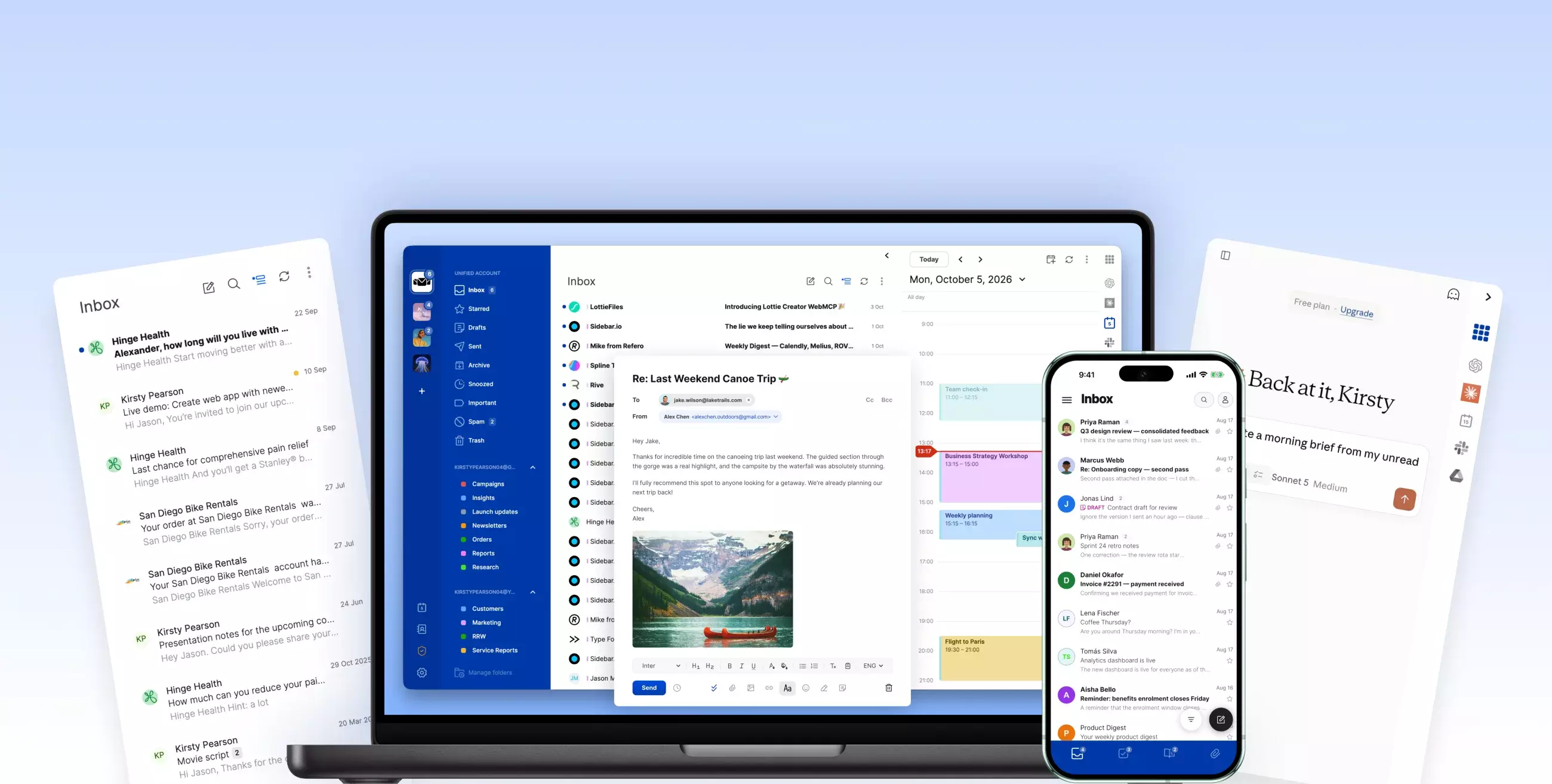
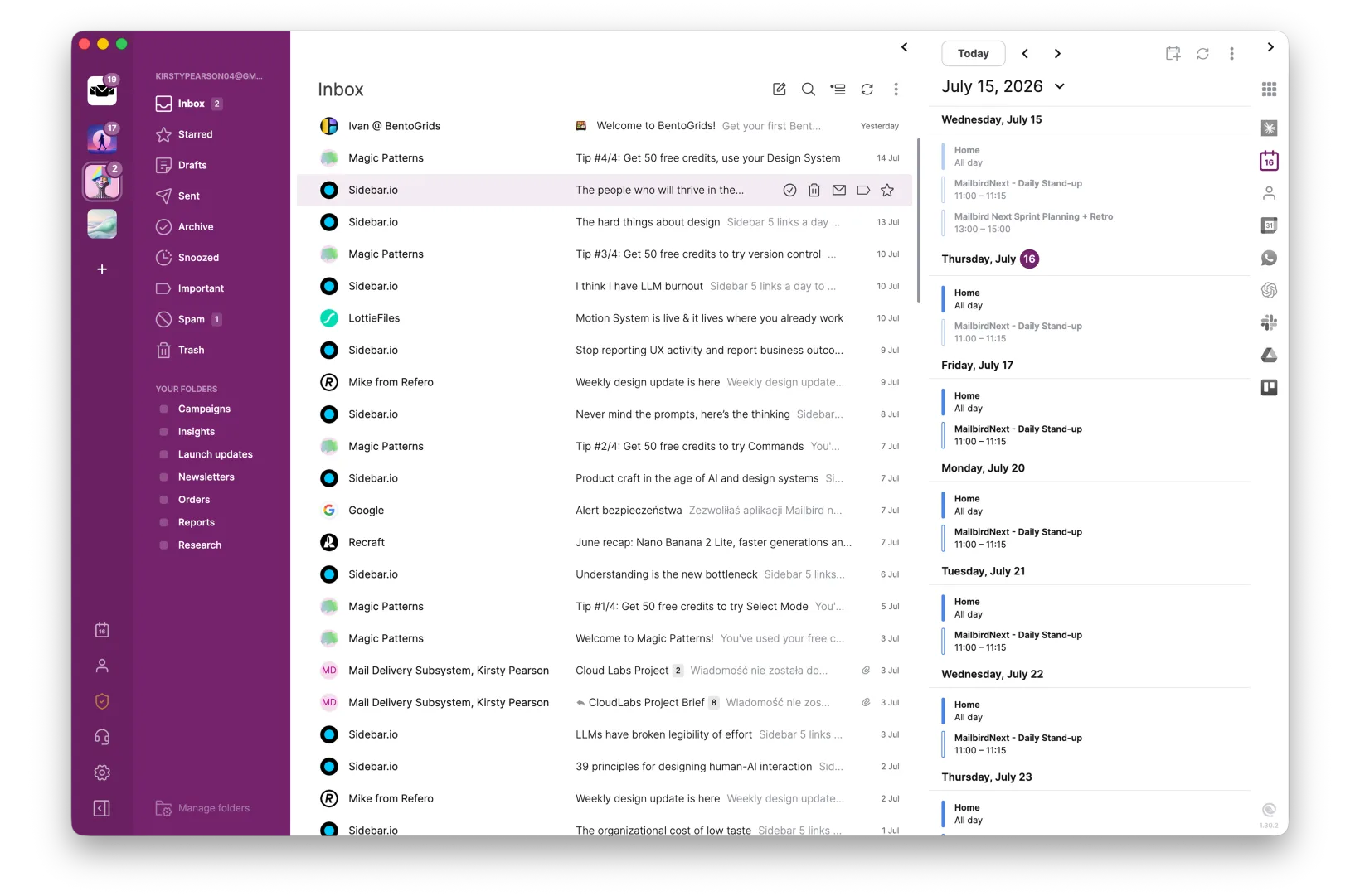
Mailbird Next is the rebuilt Mailbird: one desktop email client for Mac and Windows, with every account in a single unified inbox. It is our top pick for Mac users who juggle several inboxes, such as work and personal addresses or Gmail and iCloud side by side, and want them in one calm, private app. Your mail is stored on your Mac, never on Mailbird's servers.
Mailbird Next on macOS: every account in one inbox, with your calendar alongside.
Unified inbox for every account, with one search across all of them
Works with Gmail, Outlook, Microsoft 365, iCloud, Yahoo, Proton (via Proton Bridge), and any IMAP account
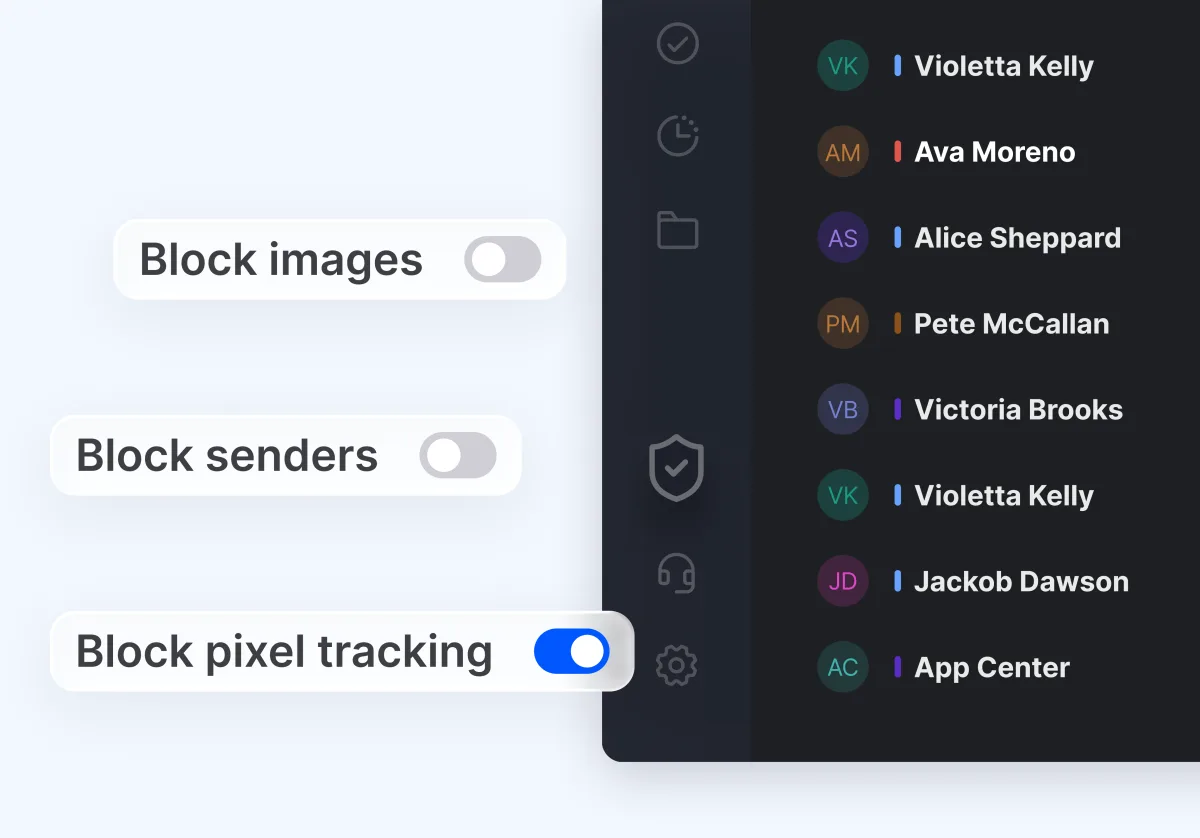
Privacy Hub that blocks tracking pixels, with mail stored locally on your Mac
Snooze, scheduled send, undo send, and snippets for replies you write every day
WhatsApp, Google Calendar, Asana, Dropbox, and other apps in a side panel next to your mail
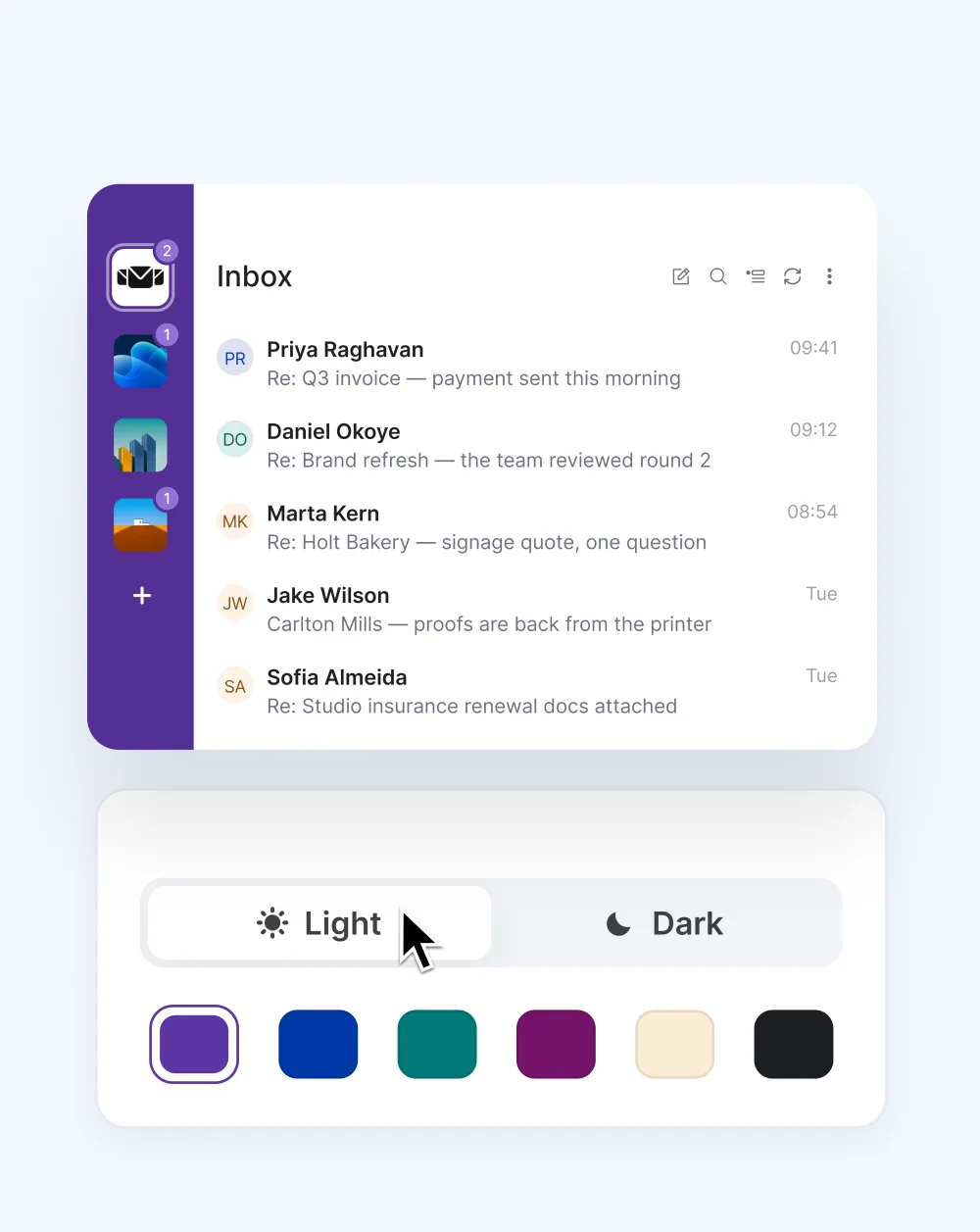
Nine color themes and five layouts, in light or dark mode
Pros
One calm inbox for every account, without switching between apps
Same app and account setup on Mac and Windows
Private by default: mail stays on your Mac, and tracking pixels are blocked
Updated most weeks, with every release listed in the release notes
Cons
The free version works with one account; unlimited accounts, app integrations, and email tracking need Premium
Mobile apps are still in beta on Android and iOS
Pricing
Free to download, with a free version that has no time limit. Every new account gets all Premium features free for the first 7 days. See current plans on our pricing page.
Apple Mail is the default email client included with macOS and is widely used by Mac users who prefer a simple native email experience. Since macOS Sequoia 15.4, it can sort your inbox into Primary, Transactions, Updates, and Promotions on the device. Users who want more productivity features or customization often explore an Apple Mail alternative that offers a more flexible inbox experience.
Key Features
Built into macOS
Works with multiple accounts from one app
On-device inbox categories (macOS Sequoia 15.4 and later)
Native Apple interface and system-level integration
Pros
No separate installation needed on Mac
Familiar for longtime Apple users
Good option for straightforward email needs
Cons
Apple devices only, so it does not follow you to a Windows PC
Few workflow tools beyond the basics, such as apps beside the inbox
Pricing
Included with macOS.
3. Microsoft Outlook
Overview
Microsoft Outlook is a popular choice for users who already rely on Microsoft tools for work. The native Mac app is now free to use without a Microsoft 365 subscription, and it supports Outlook.com, Gmail, iCloud, Yahoo, and IMAP accounts alongside its calendar.
Key Features
Email and calendar workflow in one application
Native macOS app optimized for Apple silicon
Broad cross-platform availability
Works especially well for Microsoft-centered workflows
Pros
Widely used in workplace environments
Useful if you already use Microsoft 365
Free on Mac, with no subscription required
Cons
Can feel heavier than lighter desktop mail clients
Built around Microsoft accounts first, with other providers secondary
Mozilla Thunderbird is a long-standing open-source desktop email client for users who want a free option with flexibility. It now ships updates monthly, and recent versions can read and send Exchange mail natively, although Exchange calendars and contacts are not supported yet.
Key Features
Free and open-source
Multiple account support
Native Exchange mail support in recent versions
Desktop availability across major operating systems
Pros
No subscription required
Appeals to users who prefer open-source software
Flexible for users willing to configure their setup
Cons
Interface may feel less modern and less Mac-like to some users
Setup and customization can take more effort
Pricing
Free.
5. Spark
Overview
Spark is a Mac-friendly email client known for its Smart Inbox and streamlined design. It now leans on built-in AI writing tools, such as drafting, replies, and thread summaries, with a monthly AI allowance on the free plan.
Key Features
Smart Inbox that groups mail by type
Multiple account support
AI drafting, replies, and summaries
Gatekeeper for screening new senders
Pros
Clean design and approachable layout
Free option available
Works across Mac and other platforms
Cons
AI use on the free plan is capped, and some features are reserved for paid plans
Users with simple needs may not use its extra workflow features
Pricing
Free plan available, with premium plans available. For a direct comparison with Mailbird, see our Mailbird vs Spark guide.
What to Look for in a Mac Email Client
1. Multiple account support
If you use more than one inbox for work or personal email, choose a Mac email client that lets you manage everything in one place without constant account switching.
2. Provider compatibility
The best email client for Mac should work smoothly with common providers such as Gmail, Outlook, iCloud Mail, Yahoo Mail, Exchange, and standard IMAP-based accounts. If Gmail is your main inbox, see our guide to choosing a Gmail email client. If you are specifically trying to move beyond Gmail’s browser workflow, see our guide to choosing a Gmail alternative for Mac.
3. Productivity features
Look for features that help you work faster, such as unified inbox views, keyboard shortcuts, search across accounts, integrations, and layout customization. A layout and theme you like also makes long email sessions easier on the eyes.
Themes and layouts in Mailbird Next, in light or dark mode.
4. Privacy, security, and reliability
A good desktop email client for Mac should be reliable for everyday use, handle account connections consistently, and come from a provider with an established product and ongoing support. Check where your mail is stored and whether the app blocks tracking pixels, which tell senders when you opened their message.
The Privacy Hub in Mailbird Next blocks pixel tracking.
FAQ
What is the best email client for Mac?
For people who manage several accounts and want them in one private inbox, Mailbird Next is our top pick. Apple Mail, Outlook, Thunderbird, and Spark can also be good options depending on your workflow and preferences.
Does macOS already include an email client?
Yes. Apple Mail is included with macOS, so Mac users already have a built-in email app available by default.
Is Mailbird available for Mac?
Yes. Mailbird Next runs on macOS and on Windows 10 and 11, with the same app and the same account setup on both. It is free to download, and the free version has no time limit.
Can I use Gmail with a desktop email client on Mac?
Yes. Many desktop email clients for Mac work with Gmail and other popular email providers, allowing you to manage your inbox from a dedicated desktop application. If that is your main use case, compare your options in our Gmail email client guide.
Can I manage multiple email accounts on Mac?
Yes. Most Mac email clients let you add and manage multiple accounts, which is helpful if you use separate inboxes for work, personal email, or side projects.
Is Apple Mail the best Mac email client?
Apple Mail is a convenient built-in option, especially for users who want a simple native app. However, users who want more flexibility, a unified inbox across providers, or additional productivity features may prefer an Apple Mail alternative such as Mailbird. If you have decided to switch, see our guide to migrating from Apple Mail to Mailbird.
Mailbird for Mac
Mailbird for Mac is coming!
Our Early Access program is full. Stay tuned; the official launch is right around the corner.