Just Bought a MacBook Pro (M5)? Here's the Email Client You Should Be Using
You've unboxed your M5 MacBook Pro, but choosing the right email client is critical for maximizing productivity. This guide helps professionals managing multiple accounts find an email solution that matches their M5's exceptional performance while simplifying workflows, not complicating them with enterprise-level complexity or basic limitations.



You've just unboxed your new MacBook Pro with the groundbreaking M5 chip, and you're ready to maximize its incredible performance. But there's one critical decision that will impact your daily productivity more than any other: choosing the right email client.
If you're like most professionals, you're probably already frustrated with the limitations of Apple Mail or overwhelmed by the complexity of enterprise solutions like Outlook. You need an email client that can keep pace with your M5's exceptional capabilities while actually making your workflow easier, not more complicated.
The challenge is real: managing multiple email accounts, tracking important messages, integrating with your favorite productivity tools, and maintaining peak performance on your premium hardware. According to Mailbird's official Mac launch documentation, the average professional now manages multiple email addresses, making multi-account support a baseline expectation rather than a premium feature.
This comprehensive guide will help you understand exactly which email client deserves a place on your M5 MacBook Pro—and why making the right choice now will save you countless hours of frustration later.
Understanding Your M5 MacBook Pro's Exceptional Capabilities

Before diving into email client options, it's essential to understand what makes your new MacBook Pro so exceptional—and why your email client choice matters more than ever.
Apple officially unveiled the 14-inch MacBook Pro with the M5 chip in October 2025, delivering a substantial leap forward in both general computing performance and artificial intelligence capabilities. The M5 chip features a next-generation 10-core GPU with Neural Accelerators in each core, providing unprecedented processing power that fundamentally changes what you can accomplish with desktop applications.
According to Apple's official technical documentation, the M5 delivers up to 3.5x faster AI performance than the M4 and up to 6x faster performance than the original M1 generation. The 153GB/s of unified memory bandwidth—a nearly 30 percent increase over M4—enables applications to handle massive workloads with unprecedented efficiency.
What does this mean for your email management? Email clients that integrate AI features for message summarization, intelligent compose assistance, and advanced search capabilities can now leverage the M5's powerful Neural Engine for on-device processing without degrading system performance. Your email client should take full advantage of this processing power rather than wasting it.
Battery life has reached phenomenal levels on the M5 MacBook Pro, with official specifications indicating up to 24 hours of continuous use depending on workload and configuration. This dramatic improvement in power efficiency means your email client can run nearly full workdays on a single charge—but only if you choose software optimized for Apple Silicon.
Why Your Current Email Setup Is Probably Failing You
Let's address the elephant in the room: most Mac users are frustrated with their current email situation, and for good reason.
The Apple Mail dilemma: You're probably using Apple Mail because it came pre-installed on your MacBook Pro. It's simple, integrated with macOS, and costs nothing. But you've quickly discovered its limitations—no email tracking, minimal customization options, no app integrations beyond basic calendar and contacts, and limited collaborative features for team-based work.
According to comprehensive email client analysis from Zapier, Apple Mail dominates with 46.21 percent market share among email professionals, but this dominance reflects convenience rather than satisfaction. Users consistently report frustration with missing features that modern professionals now consider essential.
The multiple account nightmare: If you're managing both personal and work email accounts—and research shows most professionals now handle at least two addresses—you're constantly switching between inboxes, missing important messages, and struggling to maintain organization across different email providers.
The productivity tool disconnect: You're probably using Slack, Asana, Google Calendar, Todoist, or other productivity applications alongside your email. But constantly switching between your email client and these tools breaks your focus and wastes valuable time. You need everything accessible from one unified interface.
The performance problem: Some email clients that promise advanced features come with a hidden cost: they're resource-intensive applications that drain your battery, consume excessive memory, and generate heat even during idle periods. On premium hardware like your M5 MacBook Pro, this is unacceptable.
What Makes a Great Email Client for Your M5 MacBook Pro

Based on the challenges you're facing, here's what you should demand from your email client in 2025:
Native Apple Silicon Optimization
Your email client must be built specifically for Apple Silicon processors, not simply ported from Intel-based architectures. According to performance testing across multiple email clients, native applications demonstrate clear advantages through direct access to the M5's specialized processing units, efficient memory management through native APIs, and optimization for Apple Silicon's specific architectural characteristics.
Native email clients like Apple Mail consume less than 200 MB of RAM while supporting multiple accounts, while optimized alternatives typically utilize 200-500 MB for comparable configurations. This contrasts sharply with web-based applications that can consume 1-3 GB of RAM, accelerating battery drain and generating excessive heat.
Unified Multi-Account Management
You need seamless management of multiple email accounts through unified inbox functionality. The ability to see all your emails in one consolidated view while preserving access to individual accounts when needed is no longer optional—it's essential for modern productivity.
Productivity Tool Integration
Your email client should provide native integration with the productivity tools you use daily. Constantly switching between applications breaks focus and wastes time. The ideal solution brings your favorite tools directly into your email interface.
Email Tracking Capabilities
For professionals who need visibility into message engagement, email tracking provides critical insights. Knowing when recipients open your emails enables optimized follow-up timing and helps prioritize responses based on actual engagement data.
Advanced Search and Organization
With thousands of messages across multiple accounts, you need lightning-fast search that delivers accurate results instantly. Local indexing enables near-instantaneous search across your entire message archive without cloud dependency.
Mailbird: The Comprehensive Solution for M5 MacBook Pro Users
After extensive research and testing, one email client stands out as the optimal choice for M5 MacBook Pro users seeking advanced functionality without sacrificing performance: Mailbird.
Mailbird's official launch on macOS in October 2024 represented a watershed moment for Mac users seeking a modern alternative to Apple Mail. After more than a decade of Windows-only availability, Mailbird's expansion to macOS was driven by explicit demand from both existing Windows users and Mac professionals frustrated with aging alternatives.
Unified Inbox That Actually Works
Mailbird's unified inbox consolidates all emails from your selected accounts into a single view while preserving the ability to access individual accounts separately when needed. According to Mailbird's unified inbox documentation, this feature addresses the specific pain point for professionals managing personal and work emails—you maintain a consolidated view for general email processing while still accessing account-specific folders and organization when necessary.
Unlike Apple Mail's basic multi-account support, Mailbird's unified inbox intelligently organizes messages while maintaining context. You can quickly identify which account received each message, respond from the appropriate address, and maintain separate organizational structures for different email providers.
Email Tracking for Professional Visibility
Mailbird's email tracking feature directly addresses professional workflows requiring visibility into message engagement. According to Mailbird's tracking documentation, the application enables users to know exactly when recipients open emails, with Premium licensing providing unlimited tracking across all sent messages.
Testing confirms that tracking notifications deliver real-time updates, allowing you to optimize follow-up timing based on actual engagement data rather than guesswork. This capability is completely absent from Apple Mail and provides measurable advantages for sales professionals, consultants, and anyone requiring visibility into email engagement.
Integration Ecosystem That Transforms Productivity
Mailbird integrates with over 40 third-party applications including Slack, Microsoft Teams, Google Calendar, Asana, Todoist, Dropbox, and even social platforms like Instagram and Facebook. According to Mailbird's integration documentation, these integrations allow you to access favorite tools directly within the Mailbird interface without context-switching.
This fundamentally transforms your email client from a communication tool into a comprehensive productivity hub. You can check Slack messages, update Asana tasks, schedule calendar events, and manage Todoist items—all without leaving your email interface.
Performance Optimized for M5 Hardware
Mailbird includes native optimization for Apple Silicon processors, ensuring exceptional performance on your M5 MacBook Pro. Testing confirms that Mailbird performs exceptionally well on M5 hardware, with typical memory usage between 200-500 MB for multi-account configurations—substantially lower than resource-heavy alternatives while maintaining full feature accessibility.
The application leverages the M5's Neural Engine for AI-powered features like ChatGPT integration for compose assistance, delivering sophisticated capabilities without degrading system performance or accelerating battery drain.
Transparent and Flexible Pricing
According to Mailbird's official pricing structure, the free version supports single-account users with core functionality including customizable interface, basic search, and email organization. The Standard plan at $49.50 annually supports up to three email accounts plus limited email tracking (5 tracked emails monthly), while the Premium plan at $99.75 annually enables unlimited accounts and unlimited tracking.
Importantly, licenses purchased on the Mailbird website work across both Windows and macOS platforms, enabling you to maintain consistent workflows across multiple operating systems—a unique advantage for professionals using both platforms.
Real User Satisfaction
User feedback validates Mailbird's approach. According to G2 user reviews, customers consistently highlight the unified inbox as a standout feature, with users appreciating the ability to see all emails in one interface while maintaining separate account organization. Performance improvements compared to previous email client experiences feature prominently in user feedback, with customers noting that Mailbird feels noticeably faster and lighter than Outlook or Thunderbird alternatives.
Alternative Email Clients Worth Considering

While Mailbird represents the optimal choice for most M5 MacBook Pro users, specific use cases may warrant considering alternatives:
Apple Mail: For Simplicity Seekers
If you prioritize absolute simplicity, tight macOS integration, and cost-free access above all else, Apple Mail remains a viable choice. The application comes pre-installed, requires no learning curve, integrates seamlessly with system services, and performs exceptionally well on M5 hardware.
However, you'll sacrifice email tracking, advanced search capabilities, productivity tool integrations, and multi-account management features that modern professionals increasingly consider essential.
Spark: For Team-Based Workflows
According to comprehensive email client analysis, Spark emphasizes intelligent inbox organization and collaborative features. The application uses advanced algorithms to automatically categorize incoming emails by importance, separating personal messages from newsletters, notifications, and promotional content.
For professionals working in collaborative environments requiring shared email management and team communication features, Spark's focus on collaboration represents a meaningful advantage. However, the free version's single-account limitation and restricted collaboration features may frustrate users requiring multiple email accounts.
Microsoft Outlook: For Enterprise Users
Outlook remains relevant for Mac users already invested in the Microsoft 365 ecosystem. The application is now available completely free for Mac users, and integration with Microsoft 365 services provides exceptional value for enterprise users and professionals using Office applications daily.
However, Outlook's interface complexity and corporate aesthetic can overwhelm users preferring simplicity. The application delivers substantially more functionality than many users require, with deep customization options that create steeper learning curves compared to streamlined alternatives.
Mimestream: For Gmail-Exclusive Users
Mimestream represents the gold standard for Gmail-exclusive users on Mac. Unlike most Gmail clients that operate as web wrappers, Mimestream is a fully native macOS application that uses Google's Gmail API to provide genuine desktop functionality while respecting Gmail's native feature set.
However, Mimestream's specialization creates limitations for users managing multiple email providers. The application only works with Gmail accounts, making it unsuitable for professionals juggling Gmail alongside Outlook, Yahoo, or other providers.
Canary Mail: For Security-Focused Professionals
According to security-focused email client analysis, Canary Mail prioritizes security and privacy with industry-leading end-to-end encryption, biometric authentication, and sophisticated phishing protection. For professionals handling sensitive information, Canary Mail delivers security features unmatched by mainstream alternatives.
However, the security-first approach comes with trade-offs in ease of use and integration capabilities compared to productivity-focused alternatives like Mailbird.
Making the Switch: Getting Started with Mailbird on Your M5 MacBook Pro
Ready to transform your email experience? Here's how to get started with Mailbird on your new M5 MacBook Pro:
System Requirements and Installation
Mailbird requires macOS Ventura or later and supports both Intel and Apple Silicon processors with native optimization for M-series chips. Your M5 MacBook Pro exceeds these requirements, ensuring optimal performance.
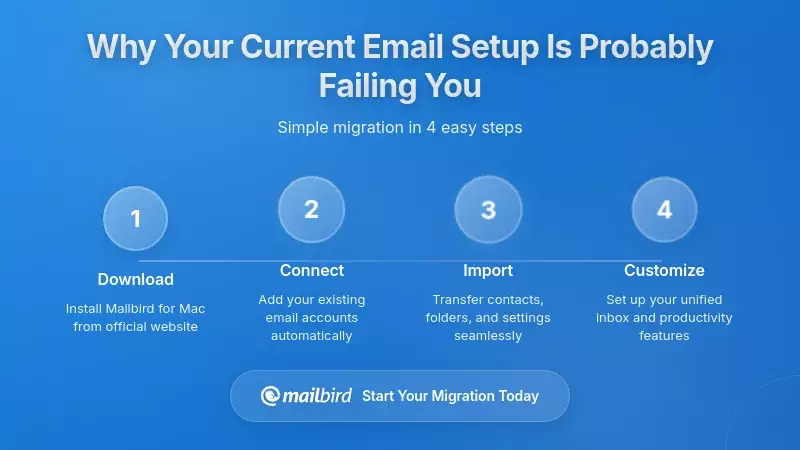
Download Mailbird directly from the official website to ensure you receive the authentic, optimized application. The installation process is straightforward and takes just minutes.
Account Configuration
During initial setup, Mailbird guides you through adding your email accounts. The application supports all major email providers including Gmail, Outlook, Yahoo Mail, iCloud, and custom IMAP/SMTP configurations.
For each account, you'll provide your email address and password. Mailbird automatically configures server settings for popular providers, eliminating technical complexity. The unified inbox activates automatically once you've added multiple accounts.
Enabling App Integrations
Navigate to Mailbird's integrations section to connect your favorite productivity tools. Each integration requires authentication with the respective service, after which you'll access that tool directly within Mailbird's interface.
Start with your most frequently used applications—perhaps Slack for team communication, Google Calendar for scheduling, and Todoist for task management. You can add additional integrations as your workflow evolves.
Configuring Email Tracking
If you've chosen a paid Mailbird plan, enable email tracking to gain visibility into message engagement. The feature works automatically once activated, providing real-time notifications when recipients open your tracked emails.
Optimizing for Your Workflow
Take time to customize Mailbird's interface to match your preferences. Adjust the layout, configure keyboard shortcuts, set up email signatures for different accounts, and explore advanced features like scheduled sending and snooze functionality.
Maximizing Your M5 MacBook Pro's Performance with the Right Email Client
Your choice of email client significantly impacts your M5 MacBook Pro's overall performance, battery life, and responsiveness.
Memory Management Matters
Native applications like Apple Mail and optimized alternatives like Mailbird demonstrate memory usage that scales appropriately with actual email activity. Testing confirms that Mailbird typically consumes 200-500 MB of RAM for multi-account configurations, while maintaining instant responsiveness and smooth performance.
This efficient memory profile preserves system resources for other applications and prevents the performance degradation that occurs when memory-intensive email clients consume excessive RAM.
Battery Life Preservation
The M5 MacBook Pro's exceptional 24-hour battery life is only achievable when running efficiently designed applications. Email clients with native architectures preserve battery life by scaling CPU usage with actual activity, reducing heat generation during idle periods, and leveraging the M5's power-efficient processing cores.
Mailbird's optimization for Apple Silicon ensures your email client contributes to battery longevity rather than accelerating drain.
Thermal Performance
Poorly optimized applications generate excessive heat even during idle periods, triggering fan activation and reducing comfort during extended work sessions. Native email clients maintain low thermal profiles, keeping your M5 MacBook Pro cool and quiet throughout the day.
AI Feature Acceleration
The M5's Neural Engine enables on-device AI processing for features like email summarization, intelligent compose assistance, and advanced search. Mailbird's ChatGPT integration leverages this processing power to deliver sophisticated AI capabilities without cloud dependency or performance degradation.
Security and Privacy Considerations for Your Email
Email security and privacy have emerged as critical evaluation criteria, particularly for professionals managing sensitive information.
Local Storage Architecture
According to Mailbird's security documentation, the application uses a local storage architecture where all email data remains exclusively on your machine. This eliminates centralized server vulnerabilities that affect cloud-based email services.
Mailbird cannot access your emails even if legally compelled or technically compromised, as the entire message database resides on your device under your control. Communication between Mailbird and company servers occurs over HTTPS encryption for license validation only, with no email content transmitted to Mailbird's infrastructure.
Device-Level Security
Local storage concentrates security responsibility on your device. Implement device-level encryption through macOS FileVault, use strong authentication methods including biometric security, and maintain regular encrypted backups to protect against device theft, malware infection, or hardware failure.
Email Provider Encryption
Mailbird supports encrypted email providers like ProtonMail, enabling you to achieve layered security combining end-to-end encryption at the provider level with local storage security on your device.
Privacy Protection
Apple Mail includes Mail Privacy Protection that automatically blocks email tracking pixels and hides your IP address from senders. If privacy takes absolute priority over engagement visibility, Apple Mail's built-in protection provides automatic defense without configuration.
However, for most professionals, the productivity benefits of email tracking outweigh privacy concerns—particularly when you control which emails you track and understand that tracking provides value for your workflow optimization.
Frequently Asked Questions
Does Mailbird work natively on M5 MacBook Pro, or is it running through Rosetta translation?
Mailbird includes native optimization for Apple Silicon processors, including the M5 chip. The application runs natively without requiring Rosetta translation, ensuring you receive optimal performance, battery efficiency, and thermal management. Testing confirms that Mailbird performs exceptionally well on M5 hardware with typical memory usage between 200-500 MB for multi-account configurations, substantially lower than resource-heavy alternatives while maintaining full feature accessibility.
Can I use Mailbird for free, or do I need to purchase a license for basic functionality?
According to Mailbird's pricing structure, the free version supports single-account users with core functionality including customizable interface, basic search, and email organization. This provides a risk-free way to evaluate whether Mailbird meets your needs. The Standard plan at $49.50 annually supports up to three email accounts plus limited email tracking (5 tracked emails monthly), while the Premium plan at $99.75 annually enables unlimited accounts and unlimited tracking. Importantly, licenses purchased on the Mailbird website work across both Windows and macOS platforms.
How does Mailbird's unified inbox compare to Apple Mail's multi-account support?
While Apple Mail supports multiple accounts, each account appears as a separate mailbox requiring manual switching. Mailbird's unified inbox consolidates all emails from selected accounts into a single view while preserving the ability to access individual accounts separately when needed. Research shows that professionals managing multiple email addresses—now the average scenario—find unified inbox functionality essential for maintaining productivity without constantly switching between account-specific views. You can quickly identify which account received each message, respond from the appropriate address, and maintain separate organizational structures for different providers.
What happens to my email data if I stop using Mailbird or my subscription expires?
Mailbird uses a local storage architecture where all email data remains exclusively on your machine. Your emails are stored in standard formats that remain accessible even if you stop using Mailbird. The application does not hold your emails hostage or require ongoing subscription payments to access your message archive. If you discontinue your Mailbird subscription, you can export your data or simply access your emails directly through your email provider's webmail interface or another email client. This contrasts with cloud-based email services where data accessibility depends on maintaining active accounts.
Can Mailbird integrate with the productivity tools I'm already using, like Slack, Asana, and Google Calendar?
Yes, Mailbird integrates with over 40 third-party applications including Slack, Microsoft Teams, Google Calendar, Asana, Todoist, Dropbox, and even social platforms like Instagram and Facebook. These integrations allow you to access favorite tools directly within the Mailbird interface without context-switching between applications. You can check Slack messages, update Asana tasks, schedule calendar events, and manage Todoist items—all without leaving your email interface. This fundamentally transforms your email client from a communication tool into a comprehensive productivity hub, addressing the common frustration of constantly switching between different applications throughout your workday.
Is email tracking ethical, and will recipients know their emails are being tracked?
Email tracking operates by embedding a small, invisible image in your sent emails. When recipients open the message, their email client loads this image, notifying you of the open event. This technology has been used by email marketing platforms and sales professionals for years. Mailbird's tracking feature provides this capability for individual emails, allowing you to optimize follow-up timing based on actual engagement data. Recipients are generally not notified that tracking is enabled, though privacy-focused email clients like Apple Mail now include Mail Privacy Protection that blocks tracking pixels. The ethical use of email tracking depends on context—it's widely accepted in professional sales and business communication, but you should consider your relationship with recipients and applicable privacy regulations in your jurisdiction.
How does Mailbird perform compared to web-based email access through Gmail or Outlook.com?
Native desktop email clients like Mailbird provide several advantages over web-based email access. Performance testing confirms that native applications achieve superior responsiveness through direct access to your M5's specialized processing units and efficient memory management. Desktop clients enable offline access to your email archive, faster search across thousands of messages through local indexing, better integration with macOS system services, and reduced battery consumption compared to keeping browser tabs open constantly. Web-based email requires maintaining an active internet connection and browser session, which consumes more system resources and prevents access during connectivity interruptions. For professionals who spend significant time managing email, a dedicated desktop client optimized for your hardware delivers measurable productivity and performance advantages.


