Apple Mail Alternatives: Finding a Better Email Experience
Apple Mail is widely used because it comes included with macOS and integrates naturally with the Apple ecosystem. For many users it works well as a simple email solution, especially when managing a single account or basic inbox workflows.
However, some users start looking for an Apple Mail alternative when they want more control over their email experience. This might include managing multiple accounts more easily, improving productivity with shortcuts and integrations, or customizing how their inbox is organized.
Today there are several strong email apps available for Mac users. If you're evaluating options more broadly, our guide to the best email client for Mac compares the leading desktop email apps available today. Options like Mailbird, Microsoft Outlook, Mozilla Thunderbird, and Spark each offer different approaches to managing email.
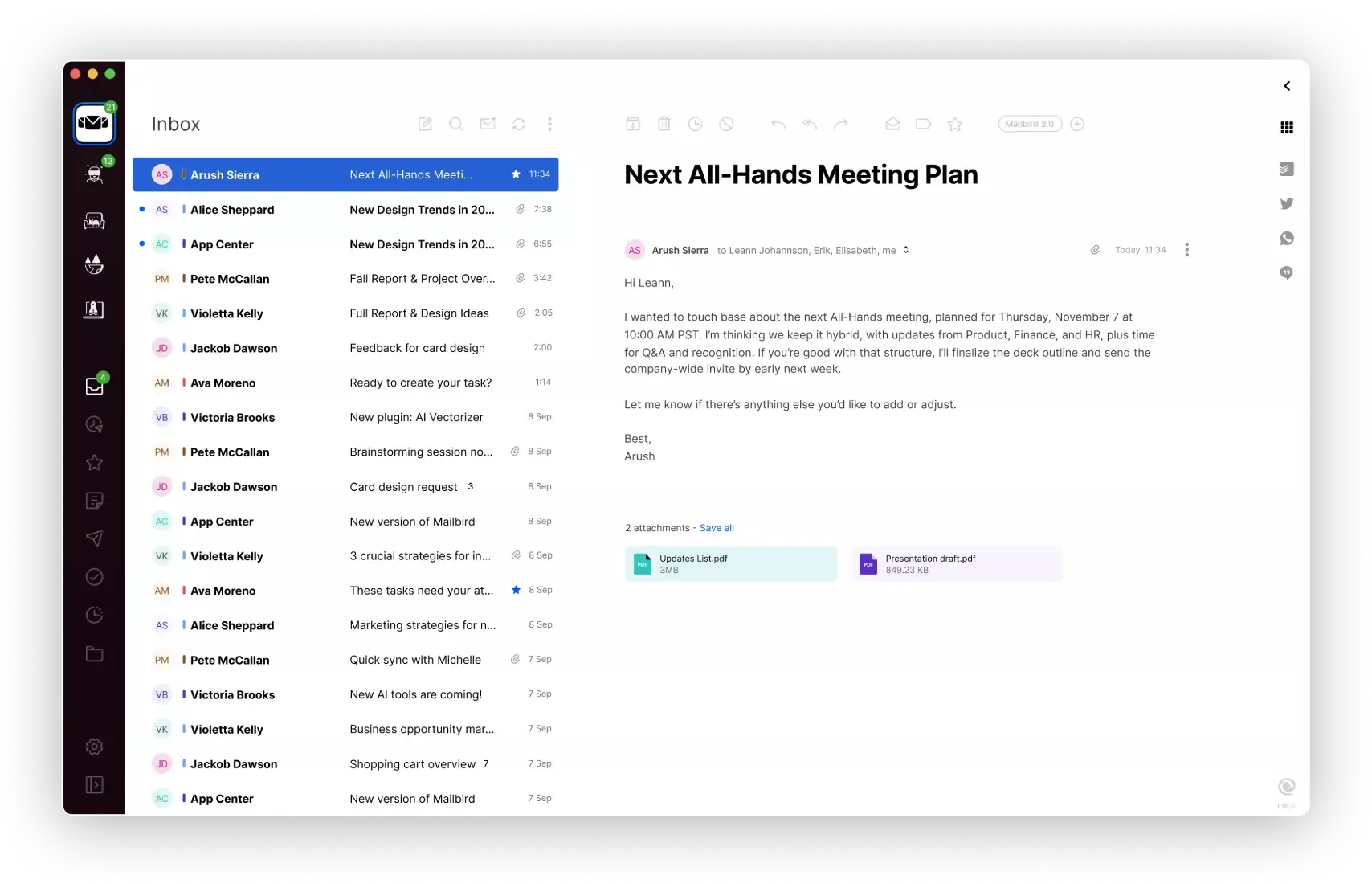
Among these options, Mailbird stands out as one of the strongest all-around Apple Mail alternatives thanks to its modern interface, productivity tools, and flexible multi-account management. It combines multiple account support, integrations, and customizable workflows designed to make everyday email management easier.
Below we compare some of the most popular Apple Mail alternatives to help you decide which email client is the best replacement for your inbox. For a deeper look at more options, see our breakdown of the 8 best Apple Mail alternatives for Mac in 2026.
Why People Look for an Apple Mail Alternative
Apple Mail is a convenient built-in email app for macOS, but some users eventually begin exploring alternatives as their email needs grow. While Apple Mail works well for simple inbox management, users who handle multiple accounts or rely on email for daily productivity often want additional flexibility and organization tools.
A modern desktop email client can provide features like unified inboxes, customizable layouts, integrations with other apps, and productivity tools designed to help you manage large volumes of email more efficiently.
Because of this, many Mac users start researching Apple Mail alternatives to find an email client that better fits their workflow, whether that means improved multi-account support, more customization, or stronger productivity features.
Some users comparing Apple Mail alternatives are also evaluating other desktop email platforms like Microsoft Outlook. If you're exploring multiple options, our guide to choosing an Outlook alternative can help you compare the best replacements.
Apple Mail Alternatives Compared
| Email Client | Best For | Platforms | Multiple Accounts | Works With | Pricing |
|---|---|---|---|---|---|
| Mailbird | Productivity-focused email management | Mac, Windows | Gmail, Outlook, Yahoo, iCloud and other common providers | Free for 1 account. Paid plans available | |
| Apple Mail | Built-in macOS email app | Mac, iOS | Common email accounts supported through setup in macOS | Included with macOS | |
| Microsoft Outlook | Microsoft ecosystem users | Mac, Windows | Microsoft accounts and common email providers | Subscription or included with Microsoft 365 | |
| Mozilla Thunderbird | Open-source customization | Mac, Windows, Linux | Common email providers using standard email protocols | Free | |
| Spark | Team-focused email collaboration | Mac, Windows, mobile | Common email providers depending on setup | Free and paid plans |
Compare Apple Mail alternatives with AI
Want a quick second opinion? Use these AI prompts to compare Mailbird with Apple Mail based on speed, multi-account support, and everyday email productivity.
Best Apple Mail Alternatives
Mailbird
Mailbird is a modern desktop email client designed to simplify how people manage multiple email accounts from a single inbox. With a unified inbox, customizable layout, and built-in integrations, it helps users organize email more efficiently while reducing inbox clutter. For a direct comparison with Apple Mail, see our Mailbird vs Apple Mail guide. For a direct comparison with Apple Mail, see our Mailbird vs Apple Mail guide.
Key Features
- Unified inbox for multiple accounts
- Customizable layouts and themes
- Keyboard shortcuts for faster email management
- Integrations with productivity tools
- Modern and streamlined interface
Pros
- Clean and intuitive interface
- Strong multi-account management
- Customizable workflows
Cons
- Some advanced features require a paid plan
Pricing
Free trial available, with paid plans for additional features.
Try Mailbird FreeApple Mail
Apple Mail is the default email client included with macOS and iOS devices. It offers a familiar interface and integrates naturally with other Apple services, making it a convenient choice for users who prefer built-in applications.
Key Features
- Included with macOS
- Integration with Apple ecosystem
- Support for multiple email accounts
Pros
- No additional cost for Mac users
- Simple setup for common email accounts
Cons
- Limited customization compared to some alternatives
- Fewer productivity features than some third-party email apps
Pricing
Included with macOS.
Microsoft Outlook
Microsoft Outlook is a widely used email client that combines email, calendars, and task management. It’s particularly popular with users who rely on Microsoft services or collaborate within Microsoft-based workflows. If you're looking for Mac alternatives to Outlook, see our guide to the best Outlook replacements for Mac. If you're looking for Mac alternatives to Outlook, see our guide to the best Outlook replacements for Mac.
Key Features
- Email and calendar integration
- Microsoft ecosystem compatibility
- Organizational tools for email management
Pros
- Strong integration with Microsoft tools
- Advanced organization features
Cons
- Interface may feel complex for some users
- Many features require a Microsoft 365 subscription
Pricing
Available through Microsoft 365 subscriptions.
Mozilla Thunderbird
Mozilla Thunderbird is an open-source email client known for its flexibility and customization options. It appeals to users who prefer a free desktop email solution with a large ecosystem of extensions.
Key Features
- Open-source email client
- Extensive add-on ecosystem
- Multi-account support
Pros
- Completely free
- Highly customizable
Cons
- Interface may feel dated to some users
- Setup and customization can require more effort
Pricing
Free.
Spark
Spark is an email app designed to help teams collaborate around email. It focuses on shared inbox workflows, email delegation, and productivity features for collaborative environments.
Key Features
- Team email collaboration tools
- Shared inbox capabilities
- Email scheduling and reminders
Pros
- Useful collaboration features
- Modern interface
Cons
- Some features focus primarily on team workflows
- Advanced capabilities require paid plans
Pricing
Free version available with optional paid plans.
What to Look for in an Apple Mail Alternative
Multiple Account Support
Many users rely on several email accounts for work and personal communication. A good Apple Mail alternative should make it easy to manage multiple accounts in one place, ideally through a unified inbox.
Provider Compatibility
Most modern email clients work with common providers like Gmail, Outlook, Yahoo, and iCloud. Choosing an app that connects easily with your existing accounts helps ensure a smooth transition.
Productivity Features
Features like keyboard shortcuts, customizable layouts, and integrations with other tools can make email management faster and more efficient.
Security and Reliability
A strong email client should handle your messages reliably while supporting secure connections and stable account synchronization across your inboxes.
FAQ
What is the best Apple Mail alternative?
For users who want a more modern interface, support for multiple accounts, and practical productivity features, Mailbird is one of the best Apple Mail alternatives. Outlook, Thunderbird, and Spark can also be good options depending on your workflow and preferences.
Is Apple Mail still good for Mac users?
Yes. Apple Mail is still a convenient option for Mac users who want a built-in email app that works naturally within macOS. However, users who want more flexibility, a unified inbox, or additional productivity features may prefer an alternative such as Mailbird.
Why do people look for an Apple Mail alternative?
Many users start looking for an Apple Mail alternative when they want better multi-account management, more customization, or extra features that help them organize and handle email more efficiently. If you're ready to make the switch, see the step-by-step guide to migrating from Apple Mail to Mailbird.
Can I use Gmail with an Apple Mail alternative?
Yes. Many desktop email clients work with Gmail and other popular providers, allowing you to manage different inboxes in one place. If Gmail is your main use case, compare your options in our Gmail email client guide.
Can I manage multiple email accounts with an Apple Mail alternative?
Yes. Most Apple Mail alternatives let you add and manage multiple accounts, which is useful if you keep separate inboxes for work, personal email, or different projects.
What is the best Apple Mail alternative for productivity?
If productivity is the priority, Mailbird is a strong option because it combines multiple account support, a modern layout, and features designed to help users move through email more efficiently.


