Best Email App for iPhone: 6 Options Compared
Bottom line: Apple Mail is still the best email app for iPhone for most people. Spark is the best third-party email app for iPhone. Choose Outlook for Microsoft 365, Gmail for Google, Canary Mail if you want stronger privacy without leaving your current providers, and Proton Mail if you want privacy built into the service itself.



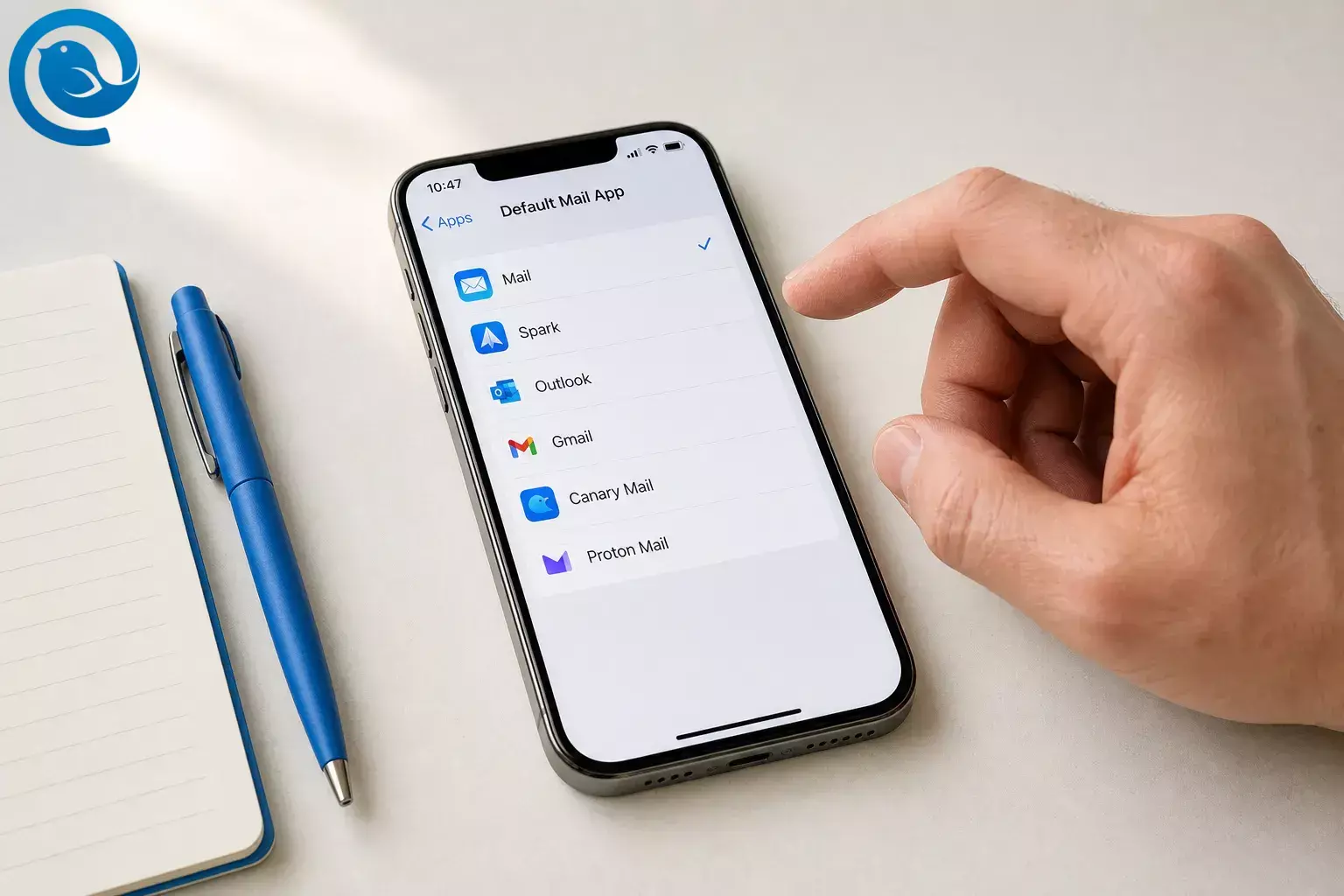
Bottom line: Apple Mail is still the best email app for iPhone for most people. Spark is the best third-party email app for iPhone. Choose Outlook for Microsoft 365, Gmail for Google, Canary Mail if you want stronger privacy without leaving your current providers, and Proton Mail if you want privacy built into the service itself.
This comparison asks a narrower question than most lists: when should you stay with Apple Mail, and when are Spark, Outlook, Gmail, Canary, or Proton actually better? On iPhone, the answer usually comes down to multi-account handling, triage speed, and privacy. The biggest trade-off is simple: more power usually means a heavier app, extra syncing, or a subscription.
Top picks at a glance
- Best overall for most iPhone users: Apple Mail
- Best third-party email app for iPhone: Spark
- Best for Microsoft 365: Outlook
- Best for Gmail and Google Workspace: Gmail
- Best privacy-focused app without changing email providers: Canary Mail
- Best if you want privacy built into the email service itself: Proton Mail
Tip: if you switch, iPhone lets you set another supported app as your default mail app. [19]
Best mail app for iPhone: quick answer
For most people, Apple Mail is still the best mail app for iPhone because it is free, already on the phone, handles major providers in one place, and now covers the daily basics—categories, swipes, snooze, send later, and privacy protection—without much setup. [2, 3, 6]
If you specifically want the best third-party email app for iPhone, start with Spark. Outlook is better when email and calendar are really one job, and Gmail is better if your inboxes are mostly Google already. [7, 8, 10]
Quick comparison
| App | Best for | Multi-account handling | Triage speed | Privacy / data note | Cost |
|---|---|---|---|---|---|
| Apple Mail [2, 5, 6] | Most iPhone users | Single inbox across major providers | Fast swipes, categories, VIP, and snooze | Mail Privacy Protection; categorization runs on-device on iPhone | Free |
| Spark [7] | Mixed personal + work accounts | Unlimited accounts, unified inbox | Very strong: snooze, scheduled send, set aside, quick replies | AI is optional; most advanced extras are paid | Free; Plus $10/mo or $99/yr; Pro $20/mo or $199/yr |
| Outlook [8, 9] | Microsoft 365 and Exchange | Works across Microsoft, Gmail, Yahoo, and iCloud; calendar included | Strong Focused Inbox, swipes, meetings, and files | Non-Microsoft accounts may sync through Microsoft Cloud for newer features | Free; optional Microsoft 365 from $6.99/mo in the US |
| Gmail [1, 10, 11] | Gmail and Google Workspace users | Added accounts + All Inboxes | Excellent search, labels, categories, and notifications | Native iOS support for eligible end-to-end encrypted messages | Free; some Gemini extras are paid |
| Canary Mail [13, 14, 15] | Privacy-minded users with mixed providers | Unified inbox, unlimited accounts | Good follow-up tools, read receipts, and send later | Mail stays with your provider; deeper security is paid | Free; Growth $36/yr; Pro+ $100/yr |
| Proton Mail [16, 17, 18] | Privacy-first service switchers | Best for Proton accounts, not a general aggregator | Good basics, weaker as a mixed-provider inbox | End-to-end and zero-access encryption by design | Free; paid plans for more storage, addresses, and domains |
Paid plans and included features can change. Double-check the current App Store or pricing page before you pay. [7, 8, 10, 14, 18]
How we picked
We kept this shortlist small on purpose and compared every app against Apple Mail on the three things this roundup is really about: multi-account handling, triage speed, and privacy. If an app did not clearly beat Apple Mail in one of those areas, it did not make the list. If your world is almost entirely Google or almost entirely Microsoft, the official app for that ecosystem becomes a stronger first pick. If privacy is your first filter, the order changes again.
Top picks, in order
Use Apple Mail as the baseline. The apps below are worth switching to only when they clearly beat it on a specific job. They are ranked by how often they make sense as a switch from Apple Mail, not by raw feature count alone.
1. Apple Mail
Best for: most iPhone users who want a free, built-in app that stays out of the way.
- Key strengths: It pulls iCloud, Gmail, Exchange, Yahoo, Outlook, and more into one app, with a single inbox available when you want it. Add another email account [2]
- Key strengths: Categories, send later, snooze, VIP, and swipe actions cover most day-to-day phone triage without extra learning. [2, 3, 4]
- Privacy edge: Mail Privacy Protection hides your IP address and makes open-tracking much less useful to senders. [6]
- Biggest drawback: It is a great generalist, but still lighter on power-user controls than the best third-party options.
- Watch out: Mail categories are not available in all countries or regions, and Apple says iCloud.com categorization uses metadata processing while the iPhone app handles categorization on-device. [3, 5]
- Price: Free. [2]
2. Spark
Best for: people juggling several personal and work inboxes who want the best third-party all-rounder.
- Key strengths: Spark’s free plan includes Smart Inbox, unlimited email accounts, smart notifications, calendar, and a unified inbox —an unusually generous starting point for heavy email users. [7]
- Key strengths: It is built for fast phone triage: snooze, scheduled send, set aside, quick replies, smart folders, and integrations all help when you clear mail in short bursts. [7]
- Biggest drawback: The free version is good, but the app gets much more compelling once you pay.
- Watch out: Plus and Pro unlock most of the big extras, AI is optional and disabled by default, and some listed features on the current pricing page are still marked “soon.” [7]
- Price: Free; Plus is $10/month or $99/year, and Pro is $20/month or $199/year. Prices can change. [7]
3. Outlook
Best for: Microsoft 365, Exchange, and calendar-heavy work.
- Key strengths: It combines email accounts and calendars in one app, and it works with Microsoft 365, Exchange, Outlook.com, Gmail, Yahoo, and iCloud. [8]
- Key strengths: Its Focused Inbox, swipe actions, file handling, and quick meeting-availability tools are excellent if email and scheduling are part of the same workflow. [8]
- Biggest drawback: If you only want a clean personal mail app, Outlook can feel busier than Apple Mail.
- Watch out: For non-Microsoft accounts, Microsoft says syncing to the Microsoft Cloud creates a copy of your email, calendar, and contacts in Microsoft data centers to enable newer Outlook features. Copilot features also require a qualifying Microsoft 365 subscription or business account. [8, 9]
- Price: Free; Microsoft 365 options in the iPhone app start at $6.99/month in the US. Prices can change. [8]
4. Gmail
Best for: Gmail and Google Workspace users who want Google’s own search, labels, and notifications.
- Key strengths: The iPhone app gives you real-time notifications, strong search, subscription management, labels, categories, and Google’s own spam and inbox tools. [10]
- Key strengths: You can add non-Gmail accounts like Outlook, iCloud Mail, and Yahoo, then view them together under All Inboxes. [11]
- Key strengths: For eligible Gmail client-side encryption users, Gmail can now read and compose end-to-end encrypted messages natively on iOS. [1]
- Biggest drawback: It is at its best when most of your email life already lives inside Google.
- Watch out: Google is retiring Gmailify and POP-based third-party fetching on the web. New setups stopped after Q1 2026, and existing ones last until January 2027. If you use several inboxes, Gmail’s own added-account support matters more going forward. [12]
- Price: Free; some Gemini features may require a Google One AI subscription. [10]
5. Canary Mail
Best for: privacy-conscious users who still want one inbox across major providers.
- Key strengths: Canary supports a unified inbox for Gmail, Outlook/Microsoft 365, iCloud, IMAP, and Exchange, and it allows unlimited mail accounts on all plans. [13]
- Key strengths: Your email stays with your provider, while Canary adds optional AI, read receipts, send later, and cross-device sync. [13]
- Key strengths: If you need deeper protection, Pro+ adds PGP, SecureSend, phishing protection, and impersonation defenses. [13, 15]
- Biggest drawback: Its strongest security story is not on the free plan.
- Watch out: Canary’s paid plans are yearly or lifetime only—no monthly billing—and PGP or SecureSend require Pro+. [14, 15]
- Price: Free; Growth is $36/year and Pro+ is $100/year. Prices can change. [14]
6. Proton Mail
Best for: people willing to trade a unified multi-provider inbox for a privacy-first email service.
- Key strengths: Proton protects message bodies and attachments with end-to-end and zero-access encryption, and it lets you send password-protected emails to non-Proton recipients. [16]
- Key strengths: There is a free plan, which lowers the barrier to trying a privacy-first service. [18]
- Biggest drawback: It is not the best choice if your main goal is juggling Gmail, Outlook, and iCloud in one flexible iPhone app.
- Watch out: Proton says it does not currently integrate Proton Mail with third-party email clients on iOS devices. In practice, that makes it a better fit when you move into Proton than when you want one app for Gmail, Outlook, and iCloud. [17]
- Price: Free to start; paid Mail Plus or Unlimited plans make more sense if you need custom domains, more addresses, or more storage. Pricing and promotions can change. [18]
Best iOS email app for heavy inboxes
For heavy inboxes, Spark is the best iOS email app for most people using multiple providers because its free tier already includes unlimited accounts, a unified inbox, and strong phone-first cleanup tools. Outlook is the better pick if meetings, files, and calendar are part of the same job. Gmail wins if your daily habits depend on Google’s own search, labels, and Workspace tools. [7, 8, 10, 11]
Best email client for iPhone if privacy comes first
The best email client for iPhone for privacy depends on whether you mean app-level privacy, provider-level privacy, or both. Apple Mail is the easiest privacy-friendly default because Mail Privacy Protection is built in and Mail categorization runs on-device on iPhone. Canary is the better middle ground if you want one inbox across several providers while keeping mail with those providers. Proton Mail goes further, because the service itself is built around end-to-end and zero-access encryption—but that is closer to switching ecosystems than simply swapping apps. [5, 6, 13, 16, 17]
Best picks by scenario
I want the least hassle
Pick: Apple Mail
Best if you want free, built-in, and good enough without much setup.
I juggle Gmail, Outlook, and iCloud every day
Pick: Spark
Best all-around third-party choice for mixed accounts and fast triage.
My work lives in Microsoft 365
Pick: Outlook
Best if email, files, meetings, and calendar are all tied together.
My work or school lives in Google
Pick: Gmail
Best if you want Google’s own labels, search, categories, and Workspace features.
I want one inbox but better privacy options
Pick: Canary Mail
Best middle ground between convenience and privacy-focused controls.
I want encrypted email as the service itself
Pick: Proton Mail
Best if you are willing to move into a privacy-first email setup.
Mailbird on iPhone and desktop
Mailbird is on Android and iPhone too. Get it on Google Play and the App Store. It brings Gmail, Outlook, iCloud, and other accounts into one unified inbox, with swipe actions, snooze, and To Do and To Read lists. It launched in November 2026, so it is newer than the apps ranked above. On a computer, a desktop email client is where multi-account email usually gets easier, and Mailbird runs on Windows and Mac too.
Frequently Asked Questions
Is Apple Mail still the best default for most iPhone users?
What is the best third-party email app for iPhone?
Can I change the default email app on iPhone?
Yes. iPhone lets you choose another app for email after you install one that supports default-app switching.
Sources: [19]
Which iPhone email app is best for multiple accounts?
Which app is best for Gmail on iPhone?
Which app is best for Outlook or Microsoft 365?
Which iPhone email app is best for privacy?
Are paid iPhone email apps worth it?
Sources
- Google Workspace Updates — Gmail end-to-end encryption now available on mobile devices
- App Store — Mail
- Apple Support — Automatically categorize incoming emails in Mail on iPhone
- Apple Support — Use mailboxes to organize email messages on your iPhone or iPad
- Apple Legal — Mail Categorization & Privacy
- Apple Legal — Mail Privacy Protection & Privacy
- Spark — Pricing
- App Store — Microsoft Outlook
- Microsoft Support — Sync your account in Outlook to the Microsoft Cloud
- App Store — Gmail - Email by Google
- Gmail Help — Add another email account in the Gmail app
- Gmail Help — Learn about upcoming changes to Gmailify & POP in Gmail
- Canary Mail Help — What Works on Mac vs iPhone in Canary Mail?
- Canary Mail — Pricing
- Canary Mail Help — Can I Use PGP, SMTP, or SecureSend on iPhone with Canary Mail?
- Proton — Protect your privacy with end-to-end encryption
- Proton Support — Using Proton Mail on iOS (iPhone)
- Proton Mail — Pricing
- Apple Support — Change your default apps for features on iPhone and iPad


