Best AI Email Assistants: What They Do and Which to Try
In this guide, “AI email assistants” means third-party tools that draft replies, summarize threads, and help triage the inbox. If you’re comparing the best AI email tools, the real differences are context, privacy, and review control—not just whether the writing sounds polished.



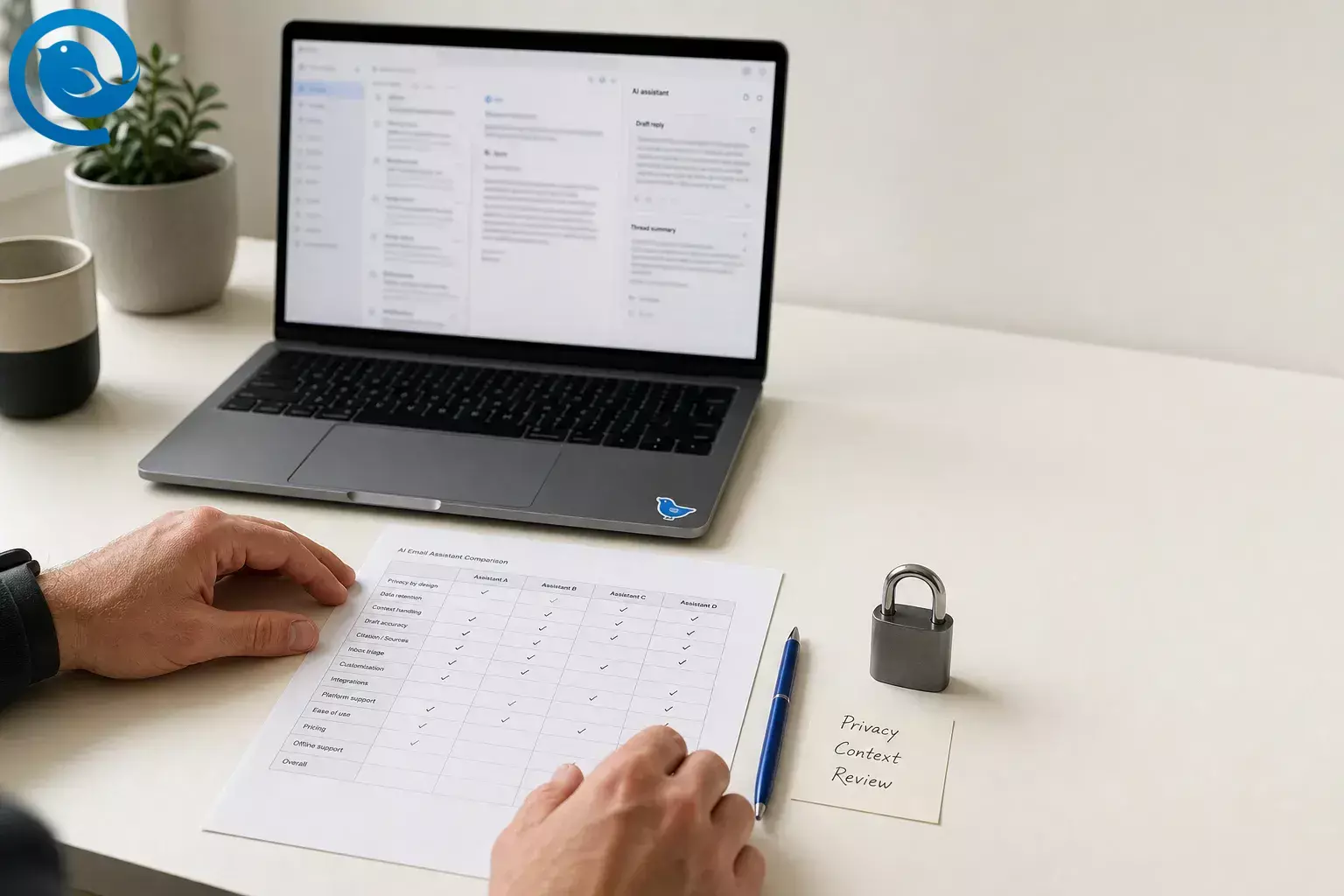
In this guide, “AI email assistants” means third-party tools that draft replies, summarize threads, and help triage the inbox. If you’re comparing the best AI email tools, the real differences are context, privacy, and review control—not just whether the writing sounds polished.
This review leaves built-in Gmail and Outlook AI out of scope and focuses on standalone or add-on products. Here, “accuracy” means how much real thread context a tool can use, how likely it is to keep facts straight inside that context, and how easy it is to review the output before anything goes out.
Key takeaways
Verdict: Shortwave is the best AI email assistant here for Gmail-first users who want drafting, summaries, search, and triage in one place. If you need Outlook or Microsoft 365 support, or you want clearer public privacy and compliance detail, start with Fyxer instead. [2][5][8][9][10]
Quick picks: Shortwave for Gmail-first users, Fyxer for Gmail + Outlook teams, Superhuman for speed-focused power users, and MailMaestro for lower-cost drafting and summaries.
- Shortwave is the strongest all-in-one option here for Gmail-first users who want drafting, summaries, search, and triage in one place.
- Fyxer is the better place to start if you need Outlook or Microsoft 365 support, or you want clearer public privacy and compliance detail.
- The biggest differences in this category are context, privacy, and review control, not just whether the writing sounds polished.
- Superhuman is best for speed-focused power users, but its privacy and training language needs close reading before rollout.
- MailMaestro is the lower-cost add-in for drafting and summaries, with a 14-day trial and a limited free plan.
- For regulated teams, get the DPA and security answers before connecting a live inbox.
Most of the public detail in this category comes from vendor docs, so the comparisons below focus on documented features, pricing, privacy terms, and platform limits.
Shortlist: best AI email assistants to try first
If you only want the short version, start here.
| Tool | Best if | Main upside | Main caution | Price |
|---|---|---|---|---|
|
Shortwave
Best overall for Gmail-first users |
You work in Gmail or Google Workspace and want one AI layer for drafts, summaries, search, triage, and calendar help. | Deepest assistant feature set in this group. | No Microsoft 365 or Exchange support; data can still pass through listed cloud processors. | Free to start. [2][3][4][5] |
|
Fyxer
Best for Gmail + Outlook teams |
You want AI sorting and drafted replies without moving into a new email client. | Stronger public privacy and data-location story than most rivals. | No shared or group inbox support; premium monthly price. | $30 monthly, or $22.50 billed annually. [7][8][10][11] |
|
Superhuman
Best for speed-obsessed power users |
You care about UI speed and high-volume reply flow as much as AI itself. | Strong Gmail/Microsoft 365 support plus background Gmail automation. | Privacy and training language needs close reading before rollout. | $30 monthly for Starter. [12][13][14][15][16] |
|
MailMaestro
Best budget add-in |
You mostly want cheaper drafting and summaries inside Outlook or Gmail. | Low-cost entry, limited free plan, useful summary features. | Its privacy pages take more work to interpret than they should. | 14-day trial, then free tier or $15 monthly / $12 annually. [17][18][19] |
Shortwave
Best overall for Gmail-first users
- Best if
- You work in Gmail or Google Workspace and want one AI layer for drafts, summaries, search, triage, and calendar help.
- Main upside
- Deepest assistant feature set in this group.
- Main caution
- No Microsoft 365 or Exchange support; data can still pass through listed cloud processors.
- Price
- Free to start. [2][3][4][5]
Fyxer
Best for Gmail + Outlook teams
- Best if
- You want AI sorting and drafted replies without moving into a new email client.
- Main upside
- Stronger public privacy and data-location story than most rivals.
- Main caution
- No shared or group inbox support; premium monthly price.
- Price
- $30 monthly, or $22.50 billed annually. [7][8][10][11]
Superhuman
Best for speed-obsessed power users
- Best if
- You care about UI speed and high-volume reply flow as much as AI itself.
- Main upside
- Strong Gmail/Microsoft 365 support plus background Gmail automation.
- Main caution
- Privacy and training language needs close reading before rollout.
- Price
- $30 monthly for Starter. [12][13][14][15][16]
MailMaestro
Best budget add-in
- Best if
- You mostly want cheaper drafting and summaries inside Outlook or Gmail.
- Main upside
- Low-cost entry, limited free plan, useful summary features.
- Main caution
- Its privacy pages take more work to interpret than they should.
- Price
- 14-day trial, then free tier or $15 monthly / $12 annually. [17][18][19]
Shortwave gets the top spot because it is the only tool here that clearly combines summarization, drafting, inbox triage, natural-language search, and calendar-aware actions into one assistant instead of reducing AI to a compose helper. That top spot comes with a big asterisk: it is a Gmail-first recommendation, not a universal one. [2][5]
Features, pricing, and privacy pages are cited below. Labels like “best overall,” “good value,” or “mixed fit” are judgement calls.
Best AI email assistant for Gmail-first users: Shortwave
Score breakdown
| Criterion | Call | Why it got that call |
|---|---|---|
| Triage depth | Strong | It can identify priorities, archive low-priority mail, track follow-ups, and apply AI-powered filtering logic inside the inbox. [2] |
| Draft and summary accuracy potential | Strong | Shortwave uses past sent mail for personalization and can summarize threads, selected emails, dates, receipts, and action items. No public independent benchmark is provided, so this is a capability call, not a lab score. [2] |
| Privacy + data handling | Good | The company says data is stored in Google Cloud, lists its sub-processors, says most AI workloads use open-source models on hardware it controls, and says customer data is never used to train third-party LLMs. [3] |
| Platform coverage | Limited | It is tied to Gmail or Google Workspace, with Microsoft 365 and Exchange explicitly unsupported. [5] |
| Value | Good | The free plan includes the AI assistant, and paid features can cover multiple personal accounts on one device. [4] |
| Security review readiness | Mixed | Google approval and Advanced Protection support are positives, but the public compliance story is lighter than Fyxer’s and still pushes some buyers to contact sales or support for more detail. [3] |
Triage depth
- Call
- Strong
- Why it got that call
- It can identify priorities, archive low-priority mail, track follow-ups, and apply AI-powered filtering logic inside the inbox. [2]
Draft and summary accuracy potential
- Call
- Strong
- Why it got that call
- Shortwave uses past sent mail for personalization and can summarize threads, selected emails, dates, receipts, and action items. No public independent benchmark is provided, so this is a capability call, not a lab score. [2]
Privacy + data handling
- Call
- Good
- Why it got that call
- The company says data is stored in Google Cloud, lists its sub-processors, says most AI workloads use open-source models on hardware it controls, and says customer data is never used to train third-party LLMs. [3]
Platform coverage
- Call
- Limited
- Why it got that call
- It is tied to Gmail or Google Workspace, with Microsoft 365 and Exchange explicitly unsupported. [5]
Value
- Call
- Good
- Why it got that call
- The free plan includes the AI assistant, and paid features can cover multiple personal accounts on one device. [4]
Security review readiness
- Call
- Mixed
- Why it got that call
- Google approval and Advanced Protection support are positives, but the public compliance story is lighter than Fyxer’s and still pushes some buyers to contact sales or support for more detail. [3]
What it is and what it’s built to do
Shortwave is a Gmail-first email app with an AI assistant built into the inbox. In plain language, it tries to replace the usual stack of rewrite button, search box, labels, and follow-up list with one assistant that can draft replies, summarize threads, answer questions about your mail, organize incoming messages, work with Google Calendar, and connect to outside tools from the same workspace. [2]
Privacy and where the data goes
Shortwave says customer data is stored in Google Cloud and encrypted at rest and in transit. Its public security page lists Google Cloud, OpenAI, Anthropic, and Pinecone as current sub-processors, says the vast majority of AI workloads use open-source models running on hardware it controls, and says customer data is never used to train third-party LLMs. That is a better public explanation than most competitors give, but it is still not the same as keeping email out of external cloud services entirely. [3]
These are fit calls based on the documented feature set and limits above.
Best for
- Gmail or Google Workspace users who want one place for drafts, summaries, search, and triage.
- People buried in long threads, recurring follow-ups, and repetitive replies.
- Users who want more than writing help and are willing to let AI help organize the inbox.
- Teams that care more about AI workflow depth than broad email-provider coverage.
Not for
- Microsoft 365 or Exchange-heavy teams.
- People who only want a tiny compose helper inside their existing Outlook flow.
- Organizations that want the simplest possible public compliance packet before a trial.
- Anyone who needs email data to avoid all external model or cloud processors.
Key strengths
- It covers the full job better than most rivals: drafting, summarizing, searching, triaging, filtering, and calendar-aware help are all in scope. [2]
- Its natural-language search and selected-email analysis go well beyond simple “write a reply” tools. [2]
- AI filters and Tasklet move it closer to real inbox operations, not just better prose. [2][6]
- The public privacy page is relatively specific about storage, encryption, sub-processors, and third-party model training limits. [3]
- The free plan makes it easier to test whether the assistant is genuinely useful before you commit money or migrate habits. [4]
Key weaknesses
- If your main account is Microsoft 365 or Exchange, Shortwave is a non-starter. [5]
- Non-Gmail support depends on forwarding through a Gmail bridge, and Outlook.com forwarding has send-from limitations. [5]
- Even with a relatively clear privacy page, your data can still touch Google Cloud, OpenAI, Anthropic, and Pinecone. [3]
- The public compliance story is less turnkey than Fyxer’s; some buyers will want more paperwork than the public page provides. [3]
- The promise that drafts will sound exactly like you remains a vendor claim, not an independently published benchmark.
Important changes recently
Shortwave became more automation-focused in 2026. On , it added Tasklet integration so drafts, comments, todos, and app actions can run from triggers; on , it upgraded its AI tiers to the Claude 4.6 family. For buyers, that matters because the product is moving beyond “help me write” and further into background inbox operations. [6]
Where it sits against the closest alternatives
Versus Fyxer: Shortwave is the better choice if your work is Gmail-heavy and you want deeper in-inbox AI: natural-language search, thread analysis, summaries across selected emails, AI filters, and calendar actions. Fyxer is the better choice if you need Outlook parity, EU/EEA data residency, and a cleaner public answer on who can see what in a team. [2][3][5][7][8][10][11]
Versus Superhuman: Superhuman wins if your highest priority is speed and reply flow, and it now spans Gmail and Microsoft 365 accounts with background Gmail automation. Shortwave wins on AI workflow breadth and free-entry value. Privacy also looks simpler with Shortwave because Superhuman’s product-specific help says certain mail features do not train on your data, while its broader privacy policy says user content can be used to train Superhuman’s AI models depending on your settings. [4][12][13][14][15][16]
Versus MailMaestro: MailMaestro is the lighter and cheaper add-in, with a 14-day trial, a limited free plan, and paid plans from $15 monthly or $12 annually per seat. Shortwave is the fuller assistant. If you mostly want drafting and summaries inside an existing inbox, MailMaestro can be enough; if you want real triage, search depth, and inbox organization, Shortwave is the stronger tool. MailMaestro’s privacy wording also needs closer reading because its security page says data is never used to train AI models while its privacy policy says email content and user instructions are shared with third-party AI models and processed in U.S.-based databases. [17][18][19]
What to check before you commit
- Are you truly Gmail-first? If Microsoft 365 or Exchange is your real home base, stop here. [5]
- Are Google Cloud, OpenAI, Anthropic, and Pinecone acceptable processors under your internal rules? [3]
- Do you want an add-on inside your current inbox, or are you willing to move into a fuller inbox product? [2][5]
- Will the free plan be enough for a real test, or do you need paid AI search and personalization right away? [4]
- If you are in a regulated environment, can the vendor paperwork match what the public docs promise?
- Do you want ongoing automation, or only better drafting? Shortwave is increasingly built for the first camp. [2][6]
What can change
Model providers, plan boundaries, quotas, and non-Gmail support are all moving targets in this category. Re-check the vendor pages before a rollout, especially if pricing, data handling, or automation limits are deal-breakers for you. [1][3][4][5][6]
Other third-party AI email assistants worth a look
Fyxer
Fyxer is the easiest recommendation if you need Gmail and Outlook support, want AI to work inside the inbox you already use, and care a lot about public privacy detail. Its strongest documented advantages are EU/EEA data storage, no training on customer data, and private-by-default team visibility. Its main trade-offs are price and the lack of shared or group inbox support. [7][8][9][10][11]
Superhuman
Superhuman is for speed-first power users. The product spans Gmail and Microsoft 365 accounts, and its Gmail automation can auto-label, auto-archive, auto-draft, and resurface follow-ups. The catch is that privacy requires closer reading than with Fyxer or Shortwave: one help page says Mail and vendors do not train on your data for those AI features, while the broader privacy policy says user content can be used to train Superhuman’s AI models depending on your settings. [12][13][14][15][16]
MailMaestro
MailMaestro is the budget-friendly add-in, especially if you want Outlook- or Gmail-based drafting and summaries more than full inbox triage. It has a 14-day trial, a limited free plan, and paid plans from $15 monthly or $12 annually per seat. The caution is privacy wording: the security page says data is never used to train AI models, while the privacy policy says email content and user instructions are shared with third-party AI models and that databases are located in the United States. [17][18][19]
Adjacent option: ChatGPT + Gmail
If you already have ChatGPT Business, the Gmail connector is an option worth testing. It can summarize inbox threads and draft replies from Gmail context, and OpenAI says business data accessed through apps is not used to train OpenAI models by default. It is useful for one-off summaries and drafting, but it is not a purpose-built triage layer inside the inbox. [1][20][21]
Frequently Asked Questions About AI Email Assistants
What does an AI email assistant actually do?
At minimum, an AI email assistant or AI email helper drafts replies and summarizes long threads. Better ones also prioritize the inbox, surface follow-ups, and use calendar or message history so the draft is based on real context instead of a blank prompt.
Which AI email assistant is best for Gmail?
Shortwave is the strongest Gmail-first choice if you want one assistant for drafts, summaries, search, and triage. Fyxer is the better Gmail pick if you want more privacy documentation and would rather keep your current inbox flow.
Sources: [2][3][5][7][8]
Which AI email assistant is best for Outlook?
Fyxer is the strongest first trial for Outlook-heavy users because it supports Gmail and Outlook, emphasizes triage, and publishes clear privacy boundaries. MailMaestro is the cheaper fallback if you mostly want drafting and summaries inside Outlook.
Sources: [7][8][9][10][11][17]
Are AI email assistants safe for confidential or regulated email?
Sometimes, but only after a close check. Look at data location, retention, who can see the content inside your team, whether customer data trains models, and whether meeting transcription is part of the product. For regulated teams, get the DPA and security answers before connecting a live inbox.
Sources: [3][8][9][10][11][15][18][19]
Where does the email data go with these tools?
It varies a lot. Shortwave says data is stored in Google Cloud and lists OpenAI, Anthropic, and Pinecone as sub-processors. Fyxer says customer data is stored and processed only in the EU/EEA. Superhuman stores some AI queries and responses for certain features. MailMaestro says its databases are in the U.S. and that email content and user instructions are shared with third-party AI models to provide the service.
Sources: [3][10][13][15][19][21]
Can these tools send email without me?
The tools reviewed here are mainly draft-first, not send-first. They label, summarize, suggest, and prepare drafts; you still review before a final send in the standard flows described by their public docs.
Sources: [2][8][12][13][17]
Are there any free options worth trying?
Yes. Shortwave is free to get started, and MailMaestro gives you a 14-day trial before dropping to a limited free plan. Those are the easiest low-risk trials in this group.
Sources: [4][17]
Should I keep AI separate from my email client?
If you want more control, yes. Keeping the email client decision separate from the AI email helper decision makes it easier to swap tools, limit permissions, and turn AI off when it stops earning its place.
Prefer to choose your email client separately from AI?
If you would rather pick your email client on its own merits, keep that decision separate from any AI layer. Then evaluate third-party assistants on platform support, privacy terms, and whether they actually save time.
Mailbird is a desktop email client . The AI email assistants reviewed above are separate third-party products, and their platform support and data policies vary.
- OpenAI — More ways to work with your team and tools in ChatGPT
- Shortwave — The Shortwave AI Assistant
- Shortwave — Security & Privacy
- Shortwave — Billing
- Shortwave — Use Shortwave with other email providers
- Shortwave — Changelog
- Fyxer — Pricing
- Fyxer Help Center — How Fyxer secures your data
- Fyxer Help Center — Compliance and certifications
- Fyxer Help Center — Where Fyxer data is stored
- Fyxer Help Center — Who can see your data in a team
- Superhuman — Superhuman Mail for Gmail
- Superhuman — Auto Summarize
- Superhuman — Pricing Plans
- Superhuman — Privacy Policy
- Superhuman — Managing Accounts
- MailMaestro — Pricing
- MailMaestro — Security
- MailMaestro — Privacy policy
- OpenAI — Gmail plugin
- OpenAI Academy — Apps


