Apple Mail vs Outlook on Mac (2026): Which Mail App Is Better — and Should You Switch?
Apple Mail vs Outlook on Mac comes down to ecosystem fit. Apple Mail is the better default for most personal Mac users, while Outlook wins when your day runs on Microsoft 365.



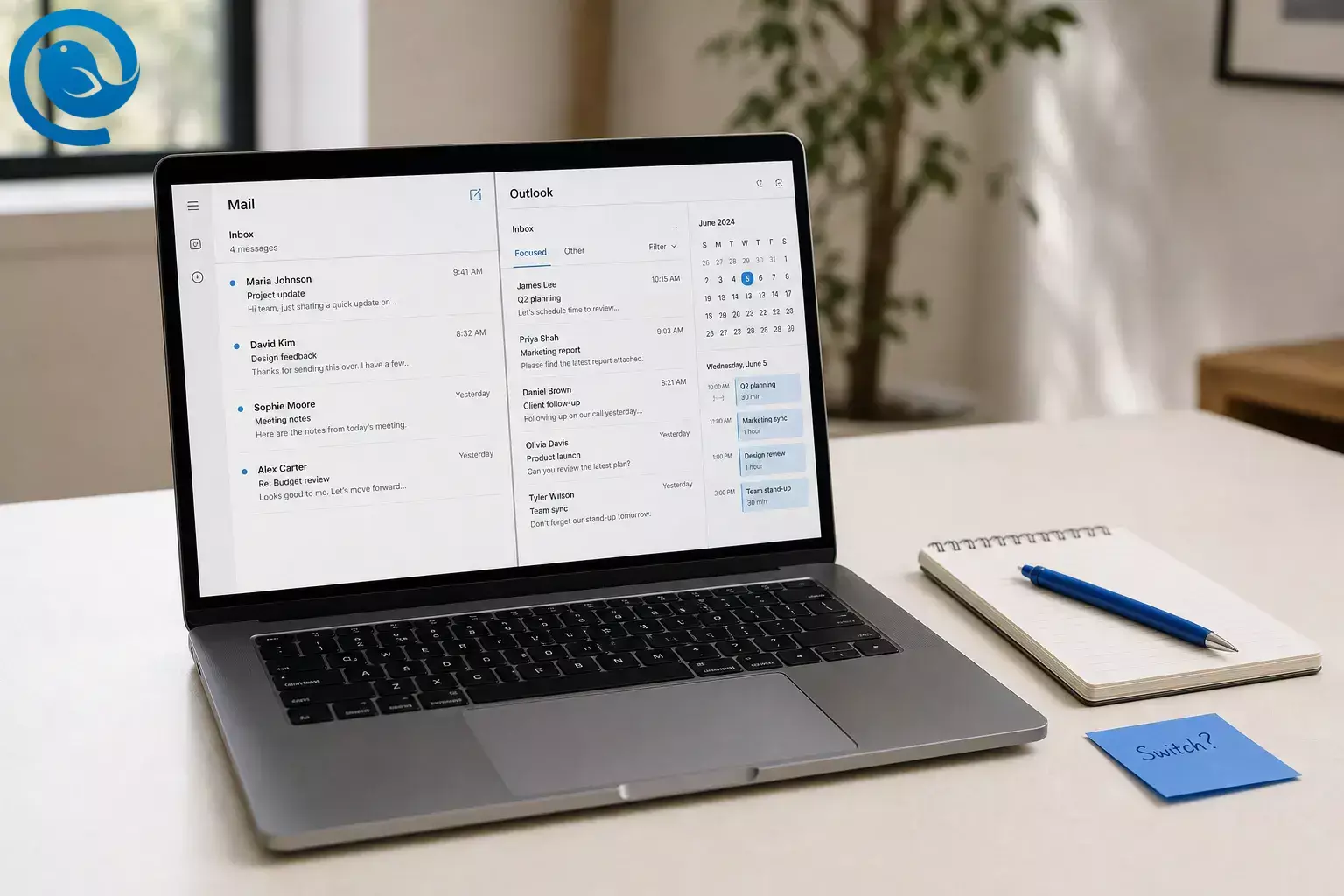
If you're deciding between Outlook or Apple Mail on a Mac, Apple Mail is the better default for most personal Mac users. Outlook is better if your workday runs on Microsoft 365, shared mailboxes , and a calendar that needs to stay beside your inbox. [3] [8] [11]
Quick answer: which is the best mail app on Mac, Outlook or Apple Mail?
Choose Apple Mail if you want the simpler Mac experience, easier mailbox export, and Mail Privacy Protection. Choose Outlook if you live in Microsoft 365 or depend on shared mailboxes and an in-app calendar hub. [4] [5] [6] [8] [11]
Key takeaways
- Apple Mail is the better default for most personal Mac users.
- Outlook is better if your workday runs on Microsoft 365, shared mailboxes, and a calendar that needs to stay beside your inbox.
- Choose Apple Mail if you want the simpler Mac experience, easier mailbox export, and Mail Privacy Protection.
- Choose Outlook if you live in Microsoft 365 or depend on shared mailboxes and an in-app calendar hub.
- Apple Mail lets you create local “On My Mac” mailboxes and export mailboxes as .mbox packages.
- Outlook is clearly built for people who move between Windows, macOS, iPhone, and Android and want one familiar app almost everywhere.
- The free tier is ad-supported; paid tiers remove ads and raise storage.
| What separates them | Apple Mail | Outlook on Mac | Best choice |
|---|---|---|---|
| Overall fit | Better default choice for most personal Mac users. | Better if email is part of your Microsoft 365 workday. | Apple Mail overall; Outlook for work. |
| Inbox style | Categories and lighter follow-up tools. | Focused Inbox, snooze, flags, and an agenda view from the inbox. | Pick Apple Mail for a calmer inbox; pick Outlook for more controls. [2] [7] [8] |
| Calendar and contacts | Separate Apple apps tied together through Internet Accounts. | Email, calendar, and contacts live together in one app. | Outlook if you want one work hub. [3] [8] |
| Shared mailboxes | Not the reason to choose it. | Official shared mailbox and shared folder support with Exchange permissions. | Outlook by a wide margin. [11] |
| Cross-platform consistency | Best inside Apple’s own ecosystem. | One main app across Windows, Mac, iPhone, and Android. | Outlook if you work on more than Apple devices. [3] [8] [10] |
| Export and portability | Local “On My Mac” mailboxes and .mbox export. | Can import .olm and .pst archives, but Microsoft’s .olm export tool on Mac is tied to Legacy Outlook. | Apple Mail if you care about easier exit later. [4] [5] [13] [14] [15] |
| Cost model | No separate app fee on your Mac. | Free tier is ad-supported; paid tiers remove ads and raise storage. | Apple Mail for lower ongoing cost; Outlook only if the Microsoft workflow is worth paying for. [2] [12] |
Apple Mail and Outlook on Mac: what each app is
Apple Mail is Apple’s Mac email app, and it can connect to iCloud, Exchange, Google, Yahoo, and other accounts through the Mac’s Internet Accounts system. [3]
Outlook for Mac is Microsoft’s Mac email app, with support for Microsoft 365 and Exchange as well as personal accounts like Outlook.com, Gmail, iCloud, Yahoo, and IMAP. [8] [10]
Apple Mail vs Outlook on Mac: the biggest differences
Most of the real gap here is not basic email delivery. It is ecosystem fit: Outlook is stronger as a Microsoft 365 work app, while Apple Mail is stronger as a lighter Mac email app with better local mailbox ownership options. [3] [4] [5] [8] [11]
1) If you live in Microsoft 365, Outlook wins
Outlook keeps email, calendar, and contacts in one app, and it officially supports shared mailboxes and shared folders in Exchange environments. Apple Mail can connect to Exchange, but it still works best as a standard mail client, not as a full Microsoft work hub. [3] [8] [11]
2) If you want the calmest everyday Mac inbox, Apple Mail wins
Apple Mail’s current direction is lighter: automatic categories and simple follow-up tools like Remind Me. Outlook gives you Focused Inbox, snooze, flagging, and quick access to your agenda from the inbox. That makes Outlook more capable for heavy email days, but also busier. [2] [7] [8]
3) For Apple ecosystem fit and privacy, Apple Mail wins
Apple Mail sits inside the Mac’s account system and Apple offers Mail Privacy Protection, which can hide your IP address and privately load remote content. Outlook does integrate with macOS too—its Profiles can work with Apple’s Focus Filters—but its strongest identity is still Microsoft-first, not Apple-first. [3] [6] [9]
4) If you want the same main app across more devices, Outlook wins
Outlook is clearly built for people who move between Windows, macOS, iPhone, and Android and want one familiar app almost everywhere. Apple Mail can handle outside accounts just fine, but it feels best when your wider setup is already Apple-centric. [3] [8] [10]
5) For local control and easier exit, Apple Mail wins
Apple Mail lets you create local “On My Mac” mailboxes and export mailboxes as .mbox packages. Outlook for Mac can import .olm and .pst archives, but Microsoft’s own Mac export tool is listed as a Legacy Outlook feature, and Microsoft says legacy Outlook for Mac will stop working against Exchange Online mailboxes starting in October 2026. If mailbox ownership matters to you, Apple Mail is the safer long-term bet. [4] [5] [13] [14] [15]
6) For in-app organization power, Outlook wins
Outlook combines Focused Inbox, snooze, flags, Profiles, and a built-in calendar view from the inbox. Apple Mail has caught up enough to feel modern, but it still feels like a cleaner email app first, not a control center for a workday. [8] [9]
Costs, setup effort, and mailbox ownership
Apple Mail
- No separate app fee; it is part of macOS. [2]
- The value is highest if you already like Apple’s simpler app model and want mail to stay close to the rest of macOS. [2] [3]
- Ownership upside: local “On My Mac” mailboxes and .mbox export make backup and exit simpler. [4] [5]
- If Apple Intelligence is part of your decision, the newer Mail AI features require a Mac with M1 or later, current software, and supported language or region availability. [1]
Outlook
- The free tier exists, but Microsoft labels it ad-supported and limits mailbox storage to 15 GB. [12]
- U.S. list price for Microsoft 365 Basic is $19.99/year; it makes Outlook ad-free and raises mailbox storage to 100 GB. [12]
- U.S. list price for Microsoft 365 Personal is $99.99/year; it adds desktop Microsoft 365 apps and 1 TB of OneDrive storage. [12]
- Ownership downside: Outlook can import archives, but Microsoft’s own Mac export path is tied to Legacy Outlook, whose Exchange Online path ends in October 2026. [13] [14] [15]
Dealbreakers and reasons to avoid each app
Apple Mail is a bad choice if…
- your day revolves around shared mailboxes, shared folders, and calendar-heavy coordination;
- you want one identical email app across Mac, Windows, iPhone, and Android;
- you are choosing based on Microsoft 365 workflow depth rather than Mac simplicity.
Apple Mail can connect to Exchange and other providers, but its sweet spot is still personal or straightforward professional email—not the full Microsoft work stack. [3] [11]
Outlook is a bad choice if…
- you want the lightest possible Mac app with the fewest distractions;
- you dislike ads in free software and do not want a subscription decision tied to email;
- you care a lot about simple local export and long-term mailbox portability.
Outlook’s free tier is ad-supported, its strongest features assume the Microsoft ecosystem, and its own Mac archive-export story is less clean than Apple Mail’s. [12] [13] [15]
Switching from Apple Mail to Outlook, or Outlook to Apple Mail
If your core mail already lives on IMAP or Exchange, switching apps is usually less risky than people think. The real friction points are local Apple Mail mailboxes, Outlook archive files, and shared-mailbox workflows. [4] [5] [11] [13] [14]
Switching from Apple Mail to Outlook, or Outlook to Apple Mail
- If you are in Apple Mail and need more work structure: add the same account to Outlook first and confirm mail, calendar, and contacts before removing anything from Mail. [3] [10]
- If you are in Outlook and want a lighter Mac setup: move future mail into server-based folders instead of Mac-only local archives, then add the account to Mail through Internet Accounts. [3] [4] [5]
- If you have old Outlook archives : import the .olm or .pst data into Outlook first, then decide what really needs to stay live versus archived. [14]
- If you have Apple Mail local history: export those mailboxes as .mbox before major changes so you keep a clean fallback copy. [5]
- Do not switch during a busy week: test search, sent mail, signatures, and calendar behavior one account at a time.
Final verdict: Outlook or Apple Mail on Mac?
For most Mac users, the simplest rule is this: choose Apple Mail unless you have a clear Microsoft 365 reason to choose Outlook. Outlook earns its place when you need shared mailboxes, shared folders, and a calendar beside email all day. Apple Mail wins when you want the cleaner Mac experience, easier export, and Mail Privacy Protection. [4] [5] [6] [8] [11]
- If your main inbox is work and your company lives in Microsoft 365, choose Outlook . [11]
- If you want the built-in Mac mail app that keeps things simpler, choose Apple Mail . [2] [3]
- If you need shared mailboxes, shared folders, or your inbox beside your calendar all day, choose Outlook . [8] [11]
- If you care more about local mailbox control, simpler export, and Mail Privacy Protection, choose Apple Mail . [4] [5] [6]
- If both answers feel wrong, skip both and look at a dedicated Mac email client .
Frequently Asked Questions
Is Outlook free on Mac?
Does Apple Mail work with Microsoft 365 or Exchange on Mac?
Yes. Apple’s account system on Mac supports Exchange and other providers, so Apple Mail can work with Microsoft 365 or Exchange accounts.
Sources: [3]
Can Outlook on Mac open shared mailboxes?
Yes, if you have the right Exchange permissions. That is one of Outlook’s strongest reasons to exist on a Mac.
Sources: [11]
Can Apple Mail export old mail?
Yes. Apple Mail can export mailboxes as .mbox packages, which makes backup and migration easier.
Sources: [5]
Can Outlook on Mac export everything?
Does Apple Mail have snooze?
Sort of. Apple calls it Remind Me rather than Snooze, and it brings a message back to the top of your inbox when you choose.
Sources: [7]
Outlook or Apple Mail: which is better for Gmail on Mac?
Sources
- Apple Support — How to get Apple Intelligence (published March 24, 2026)
- Apple Support — Mail User Guide for Mac (macOS Tahoe)
- Apple Support — Use your internet accounts on Mac
- Apple Support — Create or delete mailboxes in Mail on Mac
- Apple Support — Import or export mailboxes in Mail on Mac
- Apple Support — Use Mail Privacy Protection on Mac
- Apple Support — Use Remind Me to come back to emails later in Mail on Mac
- Microsoft 365 — Outlook for Mac
- Microsoft Support — Manage profiles in Outlook for Mac
- Microsoft Support — Add an email account to Outlook for Mac
- Microsoft Support — Open a shared Mail, Calendar or People folder in Outlook for Mac
- Microsoft 365 — Outlook plans and pricing
- Microsoft Support — Export items to an archive file in Outlook for Mac
- Microsoft Support — Import email messages, contacts, and other items into Outlook for Mac
- Microsoft Support — End of support for legacy Outlook for Mac


