AI Writing Assistants for Email Closings and Sign-Offs
Looking for the best AI email closing tool? For most people, Grammarly is the safest default. Gmail users should start with Gemini, Outlook users with Copilot, and anyone who wants several options fast should use ChatGPT.



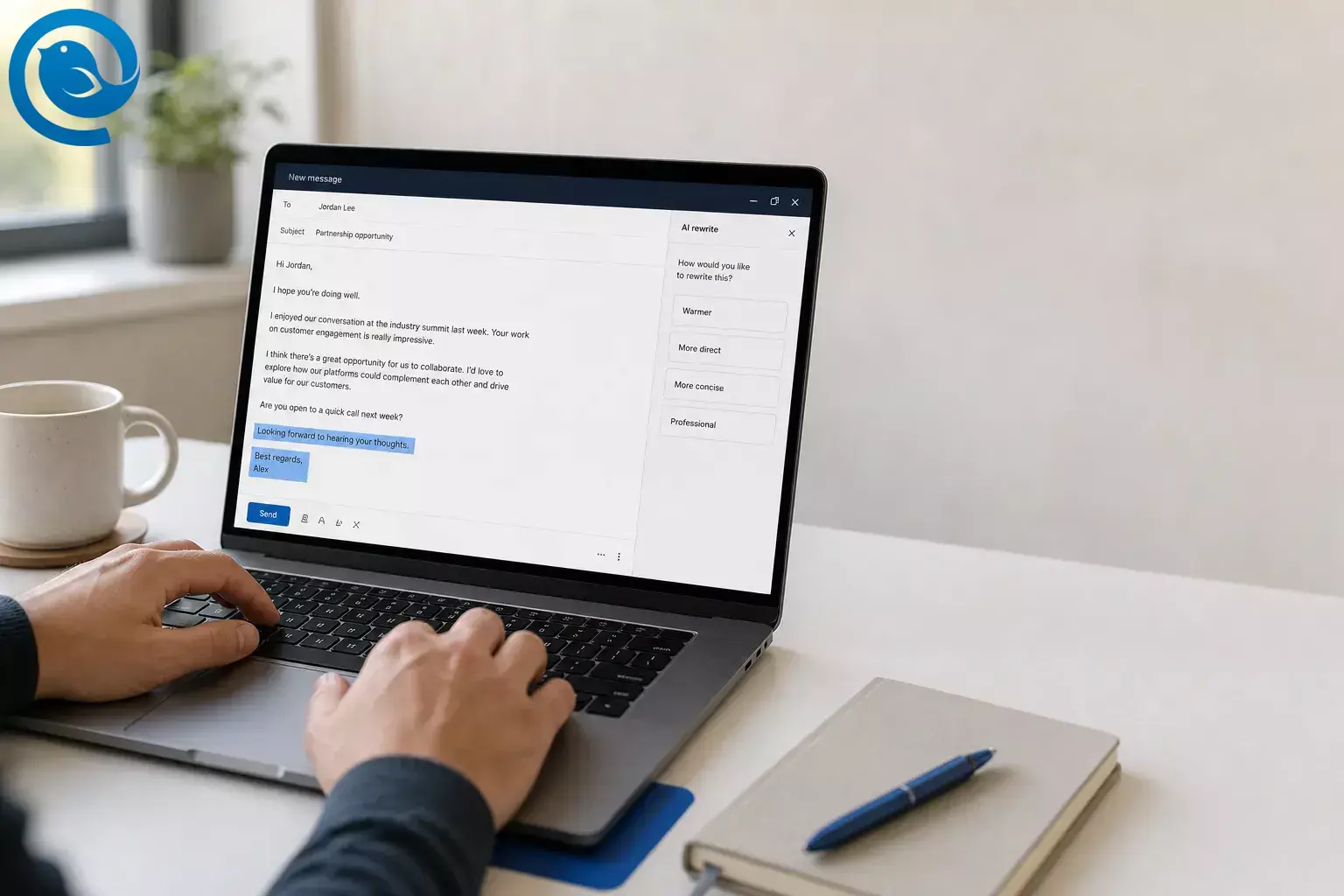
Looking for the best AI email closing tool? For most people, Grammarly is the safest default. Gmail users should start with Gemini, Outlook users with Copilot, and anyone who wants several options fast should use ChatGPT.
If you only need fresh ways to say “Best” or “Thanks,” an email sign off generator is enough. If you need a stronger final sentence, a clearer next step, or a less generic tone, use a full writing assistant.
This is a narrow comparison. The deciding factors are simple: can the tool work from the thread, rewrite just the ending, and keep the tone consistent?
What’s new
In May 2026, Google also added more context from Gmail and Drive plus tone-and-style personalization based on your previous emails. 1, 2, 3 OpenAI also added write actions for Microsoft and Google apps in March 2026, but workplace use can depend on admin-enabled actions and approved scopes. 11, 12
Quick picks
- Safest overall pick: Grammarly.
- Best built-in option for Gmail: Gemini’s Help me write.
- Best built-in option for Outlook: Copilot.
- Best for multiple options on demand: ChatGPT.
- Best for reply-heavy inboxes: Shortwave.
Quick comparison of AI email closing tools
The real question is not the model name. It is whether the tool can improve the last lines of an email without breaking your tone or stripping out the next step.
| Tool | Best for | Main strength | Watch out |
|---|---|---|---|
| Grammarly | General closing rewrites | Tone changes, selected-text rewrites, voice profile | Deeper voice and rewrite features depend on supported apps and plan level |
| Gemini in Gmail | Gmail users | Built into Gmail, more context from Gmail and Drive, tone personalization | Availability varies by plan, country, and account type |
| Copilot in Outlook | Microsoft 365 teams | In-place coaching for tone, clarity, and reader sentiment | Access varies by license, app version, and mailbox setup |
| ChatGPT | Multiple closing versions | Fast alternatives, prompt control, connected email context | Work actions and connectors may need admin approval |
| Shortwave | Reply-heavy workflows | Contextual replies and Ghostwriter voice learning | Best personalization is in paid tiers |
Grammarly
- Best for
- General closing rewrites
- Main strength
- Tone changes, selected-text rewrites, voice profile
- Watch out
- Deeper voice and rewrite features depend on supported apps and plan level
Gemini in Gmail
- Best for
- Gmail users
- Main strength
- Built into Gmail, more context from Gmail and Drive, tone personalization
- Watch out
- Availability varies by plan, country, and account type
Copilot in Outlook
- Best for
- Microsoft 365 teams
- Main strength
- In-place coaching for tone, clarity, and reader sentiment
- Watch out
- Access varies by license, app version, and mailbox setup
ChatGPT
- Best for
- Multiple closing versions
- Main strength
- Fast alternatives, prompt control, connected email context
- Watch out
- Work actions and connectors may need admin approval
Shortwave
- Best for
- Reply-heavy workflows
- Main strength
- Contextual replies and Ghostwriter voice learning
- Watch out
- Best personalization is in paid tiers
Best AI email closing tools
There is no single winner for everyone. If you already spend most of your day in Gmail or Outlook, try the AI built into that inbox before you pay for another tool.
1. Grammarly — safest overall for polishing closings
Grammarly is the safest overall pick because it combines generation, rewrites, tone changes, and voice features. In Gmail, it can help polish the last lines without forcing a full rewrite. Its voice features can build a profile from your writing style, and its rewrite tools can improve, rephrase, shorten, or shift a paragraph toward a friendlier or more formal tone. 7, 8, 9
- Use it when: you want strong rewrite controls for the last lines of the email.
- Best move: select only the final sentence and sign-off, then ask for a shorter, warmer, or more direct version.
- Watch out: the strongest voice and rewrite features depend on supported apps and plan level. 8, 9
Prompt to copy: Rewrite only the final two lines. Keep the ask clear. Make the sign-off professional but not stiff.
2. Gemini in Gmail — best built-in option for Gmail users
Gmail’s Help me write can draft new text or refine text you already wrote, with built-in options like Formalize, Friendly, and Shorten. In May 2026, Google also added more context from Gmail and Drive plus tone-and-style personalization based on your previous emails. Access still depends on plan, country, and account type. 1, 2, 3
- Use it when: you want the closing to use real thread context without copying text into another app.
- Best move: write the body first, then ask Gmail to rewrite only the ending in a friendlier or more concise tone.
- Watch out: feature access changes by plan, country, and account type. 3
Prompt to copy: Keep everything above. Rewrite the closing so it sounds warmer, includes the Friday deadline, and ends with a simple sign-off.
3. Copilot in Outlook — best built-in option for Microsoft 365 teams
Copilot is especially useful when the closing feels off but the rest of the message is fine. Coaching by Copilot reviews tone, clarity, and reader sentiment, and Outlook can apply all suggestions at once. Access depends on your subscription, app version, and mailbox setup. 4, 5, 6
- Use it when: you want a quick tone check before you send.
- Best move: draft the email yourself, then run coaching on the last paragraph to soften, sharpen, or simplify it.
- Watch out: some Copilot experiences are limited by license, Outlook version, or mailbox type. 5, 6
Prompt to copy: Tighten the final paragraph, make the closing confident, and remove any wording that sounds vague or passive.
4. ChatGPT — best for multiple closing options on demand
ChatGPT is the best pick when you want several versions of the same closing fast (how to write emails with ChatGPT). Its Outlook Email app can search and reference recent messages and draft a reply from that context. OpenAI also added write actions for Microsoft and Google apps in March 2026, but workplace use can depend on admin-enabled actions and approved scopes. 10, 11, 12
- Use it when: you want five alternatives, not one.
- Best move: ask for options by relationship and tone: safe, warm, direct, executive, and apologetic.
- Watch out: for work accounts, confirm your company allows the app connections you need. 11, 12
Prompt to copy: Give me 5 closing options for this email: one safest, one warmer, one more direct, one for a senior stakeholder, and one that asks for a reply by Thursday.
5. Shortwave — best for replies that should sound like you
Shortwave is the most email-specific option here. Its AI Assistant can generate contextual replies, improve existing drafts, and use Ghostwriter to learn from past sent emails so replies sound more like your real voice. The free plan includes the AI assistant, while deeper AI search and writing personalization sit in paid tiers. 13, 14
- Use it when: your biggest pain is high-volume replies, not one-off drafting.
- Best move: let it draft the reply, then edit only the final line and sign-off.
- Watch out: the best personalization features are in paid tiers. 14
Prompt to copy: Finish this reply in my usual style. Keep it brief, friendly, and decisive. Make the closing sentence clear and the sign-off natural.
How to choose the right AI email closing tool in 2 minutes
- Start with the inbox you already use every day.
- If you only need ending help, selected-text or paragraph rewrites matter more than full email generation.
- If tone consistency matters, choose a tool with voice features or past-email learning.
- If you want multiple alternatives fast, choose a chat-style tool.
- If this is for work email, check plan access and admin permissions before you commit. 3, 5, 11, 12
When an email sign off generator is enough
Use a simple email sign off generator when the body of the email already works and you only want better options than “Best,” “Regards,” or “Thanks.” Move up to a full assistant when the last sentence is weak, the ask is vague, or the tone does not fit the relationship.
What a good AI email closing should do
Whether you use a full assistant or a simple AI email sign off tool, the ending should do three jobs:
- Make the next step obvious: the reader should know what happens next.
- Match the relationship: it should sound right for the person on the other side.
- Keep one voice: it should feel like the same human wrote the whole email.
Weak: Let me know.
Better: Could you confirm by Thursday so I can lock the schedule?
Weak: Thanks in advance.
Better: Thanks for taking a look. If it helps, I can send a shorter summary.
Weak: Regards.
Better: Appreciate your help here. Best,
If you want a broader bank of examples, Mailbird has a separate guide to professional email sign-offs, which is better for browsing phrases than testing AI rewrites. 17
Copy-paste prompts for better AI email closings
Paste the draft, then tell the tool to rewrite only the ending unless you want a full rewrite.
- For follow-ups: Rewrite only the ending. Ask for a reply by Thursday. Keep it polite, not pushy.
- For client emails: Finish this email with a warm, professional closing and a simple next step. Keep the sign-off short.
- For bad news: Write a closing that shows empathy, sets expectations, and invites a reply. Keep it under 25 words.
- For AI email sign-off ideas only: Give me 10 sign-off options for this email, ordered from safest to warmest.
If you only need an AI email sign off, a generator is enough. If you also need thread context, tone matching, or a better final sentence, use a full writing assistant.
What can change before you pay for a tool
AI email features move fast. Google changes availability by plan and country, Microsoft changes access based on subscription and mailbox setup, and OpenAI can add new app actions or scopes that require admin approval. Re-check access before you buy a second tool or roll one out at work. 3, 5, 11, 12
Use whichever AI you prefer. Keep every inbox in one place.
Mailbird is a desktop email client for Windows and Mac that brings Gmail, Outlook, Yahoo Mail, iCloud Mail, Exchange, and other common accounts into one workspace. Its Unified Inbox can combine messages from connected accounts into a single view and still reply from the correct address, so you can separate the writing tool from the inbox tool instead of cramming everything into one app. 15, 16
Frequently Asked Questions
What is the best AI email closing tool?
For most people, it is Grammarly. If you already live in Gmail or Outlook all day, start with the AI built into that inbox first.
What is an email sign off generator?
An email sign off generator is a simpler tool that suggests alternatives to endings like “Best,” “Thanks,” or “Regards.” Use it when the body of the email already works and you only need a better sign-off. Use a full assistant when the last sentence or tone also needs work.
Can AI make my sign-offs sound like me?
Is Gmail’s Help me write enough for business email closings?
Is Outlook Copilot better than ChatGPT for email closings?
Is it safe to connect AI to my work email?
What is the difference between a closing and a sign-off?
The closing is your last sentence. The sign-off is the short phrase before your name, such as “Best” or “Thanks.”
Sources
- Google Workspace Updates — Improvements to Help Me Write in Gmail
- Gmail Help — Draft emails with Gemini in Gmail
- Gmail Help — Learn about Gemini features in Gmail
- Microsoft Support — Get email coaching with Copilot in Outlook
- Microsoft Support — Frequently asked questions about Copilot in Outlook
- Microsoft Support — Sharing Copilot in Outlook
- Grammarly — Grammarly for Gmail
- Grammarly Support — Introducing voice features
- Grammarly Support — Introducing paragraph-level rewrites
- OpenAI Help Center — Outlook Email and Calendar apps in ChatGPT
- OpenAI Help Center — Google app data controls FAQ
- OpenAI Help Center — ChatGPT Business release notes
- Shortwave Docs — The Shortwave AI Assistant
- Shortwave Docs — Billing
- Mailbird — Desktop Email Client for Windows and Mac
- Mailbird Help Center — Unified Inbox
- Mailbird — Professional Email Sign-Offs: How to End an Email


