Why Shared Gmail Logins Are a Team Liability — And What To Use Instead
Sharing a single Gmail login across your team creates serious security vulnerabilities, accountability problems, and compliance risks that worsen as your organization grows. This guide explains why shared credentials undermine productivity, how they expose your business to threats, and what modern alternatives can provide secure collaboration without operational liabilities.



Sharing a single Gmail login across your team might feel like the easiest path forward—one password, one inbox, everyone stays in the loop. But if you've noticed confusion about who's handling which customer email, worried about what happens when someone leaves your team, or felt that nagging concern about security, you're experiencing the real costs of shared credentials. These aren't just theoretical risks; they're daily frustrations that undermine your team's productivity, expose your business to serious security vulnerabilities, and create compliance headaches that grow more severe as regulations tighten.
The reality is that shared Gmail logins create a tangled web of accountability problems, security gaps, and operational inefficiencies that become harder to untangle as your team grows. When multiple people use the same credentials, you lose the ability to track who did what, you amplify the risk of credential theft, and you make it nearly impossible to revoke access cleanly when team members leave. According to NIST's cybersecurity guidelines, unique user identities form the foundation of modern access management—and shared logins violate this fundamental principle.
This article will walk you through exactly why shared Gmail logins are problematic, how these issues show up in real-world workflows, and what modern alternatives can give you the collaboration you need without the security and operational liabilities. We'll also explore how desktop email clients like Mailbird can serve as productivity hubs when configured correctly with individual identities and role-based access—helping you move away from shared credentials while maintaining the convenience your team values.
The Security and Accountability Nightmare of Shared Logins
Losing Track of Who Did What
When your entire support team shares support@company.com credentials, every action in that account—reading messages, sending replies, deleting threads, changing settings—is attributed to the same shared identity. There's no reliable way to determine which person performed a specific action. This creates serious problems when you need to investigate a customer complaint, respond to a regulatory inquiry, or simply understand why an important email was deleted.
Consider a scenario where a customer disputes what your team told them about a billing issue. With individual accounts, you could review the audit trail to see exactly who responded and when. With a shared login, your email metadata shows only "support@company.com" as the actor, leaving you with no evidence to distinguish between different agents' actions. This ambiguity can weaken your position in disputes and make it nearly impossible to implement proper performance management or accountability measures.
According to ISO/IEC 27001 information security standards, unique user accounts and auditable activity logs are foundational controls for any organization handling sensitive information. Shared Gmail logins fundamentally conflict with these best practices, creating red flags for auditors, regulators, and potential partners who expect mature security practices.
Amplified Credential Theft and Password Reuse Risks
Every time you share a password with a new team member, you expand your attack surface. That password gets typed into new devices, stored in various locations (often insecurely), and transmitted over channels that may not be encrypted. Team members might save the shared password in plain-text documents, personal notes apps, or unencrypted browser password managers. They might send it via unencrypted messaging apps or email when onboarding new staff.
The problem compounds because organizations rarely change shared passwords regularly—doing so requires coordinating updates across multiple users and devices, which is disruptive enough that teams simply avoid it. This creates long-lived passwords that may be reused by team members on other websites. If any of those services suffer a data breach, attackers can leverage credential stuffing attacks against your Gmail account, trying compromised username-password pairs en masse.
Phishing attacks become exponentially more dangerous with shared logins. If one person falls for a phishing email and enters the shared Gmail credentials into a fake login page, the entire account is immediately compromised—along with everyone's access and all data associated with it. According to CISA's cybersecurity guidance, credential compromise remains one of the most common initial access vectors for cyber attacks, and shared credentials dramatically increase this vulnerability.
The Multi-Factor Authentication Problem
Multi-factor authentication (MFA) is widely recognized as essential for protecting email accounts—many cyber insurance policies now require it. But MFA becomes operationally messy with shared accounts. A typical MFA setup sends a code or prompt to a single device or phone number. When multiple users share an account, they either rely on one person to approve all login requests (creating a bottleneck and single point of failure) or attempt to share MFA tokens, which undermines the entire purpose of multi-factor authentication.
The practical difficulties often lead organizations to disable MFA for shared accounts altogether, significantly weakening their security posture. This creates a particularly attractive target for attackers who scan for accounts without MFA protection. The Microsoft Security team reports that MFA can block over 99.9% of account compromise attacks—but only when properly implemented with individual identities.
When Offboarding Becomes Impossible
What happens when someone leaves your team? Best practice dictates that their access to all systems should be revoked immediately. But with shared Gmail logins, revoking access requires changing the password and redistributing it to all remaining team members, updating every configured device and client, and potentially dealing with MFA re-enrollment. This process is so cumbersome and disruptive that many organizations simply don't do it consistently.
The result? Former employees or contractors often retain access for months or years after departure, posing an ongoing security risk that many organizations don't even realize exists. Even when you do change the password, you may forget to update third-party apps, integrations, or backup processes. Old app passwords or tokens may continue to work, providing backdoor access to the account long after someone officially leaves.
From an HR perspective, this creates additional complications. If you need to investigate misconduct or performance issues, you may not be able to distinguish one employee's actions from another's. This ambiguity can undermine disciplinary processes, create perceptions of unfairness, and expose your organization to grievances or legal challenges.
Privacy, Confidentiality, and Regulatory Exposure
Violating the Principle of Least Privilege
Email often contains highly sensitive information—customer contact details, financial records, health information, internal HR communications. When multiple people share access to a Gmail account handling such information, employees who don't need to see certain types of data for their role nevertheless have full access to everything. This violates the principle of least privilege, a cornerstone of modern data protection.
According to GDPR requirements, organizations must implement appropriate technical and organizational measures to protect personal data, including restricting access to those who genuinely need it. Shared logins make it difficult to demonstrate compliance with these requirements. In the event of a data subject access request or regulatory inquiry, you may need to show who accessed specific personal data and for what purpose. With a shared Gmail login, the only trace is "the shared account accessed the data"—which is unlikely to satisfy regulators' expectations for accountability and transparency.
Sector-Specific Compliance Nightmares
Industry-specific regulations can be even more stringent. In healthcare contexts governed by HIPAA, shared logins have long been recognized as violations of basic security safeguards because they prevent proper logging and monitoring of access to protected health information. Similarly, in financial services or public-sector environments, regulators and auditors expect granular access logs and unique user identifiers.
Professional services firms—law practices, consulting agencies, creative studios—often handle highly sensitive client communications. Using a shared Gmail login for such interactions exposes client information to broader internal audiences than necessary and may conflict with contractual or ethical obligations to limit access. If a client discovers that their sensitive messages were accessible to a wide array of staff, including junior or temporary employees who didn't need to see them, trust in your organization can be severely damaged.
Incident Response and Forensics Limitations
Effective incident response depends on timely detection, clear understanding of what happened, and the ability to remediate and prevent recurrence. Shared Gmail logins hinder all three aspects. When multiple users share an account, anomalous behavior—logins from unusual locations, unexpected forwarding rules, unfamiliar messages—may be overlooked because no single person feels responsible for monitoring the account's security posture.
Security alerts that Google sends may be ignored or assumed to be related to legitimate activity by another team member. This diffusion of responsibility can allow attackers to maintain persistence in a compromised account for extended periods. If a security incident is detected, forensics and root cause analysis are hampered by the lack of individual user attribution. You may not be able to determine which device was the initial point of compromise, which specific user responded to a phishing email, or whether any insider actions contributed to the breach.
The SANS Institute's incident response guidance emphasizes that effective forensics require clear attribution of actions to individuals. Shared credentials fundamentally undermine this capability, making both investigation and targeted remediation significantly more difficult.
The Hidden Operational and Productivity Costs
Message Collision and Duplicated Work
Beyond security concerns, shared Gmail logins create pervasive operational inefficiencies that erode productivity daily. Message collision is one of the most common frustrations—multiple team members independently open and respond to the same incoming email because they have no clear visibility into who is handling which message. Without proper assignment and status tracking, two people may send different replies, creating confusion for the recipient and making your organization appear disorganized.
Alternatively, each person may assume someone else is handling a message, leading to missed or delayed responses. Teams often attempt to manage this informally using Gmail's read/unread states, labels, or stars, but these tools weren't designed for multi-user collaborative workflows. The read/unread status is global—once one person reads a message, it appears read to everyone else, making it easy for messages to slip through the cracks.
In environments where response times directly impact customer satisfaction—such as customer support or sales—these coordination failures significantly impact outcomes. Customers receive delayed or conflicting responses, or their messages fall through the cracks entirely. Team members waste time checking with each other about whether emails have been handled or reviewing the same messages multiple times because there's no clear indication of their status.
Fragmented Context and Inconsistent Customer Experience
When multiple people reply to messages from the same address without clear internal notes or history, they may not be aware of previous interactions with the same customer or the nuances of their situation. Gmail's conversation view helps by grouping messages in a thread, but it doesn't provide structured internal notes or the ability to maintain distinct internal and external views of a conversation.
This lack of structured context often results in inconsistent tone, policy application, or problem-solving approaches. One agent might offer a discount or exception, while another refuses a similar request because they're unaware of the precedent. Customers receive responses that contradict each other or don't acknowledge previous commitments. Over time, this inconsistency harms your organization's reputation and customer loyalty.
Some teams try to address this by maintaining separate documents or spreadsheets to track customer interactions, or by using internal chat tools to coordinate. While these workarounds can help, they add cognitive overhead and are prone to gaps and mismatches between the email record and external tracking. A more robust solution would provide integrated context and internal collaboration capabilities directly within the email workflow.
The Scaling Problem: From Two People to Twenty
What seems manageable with two or three people quickly becomes chaotic as a team grows. Scaling shared Gmail logins beyond a very small group amplifies all operational issues and introduces new ones. With more people accessing the same account, the risk of step-on-toes scenarios increases. Multiple agents may start drafting replies, or an email may be reassigned informally several times without clear communication.
Time zone differences exacerbate these problems. In distributed teams, users in different regions access the shared inbox at different times, leading to asynchronous processing and increased risk of misalignment. A European agent may partially handle a customer issue during their day, only for an American agent to pick up the same thread later without full understanding of what was done.
As email volume increases, Gmail's single-inbox paradigm shows its limitations. There's no native concept of queues, service-level agreements (SLAs), or workload balancing across team members. Managers cannot easily see who is handling which messages, how many open conversations each person has, or whether response targets are being met. This lack of visibility makes it difficult to manage performance, forecast staffing needs, or identify bottlenecks.
Cognitive Load and User Experience Friction
Working in a shared inbox can be cognitively demanding. Users must constantly infer what others are doing, track which messages they've mentally "claimed," and manage uncertainty about whether a given email is their responsibility. This creates background stress and distracts from the actual content of the messages. Because there's no system-enforced assignment, users rely on mental models and social cues that are imperfect and fragile.
The lack of personalization in a shared account is also frustrating. Individual users may have different preferences for filters, labels, signatures, and keyboard shortcuts. In a shared Gmail login, any changes to these settings affect everyone, forcing users into compromises or leading to continual configuration changes that confuse others. One person might create a filter to auto-archive messages from a particular sender, inadvertently hiding those messages from others who need to see them.
Modern Alternatives That Preserve Collaboration Without the Risks
Individual Google Accounts Plus Delegated Access
One of the most straightforward alternatives within the Google ecosystem is email delegation. Gmail supports a feature where the owner of an account can delegate access to another Google account, allowing the delegate to read, send, and delete messages on behalf of the owner—without needing to share the password. In a Google Workspace environment, this can be used to create role-based mailboxes like support@company.com that are owned by the organization and then delegated to individual employees' accounts.
This approach has several significant benefits compared to shared logins. First, each user authenticates with their own credentials and can have individual MFA configured, aligning with best practices for identity and access management. If an employee leaves the organization, their access to the delegated mailbox can be revoked by removing the delegation from their account—no need to change passwords or reconfigure devices.
Second, actions taken by delegates can be more readily attributed to individuals within Google Workspace's audit logs, improving accountability and supporting compliance requirements. According to Google Workspace's admin documentation, delegated access maintains proper audit trails while enabling collaboration.
Delegated access integrates well with email clients like Mailbird. Users can add both their primary Google account and any delegated mailboxes as separate accounts in the client, each with its own configuration. This allows them to manage personal and role-based communications in one interface while still benefiting from individual authentication and access control. From a user experience standpoint, this provides much of the convenience that teams seek with shared logins, but with significantly reduced security and operational risks.
Google Groups and Collaborative Inboxes
Another option within the Google ecosystem is using Google Groups as collaborative inboxes. Instead of having multiple people share a single Gmail login, organizations can create a group with an email address such as support@company.com and add individual users as members. Messages sent to the group are distributed to members or made available through a web-based collaborative inbox interface.
Members can take actions such as assigning topics to themselves, marking them as completed, or categorizing them—providing some of the basic workflow features that shared Gmail logins lack. Collaborative inboxes have clear advantages for accountability and access control. Each action within the group is tied to an individual user's account, and access can be granted or revoked by adding or removing members. There's no need to share passwords, and MFA can be applied individually.
From a client integration perspective, Google Groups can be accessed via email clients if messages are set to be delivered to each member's inbox. In such a configuration, Mailbird users would receive and respond to group emails within their personal accounts, potentially using aliases to preserve the group address in outgoing messages. This model works well for smaller teams, although it may require careful configuration to avoid duplicate notifications or cluttered inboxes.
Dedicated Shared Inbox and Help Desk Platforms
For teams handling high volumes of customer interactions or requiring structured workflows, dedicated shared inbox or help desk platforms offer robust alternatives to shared Gmail logins. Tools such as Help Scout, Front, Zendesk, and Freshdesk are designed explicitly for multi-user collaboration on email-based communication.
These platforms provide features like conversation assignment, internal notes, collision detection (preventing multiple agents from replying to the same message simultaneously), automation rules, reporting, and integrations with CRMs and other business applications. They typically integrate with Gmail either by connecting via IMAP/SMTP or through API-based connectors that sync incoming and outgoing messages.
Rather than having multiple users log directly into the Gmail account, the platform ingests messages and presents them in a unified interface where each user has their own account and permissions. Actions taken in the platform are recorded with the user's identity, allowing for full accountability and audit trails. Some tools also support sending replies from the original Gmail address, maintaining continuity for customers.
The advantages over shared logins are substantial. Collision detection prevents duplicate responses. Internal notes and mentions allow teams to collaborate on complex cases without exposing internal discussion to customers. Assignment and status tracking provide clarity about who is responsible for each conversation and how it's progressing. Analytics and reporting enable managers to monitor response times, workloads, and satisfaction metrics.
In a Mailbird-centric environment, teams might use Mailbird primarily for individual email accounts and specialized communication, while using the shared inbox platform's interface for customer support. The key point is that once a dedicated platform is in place, there's no longer any justification for sharing Gmail credentials—the platform becomes the locus of collaboration, and Gmail is simply an underlying transport channel.
Identity and Access Management: SSO, Role-Based Access, and Password Managers
Addressing the root problems posed by shared Gmail logins requires thinking beyond email toward broader identity and access management (IAM) practices. Modern IAM approaches emphasize unique user identities, single sign-on (SSO), role-based access control (RBAC), and secure password management.
SSO solutions based on standards like SAML or OpenID Connect allow organizations to connect Google Workspace to an identity provider such as Okta or Azure AD. This centralizes authentication and allows for consistent enforcement of MFA policies, session controls, and account lifecycle management. When an employee joins, changes roles, or leaves, their access can be adjusted centrally, without needing to track down individual passwords.
Role-based access control complements SSO by ensuring that users only have access to systems and data necessary for their roles. Instead of sharing credentials for a generic support@ account, IAM policies can grant a support role access to a shared inbox in a help desk platform or delegated mailbox in Gmail—all mediated by individual identities. This aligns with the principle of least privilege and reduces the blast radius if one account is compromised.
According to NIST's Digital Identity Guidelines, proper identity lifecycle management is essential for maintaining security and compliance in modern organizations. Individual identities with proper access controls form the foundation of this approach.
Role-Based Mailboxes Plus Mailbird as a Productivity Hub
Within this broader ecosystem of alternatives, Mailbird plays a specific role as a multi-account desktop email client that can serve as a productivity hub for individual users. Its strengths include support for multiple email accounts, unified inbox views, fast search, and integrations with calendar and productivity tools. These capabilities can be harnessed in a way that aligns with security best practices and eliminates the need for shared Gmail logins.
A secure, modern approach is to define role-based mailboxes at the Google Workspace level—such as support@, billing@, or sales@—and then grant access to these addresses either via delegation to individual accounts or through group-based forwarding and aliases. Each employee then adds their own account, and any delegated or role-based mailboxes, to Mailbird.
Within the client, they can see messages from all relevant sources in a unified or segmented view, reply using the appropriate "from" address or alias, and manage their workflows without ever needing to share passwords with colleagues. Mailbird's ability to handle multiple identities allows users to switch seamlessly between personal, functional, and delegated roles without losing context.
For instance, a support agent might have their personal account, the support@ delegated mailbox, and a personal alias they use for specialized projects—all configured in one Mailbird installation. They can configure per-account signatures, rules, and notifications, tailoring their experience while remaining within the organization's access control structures. If they leave the organization, administrators can revoke their access to the delegated mailboxes and disable their Google account, while the role-based addresses remain intact and can be reassigned.
In this model, Mailbird becomes a key enabler of best practices by making multi-account workflows usable and efficient. Rather than resorting to shared Gmail logins to achieve "everyone sees the same inbox," organizations can rely on properly configured role-based mailboxes, delegation, and aliases, and trust that each user can still enjoy a cohesive, high-performance experience on their own machine.
How to Migrate Away from Shared Gmail Logins
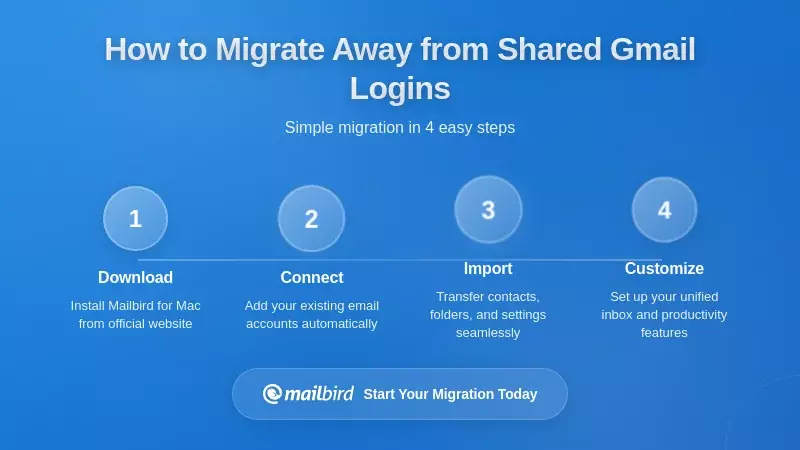
Step 1: Assess Your Current State
For teams currently relying on shared Gmail logins, the first step toward a safer setup is understanding the existing environment in detail. This assessment should cover not only the email account itself but also the broader landscape of devices, users, and integrations associated with it. Relevant questions include:
- How many people know the password?
- On which devices and clients is the account configured?
- What data and services are accessible through this account?
- Are any third-party applications connected via OAuth or app-specific passwords?
- What operational roles does the shared account serve?
Map the operational roles that the shared account serves. A single shared inbox might be used for general inquiries, support, billing, and partner communications, all intermixed. Identifying these roles helps determine how to structure role-based mailboxes, groups, or shared inbox tools in the future. Understanding message volumes, patterns, and service expectations is valuable for selecting appropriate alternatives.
This assessment phase is also an opportunity to gauge user habits and pain points. Team members can provide insights into what they find frustrating or risky about the current shared login—such as duplication of effort, confusion about ownership, or fear of accidentally deleting important messages. Capturing these experiences not only informs solution design but also helps build a case for change that resonates with users.
Step 2: Design Your Target Architecture
Based on the assessment, design a target architecture that replaces shared logins with a combination of individual identities, role-based addresses, and appropriate collaboration tools. The design should align with organizational priorities, resource constraints, and growth plans. At its core, the architecture should enforce unique user accounts with individual authentication and MFA.
For many organizations, a practical design will involve a mix of dedicated mailboxes and groups. Role-based addresses such as support@, sales@, and billing@ can be implemented as either separate mailboxes delegated to individual users or as Google Groups with collaborative features, depending on preferences and licensing. Aliases can be used to present a consistent outward-facing set of addresses even if the underlying technical structure varies.
From the perspective of end users, the design should aim to preserve or improve usability. For Mailbird-using teams, this means ensuring that each user can configure their accounts in the client in a way that reflects their roles. The architecture might specify that each employee will have their primary Google Workspace account configured in Mailbird, along with any delegated mailboxes relevant to their role.
Security and compliance requirements should be integral to the design, not an afterthought. The target architecture should specify how MFA will be enforced, how access to role-based addresses will be granted and revoked, and how activity will be logged and monitored.
Step 3: Plan and Execute the Migration
Migrating away from shared Gmail logins requires careful planning to minimize disruption and prevent data loss. A phased approach is often appropriate. Initially, create the new role-based mailboxes, groups, or integrations and configure access for a small pilot group of users. These users can begin using the new setup while the shared login remains operational in parallel, providing an opportunity to refine settings and workflows based on real-world feedback.
Once confidence in the new setup grows, plan a cutover. This typically involves updating DNS records, contact forms, website links, and any other systems that send or receive email to point to the new addresses or integrations. Auto-forwarding can be configured temporarily from the old shared account to the new mailboxes or platforms to catch any messages sent to old addresses.
During and after cutover, close monitoring is critical. Metrics such as message volumes, response times, and user-reported issues can help identify gaps or misconfigurations. Administrators should monitor the old shared account to ensure that no critical messages are left there and to confirm that no one continues to use it contrary to policy.
Throughout the migration, communication and training are essential. Users need to understand not only how to use the new tools and workflows but also why the change is being made. Emphasizing the security, compliance, and productivity benefits, supported by concrete examples from the assessment phase, can help build buy-in. For teams using Mailbird, targeted training can show how to configure and use multiple accounts, manage unified inbox views, and adopt best practices for working with role-based addresses.
Step 4: Update Policy, Training, and Culture
Technical changes alone are insufficient if organizational culture continues to tolerate or encourage password sharing. As the transition away from shared Gmail logins proceeds, codify expectations in policies and reinforce them through training and leadership messaging. An updated acceptable use or information security policy should state clearly that user accounts, including email accounts, are for individual use only and that sharing passwords is prohibited.
Training should address both the "how" and the "why." On the practical side, users need to know how to request access to role-based mailboxes or tools, how to use them in their daily work, and how to handle edge cases. On the conceptual side, they need to understand how shared logins undermine security and accountability, and how unique identities and proper access controls benefit both the organization and its employees.
Leadership plays an important role in signaling the importance of this change. When leaders use proper identity practices themselves and support investments in tools like shared inbox platforms or Mailbird licenses, they demonstrate that security and professionalization of workflows are priorities, not optional extras.
Special Considerations for Small Teams and Nonprofits
Small teams and nonprofits face particular challenges in moving away from shared Gmail logins, often due to limited budgets, technical expertise, and staff time. However, the risks and long-term costs are just as real, if not more so, given that they may lack formal incident response capabilities or legal support.
One pragmatic strategy is to start with low-cost or free alternatives within the Google ecosystem, such as using Google Groups for role-based addresses and individual free Google accounts for team members. Even without a paid Google Workspace subscription, it's possible to create structures that avoid password sharing and provide basic collaboration.
Nonprofits and small businesses should also explore discounts or grants offered by software vendors and service providers. Many shared inbox and help desk platforms offer reduced pricing for nonprofits or small teams, and desktop email clients like Mailbird may have licensing options suitable for smaller organizations. According to TechSoup, numerous technology providers offer significant discounts to qualifying nonprofit organizations.
The Broader Context: Why This Matters Now More Than Ever
Growing Emphasis on Identity-Centric Security
The shift away from shared Gmail logins is part of a broader trend toward identity-centric security models, often summarized under banners like "zero trust" and "secure access service edge" (SASE). In these models, access decisions are based on verified user identities, device health, and contextual signals rather than static network perimeters or shared secrets.
Industry reports and vendor roadmaps reflect this shift, with growing investment in IAM, SSO, MFA, and behavioral analytics. Regulators and cyber insurance providers are also embedding identity-centric expectations into their requirements and underwriting criteria. As organizations adopt these paradigms, practices like shared email logins become outliers that auditors and security teams seek to eliminate.
Desktop email clients like Mailbird can align with these trends by supporting secure authentication mechanisms, handling multiple identities gracefully, and integrating with broader security ecosystems. Leveraging OAuth-based authentication rather than storing raw passwords, respecting organizational security policies, and facilitating the use of delegated mailboxes rather than shared logins makes Mailbird an ally in identity-centric strategies.
Regulatory and Insurance Pressures on Credential Practices
The regulatory environment is increasingly hostile to weak credential practices. Data protection authorities routinely emphasize the need for unique user identifiers and the ability to trace access to personal data. Breach notification regimes often require organizations to report not only that an incident occurred but also which individuals' data was accessed and by whom. Shared logins, by their nature, frustrate these requirements and can lead to harsher regulatory assessments if a breach occurs.
Cyber insurance providers are similarly tightening their underwriting standards. Insurers may ask detailed questions about identity and access management practices, including the use of MFA, the presence of SSO, and whether user accounts are shared. Organizations that cannot demonstrate robust practices may face higher premiums, exclusions, or even denial of coverage.
These external pressures offer a powerful framing for moving away from shared logins. Instead of presenting it as merely a best practice, organizations should recognize how it aligns with regulatory expectations and insurance requirements. According to CISA's Cyber Essentials guidance, proper identity management is foundational to organizational cyber resilience.
User Expectations and the Professionalization of Small Teams
User expectations around professionalism and security have evolved as well. Customers are increasingly aware of data privacy and security issues, and they may question or lose trust in organizations that appear to handle their information casually. Simple missteps—such as receiving contradictory responses from a shared inbox or noticing that internal email practices seem ad hoc—can erode confidence.
For small teams and startups, this dynamic is especially important. They often compete with larger organizations that have more formalized processes and resources. Adopting professional-grade tools and practices, including proper identity and email management, can level the playing field and signal maturity. Shared Gmail logins, by contrast, are increasingly seen as a hallmark of an immature or unsophisticated operation.
Mailbird can contribute to this professionalization by enabling small teams to manage email at a high standard without requiring extensive IT infrastructure. By supporting multiple accounts, unified inboxes, and integrations with calendars and other tools, it allows individual users to operate with the efficiency and polish of larger organizations—provided it's paired with back-end practices that avoid shared credentials.
Frequently Asked Questions
What's the biggest security risk of sharing Gmail login credentials across a team?
The biggest security risk is the complete loss of individual accountability and amplified credential exposure. When multiple people share the same Gmail login, every action taken in that account is attributed to the shared identity, making it impossible to determine who accessed what data, sent which messages, or made configuration changes. This fundamentally undermines modern security principles and compliance requirements. Additionally, each person who knows the password represents another potential point of compromise—if any one team member falls victim to phishing or uses the password on a compromised system, your entire shared account is immediately at risk. According to NIST's cybersecurity guidelines, unique user identities with individual authentication form the foundation of proper access management, and shared logins violate this fundamental principle.
How can I give my team access to a shared email address like support@company.com without sharing passwords?
There are several secure alternatives that preserve collaboration without password sharing. Within Google Workspace, you can use email delegation, where the support@company.com mailbox is owned by the organization and then delegated to individual employees' accounts. Each team member logs in with their own credentials and MFA, then accesses the delegated mailbox through their authenticated session. Alternatively, you can set up a Google Group with collaborative inbox features, where support@company.com is a group address and individual members can assign, categorize, and respond to messages while maintaining individual identities. For more advanced workflows, dedicated shared inbox platforms like Help Scout or Front connect to your Gmail address and provide rich collaboration features with full individual accountability. Desktop clients like Mailbird support these approaches by allowing users to add multiple accounts—their personal account plus any delegated mailboxes—all managed securely without sharing credentials.
What happens to our shared Gmail account when an employee leaves the company?
This is one of the most serious operational problems with shared logins. When someone leaves, best practice requires immediately revoking their access to all systems. However, with a shared Gmail login, this means changing the password and redistributing it to all remaining team members, updating every configured device and email client, and potentially re-enrolling MFA—a process so disruptive that many organizations simply don't do it consistently. The result is that former employees often retain access for months or years after departure, posing an ongoing security risk. Even when you do change the password, you may forget to update third-party integrations, app-specific passwords, or backup processes that continue to provide backdoor access. With proper identity management using delegated access or role-based mailboxes, you simply remove the departing employee's delegation or group membership, and their access is instantly revoked without affecting anyone else or requiring password changes.
Can Mailbird help my team work with shared email addresses securely?
Yes, but only when configured correctly with proper identity management on the back end. Mailbird excels as a multi-account desktop email client that allows users to manage multiple email identities in one interface. The secure approach is to set up role-based mailboxes (like support@company.com) using Google Workspace delegation or groups, then have each team member add their personal account plus any delegated mailboxes to Mailbird. This way, each person authenticates individually with their own credentials and MFA, while still being able to access and respond from the shared address. Mailbird's unified inbox view lets users see messages from all their accounts in one place, switch between identities seamlessly, and configure per-account signatures and rules—all without ever sharing passwords. The key is that Mailbird should be used to access properly configured individual and delegated accounts, not as a tool to store and access shared credentials across multiple devices.
How do I convince my small team or nonprofit to stop using shared Gmail logins when we have limited budget?
Start by emphasizing that the risks of shared logins—security breaches, compliance violations, and operational chaos—can be far more costly than investing in proper solutions. Even with limited budget, you can implement safer alternatives using free or low-cost options within the Google ecosystem. Google Groups with collaborative inbox features are available even on free Gmail accounts and provide basic workflow management without password sharing. If you're using Google Workspace, email delegation is included at no additional cost and immediately improves security and accountability. Many shared inbox platforms and help desk tools offer significant discounts or free tiers for nonprofits and small teams—TechSoup is an excellent resource for finding these opportunities. Additionally, the long-term costs of a security incident, regulatory fine, or lost customer trust far exceed the modest investment in proper tools and practices. Frame the conversation around risk reduction and professional maturity rather than just technology spending, and highlight how even small improvements in identity management can significantly reduce your organization's exposure.
What's the difference between email delegation and Google Groups for managing shared addresses?
Email delegation allows one Gmail or Google Workspace account to grant another user permission to read, send, and manage email on its behalf. The delegated mailbox remains a distinct account (like support@company.com), and individual users access it through their own authenticated sessions. This is ideal when you want a small number of specific people to have full access to a functional mailbox while maintaining individual authentication and audit trails. Google Groups, on the other hand, creates a group email address where messages can be distributed to all members or managed through a collaborative inbox interface. Groups are better suited for broader distribution, team discussions, or when you want multiple people to see messages but with more structured assignment and categorization features. Both approaches are significantly more secure than sharing passwords, and both can be integrated with desktop clients like Mailbird. The choice depends on your workflow needs: delegation works well for small teams with full-access requirements, while groups scale better for larger teams needing structured collaboration and don't require every member to have full mailbox access.
How does using shared Gmail logins affect our compliance with data protection regulations like GDPR?
Shared Gmail logins create serious compliance challenges under modern data protection regulations. GDPR and similar frameworks require organizations to implement appropriate technical and organizational measures to protect personal data, including restricting access based on the principle of least privilege and maintaining records of who accessed what data and when. With shared logins, you cannot reliably demonstrate these controls. When multiple people use the same credentials, employees who don't need access to certain types of personal data for their role may nevertheless see everything in the shared mailbox, violating least privilege principles. More critically, in the event of a data subject access request, breach notification, or regulatory inquiry, you cannot accurately show who accessed specific personal data because all actions are attributed to the shared account. This lack of individual accountability and audit trails can result in regulatory findings, fines, and reputational damage. Regulators increasingly expect unique user identifiers and granular access logs as baseline security practices, making shared credentials a significant compliance liability that grows more serious as privacy regulations continue to strengthen globally.
What should I do if my team is already using Mailbird with a shared Gmail account configured on multiple computers?
You should transition to a proper identity management approach as soon as possible. First, assess your current state: document how many people and devices have the shared account configured, what role it serves, and what data it contains. Then design your target architecture using email delegation, Google Groups, or a dedicated shared inbox platform—choosing the approach that best fits your team's size and workflow needs. Create the new configuration (delegated mailboxes or groups) and set up a pilot group of users with their individual accounts plus proper access to the role-based addresses. Once you've validated the new setup works, provide clear training to all team members on how to reconfigure Mailbird: they should remove the shared account from their Mailbird installations and instead add their own individual Google account plus any delegated mailboxes they need access to. Mailbird's multi-account support makes this transition smooth—users can still see all relevant messages in a unified view, but now each person is authenticated individually with their own credentials and MFA. After everyone has migrated, change the password on the old shared account (or better yet, disable it entirely) to ensure no one continues using it. Throughout this process, emphasize the security, compliance, and operational benefits to help team members understand why the change matters.


