Why Email Etiquette Actually Matters at Work
Short answer: email etiquette matters at work because bad email gets misread, creates false urgency, weakens credibility, and wastes time.



Short answer: email etiquette matters at work because bad email gets misread, creates false urgency, weakens credibility, and wastes time.
By email etiquette, we mean the small choices that make a message easy to read, easy to answer, and hard to misread. That is the importance of email etiquette in the workplace in plain terms: fewer avoidable threads, faster decisions, and less friction between people trying to move the same work forward.
In one multinational company, a three-hour email management program reduced workers’ reported time spent on email by 12.72% and improved their sense of control over email by 14.53% in 1.5 months. The control group barely moved. [2]
Key takeaways
- Bad email gets misread, creates false urgency, weakens credibility, and wastes time.
- Tone is easy to misread in email, and senders are often overconfident about how clear they sound.
- Response expectations are often overestimated, especially outside normal work hours.
- Professional email addresses, norm-matching, formatting, and proofreading affect how the sender is judged and whether people comply with requests.
- In one multinational company, email training reduced reported time spent on email by 12.72% and improved workers’ sense of control over email by 14.53% in 1.5 months. [2]
- High-value habits stay short: write a clear subject, make one ask , state the response window, and read once for tone and once for errors.
Why does email etiquette matter in the workplace?
Most email mistakes do not announce themselves as etiquette mistakes. They show up as a deal that goes cold, a teammate who treats every note as urgent, a manager who reads annoyance into a neutral line, or a project that needs five emails to settle one simple decision.
The pattern is simple: the message made the reader do extra interpretation work. Once that happens, speed drops and trust often drops with it.
Misread tone
Email strips away vocal cues, and people are worse at reading tone than they think. [3]
False urgency
Receivers often assume a reply is needed faster than the sender intends, especially after hours. [5]
Damaged credibility
Errors, mismatched formality, and weak first-contact cues change how writers are judged and whether people respond. [4] [7] [8]
Wasted time
Better email habits can lower reported inbox time and increase perceived control. [2]
Misread tone is not a soft problem
In classic experiments, people communicating by voice were understood nearly three-quarters of the time, while people reading comparable email messages performed at about chance. The bigger problem was overconfidence: senders did not realize how much clarity they were losing. [3]
This is how a “quick note” becomes a tone problem. Once tone is misread, part of the conversation shifts from the task to repairing the misunderstanding the email created.
When the topic is sensitive, ambiguous, or likely to branch into several clarifications, email is often the wrong medium. The workplace training study emphasized media selection for exactly that reason. [2] [3]
Credibility is judged inside the email
Professionalism cues do not live outside the message. They are inside the address, formality level, formatting, and proofreading. [4] [6] [7] [8]
A field experiment involving 2,021 emails sent to professors found that a professional email address increased click-through and completion on a requested task. [4] The study was not about sales, but the mechanism matters for anyone doing outreach: if first-contact cues affect whether people engage with a message at all, they can also contribute to stalled conversations, missed opportunities, and, in sales settings, lost deals.
Norms matter too. In a higher-ed experiment used to model superior-subordinate email, messages that matched local organizational norms improved attitudes toward the message, source-credibility judgments, and willingness to comply with requests. [8] Casual can work, but casual before trust is established can be expensive.
Business professionals also report being bothered by grammatical and mechanical errors, and those errors affect how they judge the writer. [7] Better formatting improved recall and made the opportunity described in an email look more attractive. [6]
Vague urgency turns email into time debt
Email gets slower long before threads get long. It happens when readers have to infer the ask, the deadline, or whether a reply is needed at all.
Cornell researchers documented an “email urgency bias”: receivers overestimate how quickly senders expect replies to non-urgent work emails, especially outside normal work hours. A short note that clarified response expectations reduced the problem. [5]
A line like “by Thursday is fine” does more than sound polite. It lowers unnecessary stress, reduces reactive checking, and keeps small requests from feeling like emergencies. [5]
A workplace test showed the time cost clearly
A useful piece of evidence on productivity comes from a quasi-experiment inside a multinational company. Researchers recruited 175 knowledge workers into an experimental group and 105 into a control group, measured both groups at baseline, delivered a three-hour training program, and then measured outcomes again 1.5 months later. [2]
The intervention was practical rather than theoretical. One 1.5-hour module focused on priorities, interruptions, and choosing the right communication medium. The second covered better tool use, including filtering, searching, folders, archiving, address books, schedule management, and message management. [2]
After 1.5 months, the training group reported better email self-efficacy, more control over time spent on email, and less time spent in email. The control group changed little. [2]
| Metric | Training group | Control group | Why it matters |
|---|---|---|---|
| Email self-efficacy | 3.28 → 3.85 (+0.57) | 3.20 → 3.25 (+0.05) | People became much more comfortable using email well. |
| Email-specific time management | 3.13 → 3.28 (+0.15) | 3.08 → 3.16 (+0.08) | Not every behavior moved enough to count as a clear win. |
| Control over time spent on email | 3.44 → 3.94 (+0.50; +14.53%) | 3.53 → 3.48 (−0.05; roughly flat) | Email felt less controlling after the intervention. |
| Estimated time spent on email | 2.75 → 2.40 (−0.35; 12.72% lower reported time) | 2.71 → 2.68 (−0.03; about 1%) | The benefit was not only psychological; reported inbox load dropped too. |
Email self-efficacy
- Training group
- 3.28 → 3.85 (+0.57)
- Control group
- 3.20 → 3.25 (+0.05)
- Why it matters
- People became much more comfortable using email well.
Email-specific time management
- Training group
- 3.13 → 3.28 (+0.15)
- Control group
- 3.08 → 3.16 (+0.08)
- Why it matters
- Not every behavior moved enough to count as a clear win.
Control over time spent on email
- Training group
- 3.44 → 3.94 (+0.50; +14.53%)
- Control group
- 3.53 → 3.48 (−0.05; roughly flat)
- Why it matters
- Email felt less controlling after the intervention.
Estimated time spent on email
- Training group
- 2.75 → 2.40 (−0.35; 12.72% lower reported time)
- Control group
- 2.71 → 2.68 (−0.03; about 1%)
- Why it matters
- The benefit was not only psychological; reported inbox load dropped too.
Source: baseline and follow-up means plus reported percentage changes from Huang et al. The figures above are the study’s group means on its own scales. [2]
Important limits: the time result was based on self-reported estimates rather than server logs; the study used one company and one email platform; and follow-up completion was 71% in both groups. Still, 82% of the training group and 80% of the control group said email volume and workload stayed the same between baseline and follow-up, which lowers the odds that the change came from lighter work alone. [2]
That is why email etiquette matters at work in a very literal sense: better habits can make the day feel less controlled by the inbox. [2]
Keep the rules short and the workflow strong
Good business email etiquette does not need a giant rulebook. In most teams, the highest-value habits are simple: write a subject that earns the open, make one clear ask, state the response window, and read once for tone and once for errors. [3] [4] [5] [7]
Non-urgent request
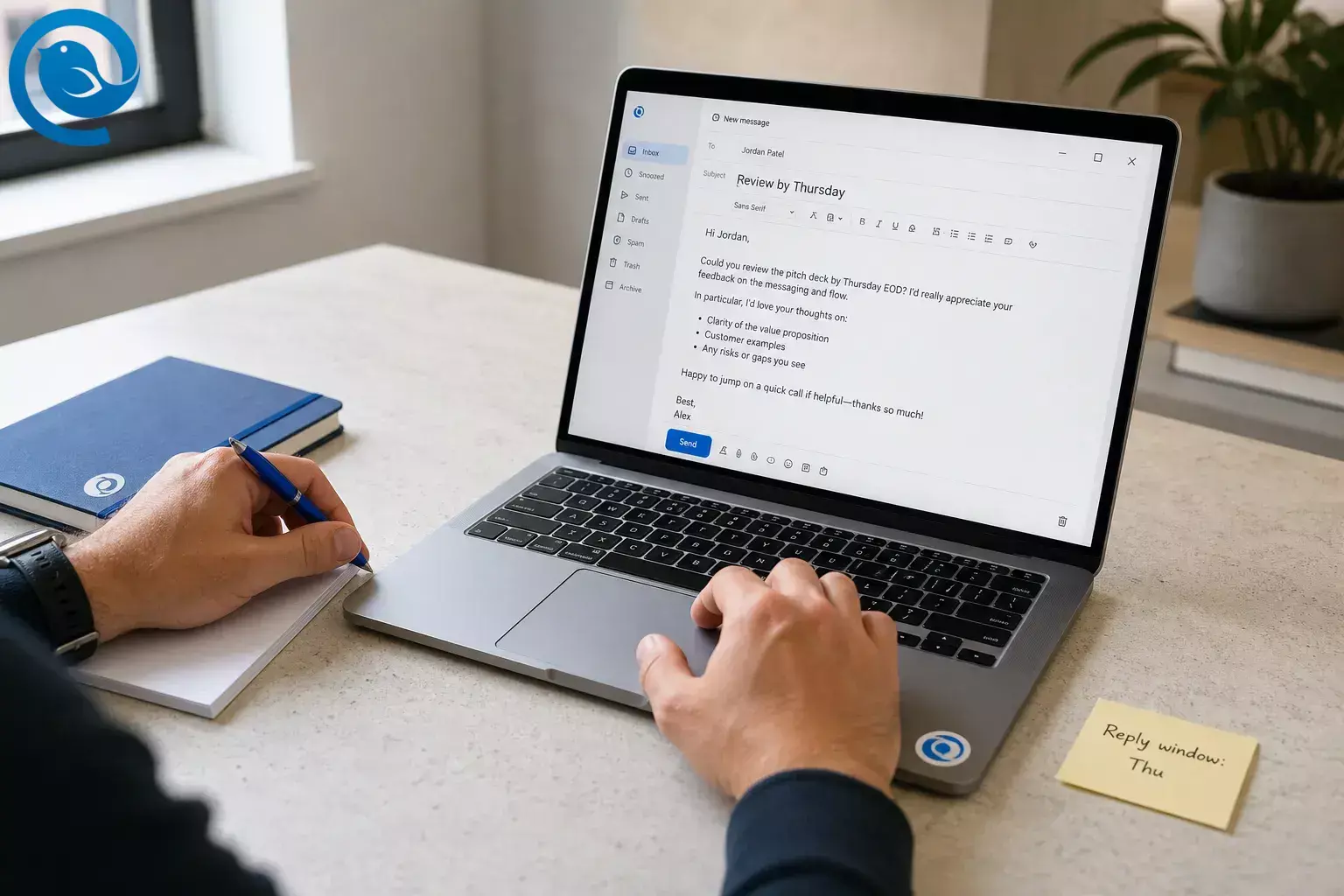
Subject: Review by Thursday
Ask for input, say there is no rush today, set Thursday as the response window, and narrow the decision to yes or no.
One-decision email
Subject: Need your yes/no
Present two options, give one reason for the recommendation, and say when you will move ahead if there is no objection.
Tone repair
Subject: Clarifying my last note
Say the last email came off sharper than intended, restate the ask briefly, add the date, and explain the reason.
Four quick checks before send
- Does the subject tell the reader why to open this?
- Is there one main ask?
- Did I state the deadline or response window?
- Did I read once for tone and once for errors?
If you reuse the same replies often, a template helps the structure survive busy days. Mailbird lists Email Templates as a Premium feature. [9]
This is where an email client helps. Mailbird’s Unified Inbox lets you manage multiple accounts in one place, Templates let you save repeat replies, Filters and Rules help sort low-value mail, Send Later helps with timing, and Undo Send gives you a last chance to stop a mistake before it lands. [9] [10] [11] [12] [13]
Make better email habits easier to keep
Email etiquette sticks when the tool reduces friction. Mailbird helps you manage multiple inboxes in one place, save strong replies, schedule delivery, sort low-value mail, and catch a mistaken send before it lands.
Frequently Asked Questions
Why does email etiquette matter at work?
Does email etiquette affect productivity?
Yes. Better email habits can reduce reported time spent in email and make people feel more in control of their day.
Sources: [2]
Can a casual or sloppy email hurt credibility?
How fast should I reply to a work email?
There is no single perfect speed. What matters most is setting expectations clearly, especially when a message is not urgent or arrives after hours.
Sources: [5]
When should I stop emailing and switch to a call?
One practical boundary: Send Later and client-side Filters and Rules require Mailbird to be open and connected at the time they run. [12] [13]
Sources
- Atlassian Teamwork Lab — “New research shows honesty about AI use at work is backfiring” (2026)
- E.Y. Huang, S.C. Lin, and J.S.C. Chuang — “A quasi-experiment approach to study the effect of e-mail management training” (2011 PDF)
- Justin Kruger, Nicholas Epley, Jason Parker, and Zhi-Wen Ng — “Egocentrism Over E-Mail: Can We Communicate as Well as We Think?” (2005 PDF)
- Tessa I. DeAngelo and Bo Feng — “From Inbox Reception to Compliance: A Field Experiment Examining the Effects of E-mail Address and Subject Line on Response and Compliance Rates in Initial E-mail Encounters” (2020)
- Laura M. Giurge and Vanessa K. Bohns — “You Don’t Need to Answer Right Away! Receivers Overestimate How Quickly Senders Expect Responses to Non-Urgent Work Emails” (2021)
- Bryan Marshall, Peter Cardon, Douglas A. Goings, and Sally Humphries — “An Exploratory Study of the Impact of Formatting on Email Effectiveness and Recall” (2009)
- Carolyn Gubala, Kara Larson, and Lisa Melonçon — “Do Writing Errors Bother Professionals? An Analysis of the Most Bothersome Errors and How the Writer’s Ethos is Affected” (2020)
- Keri K. Stephens, Renee L. Cowan, and Marian L. Houser — “Organizational Norm Congruency and Interpersonal Familiarity in E-Mail: Examining Messages from Two Different Status Perspectives” (2011)
- Mailbird Support — “Email Templates” (support documentation)
- Mailbird Support — “Unified Inbox” (support documentation)
- Mailbird Support — “Undo send feature in Mailbird” (support documentation)
- Mailbird Support — “Send Later” (support documentation)
- Mailbird Support — “Setting up Filters and Rules” (support documentation)


