Professional Apology Email to a Client: Templates for Real Situations
A professional apology email to a client should be short, specific, and easy to act on. This guide shows how to write one that sounds accountable, not defensive: apologize in the first sentence, name the mistake, explain the impact, and give the fix plus the next update time. Use the 10 templates be



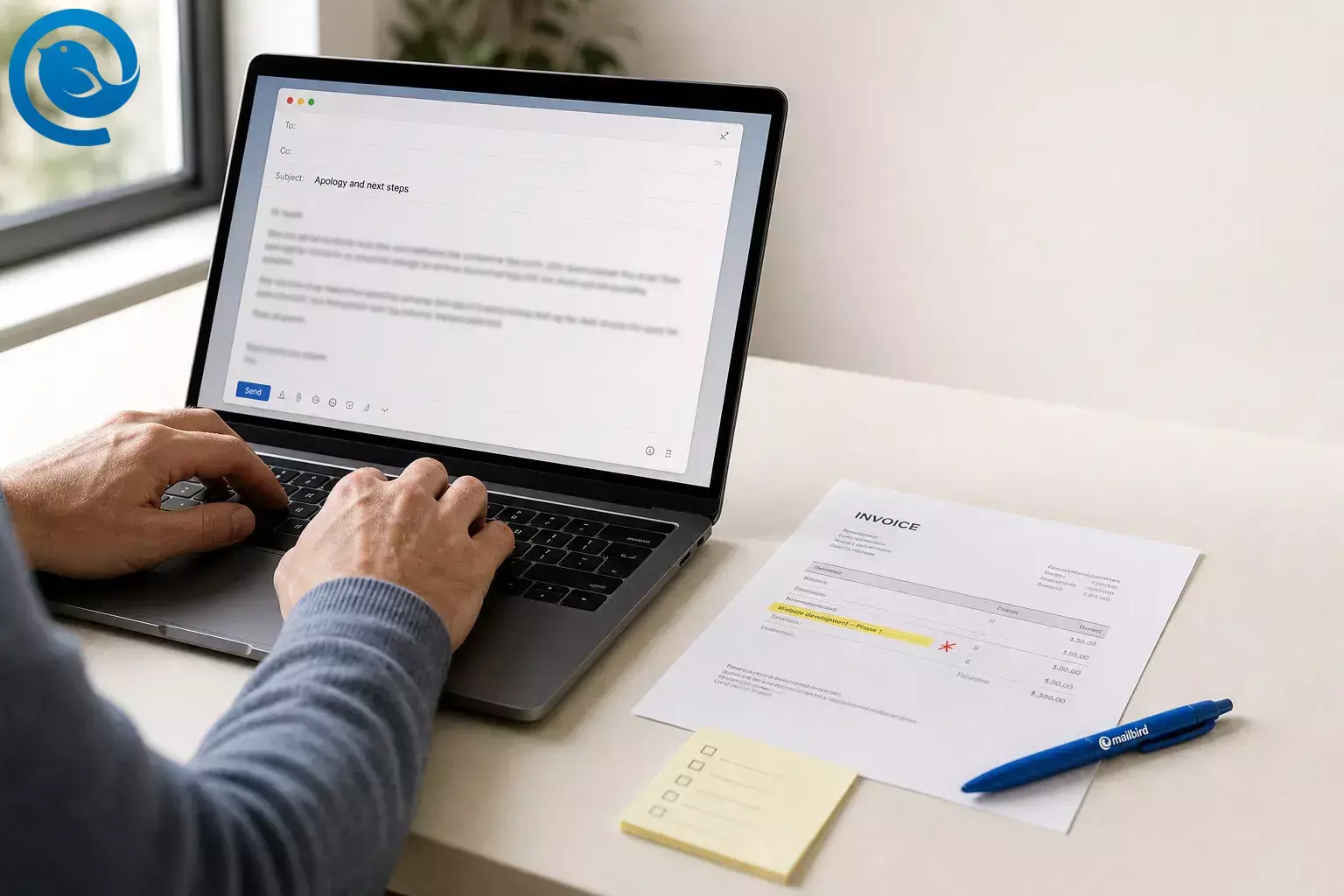
A professional apology email to a client should be short, specific, and easy to act on. This guide shows how to write one that sounds accountable, not defensive: apologize in the first sentence, name the mistake, explain the impact, and give the fix plus the next update time. Use the 10 templates below for mistakes, missed deadlines, billing errors, poor service, and vendor-caused issues.
Short answer: If the client can see what went wrong, what you fixed, and what happens next without sending a follow-up question, your apology is doing its job.
What’s new
What’s new
Google has announced changes to third-party email account support in Gmail, and Mailbird’s unified inbox can help keep connected accounts together. [1] [4]
Key takeaways
- Apologize in the first sentence.
- Name the exact mistake, in plain language.
- Explain the client impact, without exaggeration.
- State the fix, the owner, and the next update time.
- Use an exact day, date, time, and time zone rather than “soon” or “later today.”
- Offer a refund, credit, fee waiver, expedited review, or priority help only when the issue actually cost the client time, money, or extra work.
- Read the draft once for tone and once for details.
- Set a reminder for every promise you made before you close the message window.
Before you start
- Prerequisites
- The exact problem, the client impact, the fix, the next update time, and any refund, credit, or concession that has already been approved.
- Tools
- Any email app, your calendar or reminders, and one clean proofread pass. Optional: Mailbird if you want connected accounts in one place or reusable email templates. [4] [5]
- Time
- One draft plus one proofread pass. If you need a starting point faster, Parakeet can generate a first draft quickly. [6]
- Cost
- Usually none.
- Safety notes
- If the message involves invoices, refunds, links, login resets, or bank details, confirm the change through a second channel before the client acts on it. The FBI reported more than $3.0 billion in 2025 losses tied to business email compromise, and Gmail’s sender guidelines stress authenticated, non-deceptive sending. [2] [3]
What a professional apology email to a client should include
Across current client-apology guides, the strongest emails all do the same jobs quickly: apologize early, name the business impact, give a specific fix with timing, and avoid passive voice or generic corporate language. They also work better when the template matches the situation. A missed deadline email should not read like a billing correction or a poor-service follow-up. [8] [9]
- One clear apology in the first sentence
- The exact mistake, in plain language
- The client impact, without exaggeration
- The fix, the owner, and the next update time
- A brief prevention step, if it actually helps
| Use this | Skip this |
|---|---|
| “I’m sorry we sent the wrong invoice.” | “I wanted to reach out regarding a recent issue.” |
| “This delayed your finance review.” | “Sorry for any inconvenience.” |
| “That was our mistake.” | “A miscommunication occurred.” |
| “The corrected file is attached, and I’ll send the next update by [day, date, time].” | “We are currently looking into it.” |
| “A vendor issue contributed, and we should have warned you sooner.” | “Our vendor dropped the ball.” |
Use this
“I’m sorry we sent the wrong invoice.”
Skip this
“I wanted to reach out regarding a recent issue.”
Use this
“This delayed your finance review.”
Skip this
“Sorry for any inconvenience.”
Use this
“That was our mistake.”
Skip this
“A miscommunication occurred.”
Use this
“The corrected file is attached, and I’ll send the next update by [day, date, time].”
Skip this
“We are currently looking into it.”p>
Use this
“A vendor issue contributed, and we should have warned you sooner.”
Skip this
“Our vendor dropped the ball.”
Fast formula: I’m sorry for [issue] . We [specific mistake] . I know this caused [impact] . Here’s the fix: [action] . Your next update is [day, date, time, time zone] .
How to write a professional apology email to a client
How to write a professional apology email to a client
-
Collect the facts before you write
Write down five things in one place: what happened, when it happened, what the client saw, what you have already fixed, and the next promise you can actually keep. If you cannot fill in those blanks, pause and get the missing fact first.
Check: you can explain the problem in one plain sentence without hedging.
-
Decide whether email is the first move or the follow-up
Call first if the problem involves money, same-day deadlines, service downtime, client access, or public-facing fallout. Then use the email as the written recap. If the issue is small and already corrected, email can be the first move.
Check: you know whether this email stands alone or follows a call.
-
Pick the exact sender, thread, and recipients
Send from the address the client already recognizes. Stay in the existing thread unless the topic has changed completely, and remove anyone who does not need the detail. If you work across several inboxes or third-party email accounts in Gmail, verify the From field before you type. [1]
Check: the From address, display name, and recipients are correct.
-
Write a plain subject line
Tell the client what happened or what changed. Good examples: “Apology and corrected invoice [number],” “Updated delivery time for [project],” or “We fixed the issue on your account.” If this is not a real reply or forward, do not fake urgency with “Re:” or “Fwd:” in the subject; Gmail’s sender guidelines call misleading headers and subject lines out specifically. [3]
Check: the subject makes sense even if the client reads only that line.
-
Apologize in the first sentence
Do not warm up with three lines of throat-clearing. Start with the apology itself: “I’m sorry we missed the deadline,” or “I’m sorry we sent the wrong invoice.”
Check: the apology is visible in the email preview pane.
-
Name the exact mistake and the impact
Use one sentence for the mistake and one sentence for the effect. “We sent the outdated file. That delayed your review.” This is the part most people blur. Keep it crisp.
Check: the client does not have to guess what you are apologizing for.
-
Own the result without writing an essay
If it was your mistake, say so. If a vendor caused the breakdown, still own the client impact: “A vendor issue contributed, and we should have flagged the risk sooner.” One factual line is enough. Long backstories sound defensive.
Check: there is no “if you felt,” no “unfortunately,” and no blame-shifting.
-
State the fix, the owner, and the next update time
Tell the client what you already did, what happens next, and when they will hear from you again. Use an exact day, date, time, and time zone rather than “soon” or “later today.”
Check: the client knows what to expect next without replying for clarification.
-
Add a make-good only if it matches the harm
Offer a refund, credit, fee waiver, expedited review, or priority help only when the issue actually cost the client time, money, or extra work. Do not promise anything you have not cleared internally.
Check: any make-good in the draft is approved and specific.
-
Audit the draft like a billing document
Read it once for tone and once for details. Check names, dates, attachment names, amounts, links, and the promised next step. Then read it out loud. If a sentence makes you sound slippery, cut it.
Check: nothing in the email would confuse a client who is already frustrated.
-
Set the follow-up now and save the final version
Set a reminder for every promise you made: update time, corrected file, refund notice, or follow-up call. If you use Mailbird’s template feature, save the final version as a template. It saves the subject and body but not To/CC/BCC, which gives you one last recipient check. If the blank page is the hard part, Parakeet can generate a first draft for you to edit. [5] [6]
For ongoing accounts, keep the relevant inboxes together so the apology, the fix, and the follow-up live in one place. If you use open tracking , treat the notification as a clue, not proof: blocked images and Apple Mail Privacy Protection can distort the result. [7]
Check: the reminder is set before you close the message window.
Professional apology email templates for clients
Pick the closest scenario, replace every bracket, and cut anything that does not fit the facts. Scenario-specific templates work better than one stock apology because the client can see the fix and the next step right away. [8]
These professional apology email templates for clients cover our mistake, a missed deadline, a billing error, poor service, and the case where a vendor caused the problem but your client felt the impact. There is also a shorter apology email to a customer version for simple support situations.
Replace every bracket before you send.
Apology email to client for a mistake
Use when: the issue was clearly on your side and the correction is already in motion.
Subject: Apology for the error in [project/account]
Hi [Client Name],
I’m sorry about the error in [document/order/service]. We sent [what was wrong], and I know that caused [impact on their team].
That was our mistake.
The corrected [file/invoice/order/status] is [attached/live/updated here].
You will receive [next step] by [day, date, time, time zone].
To reduce the chance of a repeat, we’re [one concrete prevention step].
If you want to review it together, I can make time today.
Best,
[Name]
Apology email to client for a missed deadline
Use when: a deliverable, review, launch, or handoff did not arrive when promised.
Subject: Apology and revised delivery time for [deliverable]
Hi [Client Name],
I’m sorry we missed the deadline for [deliverable]. We committed to [original promise], and we did not meet it.
The delay came from [brief factual reason]. I know this affects [impact].
The revised delivery time is [day, date, time, time zone].
I will send you a progress update by [earlier checkpoint], even if I only have a partial update at that point.
To help make up for the delay, we’re [priority review/waived fee/extra support], subject to your approval process.
Best,
[Name]
Apology email to client for a billing error
Use when: the client was charged the wrong amount, billed for the wrong item, or sent the wrong invoice.
Subject: We corrected invoice [number]
Hi [Client Name],
I’m sorry about the billing error on invoice [number]. We charged [wrong item/amount], and that was our mistake.
We corrected the invoice today, and [refund/credit/reversal] is now in progress.
You will receive [credit memo/refund confirmation] by [day, date, time, time zone].
No action is needed from you.
If you would like a line-by-line breakdown of the correction, I can send it right away.
Best,
[Name]
Apology email to client for poor service or a poor handoff
Use when: the client had to chase replies, repeat information, or deal with a rough support experience.
Subject: We fell short on your experience with our team
Hi [Client Name],
I’m sorry for the experience you had with our team on [date]. You had to [repeat information/wait longer than promised/chase an update], and that is not the standard we want to deliver.
I’ve reviewed the case and moved it to [name/team].
Here is what happens next: [specific step].
You will hear from [person/team] by [day, date, time, time zone].
Thank you for giving us the chance to fix this.
Best,
[Name]
Apology email when a vendor caused the problem
Use when: a supplier, courier, or third party caused the breakdown, but your client still needs you to own the outcome.
Subject: Apology and update on [issue]
Hi [Client Name],
I’m sorry for the delay with [shipment/service/deliverable].
A vendor issue contributed to the problem, but we should have caught the risk sooner and updated you earlier.
Here is the current status: [status].
Here is what we’re doing now: [action].
Your next update will arrive by [day, date, time, time zone]. If that timing changes, I will tell you before the deadline passes.
Thank you for your patience while we sort this out.
Best,
[Name]
Apology email to customer for poor service
Use when: you need a shorter, customer-facing version with one clear next step.
Subject: We’re sorry about your recent experience
Hi [Customer Name],
I’m sorry for the problem with [order/service/appointment].
We fell short when [specific issue], and I understand why that was frustrating.
Here’s what we’ve already done: [fix].
Here is your next step, if any: [reply with photo / no action needed / replacement arriving by date].
If you would like help now, reply to this message and we will take it from there.
Best,
[Name / Team]
Why these apology email templates work
Specificity beats polish. A short, concrete apology feels more sincere than a polished message that never clearly says what went wrong. That is what makes an apology land instead of sounding defensive or vague. The client learns three things quickly: what happened, whether you own it, and what comes next.
Troubleshooting an apology email to a client
| Symptom | Likely cause | Fix |
|---|---|---|
| The email sounds cold. | You skipped the client impact. | Add one plain sentence about lost time, blocked work, or extra effort. |
| The email sounds defensive. | You added too much backstory or used passive voice. | Cut the explanation to one factual line and move the fix higher. |
| The client replies, “What happens now?” | Your next step is vague. | Name one owner, one action, and one exact follow-up time. |
| The client argues about compensation. | The make-good was vague or unapproved. | State the exact refund, credit, or fee waiver and get approval before you send. |
| The apology feels fake. | You left too much template language in place. | Replace one stock sentence with a real case detail, such as the exact file, invoice, or missed promise. |
| The client says, “This wasn’t even your fault.” | You over-apologized for facts you cannot confirm. | Apologize for the impact on them, not for things you do not yet know are true. |
| Tracking says the email was opened, but the client says they never saw it. | Image blocking or privacy protections distorted the signal. | Use your promised follow-up time, not the open notification, and resend a plain-text version if needed. [7] |
| You sent the apology from the wrong address. | You were in the wrong mailbox or account setup. | Test the sender account first; if you manage several addresses, use one workspace that keeps accounts together and double-check the From field before you reply. [1] [4] |
| A large customer apology lands in spam. | Your domain is not authenticated, or you mixed the apology with marketing content. | Authenticate the sending domain and keep the apology separate from promotions or misleading subject lines. [3] |
Symptom
The email sounds cold.
Likely cause
You skipped the client impact.
Fix
Add one plain sentence about lost time, blocked work, or extra effort.
Symptom
The email sounds defensive.
Likely cause
You added too much backstory or used passive voice.
Fix
Cut the explanation to one factual line and move the fix higher.
Symptom
The client replies, “What happens now?”
Likely cause
Your next step is vague.
Fix
Name one owner, one action, and one exact follow-up time.
Symptom
The client argues about compensation.
Likely cause
The make-good was vague or unapproved.
Fix
State the exact refund, credit, or fee waiver and get approval before you send.
Symptom
The apology feels fake.
Likely cause
You left too much template language in place.
Fix
Replace one stock sentence with a real case detail, such as the exact file, invoice, or missed promise.
Symptom
The client says, “This wasn’t even your fault.”
Likely cause
You over-apologized for facts you cannot confirm.
Fix
Apologize for the impact on them, not for things you do not yet know are true.
Symptom
Tracking says the email was opened, but the client says they never saw it.
Likely cause
Image blocking or privacy protections distorted the signal.
Fix
Use your promised follow-up time, not the open notification, and resend a plain-text version if needed. [7]
Symptom
You sent the apology from the wrong address.
Likely cause
You were in the wrong mailbox or account setup.
Fix
Test the sender account first; if you manage several addresses, use one workspace that keeps accounts together and double-check the From field before you reply. [1] [4]
Symptom
A large customer apology lands in spam.
Likely cause
Your domain is not authenticated, or you mixed the apology with marketing content.
Fix
Authenticate the sending domain and keep the apology separate from promotions or misleading subject lines. [3]
More apology email templates
Very short apology email for a small, already-fixed mistake
Subject: Quick correction to [item]
Hi [Name],
I’m sorry—we sent the wrong [file/link/detail]. The corrected version is attached here.
No action is needed on your side, but reply if anything still looks off.
Best,
[Name]
Phone-first apology email for a high-stakes issue
Subject: Recap and next steps for [issue]
Hi [Name],
Thank you for taking my call. I’m sorry for [issue] and for the effect it has had on [team/process].
As discussed, we are [action], and your next update will arrive by [day, date, time, time zone].
I’ll stay with this until it is resolved.
Best,
[Name]
Formal apology email for enterprise or regulated clients
Subject: Formal apology and corrective action for [issue]
Dear [Client Name],
Please accept our apology for [issue]. We acknowledge that [specific mistake] affected [impact].
We have completed the following corrective action: [action].
Your next update will be sent by [day, date, time, time zone].
If helpful, we can also provide a brief written summary of the preventive steps now in place.
Sincerely,
[Name]
Team-signed apology email to a customer with one clear call to action
Subject: Update on your [order/service]
Hi [Name],
We’re sorry for [issue]. We have now [fix], and the next step is [replacement/refund/new appointment].
If you still need help, reply to this email and our team will take it from there.
Thank you,
[Team Name]
Save approved apology emails for reuse
- Save one approved version for each common scenario: our mistake, missed deadline, billing correction, poor service, and vendor-caused delay.
- If you use Mailbird’s template feature, store the finished versions as templates. It is built for reusable subject-and-body drafts, and it does not save To/CC/BCC, which helps keep your final recipient check in place. [5]
- If you manage several client addresses, keep them in a unified inbox so the apology, fix, and follow-up stay together. [4]
- If you freeze at a blank screen, use Parakeet for the rough draft, then replace every placeholder with the exact facts, dates, and tone for this client. [6]
- If this is a large customer apology send rather than a one-to-one client note, authenticate your domain . Gmail requires all senders to use SPF or DKIM, and bulk senders to use SPF, DKIM, and DMARC. Keep the apology separate from promotional content, and avoid misleading subject lines or display names. [3]
Want the inbox that makes these emails quicker to send and easier to keep track of?
Frequently Asked Questions
How long should a professional apology email to a client be?
Short enough to read in one screen, but complete enough to cover the mistake, the impact, the fix, and the next update.
Is email enough, or should I call first?
Call first when the issue involves money, same-day deadlines, service downtime, access problems, or visible reputational risk. Then send the email as the written recap.
What should the subject line of an apology email to a client be?
Keep it plain and specific, such as “Apology and corrected invoice [number]” or “Updated delivery time for [project].” Avoid fake urgency or misleading headers.
Source: [3]
What makes an apology email sound defensive?
Too much backstory, passive voice, and blame-shifting. One factual line of context is enough. Move the fix higher in the message.
Should I explain why the mistake happened?
Yes, but keep it to one factual line. Clients usually want clarity and a fix, not your whole internal backstory.
Do I need to offer compensation?
Only when the problem cost the client meaningful time, money, or extra work—and only if you can actually honor the offer.
Can I still send a client apology from a secondary address or shared inbox?
Yes, but verify that the message is going out from the exact identity the client knows. If you rely on a third-party email account connection in Gmail, test it before a high-stakes moment.
Source: [1]
Can I save these as templates in Mailbird?
Yes, if you use Mailbird’s template feature. It lets you save the subject and body. You still choose the recipient details each time, which is a useful last safety check.
Source: [5]
Should I use open tracking on an apology message?
You can, but treat an open notification as a clue, not proof. Privacy settings and blocked images can distort the result.
Source: [7]
Can I send one apology email to many customers?
Yes, but handle it like an operational message, not a promo. Authenticate your domain, keep the message plain, and avoid misleading subject lines.
Source: [3]
Quick checklist before you send
- The message is going from the correct account and reply thread.
- The subject line says what changed without hype or fake urgency.
- The apology appears in the first sentence.
- The exact mistake is named clearly.
- The client impact is named in plain language.
- The draft owns the result without excuses or blame.
- The fix and the next update time are specific.
- Any refund, credit, or fee waiver is approved and exact.
- Names, dates, amounts, attachments, and links are checked.
- A follow-up reminder is set before sending.
- The final version is saved for reuse.
Sources
- Google Help — Learn about changes to third-party email account support in Gmail https://support.google.com/mail/answer/17101213
- FBI — 2025 IC3 Annual Report https://www.fbi.gov/file-repository/2025_ic3report.pdf
- Gmail Help — Email sender guidelines https://support.google.com/mail/answer/81126
- Mailbird Help Center — Unified Inbox https://support.getmailbird.com/hc/en-us/articles/220108147-Unified-Inbox
- Mailbird Help Center — Email Templates https://support.getmailbird.com/hc/en-us/articles/18877966333591-Email-Templates
- Mailbird — Parakeet: Craft Great Email Copy Fast https://www.getmailbird.com/parakeet-email-generator/
- Mailbird Help Center — Email Tracking in Mailbird https://support.getmailbird.com/hc/en-us/articles/360047646874-Email-Tracking-in-Mailbird
- SupportBee — Apology Email to a Client: 10 Templates for Mistakes https://supportbee.com/blog/apology-email-to-client
- Nutshell — How to Write An Apology Email: Templates & Best Practices https://www.nutshell.com/blog/apology-email


