The Privacy Benefits of Using a Desktop Email Client Over Webmail
Webmail services offer convenience but grant third-party companies unrestricted access to your sensitive emails, enabling scanning and monetization. Desktop email clients provide a privacy-focused alternative by storing messages locally on your device, eliminating corporate surveillance and returning control of your personal communications to you.




If you're concerned about who has access to your emails, you're not alone. The shift from desktop email clients to webmail services has fundamentally changed how your personal communications are stored, accessed, and potentially exploited. While webmail offers undeniable convenience, this convenience comes at a significant privacy cost that many users don't fully understand until it's too late.
Your emails contain some of your most sensitive information—financial transactions, medical records, business strategies, personal conversations, and confidential documents. When you use webmail services like Gmail, Yahoo Mail, or Outlook.com, you're trusting third-party companies with complete access to this data. These providers store your emails on their servers, where they can be scanned, analyzed, and potentially monetized through targeted advertising. The fundamental question isn't whether webmail is convenient—it's whether you're comfortable with corporations having unrestricted access to your private communications.
Desktop email clients represent a fundamentally different approach to email privacy. By storing your messages locally on your own device, desktop clients like Mailbird - Modern Desktop Email Client eliminate the primary avenue through which webmail providers access your content. This architectural difference creates substantial privacy advantages that extend far beyond simple data storage—it's about reclaiming control over your digital communications in an era of pervasive surveillance and data monetization.
Understanding Email Privacy Architecture: Desktop Clients Versus Webmail
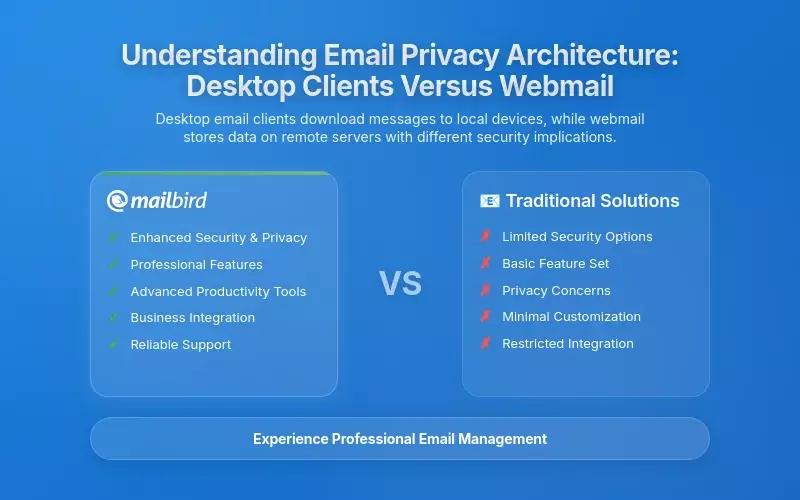
The distinction between desktop email clients and webmail services represents a fundamental architectural difference in how your email is stored, accessed, and secured. According to DuoCircle's comprehensive email security analysis, an email client is a desktop or mobile application that allows users to download emails from a server to their local device, where the messages are then stored and managed offline. In contrast, webmail is a web browser-based interface for accessing and managing email accounts, requiring continuous internet connectivity and storing all data on remote servers controlled by the service provider.
This architectural difference creates significant privacy implications that extend far beyond mere convenience considerations. When using webmail, you must trust the email service provider to implement appropriate security measures, manage your data responsibly, and protect your information from both external threats and internal exploitation. The emails remain on the provider's servers at all times, meaning the provider has continuous access to the unencrypted content of your messages, attachments, and metadata about your communication patterns.
Research from All About Cookies' privacy investigation reveals that webmail services often employ automatic systems to scan email content for advertising purposes, analyze patterns to build user profiles, and potentially share data with third parties. Prior to 2017, Gmail was documented as scanning every email landing in users' inboxes or sent from their accounts for keywords to tailor advertisements to user profiles—a practice that reflected the service's fundamental business model dependency on data mining for advertising purposes.
Desktop email clients fundamentally alter this equation by keeping email data under your direct control. As documented in Clean Email's comprehensive Mailbird review, one of the key features of Mailbird is that it operates as a local client on your computer, meaning all sensitive data is stored only on your device. This architectural approach eliminates the primary avenue through which webmail providers gain access to email content. When emails are downloaded and stored locally on your device, the email provider no longer has continuous access to message content, cannot scan emails for advertising purposes, and cannot analyze your communications to build behavioral profiles used for targeted advertising.
How Local Storage Protects Your Privacy
The technical implementation of local storage in desktop email clients relies on established email protocols such as IMAP (Internet Message Access Protocol) and POP3 (Post Office Protocol Version 3) to retrieve messages from remote servers. According to Cloudflare's email security documentation, IMAP allows users to access emails from any device while maintaining synchronization with the server, but the key privacy distinction emerges when desktop clients download messages for local storage rather than maintaining them exclusively on remote servers.
This represents a privacy-preserving alternative to cloud-only email storage, where you retain possession of your data while still maintaining accessibility across devices through secure synchronization mechanisms. When you use a desktop client with POP3 protocol, emails are downloaded to your local device and can be deleted from the server afterward, reducing server-side storage of sensitive information and limiting the timeframe during which the email provider has access to your message content.
The critical privacy advantage is simple: data that isn't stored on third-party servers can't be scanned, analyzed, or monetized by those third parties. Your emails remain under your direct physical control, protected by whatever security measures you implement on your own device rather than depending entirely on the security practices of a webmail provider whose business model may conflict with your privacy interests.
The Data Collection Practices of Webmail Providers
Understanding the extent of data collection by webmail providers is essential for making informed decisions about email privacy. Webmail services have built their business models on extensive data collection practices that treat your communications as valuable data sources for targeted advertising. The privacy implications are substantial and often underestimated by users who focus on convenience without fully understanding the privacy trade-offs.
Gmail, despite its widespread popularity and convenient interface, has been subject to significant privacy criticism among data protection advocates. As documented in the All About Cookies investigation into email provider privacy practices, Google's business model is heavily reliant on data mining for advertising purposes. Although Google announced in 2017 that it would cease scanning emails for ad personalization purposes, the company's overarching collection of data remains a substantial privacy concern. Users of Gmail and other Google services may have their data utilized by the technology giant to train algorithms and artificial intelligence systems, creating secondary uses of personal information that extend far beyond the primary purpose of email communication.
Microsoft Outlook and Yahoo Mail Privacy Concerns
Microsoft Outlook presents similar privacy challenges despite its positioning as an enterprise-focused email solution. The service has suffered from several notable data breaches that exposed sensitive personal data, and until recently, the service lacked end-to-end encryption, leaving emails vulnerable during transit and while stored on Microsoft's servers. Yahoo Mail exhibits even more severe privacy vulnerabilities, having experienced one of the largest data breaches in history in 2013, which affected approximately three billion accounts, demonstrating the catastrophic consequences when webmail providers fail to protect stored data adequately.
Furthermore, Yahoo's parent company, Verizon, has a documented history of using supercookies to track user behavior online for advertising purposes, extending privacy violations beyond email into broader internet surveillance. These aren't theoretical privacy concerns—they're documented practices that have affected billions of users and resulted in massive data exposures.
Beyond Email Content: Metadata Collection
The structural vulnerability of webmail services stems from their dependence on collecting and monetizing user data as their primary revenue model. According to EPIC's research on online advertising and tracking, beyond email content scanning, webmail providers collect extensive metadata about user communications, including information about sender-recipient relationships, communication frequency, attachment types, and behavioral patterns derived from which emails users read, how long they spend reading messages, and which links they click.
This metadata collection occurs automatically and routinely through tracking systems embedded in webmail interfaces, often without users' full awareness or explicit consent. Data brokers then acquire this information, combine it with other personal data sources, and build invasive profiles used to target users with advertisements that follow them across the internet. Even if webmail providers don't directly read your email content, the metadata they collect can reveal remarkably detailed information about your life, relationships, interests, and behaviors.
How Desktop Clients Eliminate Data Collection
Desktop email clients fundamentally eliminate these data collection mechanisms because the email provider never gains access to message content in the first place. Mailbird, operating as a local client, synchronizes with email providers' servers only to retrieve new messages and send outgoing mail, but the actual storage, reading, and management of emails remains entirely within your control. This architectural design means that Mailbird does not collect email content data, cannot build advertising profiles based on message analysis, and does not have the infrastructure to engage in surveillance capitalism practices that characterize webmail services.
As confirmed in DeleteMe's safety analysis of Mailbird, when data is transmitted between Mailbird and its license server, such as when downloading messages or checking license status, the connection is encrypted using HTTPS, preventing third parties from intercepting communication. Critically, Mailbird collects limited and non-personally identifiable data for software improvements, specifically username and email address for license validation and feature usage data to improve functionality, with this data sent to Mixpanel for analytics and a License Management System for license validation. Users can opt out of data collection at any time, and no collected data is used for commercial purposes outside of Mailbird software improvements.
This contrasts sharply with webmail provider practices of using email content for advertising purposes, analyzing communications for behavioral profiling, and sharing data with data brokers and advertisers. The privacy difference isn't subtle—it's a fundamental distinction in business models and data handling practices.
Advanced Encryption Capabilities in Desktop Email Clients
One of the most significant privacy advantages of desktop email clients is their support for advanced encryption capabilities that substantially exceed those typically offered by webmail services. If you're concerned about who can read your emails—whether that's hackers, government agencies, or even the email provider itself—encryption is your most powerful protection mechanism.
Webmail services generally rely on transport layer encryption using HTTPS to protect data while it travels from your browser to the provider's servers, and they may store emails with encryption at rest on their servers. However, this encryption relies entirely on the webmail provider to manage encryption keys, and the provider can decrypt your emails at will, meaning that webmail services maintain the ability to read all your messages despite encrypted storage.
End-to-End Encryption: The Gold Standard
According to Proofpoint's comprehensive guide to email encryption, desktop email clients support end-to-end encryption standards such as Pretty Good Privacy (PGP), Secure/Multipurpose Internet Mail Extensions (S/MIME), and emerging zero-knowledge encryption architectures where encryption and decryption occur entirely on your device. With end-to-end encryption, the email message is encrypted on the sender's device using the recipient's public key, and only the recipient possessing the corresponding private key can decrypt the message.
This encryption model ensures that email content remains confidential from the moment of creation until the moment of reading by the intended recipient, with no intermediate point where the plaintext is accessible to service providers, internet service providers, or other intermediaries. Even if your emails are intercepted during transmission or somehow accessed while stored on servers, they remain completely unreadable without the private encryption key that only you possess.
Thunderbird, a leading open-source email client often compared with Mailbird, provides end-to-end encryption using both OpenPGP and S/MIME protocols directly within the application. This capability means users can encrypt sensitive communications so that only intended recipients can read them, even if emails are intercepted during transmission or somehow accessed while stored on servers. Desktop email clients implementing zero-knowledge architecture go further by ensuring that all encryption and decryption happen on your device, with private keys never leaving your control.
Practical Encryption Benefits for Business and Healthcare
The practical significance of this encryption capability distinction emerges particularly clearly in business and healthcare contexts where email often contains highly sensitive information including financial data, medical records, legal documents, and proprietary business strategies. According to MailHippo's analysis of email encryption importance, email encryption ensures that private or sensitive information remains confidential and secure, preventing unauthorized third parties including cybercriminals and malicious insiders from accessing critical data.
For organizations subject to regulatory requirements such as HIPAA in the healthcare sector or GDPR in European data protection contexts, the ability to implement strong encryption at the application level provides essential compliance capabilities that webmail services often cannot guarantee. When you control the encryption implementation through a desktop client, you can demonstrate compliance with regulatory requirements in ways that aren't possible when depending entirely on a webmail provider's security measures.
While Mailbird doesn't currently provide native end-to-end encryption capabilities comparable to Thunderbird's OpenPGP and S/MIME support, its local storage architecture still provides substantial privacy advantages over webmail by eliminating provider access to message content and enabling users to implement additional encryption layers through third-party tools or encrypted file systems protecting locally stored data.
Local Data Storage and Complete User Control

The fundamental privacy advantage of desktop email clients emerges from their reliance on local data storage, which keeps email data under your direct control rather than entrusting it to third-party service providers. This isn't just a technical distinction—it's a fundamental difference in who controls your data and how that data can be accessed, used, and protected.
With local storage, emails remain on your own devices and infrastructure, giving you complete control over how data is stored, who has access to it, and what security measures are implemented. According to YouniqMail's analysis of local storage and email privacy, this level of data control is impossible with cloud-based webmail services, where users must implicitly trust third-party providers with sensitive information and accept whatever security measures and privacy practices those providers implement.
Direct Physical Control Over Your Data
Local data storage provides inherent privacy protection because your data never leaves direct personal control, eliminating the possibility of third-party scanning emails for advertising purposes, analyzing communications for AI training purposes, or allowing unauthorized access by service provider employees. Mailbird stores emails locally on your device, allowing you to make independent decisions about data encryption, backup strategies, retention policies, and access permissions.
This represents a fundamentally different privacy model compared to webmail services where you are dependent on provider-determined security settings and backup policies that may not align with your preferences or risk tolerance. When your emails are stored locally, you decide what happens to them—not a corporation whose business interests may conflict with your privacy needs.
Custom Backup and Recovery Strategies
The practical advantages of local storage extend to data backup and recovery scenarios where you can implement backup strategies aligned with your specific security requirements rather than accepting default provider backup policies. You can choose your preferred backup methods, encryption levels, storage locations, and recovery procedures without depending on cloud provider backup policies that may be inadequate for sensitive information.
In legal and professional contexts, local storage enables organizations to maintain complete audit trails and compliance documentation because all data handling occurs under direct organizational control, making it easier to demonstrate compliance with regulations and respond to audit requirements without depending on third-party providers. This is particularly critical for law firms, healthcare providers, financial institutions, and other organizations handling highly sensitive client information subject to strict regulatory requirements.
Reduced Attack Surface
The reduced attack surface associated with local storage should be recognized as a significant privacy advantage despite potential vulnerability to local device compromise. While local storage is not immune to security threats, it presents a much smaller attack surface than cloud storage operated by major providers storing millions of users' data. Individual users and small organizations are far less attractive targets for sophisticated cyberattacks compared to major cloud providers whose successful compromise would expose vast quantities of data.
Additionally, you can implement security measures tailored to your specific needs and risk profile rather than accepting one-size-fits-all security configurations that may be inadequate or excessive for particular use cases. You can choose to encrypt your local email storage with military-grade encryption, store it on encrypted drives, implement biometric access controls, or use any other security measures appropriate for your threat model—options that simply aren't available when your data is stored on someone else's servers.
Offline Access and Communication Continuity

Desktop email clients provide robust offline access capabilities that enable you to continue managing your communications even when internet connectivity is unavailable, creating both privacy and productivity advantages. This capability addresses a frustration that webmail users frequently experience: complete dependence on internet connectivity and the webmail provider's infrastructure for accessing their own communications.
According to Microsoft's analysis of desktop email client benefits, one of the biggest benefits of using a desktop email client is the ability to read or write emails without active internet access, allowing users to maintain communication workflows even during internet outages, travel through areas with poor connectivity, or situations where network access is temporarily unavailable.
Independence from Provider Infrastructure
When working offline with a desktop client, you interact with local copies of emails that have been previously downloaded and cached on your device, maintaining complete access to historical communications and the ability to compose new messages. The privacy implications of offline access extend beyond mere convenience because offline-capable email clients eliminate dependence on webmail provider infrastructure for accessing previously received communications.
You cannot be denied access to your emails because a provider's service is unavailable or because the provider decides to restrict account access, discontinue service, or alter privacy policies in ways that conflict with your preferences. This independence from provider infrastructure creates a privacy advantage because you maintain possession and control of your communications regardless of external circumstances affecting the email service provider.
Intelligent Message Queueing
When internet connectivity is restored, desktop email clients automatically synchronize any new messages retrieved from the server and send any messages composed offline, ensuring communication workflows remain uninterrupted and seamless. This synchronization process includes intelligent queueing of outgoing messages, meaning that if you send messages while disconnected, the emails don't disappear but instead wait in the outbox ready for transmission once connectivity returns.
This feature transforms offline time into productive time, allowing you to maintain communication workflows regardless of your internet connection status while maintaining the privacy advantages of local storage and offline independence from provider infrastructure. For professionals who travel frequently, work in areas with unreliable connectivity, or simply want the peace of mind that comes from not being entirely dependent on continuous cloud access, offline capability is an essential privacy and productivity feature.
Privacy in Low-Connectivity Environments
The ability to access emails offline without internet connectivity creates particular privacy advantages for users operating in low-connectivity environments, during international travel where data roaming charges or connectivity reliability may be concerns, or in situations where continuous cloud dependency creates unacceptable privacy or security risks. Healthcare professionals, legal practitioners, government employees, and other professionals handling sensitive information can maintain access to their communications without requiring continuous connection to cloud-based systems that might introduce surveillance risks or create security vulnerabilities through network exposure.
Desktop clients supporting offline access therefore provide privacy-enhancing alternatives to webmail dependency, enabling secure communication workflows even in challenging connectivity situations. Your ability to access your own communications shouldn't depend on whether a third-party provider's servers are functioning properly or whether you happen to have internet access at any given moment.
Email Protocol Selection and User Control
The protocols used for email delivery and retrieval introduce important privacy distinctions between desktop email clients and webmail services, with desktop clients offering substantially greater control over protocol selection and configuration. Understanding these protocol differences is critical when choosing an email client because different protocols offer distinct privacy, security, and functionality characteristics.
According to DuoCircle's email protocol guide, email protocols directly impact how email clients function in storing and accessing emails, with the most popular and widely used protocols being IMAP (Internet Message Access Protocol), POP3 (Post Office Protocol Version 3), and SMTP (Simple Mail Transfer Protocol).
IMAP Versus POP3: Privacy Implications
IMAP acts as an intermediary between email servers and email clients, allowing you to access your emails from different devices while maintaining server-side storage of messages. Unlike POP3, which downloads emails from the server to the local device and typically deletes them from the server afterward, IMAP maintains email storage on the provider's server while enabling access from any device.
This architectural difference creates privacy implications because IMAP relies on the server maintaining secure storage of all your emails, whereas POP3 transfers primary storage responsibility to your local device. Desktop email clients using POP3 provide enhanced privacy because emails are downloaded to local storage and can be deleted from the server afterward, reducing server-side storage of sensitive information and limiting the timeframe during which the email provider has access to message content.
Mailbird supports both IMAP and POP3 protocols, allowing you to select the protocol aligning with your privacy preferences and workflow requirements. Users prioritizing local control over email storage can select POP3 configuration, while those requiring multi-device synchronization can choose IMAP with local caching in desktop clients. The critical privacy distinction emerges because desktop clients implementing POP3 give you the option to delete emails from the server after downloading them locally, eliminating the email provider's continued access to historical communications.
SMTP Security Configurations
The Simple Mail Transfer Protocol (SMTP) handles email transmission, and enhanced SMTP configurations can include important security features such as DKIM (DomainKeys Identified Mail) signing and SPF (Sender Policy Framework) validation, which improve email deliverability and protect against email spoofing attacks. However, webmail services determine these configurations unilaterally, while desktop email client users can work with IT administrators or email service providers to implement enhanced SMTP security configurations aligned with their privacy and security requirements.
Desktop clients also support third-party authentication methods and security protocols that webmail services may not offer, providing you with technical control over security implementations affecting your communications. This level of technical control enables sophisticated users and organizations to implement security measures that go far beyond what webmail providers offer as standard features.
Data Residency and Regulatory Compliance
Desktop email clients offer significant advantages for organizations subject to data residency requirements and privacy regulations including GDPR and other data protection frameworks that impose strict requirements on where personal data can be stored and processed. If your organization operates in a regulated industry or handles sensitive personal information, understanding these compliance implications is essential.
According to Digital Guardian's comprehensive guide to data residency, data residency refers to the physical or geographical location where an organization's data is stored, with regulations typically determining applicable legal requirements based on the country or region where data physically resides. Organizations using local storage have better control over data residency requirements and can more easily demonstrate compliance with regulatory mandates compared to organizations dependent on cloud-based webmail services that may store data across multiple geographical locations.
GDPR Compliance and European Data Protection
For organizations subject to GDPR and operating within the European Union, local email storage provides mechanisms for ensuring data residency compliance and preventing unauthorized international data transfers that GDPR restricts unless adequate privacy protections are implemented. Desktop clients implementing local storage enable organizations to store personal data exclusively within EU borders, maintaining compliance with GDPR's strict requirements for international data transfers.
This capability is essential for European organizations, as GDPR permits data transfer outside the EU only to countries that provide adequate levels of data protection, and many non-EU jurisdictions do not meet this standard. When you store emails locally on servers physically located within the EU, you eliminate the complex legal analysis required to justify international data transfers under GDPR—the data simply never leaves the jurisdiction in the first place.
HIPAA Requirements for Healthcare Organizations
Similarly, organizations subject to HIPAA (Health Insurance Portability and Accountability Act) requirements in the United States healthcare sector benefit from desktop email client architectures enabling them to maintain physical control over protected health information rather than depending on cloud providers' security measures. HIPAA requires covered entities and business associates to maintain protected health information with appropriate security measures, including encryption and access controls, with the technical ability to implement these controls being prerequisite for regulatory compliance.
Desktop email clients storing encrypted messages locally enable healthcare organizations to maintain HIPAA-compliant email systems without depending on cloud providers to implement security configurations determined by others. This direct control over security implementations is often essential for demonstrating compliance during audits and responding to regulatory inquiries.
Audit Trails and Compliance Documentation
The compliance advantage extends to audit and documentation requirements, as local storage systems provide better audit trails and compliance documentation because all data handling occurs under direct organizational control. Organizations can implement comprehensive logging of data access, retention policies aligned with regulatory requirements, and deletion procedures maintaining compliance with retention schedules without depending on cloud provider compliance implementations that may not align with specific organizational requirements.
This level of control is essential for highly regulated industries including finance, healthcare, and government where direct oversight of data security measures is often mandatory for compliance. When auditors or regulators ask how you protect sensitive data, being able to point to security measures you directly control and implement is far more compelling than explaining that you trust a third-party cloud provider to handle security on your behalf.
Security Threats and Attack Surface Reduction
Email remains a primary attack vector for cybercriminals exploiting vulnerabilities in email security practices to distribute malware, conduct phishing attacks, perform ransomware delivery, and compromise user accounts leading to lateral movement within organizational networks. Understanding how desktop email clients reduce your exposure to these threats is essential for making informed security decisions.
According to industry analysis, 90 percent of security breaches in companies result from phishing attacks, making email security protection essential for organizational cybersecurity strategies. Phishing attacks, where attackers impersonate legitimate senders to lure recipients into clicking malicious links or downloading infected attachments, exploit email as the primary mechanism for distributing malware and compromising credentials.
Local Storage Reduces Cloud-Based Attack Vectors
Desktop email clients reduce the attack surface associated with email-based threats by storing messages locally rather than maintaining them on cloud-based servers targeted by sophisticated attackers. While webmail services implement security measures including spam filtering, virus scanning, and phishing protection, these protections operate at the provider level and their effectiveness depends entirely on provider security implementations.
In contrast, desktop email clients enable you to implement additional security layers tailored to specific organizational requirements and threat models. You can configure advanced email filtering rules, block specific senders, implement attachment scanning with organization-preferred antivirus software, and disable remote image loading that enables email tracking attacks. These client-side security measures provide defense-in-depth that complements rather than replaces server-side protections, creating multiple layers of security that attackers must bypass.
Mailbird's Security Features
Mailbird includes several security features including sender blocking to keep spam at bay, email filtering to automate security-related actions, and auto-clean features enabling you to automate deletion of emails matching specified criteria including those from suspicious senders or containing suspicious attachment types. These features reduce the attack surface by enabling you to proactively eliminate messages from known malicious senders or matching characteristics associated with phishing attempts.
The ability to disable remote images and read receipts prevents email tracking attacks where senders determine whether recipients opened emails and can identify active email addresses for targeting in subsequent phishing campaigns. These seemingly small privacy features actually provide substantial security benefits by preventing attackers from confirming that your email address is active and monitored.
Protection Against Man-in-the-Middle Attacks
Machine-in-the-middle (MITM) attacks present particular risks for webmail users accessing emails through unencrypted channels or on compromised networks, where attackers can intercept communications and capture credentials or session tokens enabling account compromise. Desktop email clients reduce MITM attack vulnerability through local storage eliminating continuous dependence on webmail provider infrastructure and enabling you to implement client-side security configurations including VPN usage when accessing email accounts.
For organizations with remote workers or employees traveling internationally, desktop clients provide mechanisms for implementing security policies ensuring email communication protection across various network environments without depending on webmail provider security configurations. When your emails are stored locally and you're not constantly authenticating to webmail servers over potentially insecure networks, you dramatically reduce your exposure to credential theft and session hijacking attacks.
User Privacy Awareness and Consent Challenges
Despite growing awareness of privacy concerns associated with webmail services, most webmail users remain unaware of the extent to which service providers collect data about their communications or consent to data collection practices without understanding their implications. This lack of awareness represents one of the most significant privacy challenges in modern email usage.
Webmail services often deploy consent mechanisms including pop-up banners and terms-of-service agreements that technically obtain user consent for extensive data collection and sharing practices, but these consent mechanisms frequently utilize generic language, bundle consent for multiple unrelated purposes, or lack meaningful choice, raising regulatory concerns about consent validity. According to Zurich Insurance's analysis of data tracking risks, the European Commission fined Meta 200 million euros in November 2023 after finding that their "pay or consent" system breached the Digital Markets Act because it pressured users to accept tracking rather than offering a truly free choice.
The Extent of Webmail Data Collection
Users switching from webmail services to desktop email clients often experience surprise at discovering the extent of data collection previously occurring without their awareness or explicit understanding. Gmail users historically did not realize that their emails were being scanned for advertising keywords, while Yahoo Mail users were unaware of government surveillance programs involving real-time email scanning at service provider scale.
The transition to privacy-aware desktop email clients including Mailbird enables you to take back control of your communications and ensure privacy remains protected in an increasingly connected world characterized by pervasive commercial and governmental surveillance of digital communications. The first step toward protecting your privacy is understanding how extensively it's currently being violated by the webmail services you may be using without questioning their data practices.
Mailbird's Transparent Data Practices
Mailbird's transparency regarding data collection practices provides an important contrast to webmail provider opaqueness. Mailbird's privacy policy clearly outlines the types of data the company collects, the specific purposes for which data is collected, and its sharing practices with third parties. Mailbird collects limited and non-personally identifiable data for software improvements, specifically username and email address for license validation and feature usage data to improve functionality, with this data sent to Mixpanel for analytics and a License Management System for license validation.
Critically, you can opt out of data collection at any time, and no collected data is used for commercial purposes outside of Mailbird software improvements. This contrasts sharply with webmail provider practices of using email content for advertising purposes, analyzing communications for behavioral profiling, and sharing data with data brokers and advertisers. When a software company's business model is based on selling you software rather than selling your data to advertisers, the incentives align much better with protecting your privacy.
Empowerment Through Informed Choice
The privacy transparency of desktop email clients enables informed decision-making by users prioritizing communication privacy and data protection. You can evaluate security implementations, understand what data the provider collects, and make deliberate choices about email infrastructure aligned with your privacy preferences. This represents a fundamental empowerment advantage compared to webmail users who often have limited visibility into surveillance occurring within their email accounts and minimal control over security and privacy implementations determined unilaterally by service providers.
Privacy isn't just about the technology you use—it's about understanding the privacy implications of your choices and having the information necessary to make decisions that align with your values and risk tolerance. Desktop email clients provide that transparency and control in ways that webmail services fundamentally cannot, given their business model dependency on data monetization.
Practical Implementation and Transition Considerations
If you're convinced that desktop email clients offer superior privacy protection, the next question is how to actually make the transition from webmail to a desktop client like Mailbird. Understanding the practical considerations affecting implementation success is essential for ensuring a smooth migration that doesn't disrupt your communication workflows.
Initial Configuration and Setup
Desktop email clients require initial configuration to establish connections with email providers, involving specification of email address, username, password, incoming mail server, outgoing mail server, and port information. This configuration complexity exceeds webmail accessibility where users simply log in through a browser, potentially creating adoption barriers for non-technical users unfamiliar with email protocol configuration.
However, modern desktop email clients including Mailbird have substantially simplified configuration through automatic account detection, where entering an email address and password enables the client to automatically detect appropriate mail server settings and configure the connection without manual intervention. This automation reduces technical barriers to adoption while preserving the privacy advantages of local storage architecture. The setup process that once required technical expertise has been streamlined to the point where most users can configure desktop clients as easily as logging into webmail.
Email Migration Process
Email migration from webmail providers to desktop clients typically involves downloading historical email from the provider's servers using configured IMAP or POP3 connections, with all messages being stored locally on your device. You should implement backup strategies for your downloaded email archive, including cloud backup solutions or external storage, to ensure protection against device loss or failure that could result in loss of downloaded historical email.
The American Bar Association recommends lawyers create backup copies of email communications to avoid irreversible loss of correspondence and data, guidance applicable broadly to individuals and organizations dependent on email for business communication. Local storage provides privacy advantages, but it also means you're responsible for protecting your data through appropriate backup strategies—a responsibility that webmail users often don't consider because the provider handles backups automatically.
Multi-Account Management
Once configured, desktop clients typically present more intuitive interfaces than webmail for managing multiple accounts, with unified inbox views enabling you to access all email accounts in a single interface rather than logging in and out of separate accounts or managing multiple browser tabs. This unified interface provides both productivity and privacy advantages by reducing the number of times you need to authenticate to various webmail services and minimizing your exposure to session hijacking and credential theft attacks.
Mailbird's interface is specifically designed to handle multiple email accounts seamlessly, with features that enable you to switch between accounts, view unified inboxes, and manage communications from various providers without the context-switching overhead that characterizes webmail multi-account management. For users managing personal and professional email accounts, or those who maintain separate accounts for different purposes, desktop clients provide substantially better workflow efficiency while maintaining stronger privacy protections.
Enterprise Deployment Considerations
For organizations implementing desktop email clients at scale across multiple users, IT administrators should consider identity and access management integration, security policy enforcement, compliance monitoring, and backup management to ensure consistent security and privacy implementations across the organization. Desktop clients supporting standards-based email protocols including IMAP, POP3, and SMTP enable integration with organizational IT infrastructure including directory services, security appliances, and backup systems, providing enterprise-grade management capabilities not available in consumer webmail services.
This technical depth enables organizations to implement sophisticated security policies enforcing encryption, standardizing email retention periods, and monitoring compliance with data residency requirements and regulatory mandates. Enterprise deployment of desktop email clients provides organizations with the technical control necessary to implement security and privacy measures that meet their specific regulatory requirements and risk tolerance.
Frequently Asked Questions
Is Mailbird more secure than Gmail or other webmail services?
Mailbird provides different security advantages compared to webmail services like Gmail. The key distinction is architectural: Mailbird stores your emails locally on your device rather than on third-party servers, which eliminates the primary avenue through which webmail providers access your message content for advertising analysis or other purposes. According to the privacy analysis, Mailbird collects minimal data (username, email address for licensing, and optional usage statistics) and does not scan your email content for commercial purposes. In contrast, webmail services like Gmail have historically scanned emails for advertising keywords and continue to collect extensive metadata about your communications. While Gmail offers strong security features like two-factor authentication and spam filtering, these protections don't address the fundamental privacy concern that Google has access to your unencrypted email content stored on their servers. Mailbird's local storage model means your emails are protected by whatever security measures you implement on your own device, giving you direct control over encryption, access controls, and backup strategies rather than depending entirely on the webmail provider's security implementations.
Can I use Mailbird with my existing Gmail, Outlook, or Yahoo email account?
Yes, Mailbird is fully compatible with Gmail, Outlook, Yahoo Mail, and virtually all other email services that support standard email protocols (IMAP, POP3, and SMTP). The research findings confirm that Mailbird supports both IMAP and POP3 protocols, allowing you to connect your existing email accounts and download messages to your local device. You don't need to change your email address or create a new account—Mailbird simply provides a different way to access and manage your existing emails. The configuration process has been simplified through automatic account detection, where you enter your email address and password, and Mailbird automatically detects the appropriate server settings. For users with multiple email accounts across different providers, Mailbird provides a unified inbox view that enables you to manage all your accounts in a single interface. The key privacy advantage is that once your emails are downloaded to Mailbird, they're stored locally on your device rather than being accessed continuously through the webmail provider's interface, reducing the provider's ongoing access to your message content while still maintaining the ability to send and receive emails through your existing accounts.
What happens to my emails if I switch from webmail to Mailbird?
When you switch from webmail to Mailbird, your emails are downloaded from the webmail provider's servers to your local device, where they're stored and managed by Mailbird. The migration process depends on which email protocol you configure. With IMAP, your emails remain synchronized between the server and your local device, so messages are accessible from both Mailbird and webmail if needed. With POP3, emails are downloaded to your device and can optionally be deleted from the server, giving you complete local control. The research findings emphasize that you should implement backup strategies for your downloaded email archive to protect against device loss or failure. Your original emails remain on the webmail provider's servers unless you specifically configure POP3 to delete them after download, so the transition process is generally non-destructive. For users concerned about losing access to historical emails, the recommended approach is to start with IMAP configuration, which maintains server-side copies while also storing local copies for offline access. Once you're comfortable with Mailbird and have verified that all your emails have been successfully downloaded, you can decide whether to maintain server-side storage or transition to POP3 with server deletion for maximum privacy. The key consideration is implementing appropriate backup procedures so that your locally stored emails are protected through external backups or cloud backup solutions that you control.
Does Mailbird work offline, and can I access my emails without internet?
Yes, one of Mailbird's significant advantages over webmail is robust offline access capability. According to the research findings, desktop email clients like Mailbird allow you to read and write emails without active internet access, maintaining communication workflows even during internet outages, travel through areas with poor connectivity, or situations where network access is temporarily unavailable. When working offline, you interact with local copies of emails that have been previously downloaded and cached on your device, maintaining complete access to historical communications and the ability to compose new messages. This offline capability provides both productivity and privacy advantages because you're not dependent on continuous connection to webmail provider infrastructure for accessing your own communications. When you compose emails while offline, Mailbird uses intelligent message queueing—the emails wait in your outbox and are automatically sent once internet connectivity is restored. This synchronization process is seamless, ensuring that your communication workflows remain uninterrupted regardless of connectivity status. The privacy implications are significant: you cannot be denied access to your emails because a provider's service is unavailable, and you maintain possession and control of your communications regardless of external circumstances. For professionals who travel frequently, work in areas with unreliable connectivity, or handle sensitive information that shouldn't be continuously exposed to cloud infrastructure, offline capability represents an essential privacy and security feature that webmail services fundamentally cannot provide.
How does Mailbird compare to Thunderbird for privacy-conscious users?
Mailbird and Thunderbird both offer substantial privacy advantages over webmail services through local storage architecture, but they differ in their specific privacy implementations and feature sets. According to the research findings, Thunderbird is an open-source email client that provides end-to-end encryption using both OpenPGP and S/MIME protocols directly within the application, enabling users to encrypt emails so that only intended recipients can read messages even if intercepted during transmission. Thunderbird's open-source architecture allows security-conscious users to audit the code and verify security implementations, and its extensive library of add-ons enables customization of security and privacy features beyond default configurations. Mailbird, in contrast, positions itself as a modern, feature-rich desktop client emphasizing user interface design, third-party application integrations, and productivity features rather than maximum cryptographic controls. Mailbird does not currently provide native end-to-end encryption capabilities comparable to Thunderbird's OpenPGP and S/MIME support, which may be a limitation for users requiring maximum cryptographic protection. However, Mailbird's local storage architecture still provides substantial privacy advantages by eliminating provider access to message content, and its attractive interface and seamless integrations with applications like WhatsApp, Slack, and Google Calendar appeal to users prioritizing workflow efficiency alongside privacy protection. For users seeking maximum privacy with strong encryption capabilities and complete transparency through open-source code, Thunderbird represents the stronger choice. For users seeking a balance between privacy protection, modern design, and productivity features at an affordable price point, Mailbird provides practical privacy advantages without the complexity that sometimes characterizes Thunderbird's extensibility-focused approach.


