Paperless Post Scam Emails: How to Check an Invitation Before You Click
An unexpected invitation deserves a separate check if it asks for an email password or one-time code, leads to an unfamiliar website, or includes a file to download. Do not use the message’s links or phone numbers to verify it. Contact the host through a method you already trust, or type paperlesspost.com into your browser yourself.



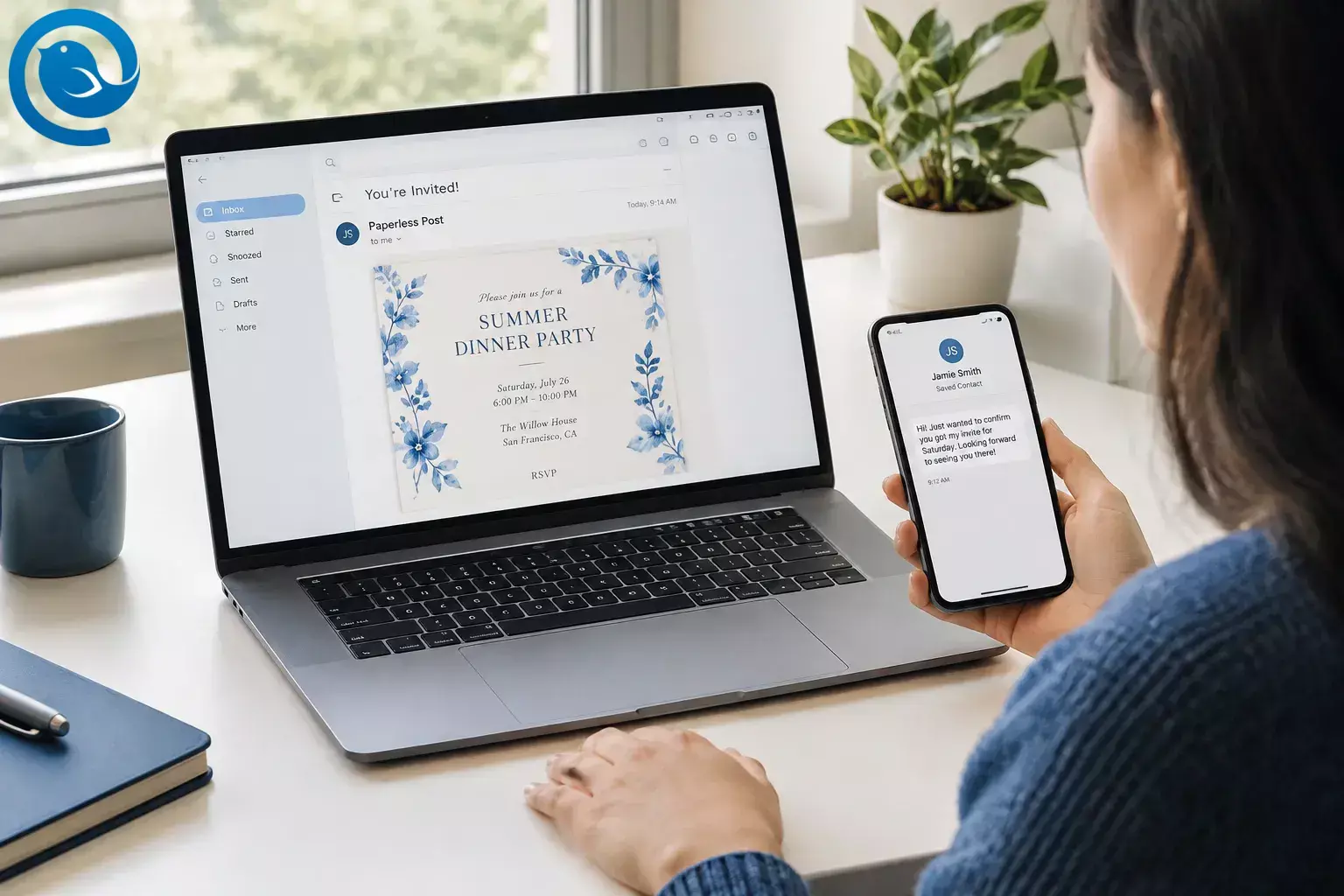
An unexpected invitation deserves a separate check if it asks for an email password or one-time code, leads to an unfamiliar website, or includes a file to download. Do not use the message’s links or phone numbers to verify it. Contact the host through a method you already trust, or type
paperlesspost.com
into your browser yourself.
What’s new
The Federal Trade Commission has warned about fake party invitations that impersonate services including Paperless Post and ask for email passwords or one-time codes. [1] If you already shared information or paid, go to the recovery steps below.
Key takeaways
- Do not click, download, reply, or call from a suspicious invitation.
- Check the full sender address and inspect the link without opening it.
- Never enter an email password or one-time code to view an invitation.
- Confirm an unexpected event with the host through a saved contact method.
-
If you have an account, type
paperlesspost.comyourself to check it. - If you shared information or paid, follow the recovery and reporting steps below.
Before you start
- Have ready
- The suspicious email, a browser, and a saved way to contact the supposed host. A Paperless Post account is helpful but not required.
- Time and cost
- Allow a few minutes to check one message. Checking and reporting do not require a purchase; recovering an account or disputing a payment may take longer.
- Safety
- Do not use the email’s links, attachments, phone numbers, or reply button to confirm it. Type website addresses yourself and contact the host through a number or conversation you already trust.
What a fake invitation can look like
A scam email may use a polished invitation image, a familiar person’s name, and a button such as “View this card.” Subject lines documented in invitation-themed phishing include “SPECIAL INVITATION,” “YOU ARE INVITED,” and “JOIN US FOR A SPECIAL GATHERING.” The message may push you to act quickly, then send you to a sign-in page or a file download. [3]
Paperless Post says some imitations have come from the actual email accounts of people recipients know. A familiar name—or even a familiar address—is therefore not proof that the person sent the invitation. [2]
Seven signs to stop and check
- The sender address is wrong. An email claiming to be an official Paperless Post invitation comes from an address outside the company’s published list.
- The host seems familiar, but the invitation is unexpected. Ask that person separately; their mailbox may have been compromised.
- The button leads elsewhere. A lookalike address, or a longer address that merely contains the words “paperlesspost,” is not the same as an official domain.
- You must sign in to see the invitation. Paperless Post says viewing a received invitation does not require a login.
- It asks for an email password or one-time code. Do not enter either to view or RSVP.
- It includes an invitation file to download. Paperless Post says its invitations do not arrive as downloadable attachments.
- It pressures you to resolve a problem through the message. Treat an urgent demand to call, pay, or “verify” an account before seeing event details as a reason to stop—not as proof the event is real. [2]
How to check the invitation safely
How to check the invitation safely
-
Leave the invitation button alone
Keep the message available for inspection, but do not select “View,” open an attachment, reply, or call a number it supplies. Check: you have not used anything in the message to reach a website or person.
-
Expand the full sender address
Open the sender details, not just the display name. Paperless Post lists these addresses for invitations and account-related mail:
paperless@email.paperlesspost.com,paperlesspost@paperlesspost.com, andpaperlesspost@accounts.paperlesspost.com. Its support addresses are listed separately. A matching address is one check, not a reason to ignore an unexpected request. [2] Check: you can see the entire address and know which type of message it claims to be. -
Inspect the destination without opening it
On a computer, hover over the invitation button and read the destination shown by your browser or email app. Paperless Post identifies
paperlesspost.com,pp.events, andlinks.paperlesspost.comas its invitation-link domains. Check the actual domain, not just familiar words in a longer address. If your phone does not clearly show the destination, skip this test rather than tapping to find out. [2] Check: an unfamiliar or unreadable destination remains unopened. -
Read the request, not just the design
Look for a demand to enter an email password or code, download an “eCard,” pay to reveal details, or call a number in the message. A real received Paperless Post invitation does not require a login or download just to open it. [2] Check: if the message makes one of these demands, you stop using it.
-
Ask the host through a separate channel
Call a number already in your contacts, start a fresh text conversation, or ask in person: “Did you send me an invitation to this event?” Do not reply to the suspect email or use its contact details. The FTC recommends confirming an unexpected invitation with the host. [1] Check: the answer comes from a contact method you chose independently.
-
Check Paperless Post directly if you have an account
Type
paperlesspost.cominto your browser yourself. If you normally use an account, sign in through the site you opened and check My Events → Received on desktop or mobile web. In the app, check My account → Received. Paperless Post says the My Events received list currently shows invitations associated with your primary account email address, so an invitation sent to another address may not appear there. Absence alone does not prove a scam. [4] Check: you reached the account without using the email’s link. -
Decide whether to view, hold, or report
If the host independently confirms the event, use the invitation found in your account when available, or ask the host to send a fresh invitation. If the host denies sending it, you cannot reach them, or the message asks for credentials, leave its links unopened and report it. Check: you have a reason beyond its logo or sender name to trust it.
What to do if you already clicked, paid, or called
If you clicked a link
Close the page and do not enter anything further. A click alone is not proof that your account was taken over. Identify whether you entered information, downloaded a file, or gave anyone access to your device.
If you entered a password or one-time code
Go directly to the affected account through its usual site or app. Change its password and any reused passwords, turn on two-factor authentication, and follow the provider’s recovery process if you are locked out. Check for unfamiliar sign-ins, recovery details, or email-forwarding rules. [5] [6]
If you downloaded a file or granted device access
If you downloaded or ran a file or granted remote access, update your security software, run a scan, and seek trusted technical help if needed. [5]
If you paid or called
Hang up and do not call back. If you gave card details or sent money, contact your card issuer, bank, or payment app through its official app, a website you type yourself, or the number on your card. Explain what happened and ask whether the payment can be reversed. If the caller obtained access to your device, follow the device and account steps above. [5]
Report the message
Forward the suspect email to
phishing@paperlesspost.com, as Paperless Post requests. Report the attempt to the FTC at
ReportFraud.ftc.gov. If it reached a work account, also use your workplace’s reporting channel. Then use your email provider’s
phishing or spam reporting option
and delete the message.
[1]
[2]
Why a separate check matters
The email controls its own appearance, buttons, and contact details. Typing the site address yourself and asking the host through a separate channel gives you information the suspicious message does not control.
Troubleshooting
| Symptom | What to do |
|---|---|
| The sender shows only a name. | Open sender details. If you still cannot see the full address, check the same message in your provider’s webmail. |
| The link’s destination is hidden on your phone. | Do not tap it. Contact the host and check the official site directly instead. |
| The name and sender address look familiar. | Ask the person through a saved number or a fresh conversation, not by replying to the invitation. |
| The invitation is missing from My Events. | Check which address received it and ask the host directly. A missing entry does not prove the message is fake. [4] |
| The page asks you to sign in to view the card. | Close it without entering a password or code. Type the official site address yourself if you need your account. [2] |
| You clicked but entered nothing. | Close the page. If a file downloaded or ran, scan the device. Check any account alerts through the provider’s own site. |
| You entered a password and can no longer sign in. | Use the provider’s account-recovery process from its official site. Then secure the account and check forwarding rules. [6] |
| You paid after calling a number in the email. | Stop contact and notify the bank, card issuer, or payment app using contact details you obtain independently. [5] |
- Symptom
- The sender shows only a name.
- What to do
- Open sender details. If you still cannot see the full address, check the same message in your provider’s webmail.
- Symptom
- The link’s destination is hidden on your phone.
- What to do
- Do not tap it. Contact the host and check the official site directly instead.
- Symptom
- The name and sender address look familiar.
- What to do
- Ask the person through a saved number or a fresh conversation, not by replying to the invitation.
- Symptom
- The invitation is missing from My Events.
- What to do
- Check which address received it and ask the host directly. A missing entry does not prove the message is fake. [4]
- Symptom
- The page asks you to sign in to view the card.
- What to do
- Close it without entering a password or code. Type the official site address yourself if you need your account. [2]
- Symptom
- You clicked but entered nothing.
- What to do
- Close the page. If a file downloaded or ran, scan the device. Check any account alerts through the provider’s own site.
- Symptom
- You entered a password and can no longer sign in.
- What to do
- Use the provider’s account-recovery process from its official site. Then secure the account and check forwarding rules. [6]
- Symptom
- You paid after calling a number in the email.
- What to do
- Stop contact and notify the bank, card issuer, or payment app using contact details you obtain independently. [5]
Other situations
-
You received a text instead:
do not tap its link. Paperless Post says invitation texts use
pp.eventslinks; still confirm a surprising event with the host separately. [2] - It arrived at work: use your organization’s phishing-reporting process and tell its IT team promptly if you entered work credentials or ran a file.
- You do not have a Paperless Post account: you do not need to create one to view a genuine invitation. Ask the host through a contact method you already have rather than signing up through the suspicious message. [2]
- A friend forwarded you an invitation: a personal forward need not come from a Paperless Post sending address. Confirm that the friend sent it, and do not enter an email password merely to view it.
Frequently asked questions
Is every Paperless Post invitation email a scam? — Genuine invitations
No. Paperless Post sends genuine invitations. Check an unexpected message’s request, sender, and destination, and ask the host separately if you are unsure.
Do I need a Paperless Post account to view an invitation? — No sign-in required
No. A received invitation should not require you to sign in just to view it. [2]
What if the email came from someone I know? — Saved phone number
Ask them using a saved phone number or a new conversation. Their email account could have been used without their knowledge. [2]
Is pp.events a legitimate Paperless Post address? — Yes, official domain
Yes, Paperless Post lists
pp.events
as an official invitation-link domain. Check the full address and confirm an unexpected event with the host anyway.
[2]
Does clicking a fake invitation mean my email was hacked? — Not necessarily
Not necessarily. Close the page and identify whether you entered a password or code, downloaded a file, or gave anyone access. Take the matching recovery steps above.
Where do I report a fake Paperless Post invitation? — Forward it
Forward it to
phishing@paperlesspost.com, report it to the FTC at
ReportFraud.ftc.gov, and use your email provider’s phishing-reporting option.
[1]
[2]
Quick checklist to save
- Do not click, download, reply, or call from the email.
- Expand the full sender address and inspect the link without opening it.
- Never enter an email password or one-time code to view an invitation.
- Confirm the event with the host through a saved contact method.
-
Type
paperlesspost.comyourself to check your account, if you have one. - If you shared information or paid, secure the affected account and contact the payment provider.
- Report the message to Paperless Post and the FTC.
Sources
- FTC Consumer Advice — Fake party invitations and requests for email passwords
- Paperless Post Help Center — Spotting fake emails and spam texts
- UCLA Information Security — Electronic invitation phishing examples
- Paperless Post Help Center — Finding received Cards and Flyers
- FTC Consumer Advice — What to do if you were scammed
- FTC Consumer Advice — Recovering a hacked email or social media account


