Bad Email Etiquette: 9 Real Examples and How to Fix Each One
Below are 9 bad email etiquette examples, each with a corrected version and a quick explanation of what changed. If you’re looking for bad email examples, unprofessional email examples, or just examples of poor email etiquette, start here.



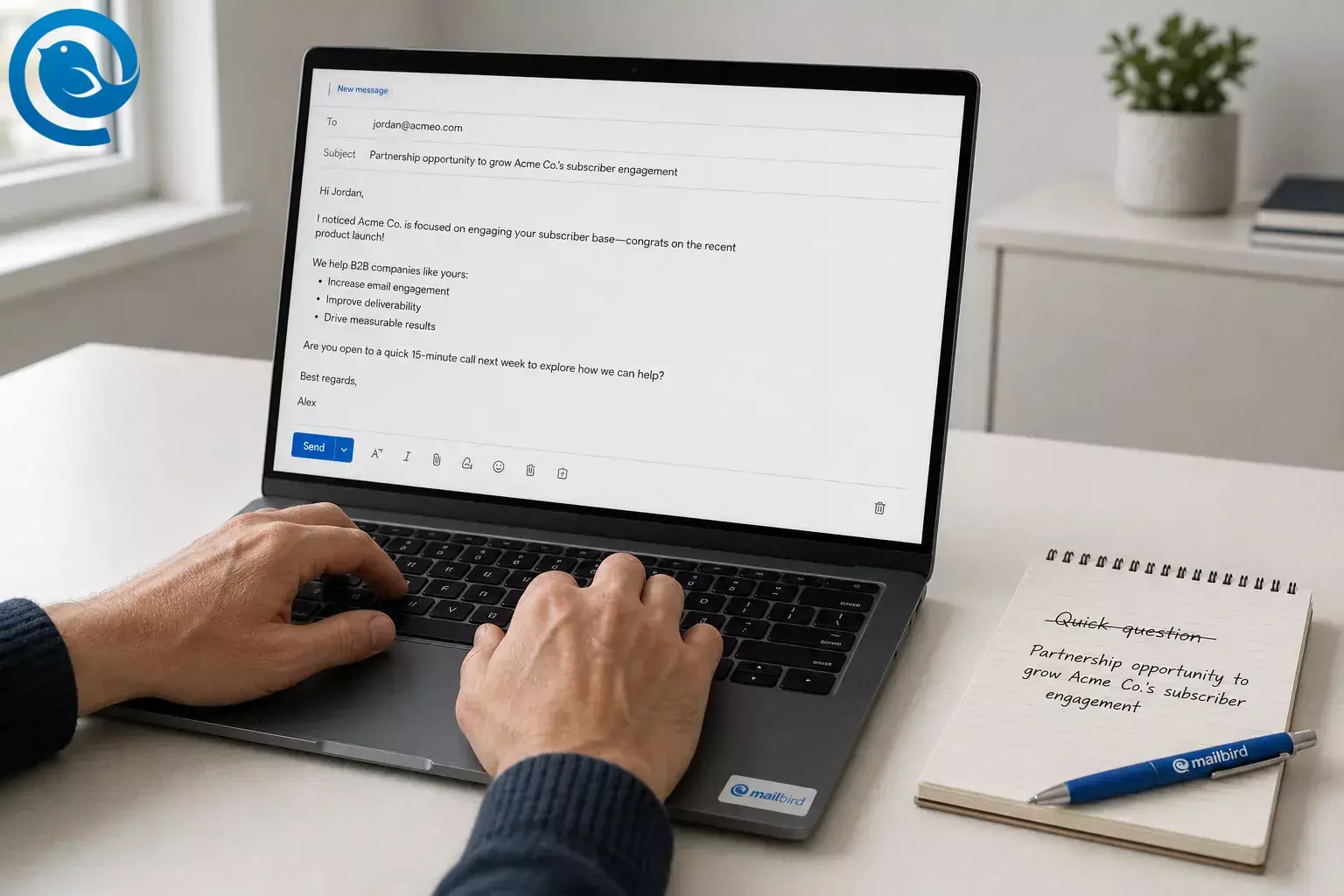
Below are 9 bad email etiquette examples, each with a corrected version and a quick explanation of what changed. If you’re looking for bad email examples, unprofessional email examples, or just examples of poor email etiquette, start here.
Most bad email etiquette comes down to one thing: making the reader work harder than necessary. Vague subject lines, unclear asks, wrong recipients, poor timing, and messy formatting all create friction. Every shortcut that saves you 20 seconds can cost the reader two minutes.
What’s new
Writing faster is easier than ever thanks to AI drafting in Gmail, including 2026 Help me write updates that can match the tone and style of earlier emails, but speed does not fix unclear requests or bad judgment. [1] [2] A 2025 study also linked email overload during worktime with higher job stress and lower job and life satisfaction, which is why the fixes below focus on reducing reader effort. [3]
Key takeaways
- Most bad email etiquette comes down to making the reader work harder than necessary.
- In a new email, the fastest fix is usually the subject line: topic + ask + deadline.
- If you need approval, a decision, or a deliverable, put the request in the first two lines .
- Match formality to the relationship and the risk, especially in first contact.
- Inside a thread, remove blame, avoid reply-all that adds nothing, and keep the context attached.
- When other people are copied, write to the owner first and keep CC for awareness, not pressure.
- Break long updates into bullets, decisions, and deadlines so the reader can scan.
- For follow-ups, wait, then send one clean nudge. If something is truly urgent, switch channels instead.
Bad email etiquette examples at a glance
If you only skim one section, skim this. It shows what each mistake usually signals and the fastest way to fix it.
| Use case | Mistake | Fastest fix | Effort |
|---|---|---|---|
| New email | 1. Vague subject line | Topic + ask + deadline | 10–20 sec |
| New email | 2. No clear ask | Put the request in the first two lines | 30–60 sec |
| New email | 3. Too casual for the context | Match formality to the relationship | 20–30 sec |
| Thread reply | 4. Passive-aggressive tone | State the fact, then ask for the next step | 45 sec |
| Thread reply | 5. Reply-all that adds nothing | Reply to one person or don’t reply | 5 sec |
| Thread reply | 6. New thread with no context | Stay in-thread and add a one-line recap | 20 sec |
| Group email | 7. Over-CCing to apply pressure | Write to the owner first; escalate later | 30 sec |
| Group email | 8. Wall of text | Break the update into bullets and decisions | 1–2 min |
| Follow-up | 9. Chasing too soon | Wait, then send one clean nudge | 30 sec |
1. Vague subject line
- Use case
- New email
- Fastest fix
- Topic + ask + deadline
- Effort
- 10–20 sec
2. No clear ask
- Use case
- New email
- Fastest fix
- Put the request in the first two lines
- Effort
- 30–60 sec
3. Too casual for the context
- Use case
- New email
- Fastest fix
- Match formality to the relationship
- Effort
- 20–30 sec
4. Passive-aggressive tone
- Use case
- Thread reply
- Fastest fix
- State the fact, then ask for the next step
- Effort
- 45 sec
5. Reply-all that adds nothing
- Use case
- Thread reply
- Fastest fix
- Reply to one person or don’t reply
- Effort
- 5 sec
6. New thread with no context
- Use case
- Thread reply
- Fastest fix
- Stay in-thread and add a one-line recap
- Effort
- 20 sec
7. Over-CCing to apply pressure
- Use case
- Group email
- Fastest fix
- Write to the owner first; escalate later
- Effort
- 30 sec
8. Wall of text
- Use case
- Group email
- Fastest fix
- Break the update into bullets and decisions
- Effort
- 1–2 min
9. Chasing too soon
- Use case
- Follow-up
- Fastest fix
- Wait, then send one clean nudge
- Effort
- 30 sec
How we picked these examples
These examples focus on the mistakes that create the most friction fastest: vague asks, messy threads, recipient overload, and tone that lands colder than the sender meant. They cover everyday work email rather than marketing campaigns, and they’re grouped by use case instead of ranked from worst to least bad.
Before you hit send on a new email
These three mistakes make a first email feel low-effort before the reader even reaches your ask.
1) The subject line that says nothing
- Lets the reader triage the email before opening it
- Makes the thread easier to find later
- Signals the real priority level
Biggest drawback: A vague subject line makes even a valid request feel low-priority or suspiciously vague.
Watch-out: Reusing an old thread with the wrong subject is almost as confusing as having no subject at all.
Bad email
Subject: Quick question
Hi,
Can you look at this and let me know what you think?
Thanks
Better version
Subject: Feedback needed on Q3 pricing deck by Thursday, 3 PM
Hi Maya,
Could you review slides 8–12 of the Q3 pricing deck and tell me whether the proposed discount range works for enterprise accounts by Thursday at 3 PM?
Thanks,
Jordan
What changed and why: The fixed version names the file, the scope, and the deadline. The reader no longer has to guess what “this” means.
2) The email with no clear ask
- Puts the action up front instead of hiding it in background
- Makes ownership obvious
- Gives the recipient an easy way to reply
Biggest drawback: The bad version reads like a status update even though it secretly wants action.
Watch-out: If you have more than one ask, number them so the reply can mirror your list.
Bad email
Subject: Website copy
Hi team,
We’ve gone through a few rounds on the homepage copy. Marketing likes the shorter version, Sales wanted more proof points, and Design thinks the header is still too long. We also need to think about the CTA and maybe whether the social proof should move higher. Let me know what you think.
Better version
Subject: Need decision on homepage copy by Wednesday
Hi team,
I need one decision by Wednesday at noon:
1. Approve Version B for the homepage headline, or
2. Send your edits in the doc.
If helpful, the only open points are the headline length and the CTA text.
Thanks,
Ava
What changed and why: The request moves to the top, the choices are limited, and the deadline is visible. That makes the email answerable.
3) The too-casual opener that looks unprofessional
- Protects your credibility before you ask for something
- Reduces the chance that tone gets misread
- Still sounds human without sounding stiff
Biggest drawback: The bad version can make you look unserious, especially when you’re asking for a favor or a deadline.
Watch-out: Gmail’s Help me write can now match the tone and style of your previous emails. Helpful tool, but if your baseline tone is too casual, that mistake can spread faster. [1]
Bad email
Subject: Need a favor
hey!! just wanted to see if u could send over the contract stuff today :) thx!!
Better version
Subject: Contract copy request
Hi Elena,
Could you send the latest contract version today?
Thank you,
Sam
What changed and why: The rewrite removes text-message shorthand, emojis, and vague phrasing. It also adds a proper opening and close without turning robotic.
When you’re replying inside a thread
Replies usually go bad for one of three reasons: wrong tone, wrong audience, or missing context.
4) The passive-aggressive reply
- Keeps defensiveness lower
- Documents the situation without adding heat
- Surfaces blockers instead of blame
Biggest drawback: The bad version can feel satisfying to send and expensive to clean up later.
Watch-out: If you’re angry, save the draft, step away, and reread it once the adrenaline is gone.
Bad email
Subject: Re: Budget file
As I already said twice, this was due yesterday. I need it ASAP.
Better version
Subject: Re: Budget file
Hi Leo,
Checking in on the budget file from yesterday. I still need it to send the final package today. Can you share it by 2 PM, or let me know if anything is blocking you?
Thanks,
Rina
What changed and why: The rewrite removes blame language, adds a clear next step, and gives the other person a face-saving way to explain the delay.
5) The reply-all that never needed to exist
- Cuts inbox noise immediately
- Keeps the thread useful for the people who need it
- Reduces pointless “me too” pile-ons
Biggest drawback: One unnecessary reply-all teaches people to ignore future group email.
Watch-out: A simple “Thanks” rarely needs any reply at all.
Bad email
Subject: Re: Launch checklist
To: Entire project list
Thanks!
Better version
To:
Original sender only
Subject:
Re: Launch checklist
Thanks, got it.
Or skip the reply if no confirmation is needed.
What changed and why: The fix removes low-value traffic. In a crowded inbox, less noise is often the kindest thing you can send.
6) The new thread with zero context
- Preserves the timeline in one place
- Makes search and handoff easier
- Prevents the “Which request is this?” problem
Biggest drawback: The bad version forces the recipient to stop and reconstruct the conversation.
Watch-out: If you must start a new thread, add a one-line recap before your question.
Bad email
Subject: Following up
Any update?
Better version
Subject: Re: Vendor quote for September event
Hi Chris,
Following up on the vendor quote below. Do you expect to have approval by Friday?
Thanks,
Lena
What changed and why: The fixed version keeps the old context attached and asks one answerable question with a date.
When other people are copied
Group email problems are usually less about wording and more about who sees what.
7) CC as a pressure tactic
- Keeps direct ownership clear
- Avoids public shaming
- Makes later escalation look measured instead of emotional
Biggest drawback: The bad version feels political, even when your request is reasonable.
Watch-out: Copy managers when they need awareness, not when you need leverage.
Bad email
To:
Priya
CC:
Director, VP, Ops Lead
Subject:
Approval?
Priya, can you finally approve this today?
Better version
To:
Priya
Subject:
Approval needed for August invoices
Hi Priya,
Could you approve the August invoices by 4 PM today? If timing is tight, let me know and I can adjust the payment schedule.
Thanks,
Nina
What changed and why: The rewrite removes public pressure, adds a reason, and keeps escalation in reserve instead of using it as a first move.
8) The unscannable wall of text
- Makes the email easy to skim on desktop and mobile
- Separates facts from requests
- Helps decisions stand out from background
Biggest drawback: The bad version forces readers to hunt for the one sentence that matters.
Watch-out: If you use bold, use it once for the main ask — not on half the message.
Bad email
Subject: Event plan
Hi everyone, just wanted to send a quick note with where we are on the event because there are a few moving parts and I know everyone has questions but basically catering is confirmed except for the vegetarian count, the venue needs final headcount by Monday, Finance asked whether we’re splitting the speaker fee across two budgets, and Marketing still hasn’t approved the banner copy so if anyone has thoughts send them over because we need to move fast.
Better version
Subject: Event plan: 3 decisions needed by Monday
Hi everyone,
We’re on track, but I need three decisions by Monday:
• Confirm vegetarian headcount
• Approve whether the speaker fee is split across two budgets
• Approve banner copy
Already done:
• Catering confirmed
• Venue booked
Deadline:
• Final headcount goes to the venue on Monday at 10 AM
Thanks,
Derek
What changed and why: The improved version keeps the same information but turns it into a scan. The reader sees action items first, then context.
When you’re following up
A follow-up should help the other person act, not remind them you’re impatient.
9) Chasing too soon
- Protects goodwill
- Makes urgency believable when it is real
- Shows better judgment than sending three nudges in an hour
Biggest drawback: The bad version creates urgency for you, not clarity for the recipient.
Watch-out: If something is truly urgent, switch channels instead of stacking follow-up emails.
Bad email
Subject: Re: Invoice review
9:19 AM — Just checking???
10:01 AM — Following up again
Original email was sent at 9:02 AM.
Better version
Subject: Re: Invoice review
Hi Omar,
Following up on the invoice review from Tuesday. If possible, could you send your notes by Friday at noon? If that timing no longer works, no problem — just send me a better time.
Thanks,
Mia
What changed and why: The better version restores context, gives a realistic deadline, and offers an easy way to reset expectations without drama.
Best fixes by scenario
You need faster replies
Start with Examples 1 and 2. Clear subject line first, clear ask second. Most slow replies begin there.
You’re emailing a client, manager, or recruiter
Start with Example 3. Slightly more formality is usually safer than being remembered as too casual.
Your replies sound harsher than you mean
Use Examples 4 and 6 together. Keep the thread context, remove blame, and ask for the next step.
Your team threads are chaotic
Use Examples 5, 7, and 8. Most thread problems are recipient problems and formatting problems, not grammar problems.
You keep over-following up
Use Example 9. One clean follow-up with context beats three impatient nudges every time.
You manage multiple accounts or repeat the same follow-ups
Pair Examples 6 and 9 with Mailbird tools : Unified Inbox for multiple accounts, Snooze for low-priority threads, Undo Send for last-second catches, and Email Templates for repeat replies. [5] [6] [7] [8]
Download Mailbird Free if your inbox setup is part of the problem
If inbox clutter is making good email etiquette harder, Mailbird can add a few useful guardrails. Unified Inbox combines connected accounts in one place, Snooze helps clear low-priority threads, and Undo Send gives you a 5–30 second window to stop a message before it leaves. [5] [7] [8]
If you send the same follow-up often, Mailbird Premium includes Email Templates. [6] [9] Watch-outs: Unified Inbox appears after you add more than one account, templates do not save To, CC, or BCC, and Mailbird Free does not include Templates, Snooze, or Undo Send. [5] [6] [9]
Pricing note: At the time of writing, Mailbird’s U.S. pricing page lists Free at $0, Premium Yearly at $4.03 per user/month paid yearly, and Premium Pay Once at $99.75 per user. Prices and offers can change. [4]
Frequently Asked Questions
What counts as bad email etiquette?
Anything that makes the reader do unnecessary work: vague subject lines, missing context, unclear asks, wrong recipients, sloppy formatting, or follow-ups that create noise instead of progress.
What’s the simplest professional subject line formula?
Use topic + action + timing. Example: “Budget approval needed by Friday” is much stronger than “Quick question.”
Should work email always be formal?
No. It should fit the relationship and the risk. Internal back-and-forth can be lighter, but first contact and high-stakes messages should lean more polished.
When should I use Reply All?
Only when every recipient truly needs your answer or update. If one person needs it, send it to one person.
Is CC rude?
Not by itself. It becomes rude when it's used to pressure, embarrass, or escalate before giving the owner a fair chance to respond.
How long should I wait before following up?
Base it on urgency, deadline, and relationship. For routine work, give people reasonable time. For urgent issues, change channels instead of sending multiple nudges.
Can AI fix a bad email?
It can improve wording, but it can’t decide whether your ask is clear, your recipients are right, or your timing makes sense.
Do I always need a greeting and sign-off?
For first contact, yes. In a fast-moving internal thread, you can relax once the tone is established, as long as the message is still clear and respectful.
A quick note on tools and pricing
AI writing tools roll out over time and may vary by plan or region. Mailbird plans and prices can change too. If you’re turning any of these examples into a team rule or buying software around them, check the current product pages first. [1] [2] [4] [9]
Sources
- Google Workspace Updates — “Improvements to Help Me Write in Gmail”
- Google Blog — “New ways to create and get stuff done in Google Workspace”
- ScienceDirect — “E-mail overload: Exploring employees’ experiences using e-mail during worktime and leisure time and consequences for their subjective well-being”
- Mailbird — Pricing and plans (U.S. pricing view)
- Mailbird Support — Unified Inbox
- Mailbird Support — Email Templates
- Mailbird Support — Undo send feature in Mailbird
- Mailbird — Features, tools & superpowers
- Mailbird Support — Is Mailbird free?


