What Does Encrypted Email Actually Mean?
What does encrypted email mean? It means an email is protected with cryptography. In practice, that protection may apply only to the connection while the message travels, to the message content itself, or to both.58



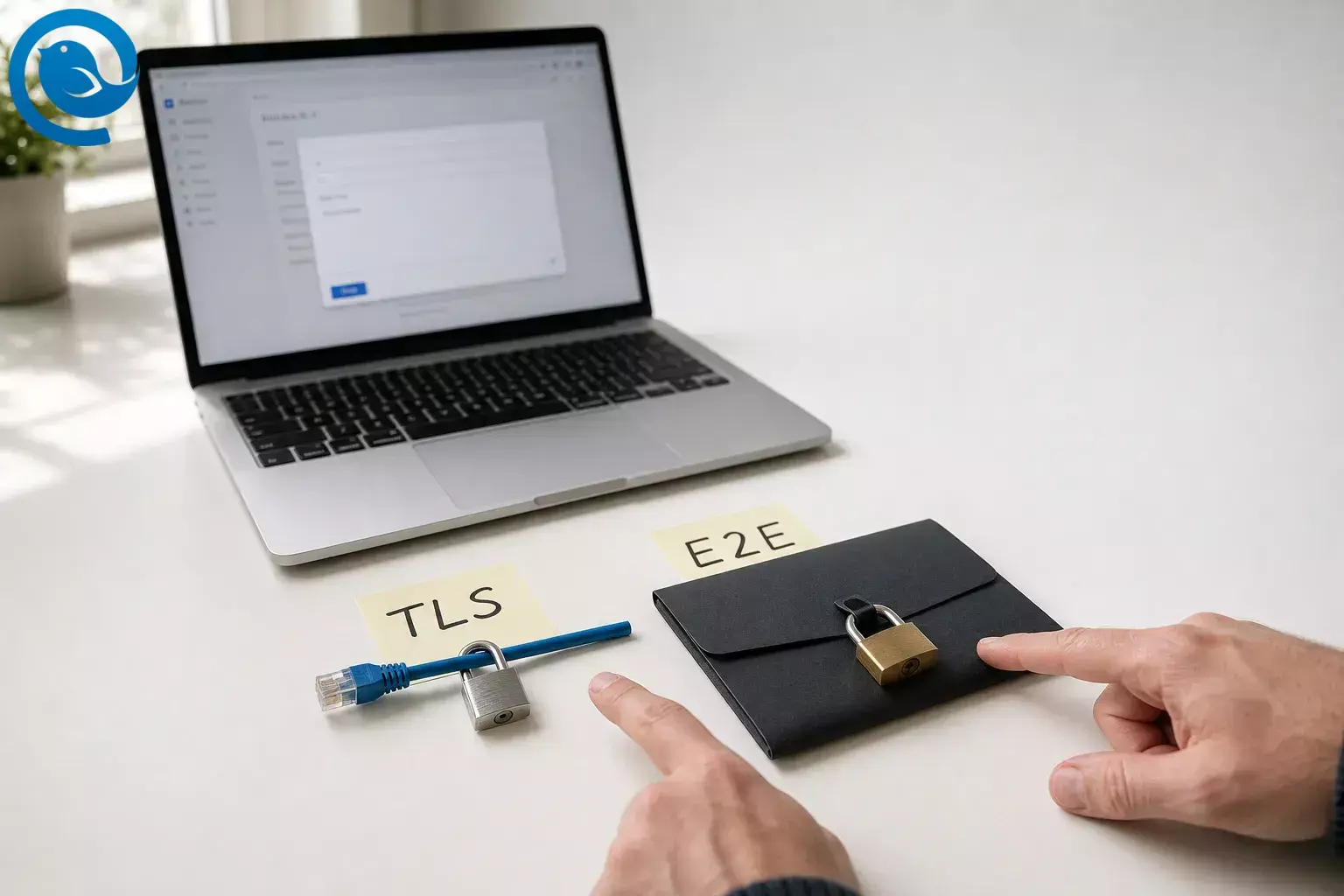
What does encrypted email mean? It means an email is protected with cryptography. In practice, that protection may apply only to the connection while the message travels, to the message content itself, or to both. 5 8
That is why “encrypted email” can describe different things in different products. Major providers separate standard in-transit encryption from stronger message-level options such as S/MIME or client-side encryption , because those options protect against different risks and leave different parties able to read the message. 2 3 5 8 9
Key takeaways
- “Encrypted email” may describe transport encryption, message-level encryption, or both. 5 8
- TLS protects the trip between systems, not the readable message on the servers that deliver and store it. 5 6 7
- End-to-end encryption protects the message body from the servers in the middle by encrypting it for the recipient’s key. 8 9 10
- Even stronger setups may leave headers such as the subject line, recipients, and timestamps visible. 3 8
- Most people do not need E2E for every message, but it matters for unusually sensitive email. 8
- Digital signatures help verify who sent a message and whether it was changed after it was signed. 11 12 13
Encrypted email explained: how it works
A useful mental model is to ask two questions: is the connection protected, and is the message itself protected? Standard email usually answers the first question with TLS. Stronger email setups like S/MIME or OpenPGP try to answer the second one too. 5 8 9 10
- You write a message in your email app, which typically opens an encrypted connection to your outgoing mail server using TLS or another secure transport. 5 6
- With ordinary TLS-only email, the sending and receiving services still have to handle the readable message so they can route and store it. In some provider-managed encrypted-mail systems, a service may also render or decrypt the message for the recipient after verifying identity. 5 6
- When that message moves between servers, each hop can use TLS if both sides support it. If the other provider does not support TLS, that hop may not be encrypted at all. 4 7
- With true message-level encryption—usually S/MIME or OpenPGP in email—the body is encrypted for the recipient instead of only protecting the wire between servers. 8 9 10
- The recipient then decrypts with the matching private key or certificate. If the message is also digitally signed, the recipient can verify who sent it and whether it was changed after it was signed. 11 12 13
- Even then, not every part of an email is always hidden. Google’s client-side encryption documentation says the body, inline images, and attachments get additional encryption, while headers such as the subject line, recipients, and timestamps do not. 3
TLS vs end-to-end encryption: what each protects
Transport encryption (TLS)
Transport Layer Security (TLS) encrypts the connection between two systems: your app and your server, or one mail server and another. It is designed to prevent interception and tampering while the message is moving across that connection. 2 4 6
What it does not do is keep the message hidden from the servers that receive, store, relay, or process it. It also cannot guarantee protection on a hop where the other side does not support TLS. 4 5 7
End-to-end encryption (E2E)
End-to-end encryption is designed to keep the message content confidential from the servers in the middle by encrypting it for the recipient’s key, not just for the network path. In email, that usually means S/MIME or OpenPGP, often paired with a digital signature for integrity and sender verification. 8 9 10 13
What it does not automatically do is hide every bit of metadata, remove recipient friction, or make email behave like a simple chat app. Headers may remain exposed, and many people you email still will not have compatible end-to-end setups. 3 8
So when someone asks what encrypted email means, the honest answer is: it depends on who can still decrypt it. If a service can unlock the message as part of normal delivery, that is not the same privacy model as true end-to-end email. If the content is encrypted for the recipient’s key and the provider in the middle cannot read it, you are much closer to true end-to-end protection. 3 8 9 10
Real examples: TLS vs E2E
Simple example: everyday personal email
You email a friend a dinner plan from one major provider to another. If both providers support TLS, the message is protected while it travels, which is a meaningful security baseline. But the providers handling that message can still process or store the readable content as part of ordinary delivery. 2 5 6 7
Realistic example: confidential work files
You send draft acquisition numbers, legal strategy notes, or confidential HR documents to one person and you do not want the mail providers or intermediate servers able to read the body. That is the kind of situation where end-to-end or client-side encryption starts to make real sense. 3 8 12
Edge case: outside recipient, browser-based reading
You send an encrypted message to someone outside your organization. In some systems, that person will not simply open a normally delivered email in their own app; instead, they may get an invitation, verify identity, and read the message in a restricted web view or browser flow. 1 3
Edge case: mailing list or public archive
If the message is meant for a mailing list, a public archive, or a thread that is expected to be shared widely, end-to-end secrecy may be meaningless or even counterproductive. In those cases, a digital signature can be more useful than encryption because authenticity matters more than confidentiality. 8 13
Common myths about encrypted email
- “Encrypted email” always means only the sender and recipient can read it. Usually not. In many mainstream systems, it simply means TLS protected the message in transit. 2 5 7
- “ A lock icon means the provider cannot read it.” Not necessarily. Gmail, for example, distinguishes standard TLS, hosted S/MIME, and client-side encryption as separate levels. 2 3 4
- “TLS is pointless if it is not end-to-end.” Wrong. TLS is still the normal and useful baseline that protects against interception and tampering while mail moves between systems. 2 6 7
- “End-to-end encryption hides everything about the email.” Often false. Subject lines, recipients, and timestamps may still remain outside the extra encryption layer. 3 8
- “Encryption proves the sender is genuine.” Encryption and authenticity are related but not identical. Digital signatures are the feature that helps verify the sender and detect tampering. 9 13
- “Encrypted at rest is the same as end-to-end encryption.” No. At-rest encryption protects stored data on disks; it does not mean the service itself never has access to the readable message. 5
- “Everyone should use end-to-end encryption for every message.” The IETF explicitly notes that some emails get no real benefit from E2E, and that many correspondents still cannot handle end-to-end protected mail smoothly. 8
- “Your email client alone decides this.” The client matters, but the real outcome depends on the provider, the keys or certificates, and what the recipient can use. Mailbird, for example, connects the accounts you already have rather than acting as its own email host. 5 14
When a normal user actually needs end-to-end email
Most people do not need end-to-end encryption for every email. For routine personal and workplace messages, transport encryption with a modern provider is the standard baseline. End-to-end becomes worth the extra setup when the content itself needs to stay unreadable to the providers or systems handling delivery. 6 7 8
Transport encryption (TLS) is usually enough when…
Your main concern is keeping routine email from being intercepted on the network path, not hiding it from the services that deliver and store it. That covers a lot of normal life: scheduling, general work updates, purchase receipts, travel details, and low-sensitivity attachments. 6 7
- the message would be annoying to leak, but not damaging in a serious way
- you need the easiest possible experience for the recipient
- both sides are using normal, modern email providers and there is no special policy requirement
Step up to end-to-end encryption when…
Use stronger message-level encryption when the content itself needs to stay unreadable to providers or intermediate servers, or when your organization requires customer-held keys or client-side encryption for sensitive data. 3 8 12
- the message contains truly sensitive personal, legal, financial, investigative, or strategic information
- a leak would materially harm you, a client, a source, or a business deal
- your workplace policy requires signed and encrypted email or customer-controlled keys
- you can manage the recipient setup, or you are comfortable with a guest-account or secure-browser reading flow
Skip E2E—or use signatures only—when…
If the email is meant to become public, go to a mailing list, or be archived openly, secrecy adds little value. And if what you mainly need is proof of sender identity and tamper detection, a digital signature may be more appropriate than full encryption. 8 13
- the message is going to a public or shared archive
- the recipient cannot realistically handle certificates, keys, or extra login steps
- clarity, deliverability, or speed matters more than strong content secrecy
Key terms in encrypted email
- TLS
- Transport Layer Security: encryption for the connection between two systems, such as your email app and a server or one mail server and another. 6 7
- End-to-end encryption (E2EE)
- Protection applied to the message content so that only the intended endpoints can decrypt it, rather than just protecting the network path. 3 8
- S/MIME
- A certificate-based email standard used to encrypt messages and add digital signatures for identity and integrity. 9 13
- OpenPGP / PGP
- An email encryption and signing standard that provides privacy and authentication for MIME email content. 10
- Public key / private key
- A paired-key system where the public key can be shared openly and the matching private key stays secret; in email, the public key can encrypt for the recipient and the private key decrypts it. 11 12
Want one place to manage the accounts you already use?
Mailbird is a desktop email client. It connects Gmail, Outlook, and other IMAP/SMTP accounts in one app, while the actual level of encryption still comes from the email service and secure-email setup behind each account. 14 5
Frequently Asked Questions
What does encrypted email mean in plain English?
Is regular Gmail or Outlook email encrypted by default?
Can my email provider read a TLS-protected message?
Does end-to-end encryption hide the subject line?
Do both people need special setup for end-to-end encrypted email?
Is a secure portal or browser-based message the same as end-to-end encryption?
When does a normal person genuinely need end-to-end email?
Sources
- Google Workspace Updates: “Gmail end-to-end encryption now available on mobile devices” (Apr. 9, 2026)
- Gmail Help: Learn how Gmail encrypts your emails
- Gmail Help: Learn about Gmail client-side encryption
- Gmail Help: Check your email security
- Microsoft Learn: Email encryption in Microsoft 365
- Microsoft Learn: How Exchange Online uses TLS to secure email connections
- NIST SP 800-177 Rev. 1: Trustworthy Email
- RFC 9787: Guidance on End-to-End Email Security
- RFC 8551: Secure/Multipurpose Internet Mail Extensions (S/MIME) Version 4.0 Message Specification
- RFC 3156: MIME Security with OpenPGP
- NIST CSRC Glossary: Public and Private Key
- Microsoft Learn: Customer-managed encryption features
- Microsoft Learn: Configure S/MIME for Windows
- Mailbird: Best Email Client for Windows and Mac


