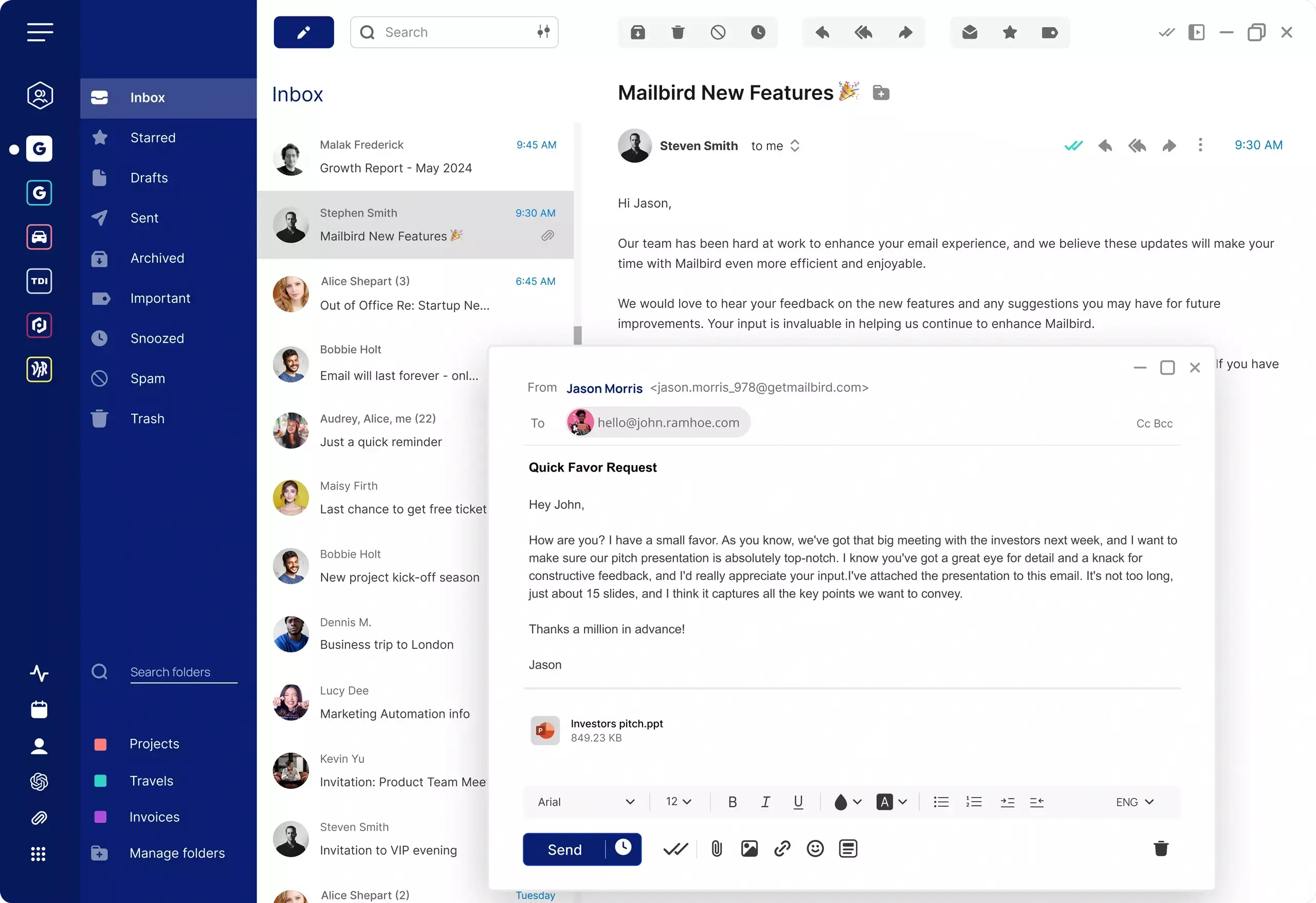
Thunderbird alternatives at a glance
Mozilla Thunderbird has been a reliable open-source email client for many years. It supports a wide range of configurations, extensions, and protocols, and it continues to be maintained by the Mozilla Foundation. For users who value control and flexibility, it has long been a strong choice.
At the same time, some users start to look for a Thunderbird alternative as their email needs evolve. Common reasons include wanting a more modern interface, a better out-of-the-box experience, or a more polished desktop email client that works with major providers without requiring manual setup.
On this page, you can compare leading alternatives including Mailbird, Mozilla Thunderbird, Microsoft Outlook, Spark, and eM Client. You can also explore platform-specific recommendations on our best email client Windows page, or see how provider-specific setups work on our Gmail email client page.
Why people look for a Thunderbird alternative
Users do not usually look for a Thunderbird alternative because Thunderbird is broken. More often, it is a shift in what they need from an email client — and Thunderbird's open-source model, while powerful, does not always keep pace with those changing expectations.
One common reason is interface polish. Thunderbird's interface has not changed dramatically in many years, and for users accustomed to modern app design it can feel dated. Some users want a desktop email client that feels contemporary without requiring plugins or manual theming to achieve a usable layout.
Another reason is development trajectory. Thunderbird is maintained by MZLA Technologies, a Mozilla subsidiary. While it receives updates, the pace and direction of development are shaped by community contribution cycles rather than a product roadmap tied to user demand. Users who want confidence in continued improvement often prefer a commercially maintained alternative.
Some users also find Thunderbird's setup process more involved than expected. Configuring IMAP and SMTP settings, managing multiple accounts, and troubleshooting sync issues can require more effort than with clients that handle account setup automatically.
For users who want a Thunderbird replacement that supports multiple accounts, works with major providers out of the box, and delivers a more streamlined daily experience, a modern desktop email client can make a significant difference.
Compare the best Thunderbird alternatives
This comparison gives a practical overview of common desktop email client choices for users considering a Thunderbird replacement.
| Email client | Best for | Platforms | Multiple accounts | Works with | Pricing |
|---|---|---|---|---|---|
| Mailbird | Users who want a modern desktop experience with multiple accounts and a clean, focused interface | Windows, Mac | Yes | Gmail, Outlook, Yahoo Mail, iCloud Mail, Exchange and other common email accounts | Free for 1 account. Paid plans available |
| Mozilla Thunderbird | Users who want a free, configurable open-source email client with broad protocol support | Windows, Mac, Linux | Yes | Common email providers via standard protocols | Free |
| Microsoft Outlook | Users already committed to the Microsoft ecosystem and Outlook workflows | Windows, Mac, Web | Yes | Microsoft accounts, Exchange, and common email providers | Included in some Microsoft plans; pricing varies by plan |
| Spark | Users who prefer a modern interface and collaborative email features | Windows, Mac, iOS, Android | Yes | Common email providers and integrations | Free plan available; paid plans available |
| eM Client | Users who want a Thunderbird-like experience with a more polished interface and calendar integration | Windows, Mac | Yes | Gmail, Outlook, Exchange, iCloud Mail and other common accounts | Free plan available; paid plans available |
Compare Thunderbird alternatives with AI
Want a quick second opinion? Use these AI prompts to compare Mailbird with Thunderbird based on simplicity, modern design, and multiple account support.
Top Thunderbird alternative reviews
These quick reviews are designed to help you understand where each email client fits best when you are evaluating alternatives to Thunderbird.
Mailbird
Mailbird is a strong Thunderbird alternative for users who want a more modern desktop email experience without losing support for multiple accounts and major providers. It is particularly well suited to users who want an intuitive setup, a unified inbox across accounts, and a commercially maintained product with an active development roadmap.
Best for: Users who want a polished Thunderbird replacement with a cleaner interface and broad account support.
Platforms: Windows, Mac
Mozilla Thunderbird
Thunderbird remains a capable option for users who value open-source software, deep configuration flexibility, and broad protocol support. It is a better fit for technically inclined users who are comfortable with manual setup than for those seeking a ready-to-use modern email experience.
Best for: Users who value a free, highly configurable email client and do not mind a more involved setup process.
Platforms: Windows, Mac, Linux
Microsoft Outlook
Outlook is a natural consideration for users moving away from Thunderbird who need strong Exchange or Microsoft 365 integration. It can be more complex than some alternatives, but it is well established and widely supported in enterprise environments.
Best for: Users who need deep Microsoft 365 or Exchange integration in a desktop email client.
Platforms: Windows, Mac, Web
Spark
Spark is often considered by users who want a more modern feel and features oriented around team collaboration and smart inbox management. It can be a good Thunderbird alternative for users who want a contemporary interface and cross-device continuity.
Best for: Users who prefer a modern email interface with smart inbox and team-oriented features.
Platforms: Windows, Mac, iOS, Android
eM Client
eM Client is a natural step for users moving away from Thunderbird who still want a traditional desktop email client feel. It offers a more polished interface than Thunderbird along with integrated calendar, contacts, and tasks — with fewer configuration requirements for everyday use.
Best for: Users who want a Thunderbird-like experience with a more modern interface and less manual configuration.
Platforms: Windows, Mac
What to look for in a Thunderbird replacement
The best Thunderbird alternative is not just the one with the most features. It is the one that supports your real workflow and makes daily email easier to manage from day one.
1. A modern interface that does not require configuration to feel usable
If you are leaving Thunderbird because the interface feels dated, prioritise an email client that looks polished out of the box. You should not need extensions or manual theming to achieve a comfortable working layout.
2. Reliable support for multiple accounts
Many users replacing Thunderbird want one place to manage work and personal email together. Make sure the client supports multiple email accounts and makes switching between them straightforward without additional setup.
3. Automatic compatibility with major email providers
A good Thunderbird alternative should connect to major providers such as Gmail, Outlook, Yahoo Mail, iCloud Mail, and Exchange without requiring manual IMAP and SMTP configuration. The setup process should be straightforward from the start.
4. Active commercial development and ongoing support
Open-source projects like Thunderbird depend on volunteer contribution cycles. If you want a product that receives regular updates, responds to support requests, and has a clear development roadmap, a commercially maintained email client will serve you better over time.
5. A workflow that feels easier from the start
Replacing Thunderbird should reduce the setup burden, not shift it. Look for an email client that handles account configuration automatically, organises your inboxes clearly, and lets you focus on email rather than managing the application itself.
FAQ
What is the best Thunderbird alternative?
The best Thunderbird alternative depends on what you want to improve. If you are looking for a more modern interface, automatic account setup, and reliable support for multiple accounts, Mailbird is a strong option to consider.
Why are people switching from Thunderbird?
People often switch from Thunderbird because they want a more polished interface, an easier account setup experience, or a commercially maintained product with a predictable development roadmap. Some users also find that Thunderbird's manual configuration requirements take more time than they prefer.
Is there a simpler replacement for Thunderbird?
Yes. Many users looking for a Thunderbird replacement want a desktop email client that is easier to set up and use while still supporting multiple accounts and major providers. Mailbird is designed around that kind of streamlined desktop experience and works out of the box with common email providers.
Can I use a Thunderbird alternative with Gmail and other providers?
Yes. Many Thunderbird alternatives support major providers such as Gmail, Outlook, Yahoo Mail, iCloud Mail, and Exchange. If you specifically want to explore Gmail setups on desktop, see our Gmail email client page.
What features should I look for when replacing Thunderbird?
When replacing Thunderbird, prioritise a client that sets up accounts automatically, supports multiple inboxes clearly, and does not require extensions to feel complete. If you want platform-specific guidance, our best email client Windows page covers the strongest options in detail.


