Request Emails to Clients: Scripts for Information, Documents, Approval, Feedback, and Payment
Below you’ll find a client information request email, an email script to request documents, and copy-and-send follow-ups for approval, feedback, and payment. Each one includes a first, second, and final chase.



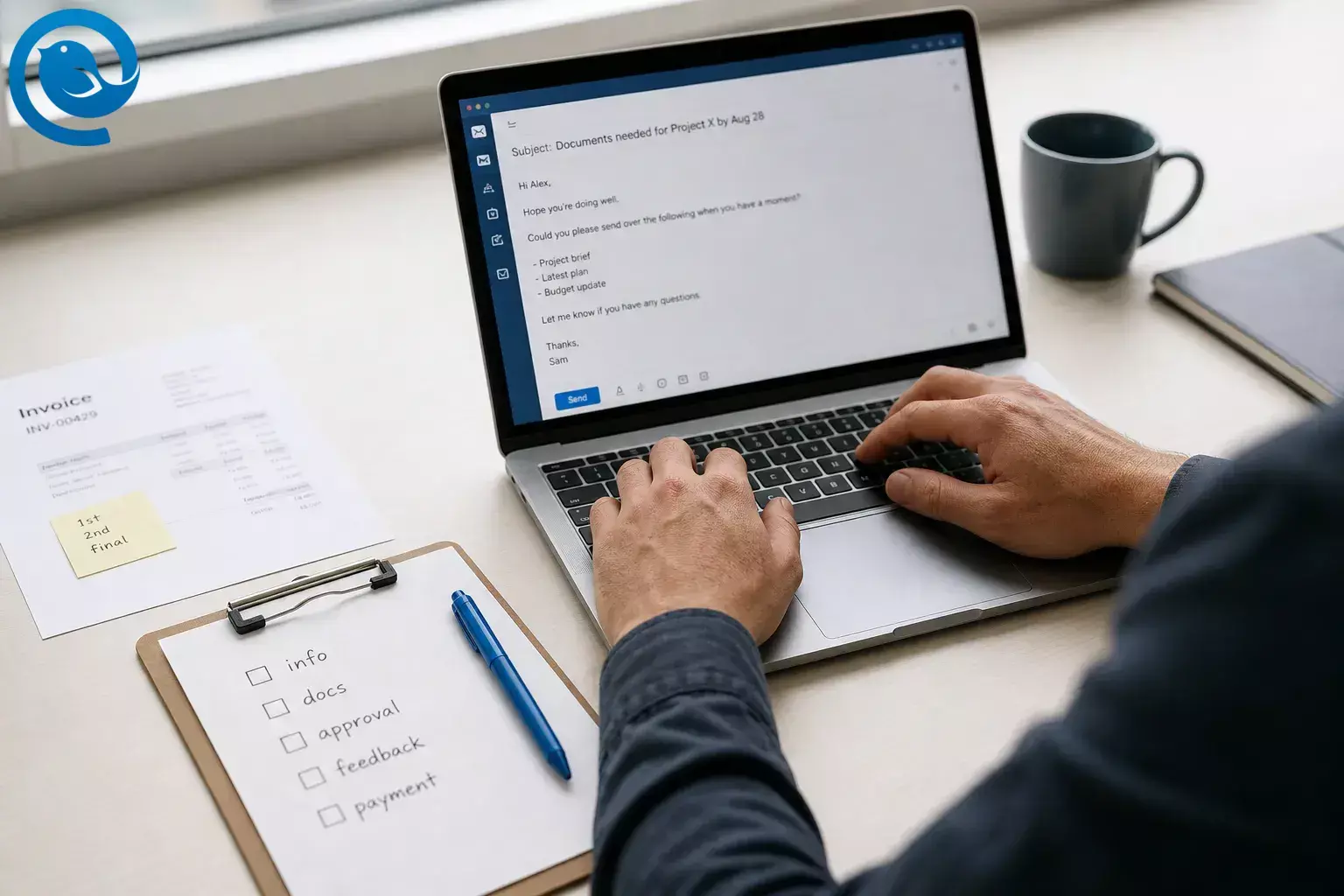
Below you’ll find a client information request email, an email script to request documents, and copy-and-send follow-ups for approval, feedback, and payment. Each one includes a first, second, and final chase.
Use the first version as your initial ask, the second when the client goes quiet, and the final when you need to name a real consequence.
What’s new
If you automate large reminder batches from your own domain, Gmail says senders that hit 5,000 messages a day to personal Gmail accounts are treated as bulk senders, and it said enforcement on non-compliant traffic would ramp up starting in November 2025. [4]
Key takeaways
- One email = one ask.
- Need + reason + deadline + reply path + next step if late.
- Use a task-style subject that names the item and the date.
- Put the ask in the first two lines.
- Keep the same thread for follow-ups.
- Send a first, second, and final chase.
- Use your approved secure upload route for sensitive files.
- Draft the next follow-up while the context is still fresh.
Before you start
- Prerequisites: the client name, the exact item you need, the reason you need it, the deadline, and one approved reply path or link.
- Tools: any email app works. Optional: Parakeet for a fast first draft, and Mailbird if you want to schedule follow-ups with Send Later or manage more than one inbox from one view with Unified Inbox . [1] [2] [6]
- Time: usually one short sitting to build your first set of scripts.
- Cost: free if you use the scripts as written; optional software cost only if you choose a paid email tool.
- Safety notes: if the request involves ID, bank, health, tax, or legal documents, use your approved secure upload route rather than asking for sensitive files in an open thread. If you automate large reminder batches from your own domain, Gmail says senders that hit 5,000 messages a day to personal Gmail accounts are treated as bulk senders, and it said enforcement on non-compliant traffic would ramp up starting in November 2025. [4]
How to write request emails to clients
These scripts work whether you are sending the first request or following up on a late reply. If this is your first ask, use the same structure and soften the opening line.
If you only need the wording, the template blocks under the first, second, and final chase steps are the part to copy.
How to write request emails to clients
-
Pick the single action you need
Choose one ask only: information, documents, approval, feedback, or payment. If you need two different actions, split them into two separate emails or label them clearly as part A and part B.
Check: you can answer “What do I need the client to do?” in one sentence.
-
Fill in the five blanks before you write
Write down the item you need, why you need it, the deadline, the easiest way to respond, and what happens if the reply is late. This turns a vague nudge into an email the client can act on quickly.
Need + reason + deadline + reply path + next step if late
Check: every blank has a real answer, not “ASAP” or “when you can.”
-
Write the subject as a task
Use task-style subjects such as “Documents needed for [project] by [date]” or “Invoice [number] due [date].” Apple says Mail on Mac can automatically categorize incoming email, which is one more reason to make the message type obvious at a glance. [3]
Check: the subject names the item and the date.
-
Put the ask in the first two lines
Open with one sentence of context and the exact action you need. Example: “To complete [project], I still need the signed form and photo ID by [date].”
Check: the client can understand the request without scrolling.
-
Send the first chase in a friendly tone
Copy, paste, and replace the bracketed parts. If this is a payment reminder, start with a calm assumption that something was missed, not that something is wrong. [8]
Client information request email
Subject: Need [item] for [project] by [date]
Hi [Client Name],To move [project] forward, could you send [specific information] by [date]?A quick reply here is perfect. If easier, reply with:- [Answer 1]- [Answer 2]- [Answer 3]Thank you,[Your Name]Email script to request documents
Subject: Documents needed for [project or file] by [date]
Hi [Client Name],To complete [project or file], I still need:- [Document 1]- [Document 2]- [Document 3]Please send them by [date]. You can attach them here or use [upload link].Thanks,[Your Name]Approval request email
Subject: Approval needed: [deliverable] by [date]
Hi [Client Name],[Deliverable] is ready for review: [link]Please reply with one of these:- Approved- Change requested: [short note]If I have your reply by [date], we stay on schedule for [next step].Thanks,[Your Name]Client feedback request email
Subject: Feedback needed on [deliverable] by [date]
Hi [Client Name],Could you review [deliverable] and send feedback by [date]?The most helpful notes are:- what works- what feels unclear- what you want changedShort bullets are great.Thank you,[Your Name]Payment reminder email
Subject: Friendly reminder: Invoice [number] due [date]
Hi [Client Name],Just a quick reminder that Invoice [number] for [amount] is due on [date].You can pay here: [payment link]If payment has already been sent, please ignore this note.Thanks,[Your Name]Check: each first chase fits on one screen and assumes goodwill.
-
Send the second chase in a shorter, more direct tone
Keep the same thread, shorten the message, and list only the missing items. Recent approval guidance also recommends sending the reminder with the same link rather than starting over in a fresh thread. [10]
Client information request email
Subject: Follow-up: [item] needed for [project]
Hi [Client Name],Quick follow-up on the note below. I’m still waiting on [item].Could you send it by [date] so I can [reason]?If something is blocking it, reply with a short update and I’ll adjust.Thanks,[Your Name]Email script to request documents
Subject: Reminder: missing documents for [project or file]
Hi [Client Name],I’m following up because I’m still missing:- [Document 1]- [Document 2]If I have them by [date], I can keep your [project or file] on schedule.Please attach them here or use [upload link].Best,[Your Name]Approval request email
Subject: Reminder: approval needed for [deliverable]
Hi [Client Name],Following up on the review request below. I still need your approval or changes on [deliverable]: [link]Please reply by [date] with:- Approved- Change requested: [short note]Without that reply, I can’t move to [next step].Thanks,[Your Name]Client feedback request email
Subject: Reminder: feedback needed on [deliverable]
Hi [Client Name],Checking in on the draft below. To close this round, I still need your feedback on [deliverable] by [date].If you’re short on time, reply with:- good to go- revise these points: [notes]Thank you,[Your Name]Payment reminder email
Subject: Follow-up: Invoice [number] is now overdue
Hi [Client Name],I’m following up on Invoice [number] for [amount], which was due on [due date].Please use this link to pay: [payment link]If there’s a billing issue or you need a revised invoice, let me know by [date] and I’ll fix it.Best,[Your Name]Check: you kept the same thread, listed only what is missing, and added one clear new date.
-
Send the final chase with a plain consequence
At this stage, name the consequence plainly: paused work, missed deadline, delivery delay, or account hold, depending on your agreement. Keep the tone firm, not emotional. [8] [10]
Client information request email
Subject: Final reminder: [item] needed by [date]
Hi [Client Name],This is my final follow-up before [date]. I still need [item] to continue [project].If I don’t receive it by [date], I’ll need to move [deadline or delivery] to [new date].Please send it here or reply with the expected timing.Regards,[Your Name]Email script to request documents
Subject: Final reminder: documents still outstanding
Hi [Client Name],I’m still missing the documents below:- [Document 1]- [Document 2]Without them by [date], I won’t be able to complete [task or file] on time.If you need help locating any item, reply here and I’ll point you to the exact version needed.Regards,[Your Name]Approval request email
Subject: Final approval needed for [deliverable]
Hi [Client Name],I need a final yes/no on [deliverable] by [date]: [link]If I don’t hear back by then, I’ll pause the next stage and move the schedule.Please reply with Approved or Hold.Regards,[Your Name]Client feedback request email
Subject: Final reminder: feedback window closes [date]
Hi [Client Name],I still need your feedback on [deliverable] by [date].After that, I’ll either finalize the current version as-is or move the delivery date, depending on your preference.If you want changes, send the top priority items only.Thanks,[Your Name]Payment reminder email
Subject: Final notice: Invoice [number] payment needed by [date]
Hi [Client Name],I’m reaching out about Invoice [number] for [amount], originally due on [due date].Please make payment by [new date]: [payment link]If I don’t hear back by then, I’ll need to [pause work / apply the agreed late fee / hand this to accounts], in line with our agreement.If there’s a problem, reply by [date] so we can resolve it.Regards,[Your Name]For payment reminders , follow your contract and local rules before mentioning late fees, interest, collections, or suspension of work.Check: the consequence is real, calm, and something you are actually prepared to follow through on.
-
Make the reply path easy
End with one exact action: attach the files, reply with “Approved,” answer the bullets, or use the payment link. For feedback, ask focused questions rather than “Any thoughts?” because specific prompts are easier to answer. [9] [10]
Check: a busy client can finish the task in one move.
-
Schedule the next chase right away
Draft the next follow-up while the context is still fresh. Mailbird’s release notes describe Send Later as scheduling emails while Mailbird is online, so if you rely on it, leave the app running until the send time or set yourself a manual backup reminder. [1]
Check: the second email exists before you close the first thread.
-
Save your winning scripts where you will actually use them
Keep one clean version each for information, documents, approvals, feedback, and payment. If blank-page pressure slows you down, Parakeet provides free ready-made email templates you can copy and then tune to your own voice. [2]
Check: you can reach the right script immediately.
-
Close the loop when the client replies
Send a short receipt note such as “Got it—thank you,” “Approval received,” or “Payment received.” If you handle several client-facing addresses, Mailbird’s Unified Inbox can combine multiple accounts in one view and still reply from the correct address once you have added more than one account. [6]
Check: the thread ends with a clear record of what arrived and what happens next.
-
Trim the template after one live use
After you send it once, delete anything the client ignored and keep the lines that got a result. Good request emails get shorter with use, not longer.
Check: the final version is easy to scan in under a minute.
Why these request emails work
Whether you’re sending a client information request email, an email script to request documents, an approval reminder, a feedback ask, or a payment chase, the same structure keeps showing up: a specific subject line, one clear action, a visible deadline, and a simple response path. That cuts down “What do you need from me?” friction, which is why the format works in very different client situations. [7] [8] [9] [10]
Troubleshooting slow client replies
- Symptom: no reply after the first chase. Likely cause: the ask is too vague or there is no real deadline. Fix: resend with the exact item, why you need it, one date, and one reply path.
- Symptom: the client sends the wrong file. Likely cause: you named the document loosely. Fix: ask again with the exact filename, date range, format, or version you need.
- Symptom: the client replies “Looks good” but you still do not know whether that is approval. Likely cause: you asked for thoughts instead of a decision. Fix: ask for a clear approval phrase such as “Approved” or “Hold.”
- Symptom: feedback arrives across email, text, and chat. Likely cause: you left the response channel open-ended. Fix: tell the client exactly where to reply and keep one current link or thread.
- Symptom: your payment reminder feels too harsh too early. Likely cause: you jumped straight to threat language. Fix: start by naming the invoice, amount, due date, and payment link; save consequences for the final reminder. [8]
- Symptom: a scheduled follow-up never sends. Likely cause: Mailbird’s Send Later works while Mailbird is online. Fix: leave the app running until send time, or send manually if you cannot keep it open. [1]
- Symptom: your rules or folders do not catch the reply. Likely cause: Mailbird rules are local, are not synced with your email server, and only run while Mailbird is open. Fix: keep Mailbird open for local rules, or create server-side rules in your provider if you need always-on sorting. [5]
- Symptom: replies get mixed up across several client mailboxes. Likely cause: you are switching between accounts manually. Fix: keep client-facing accounts in one place; Mailbird’s Unified Inbox can show multiple accounts in one view and still reply from the correct address once you have added more than one account. [6]
Tone variations for client request emails
Warm client version
Add one short personal line at the top, then move straight to the ask. Keep the reminder friendly, but do not hide the deadline.
Formal or regulated version
Use full names, full document titles, and the secure upload route. This works well for legal, finance, insurance, and compliance-heavy work.
Executive skim version
Use three short paragraphs only: what you need, by when, and what happens next. No long background.
Pre-agreed consequence version
If your kickoff notes or contract already define what happens after silence, state that outcome plainly in the final chase instead of improvising.
Save, schedule, and reuse your scripts
- Make-ahead: build the full set once before a project starts, then only replace the client name, item, date, and link when you need it.
-
Storage:
keep a “Client Requests” note with versioned templates. If you need a portable record of approval or payment confirmation, Mailbird lets you save emails as
.emlfiles or print them to PDF . [11] - Scaling: if you manage several client-facing accounts, Mailbird’s Unified Inbox can show them in one place once you have added more than one account. [6]
- Automation caution: Mailbird rules are local and only run while the app is open. If your reminders turn into high-volume sends from your own domain, also review Gmail’s bulk-sender rules before you scale them up. [5] [4]
Client request email checklist
- One email = one ask
- Subject names the item and the date
- First two lines state the ask and the reason
- Missing items are listed one per line
- One reply path or link is included
- The deadline is visible
- The final chase names a real consequence
- Sensitive files use your approved secure route
- The next follow-up is drafted before you close the thread
- You send a short receipt note when the client replies
- The winning version is saved for reuse
Frequently Asked Questions
What should a client information request email include?
State the exact information you need, why you need it, the deadline, and the easiest way to reply. Keep it to one ask.
How do I politely ask a client for missing documents?
Name the missing items, explain why you need them, give one date, and offer one easy upload or reply path.
Should I keep the same email thread for follow-ups?
Usually, yes. It preserves context, keeps the old request visible, and saves the client from hunting for the earlier message. [10]
How many follow-up emails should I send?
Three is enough for most client work: first, second, and final. After that, change the channel or pause the work instead of sending the same note again.
Should I ask for approval and feedback in the same email?
Only if the client can still give one clear decision. If you want open-ended ideas and final sign-off, separate those into two asks.
What subject line works for an email script to request documents?
Use a task-style subject that names the documents and the date, such as “Documents needed for [project] by [date].”
What should a final payment reminder include?
Include the invoice number, amount, original due date, new payment date, payment link, and the next contract-based step if there is still no reply. [8]
Can I schedule these follow-ups in Mailbird?
Yes. Use Send Later, and make sure the app will still be online at send time. [1]
Do Mailbird rules work when the app is closed?
No. If you need always-on sorting, use server-side rules in your email provider. [5]
Can I keep several client inboxes in one place?
Yes. A unified view helps when you handle sales, billing, and account-management addresses separately. [6]
Can I save approval or payment emails outside the thread?
Yes. If you need a portable record, save the message as an email file or print it to PDF. [11]
Sources
- Mailbird Next Release Notes — Mailbird
- Parakeet by Mailbird
- What’s new in Mail on Mac? — Apple Support
- Email sender guidelines FAQ — Gmail Help
- Setting up Filters and Rules — Mailbird Support
- Unified Inbox — Mailbird Support
- Email to request documents from a client: 6 ready-to-use templates — Fabrique
- How to Write a Payment Reminder Email to a Client — FreshBooks
- Asking for Feedback Email: 10 Templates That Get Real Responses — Serif
- Client Approval Email Templates for Social Media Managers — Red Falcon HQ
- Can I download an email as a file in Mailbird? — Mailbird Support


