Mailbird vs Gmail: Which Email Workflow Is Better?

For many users, Gmail works well as a webmail platform. But when email becomes a bigger part of your day, questions about productivity, multiple accounts, desktop workflow, and inbox organization start to matter more. That is where the Mailbird vs Gmail comparison becomes useful.

In this guide, we compare Mailbird vs Gmail to help you understand the difference between a desktop email workflow and Gmail’s browser-based experience. If you are deciding whether to keep working in Gmail or move to a more focused desktop setup, this page will help you see which option better fits your workflow.

If your main goal is to combine several Gmail accounts into one view, see our guide to creating a Gmail unified inbox.

Mailbird - The Best Email client for Windows and Mac

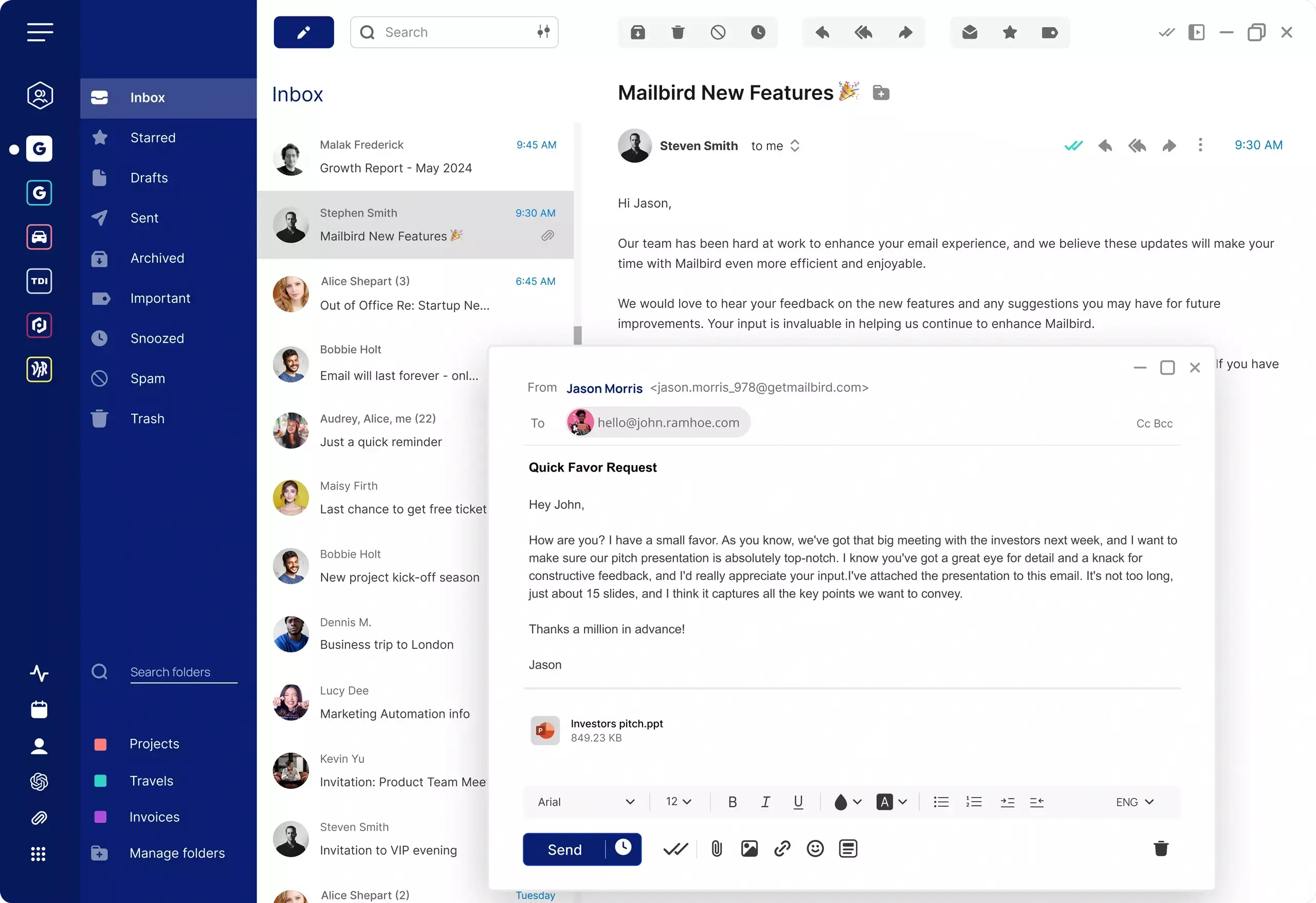
Mailbird vs Gmail: desktop email workflow vs Gmail webmail

The main difference in the Mailbird vs Gmail comparison is that Gmail is primarily a web-based email platform, while Mailbird is a desktop email client built to help you manage email accounts from a dedicated workspace.

In simple terms: Gmail is better if you want a browser-based inbox inside Google’s ecosystem. Mailbird is better if you want a dedicated desktop email client with easier multi-account management, a more practical unified inbox workflow, and less daily context switching.

Gmail is often enough for users who want a familiar browser-based inbox and are comfortable working inside Google’s ecosystem. Mailbird is a better fit for users who want a more focused desktop workflow, support for multiple email accounts in one place, and productivity features designed around day-to-day email management.

That means users searching for Mailbird vs Gmail are often not choosing between two identical tools. They are choosing between two different ways of managing email: staying inside Gmail’s web interface or moving to a desktop email workflow. If you want the broader replacement view, see our guide to choosing a Gmail alternative for desktop.

If your main concern is managing several Gmail accounts in one place, you may also want to read our guide to creating a Gmail unified inbox. If you are still comparing software options more broadly, see our guide to the best email client for Gmail.
Mailbird vs Gmail comparison table

Here is a side-by-side comparison of Mailbird vs Gmail based on workflow, multi-account management, unified inbox use, and overall email productivity.

Comparison of Mailbird and Gmail, including workflow style, unified inbox support, multi-account management, and desktop email experience.
Feature Mailbird Gmail
Best for Desktop email productivity, unified inbox workflows, and managing multiple accounts in one place Browser-based email, lightweight workflows, and users who prefer staying inside Google’s ecosystem
Primary workflow Dedicated desktop email client Webmail / browser-based inbox
Unified inbox Yes Yes Limited native support for combining multiple Gmail accounts into one true inbox view
Multiple account management Strong desktop workflow for managing several accounts together Possible, but often requires switching between separate Gmail accounts
Platform style Windows, Mac desktop app Browser-based across devices
Context switching Lower friction when working from one desktop workspace Can involve more browser tabs, profiles, and account switching
Works with Gmail Yes Yes Yes Yes
Best choice if you want A dedicated desktop workflow, easier multi-account management, and a more practical unified inbox A familiar browser inbox with direct access to Google services
Pricing model Free / Paid Free for personal Gmail, with paid Google Workspace plans for business use

The best choice depends on how you manage email day to day. Gmail is often enough for lighter browser-based use, while Mailbird is better suited to users who want a more focused desktop workflow.

Where Gmail works well

Gmail remains a strong option for many users, especially those who prefer a simple browser-based experience and do not need a more advanced desktop workflow.

Gmail is familiar and easy to access

Because Gmail runs in the browser, you can sign in from almost anywhere and work without installing a dedicated desktop application. For users who want quick access and already live inside Google services, that convenience is a major advantage.

It fits naturally into the Google ecosystem

Gmail integrates naturally with other Google services such as Google Workspace, Google Calendar, Google Drive, and additional Google tools. These services are designed to work together inside Google’s ecosystem, which is one reason Gmail remains a popular web-based email platform. Google provides an overview of these integrations in their Gmail product documentation.

It may be enough for lighter email workflows

If you mainly manage one account, do not mind working in browser tabs, and do not need a unified inbox or desktop-oriented workflow, Gmail may be all you need.

Where Gmail can feel limiting

Gmail works well for many users, but some workflows start to feel more difficult as email volume increases, multiple accounts enter the picture, or productivity becomes a bigger priority. For example, users who want to combine several Gmail accounts into one inbox often find Gmail’s native setup limiting. If that is your goal, see our guide to creating a Gmail unified inbox.

1. Switching between accounts can slow you down

Gmail lets you sign into multiple accounts, but switching between them is not the same as working from one unified desktop workspace. For users with several active inboxes, that extra context switching adds friction throughout the day.

2. Browser-based email can become distracting

Working in Gmail often means working around tabs, browser notifications, and the general distractions that come with staying inside a web browser all day.

3. Gmail does not provide a true native unified inbox

Users who want to combine several Gmail accounts into a single inbox view often find Gmail’s native setup limiting. If that is your goal, see our guide to creating a Gmail unified inbox.

4. Some users want a stronger desktop workflow

Once email becomes a central part of your day, a dedicated desktop email client can feel faster, cleaner, and easier to manage than working inside Gmail’s web interface alone.

If you are specifically comparing software options that work with Gmail, you can also read our guide to the best email client for Gmail.

Where Mailbird is better than Gmail

Mailbird is designed for users who want a more focused desktop email workflow instead of relying entirely on Gmail in the browser.
Try Mailbird free to see how a desktop email client compares in practice.

In the Mailbird vs Gmail comparison, Mailbird stands out most for users who want better multi-account management, less friction, and a desktop-first email experience.

1) A dedicated desktop email workspace

Instead of handling email through browser tabs, Mailbird gives you a dedicated environment built around email productivity. That can make everyday communication feel more focused and less fragmented.

2) Better multi-account management

Mailbird makes it easier to manage multiple accounts from one place. For users balancing work, personal, and project inboxes, that can be a major workflow improvement.

3) A stronger unified inbox workflow

One of Mailbird’s biggest advantages over Gmail is the ability to work from a unified inbox more naturally. If this is your main use case, see our full guide to creating a Gmail unified inbox.

4) Less switching, less friction, and faster daily email management

When your accounts, inboxes, and workflow tools are easier to access from one desktop application, email often becomes faster to manage than a browser-first setup.

5) Gmail compatibility without staying locked into the web interface

Mailbird works well for people who like Gmail as a provider but want a different way to manage it. If you are researching Gmail-compatible software more broadly, see our guide to the best email client for Gmail.

Mailbird vs Gmail: which one should you choose?

The right choice depends less on brand preference and more on how you actually like to manage email.

Choose Gmail if...

You mainly use one inbox, prefer browser-based tools, want direct access to Google services, and do not need a stronger desktop workflow or unified inbox setup.

Choose Mailbird if...

You want a dedicated desktop email client, manage multiple accounts, prefer less context switching, or need a more practical unified inbox workflow.

Choose Mailbird over Gmail if productivity is the priority

For users whose inbox is a major part of their day, Mailbird often provides a more focused and efficient workflow than Gmail’s browser-based experience. If you are still in research mode, our broader guide to choosing a Gmail alternative for desktop can help you compare the overall options.

When Mailbird makes the most sense as a Gmail alternative

Mailbird makes the most sense for users who still want Gmail compatibility but prefer a more focused desktop environment for daily email management.

It is especially useful if you manage multiple inboxes, want a unified inbox, or are trying to reduce the friction of working inside Gmail tabs all day. If your main issue is combining Gmail accounts into one view, start with our Gmail unified inbox guide. If your main goal is comparing Gmail-compatible software options, our Gmail email client guide covers that angle in more depth.

Try Mailbird Free

FAQ

Quick answers to common questions about Mailbird vs Gmail, desktop email workflow, and choosing the right setup.

Is Mailbird better than Gmail?

That depends on your workflow. Gmail is strong for users who prefer a browser-based inbox and Google ecosystem access, while Mailbird is often better for users who want a dedicated desktop email client, unified inbox support, and easier multi-account management.

What is the main difference between Mailbird and Gmail?

The main difference is that Gmail is primarily a web-based email platform, while Mailbird is a desktop email client designed to help you manage email from a dedicated desktop workspace.

Can Mailbird be used with Gmail?

Yes. Mailbird can be used with Gmail and is often chosen by users who want a different workflow than Gmail’s web interface while still keeping Gmail as their email provider.

Is Gmail or Mailbird better for multiple accounts?

Mailbird is often the better fit for users managing multiple accounts because it provides a more practical desktop workflow and can make multi-account management feel less fragmented.

Should I switch from Gmail to Mailbird?

You should consider switching if you want a more focused desktop workflow, easier multi-account management, or a unified inbox experience that feels more practical than working inside Gmail tabs.

Is Mailbird a Gmail alternative?

In workflow terms, yes. Mailbird is a Gmail alternative for users who want a desktop-first way to manage email, especially when productivity, multiple accounts, and unified inbox use matter more than staying entirely inside the Gmail web interface.