Email Thank You Cards: Sending Digital Thanks That Render Well
Email thank you cards are digital thank you cards sent through email as inline content, an attachment, or a linked online thank you card.



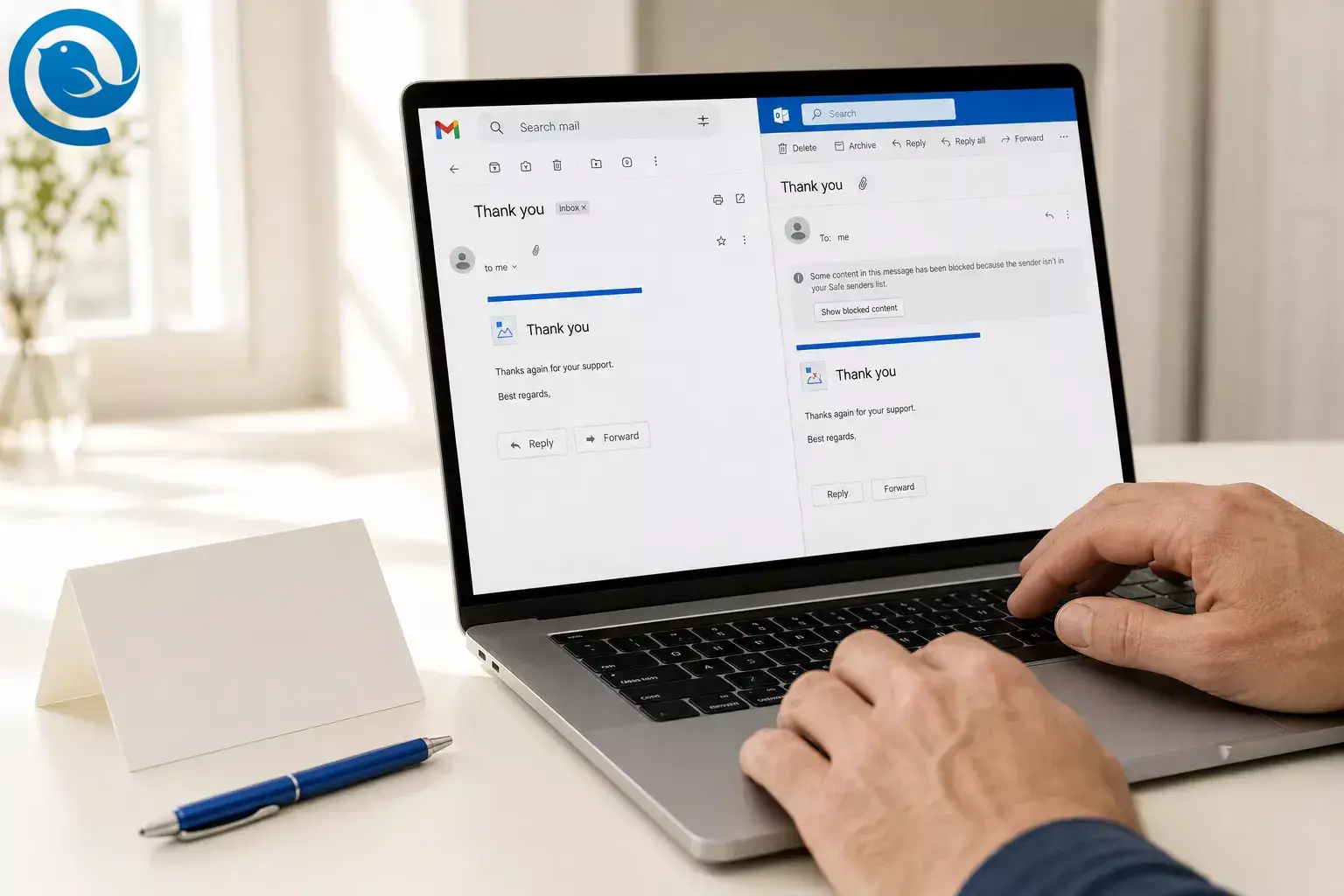
Email thank you cards are digital thank you cards sent through email as inline content, an attachment, or a linked online thank you card.
Email thank you cards usually work best as short, text-first messages with a light visual layer. That keeps the note readable when images are blocked, more accessible, and easier to render across Gmail and Outlook without making the whole thank-you depend on one big graphic. 3 4 5 7 8 9
What’s new
. What can change: Gmail says its sender-guidelines FAQ is updated periodically, and image or CSS behavior can still vary by client and user settings, so a card that worked earlier can behave differently later. 1 3 4 5 7
Key takeaways
- Email thank you cards can be sent as inline content, an attachment, or a linked online thank you card.
- Short, text-first messages with a light visual layer are easier to read when images are blocked and easier to render across Gmail and Outlook. 3 4 5 7 8 9
- A well-built HTML card keeps a plain-text version of the thank-you alongside the visual version. 10
- Gmail and Outlook can differ in CSS support, image loading, spacing, and how inline pictures versus attachments are shown. 3 4 5 6 7
- Important words should not live only inside an image; alt text and readable contrast still matter. 8 9
- If you send close to 5,000 messages or more to personal Gmail accounts within 24 hours, sender requirements and unsubscribe handling can become part of the format decision. 1 2
- Before sending broadly, test the card in Gmail, Outlook, and on your phone with images on and blocked.
Why email thank you card format matters
An email thank you card changes the experience more than a standard thank-you email. A plain note is direct; an e-card thank you adds tone and ceremony and has to fit the formality of the moment. 11 It also introduces rendering, loading, and accessibility questions that a plain text note largely avoids. 3 4 5 7 8 9
If your digital thank you cards go to customers, clients, or event attendees at scale, design is only half the job. Gmail says it can temporarily or permanently reject bulk mail that misses sender requirements, and marketing or subscribed mail in that category also needs unsubscribe handling. 1 2
How email thank you cards work
How email thank you cards work
-
Choose the format: inline, attachment, or link
You are really choosing a delivery format first: something shown inside the email body, a separate attachment, or a link that sends people to a hosted online thank you card.
Outlook’s own help draws a clear line between attached files and images inserted into the message body, which matters because recipients experience them differently. 6
-
Build the card with a plain-text fallback
A sturdier card is not just a pretty image. MIME’s
multipart/alternativeexists to represent the same data in multiple formats, which is why well-built HTML cards keep a plain-text version of the thank-you alongside the visual version. 10 -
Check sender requirements if you send at scale
Google defines a Gmail bulk sender as one that sends close to 5,000 messages or more to personal Gmail accounts within 24 hours. For that class of sender, Gmail’s published requirements include authentication and, for marketing or subscribed mail, one-click unsubscribe plus a visible unsubscribe link in the message body. 1 2
-
Expect Gmail and Outlook to render it differently
Gmail supports inline
<style>blocks and much standard CSS, but Google also says unsupported properties can be ignored. On Gmail desktop, images are shown automatically by default unless the sender or message looks suspicious or the user changes image settings, while Microsoft documents picture-blocking controls in classic Outlook and Outlook for Mac for external internet-hosted images. 3 4 5 7That is why image weight matters. Some people deliberately ask before loading images to save data or protect privacy, and Outlook notes that downloading internet pictures can reveal that an address is active. A lightweight design degrades more gracefully than a giant graphic that carries all the meaning. 4 5 7
-
Make sure the thank-you still exists with images off
W3C says informative images need text alternatives, decorative images should use empty alt text, and images of text should not carry important words unless those words are also available in text. WCAG 2.2 sets a minimum contrast ratio of 4.5:1 for normal text and 3:1 for large text, so the safest digital thank you cards put the actual thanks in regular text and use graphics as support, not as the only carrier of meaning. 8 9
Examples of digital thank you cards
Simple: the quick client thank-you
A designer thanks a client for a referral with two short sentences and a small inline banner. The banner adds warmth, but the real appreciation sits in the text, so the note still works if the image never loads.
Realistic: post-webinar customer appreciation
A SaaS team sends 8,000 thank-yous after a webinar. Because that volume can fall into Gmail bulk-sender territory, the note uses a lightweight HTML card, a plain-text alternative, email authentication , and unsubscribe handling when the send behaves like marketing or subscribed mail. 1 2 10
Edge case: security-conscious corporate inboxes
A law firm sends a year-end thank-you to executives whose assistants often read mail in Outlook with external images restricted. A text-first note with a modest inline image and optional downloadable version is safer than a full-screen graphic that can open looking blank. 4 5 6
Hosted version: the group online thank you card
A remote team wants everyone to sign one message for a departing manager. The email stays short and trustworthy, and one clearly labeled link opens the hosted card where the signatures live.
Common misconceptions about email thank you cards
- “If it looks right in my inbox, it will look right everywhere.” Different clients support HTML, CSS, and remote images differently. 3 4 5 7
- “One big JPEG is the safest format.” It is simple for layout, but weak for accessibility when important words live only inside the image. 8 9
- “More CSS always means more polish.” Only when the client supports it; unsupported CSS can be ignored, and Google warns against hiding content with HTML or CSS. 2 3
- “Attachments are more professional than inline cards.” Attachments can be useful, but recipients experience them differently from content already inside the message. 6
- “If Gmail loads images, accessibility is handled.” Image loading and accessibility are not the same thing; alt text, readable contrast, and regular text still matter. 8 9
- “Sender rules do not matter because this is ‘just a thank-you.’” At one-to-one scale, maybe not. At customer-list scale, they absolutely matter. 1 2
- “Digital thank you cards are always too casual for business.” Context matters more than medium; email fits ongoing email-based relationships and quick thanks, while handwritten notes still carry more weight in higher-formality moments. 11
When to use an email thank you card and when not to
A simple rule works well: choose the lightest format that still matches the emotional weight of the moment. Emily Post’s business guidance treats email as acceptable for ongoing email-based relationships and time-sensitive thanks, but still gives handwritten notes more weight when the occasion is more formal, personal, or gift-centered. Once you add customer-scale sending, Gmail-style sender requirements become part of the decision too. 1 2 11
Use email thank you cards when…
- the note is warm, but not highly formal;
- the core thank-you still makes sense in a sentence or two without the design;
- the relationship already lives in email;
- the card adds value to a referral, event follow-up, team milestone, or customer appreciation note;
- you can test the send before it goes broader.
Skip them when…
- the moment needs the weight of paper or a deeply personal note;
- the message carries legal, billing, contract, or time-critical instructions;
- the design depends on one big image for all meaning;
- your recipients often use locked-down enterprise inboxes or slow connections;
- the main goal is action or instruction, not appreciation.
Practical boundary: if the note fails without remote images or behaves like a marketing send, it is not ready for broad sending. 1 2 4 5 7
Key terms
- Inline image
- A picture inserted into the body of the email instead of sent as a separate attachment. 6
- External image
- An internet-hosted image that the client may load automatically, ask before loading, or block. 4 5 7
- Plain-text alternative
- A text-only version of the same message sent alongside HTML so the thank-you still reads in a simpler format. 10
- Alt text
- Short text that communicates the purpose or information of an image. 8
- Bulk sender
- In Gmail’s current guidance, a sender that reaches close to 5,000 messages or more to personal Gmail accounts within 24 hours. 1
- Contrast ratio
- The measured difference between text and background; WCAG 2.2 sets 4.5:1 for normal text and 3:1 for large text. 9
Sending thank-you emails that render cleanly is easier from one desktop inbox.
Frequently asked questions about email thank you cards
Is an email thank you card different from a thank-you email?
Yes. A thank-you email is mainly about speed and clarity. An email thank you card adds visual presentation, so it has to balance warmth with readability.
Are digital thank you cards professional enough for business?
Usually yes, if the relationship already lives in email and the occasion is low to medium in formality. For major gifts, first-time hospitality, or weightier moments, handwritten still carries more weight.
Source: 11
Should I put the card in the email body or send it as an attachment?
Inline is usually easier because people can see it without opening a file. Attachments make more sense when the card needs to be saved, printed, or viewed as a separate asset.
Source: 6
Will the same card look identical in Gmail and Outlook?
Do I need alt text if the card is mostly one image?
Can I send an online thank you card link instead of embedding the whole design?
Yes. That works well for group signatures, animation, or richer media. Just keep the email itself clear and trustworthy so the recipient knows what the link is for before clicking.
What changes when I send customer thank-you cards at scale?
When should I mail a physical note instead?
When the moment carries more weight than speed: major gifts, higher-formality business hospitality, or more personal occasions where the medium itself should feel special.
Source: 11
Ready to send better thank-yous?
If you want a better desktop email client for sending and replying to thank-you notes, download Mailbird.
Sources
- Google Gmail Help — Email sender guidelines FAQ
- Google Gmail Help — Email sender guidelines
- Google for Developers — Gmail CSS Support
- Microsoft Support — Block or unblock automatic picture downloads in classic Outlook email messages
- Microsoft Support — Automatically download pictures from the Internet in Outlook for Mac
- Microsoft Support — Add pictures or attach files to emails in Outlook
- Google Gmail Help — Turn images on or off in Gmail
- W3C WAI — Images Tutorial
- W3C — Web Content Accessibility Guidelines (WCAG) 2.2
- RFC Editor — RFC 2046: Multipurpose Internet Mail Extensions (MIME) Part Two: Media Types
- Emily Post — The Business of Thanks


