Email Management for Neurodivergent Workers: Evidence-Based Strategies That Actually Work
Neurodivergent professionals face unique email challenges that standard productivity advice doesn't address. This evidence-based guide offers practical strategies and tools to transform email from a source of chronic stress into a supportive communication medium that aligns with how your brain actually processes information and manages tasks.



If you're a neurodivergent professional struggling with email overload, you're not alone—and it's not your fault. The constant ping of notifications, the anxiety of composing "perfect" responses, the overwhelming clutter of mixed-priority messages, and the pressure to respond instantly are challenges that hit neurodivergent workers particularly hard. Whether you have ADHD, autism, dyslexia, or other neurodevelopmental profiles, the way most workplaces expect you to handle email simply doesn't align with how your brain processes information, manages time, or handles social communication.
The frustration is real and legitimate. You might find yourself avoiding your inbox because it feels chaotic, spending hours hyperfocused on a single email while others pile up, or experiencing genuine anxiety about whether your messages will be misunderstood. Meanwhile, neurotypical colleagues may interpret your batched responses or literal communication style as disengagement, when in reality you're working harder than anyone realizes just to keep up with communication demands that weren't designed with your cognitive profile in mind.
Here's what matters: research shows that neurodivergent workers often prefer written communication like email over phone calls and meetings, and that with the right strategies and tools, email can become a supportive medium rather than a source of chronic stress. This article synthesizes current evidence on neurodiversity in the workplace, cognitive load management, and practical email configuration to help you build habits that respect your brain's actual needs—not force you to conform to neurotypical expectations that don't work for you.
Why Standard Email Advice Fails Neurodivergent Workers
Traditional productivity advice around email—"check it three times a day," "achieve Inbox Zero," "respond within 24 hours"—assumes a neurotypical cognitive profile that many neurodivergent workers simply don't have. Research on adults with ADHD demonstrates significant challenges with organization-in-time abilities and executive functioning, which directly impact how email is processed and managed.
Executive function difficulties manifest in email management as:
- Difficulty initiating responses, even to important messages
- Challenges prioritizing among competing demands in a mixed inbox
- Trouble sustaining attention when processing multiple messages
- Working memory constraints that make it hard to remember what needs follow-up
- Anxiety about composing "correct" responses that leads to avoidance
For autistic workers, the challenges are different but equally significant. Longitudinal research tracking communication patterns in adults with autism spectrum disorder found that autistic adults spend significantly less time on verbal communication but substantially more time on written communication compared to neurotypical controls—approximately 2.6 times lower verbal communication time and 2.3 times higher written communication time. This preference for written modalities reflects reduced social anxiety and enhanced self-expression in text-based formats.
Yet despite this natural affinity for written communication, email environments are often designed in ways that create friction for neurodivergent users. The constant mixing of urgent work requests with promotional newsletters, the implicit expectation of near-instant responses, the lack of clear visual hierarchy in message lists, and the social ambiguity of tone and phrasing all create cognitive and emotional burdens that compound executive function challenges.
The Hidden Cost of Email Overload on Neurodivergent Cognition
Research published in 2024 investigating email classes and work stressors found that high email load has a measurable lagged effect on strain, meaning elevated email volume predicts increased irritation and stress at later points even after controlling for other stressors. Critically, the study distinguished between task-related and communication-related emails, discovering that only communication-related messages contributed significantly to email load and associated strain.
For neurodivergent workers whose executive functioning and time organization are already challenged, this communication-related email burden is particularly acute. When your brain struggles to filter importance, prioritize actions, and manage time effectively, every informational message that demands attention without clear next steps adds to cognitive load in ways that neurotypical workers may not experience as intensely.
Recent workplace statistics reveal that approximately 60% of employees experience high stress and burnout linked to online communication fatigue, with knowledge workers spending around 19 hours per week on written messages alone across multiple channels. When you're neurodivergent and already managing sensory sensitivities, anxiety about social interpretation, or ADHD-related novelty-seeking that makes you check every new notification, this always-on communication culture becomes unsustainable.
The Communication Gap: When Neurotypical Norms Clash With Neurodivergent Needs
Harvard Business Review explicitly argues against asking neurodivergent people to change the way they communicate, urging neurotypical colleagues to close the communication gap by adjusting their own expectations instead. The article highlights how common corporate assumptions—equating rapid responses with competence, expecting extensive small talk, or relying on implicit social cues—can marginalize neurodivergent workers whose cognitive styles make such behaviors difficult or draining.
In email specifically, this manifests as:
- Ambiguous language and sarcasm that autistic workers may interpret literally
- Unstated expectations about response times that create anxiety for ADHD users managing batched workflows
- Judgment of communication style when concise, literal messages are perceived as "cold" rather than efficient
- Pressure for constant availability that conflicts with neurodivergent needs for structured, time-bounded email sessions
The problem isn't that neurodivergent workers can't handle email—it's that email norms in most workplaces are implicitly designed for neurotypical brains and then enforced as universal standards. When organizations understand this, they can redesign email habits to be genuinely inclusive rather than demanding conformity to patterns that don't work for everyone.
Evidence-Based Principles for Neurodivergent Email Success
Designing email habits that actually support neurodivergent workers requires moving beyond generic productivity advice to strategies grounded in research on neurodiversity, cognitive load, and communication preferences. The following principles synthesize current evidence and professional guidance into actionable approaches.
Clarity, Directness, and Unambiguous Communication
Professional guidance on supporting neurodiversity in the workplace emphasizes providing clear, straightforward details in messages, avoiding vagueness, sarcasm, or euphemisms that may confuse recipients. For autistic individuals who may interpret language more literally, and for ADHD individuals who struggle with processing ambiguous information amid executive function challenges, explicit communication is essential.
Practical clarity strategies include:
- Descriptive subject lines that clearly indicate content and urgency
- Explicit deadlines and expectations stated directly rather than implied
- Structured formatting with headings, bullet points, and visual breaks
- Direct requests that state exactly what action is needed
- Avoidance of sarcasm and idioms that require social inference
Microsoft's guidance on making Outlook email accessible recommends using built-in heading styles, descriptive link text, and clear structural organization, practices that benefit neurodivergent readers by reducing cognitive load and improving message navigation.
Chunking Information and Managing Cognitive Load
Working memory has limited capacity, and neurodivergent individuals often experience heightened susceptibility to information overload. Chunking—breaking information into smaller, digestible units—enhances comprehension and retention, particularly for those whose executive functioning and attentional control are constrained.
In email management, chunking operates at two levels:
- Message-level chunking: Writing emails with short paragraphs, clear sections, and focused content rather than dense blocks of text
- Inbox-level chunking: Structurally separating email streams by purpose, urgency, or required action so the inbox doesn't present an overwhelming mixed flow
Research on creating ADHD-friendly digital publications identified simplified navigation, structured layouts, and minimalistic visual design as key principles for reducing cognitive overload. These findings apply directly to email, where excessive body text without visual hierarchy and cluttered formatting can overwhelm readers with ADHD or other neurodivergent profiles.
Respecting Modality Preferences and Asynchronous Communication
One of the most important accommodations for neurodivergent workers is privileging written and asynchronous communication over phone calls and real-time meetings when appropriate. The research on autistic communication patterns demonstrates a clear preference for written modalities that allow more control over timing, reduce sensory and social overload, and provide time to carefully craft responses.
Legal guidance on reasonable accommodations for employees with autism explicitly lists written instructions and email instead of phone calls as valid workplace adjustments under the Americans with Disabilities Act. Organizations can formalize this by creating policies that normalize email for certain communication types and establish clear expectations about response windows.
Asynchronous communication also mitigates technostress by reducing expectations for immediate responses and allowing workers to manage information flow through scheduled batching sessions rather than constant monitoring.
Time-Based Routines and Batching
ADHD-focused guidance recommends dedicating specific times during the day to checking and responding to emails—such as late morning and late afternoon—and using timers to create urgency and prevent email from derailing focus. This batching approach directly addresses executive function challenges by replacing the need for constant self-monitoring with predictable time blocks and external cues.
Effective batching routines include:
- Scheduled email windows (e.g., 10:30 a.m. and 3:30 p.m.) with notifications turned off outside these periods
- Timer-bounded sessions (15-30 minutes) to prevent hyperfocus and maintain boundaries
- Triage-and-response separation: morning sessions for scanning and organizing, afternoon sessions for composing replies
- Clear decision frameworks like the "4 D's" (Delete, Delegate, Do, Defer) to reduce indecision
When organizations establish norms that respect these batching routines—such as not expecting instant responses and clearly marking truly urgent messages—neurodivergent workers can engage with email in controlled, sustainable ways.
Templates, Scripts, and Reducing Compositional Anxiety
For many neurodivergent individuals, anxiety about composing emails—worrying about tone, correctness, or how messages will be perceived—creates significant barriers to timely communication. Email templates provide structured starting points and standard phrasing for common scenarios, allowing users to focus on customizing content rather than generating it from scratch under pressure.
Templates serve as both productivity aids and social scaffolds, providing consistent tone and structure that reduce the risk of misinterpretation. For autistic individuals who may struggle with informal social conventions, standardized formats reduce uncertainty about sign-offs, small talk, and request phrasing, thereby decreasing anxiety and facilitating participation.
Effective template categories include:
- Acknowledgment of receipt ("Thanks for your email, I'm reviewing this and will respond by [date]")
- Status updates with standard structure
- Meeting scheduling with time options
- Request for clarification with specific questions
- Project completion notifications
Configuring Mailbird for Neurodivergent-Friendly Workflows
While principles are important, neurodivergent workers need concrete tools and configurations that make those principles actionable in daily practice. Mailbird, a Windows-based email client, offers specific features that can be deliberately configured to support neurodivergent-friendly email habits.
Account Segmentation and Strategic Unified Inbox Configuration
One of the most powerful strategies for reducing email chaos is separating email addresses by functional purpose—work communications, personal messages, and subscription content—then controlling which streams appear in your primary view. Mailbird's unified inbox feature consolidates messages from multiple accounts into a single interface while allowing granular control over which accounts participate in that unified view.
Recommended segmentation approach:
- Primary work account: Core job-related communications
- Personal account: Family, friends, personal business
- Subscription account: Newsletters, promotions, automated notifications
Configure Mailbird's unified inbox to include only work and personal accounts, excluding the subscription account from the main view. Check subscription content separately on a weekly basis, preventing promotional noise from cluttering daily attention and reducing the cognitive load of mixed-priority messages.
This structural separation ensures that during scheduled email windows, you see only relevant communications, trusting that lower-priority content is quarantined elsewhere. Over time, this significantly reduces the cognitive effort required to triage email and minimizes distraction by nonessential messages.
Snooze for Temporal Chunking and Strategic Deferral
Mailbird's Snooze feature temporarily removes emails from the inbox and makes them reappear at chosen times or dates, enabling neurodivergent-friendly workflows centered on temporal chunking rather than constant processing.
Strategic Snooze usage for neurodivergent workers:
- Morning triage: Scan new messages, delete obvious spam, archive misfiltered content, flag urgent items, and Snooze everything else to your afternoon response window
- Afternoon processing: When Snoozed emails reappear, respond to flagged items first, use templates for quick replies, and Snooze complex items further if they require more thought
- Strategic deferral: Snooze nonurgent messages to specific days (e.g., Friday afternoon for weekly review) to align processing with your cognitive rhythms
For ADHD users who struggle with seeing everything at once and feeling overwhelmed, Snooze transforms the inbox from an ever-growing pile into manageable temporal chunks. For autistic users who need predictability and clear processing routines, Snooze creates structure that reduces anxiety about when and how to handle different message types.
Combine Snooze with notification control—turning off alerts outside designated email sessions—to create truly asynchronous, batched workflows that respect neurodivergent needs for reduced interruption and predictable engagement patterns.
Keyboard Shortcuts for Reduced Interaction Friction
Mailbird provides comprehensive keyboard shortcuts for navigation, archiving, deleting, composing, and other common actions, with a searchable shortcuts window (Shift + ?) that makes it easy to discover and learn commands.
For neurodivergent workers, especially those with ADHD or executive function challenges, keyboard shortcuts reduce the interaction cost of email management by minimizing the steps required to perform actions. Instead of relying on mouse-based navigation and multiple clicks, which can be more cognitively taxing and prone to distraction, shortcuts allow quick, consistent execution of commands.
Learning a small set of core shortcuts—such as archive, Snooze, delete, and compose—can become part of procedural memory over time, further decreasing cognitive load and freeing attention for content comprehension rather than interface management.
Simple, Action-Oriented Folder Structure
Mailbird's neurodiversity-focused guidance recommends creating a minimal, action-oriented folder structure rather than complex hierarchies that can overwhelm ADHD brains. The proposed system includes:
- Act: Emails requiring action within the week
- Waiting: Messages awaiting responses from others
- Bills: Financial communications and payment reminders
- Archive: Processed emails kept for reference
This structure supports the "4 D's" decision framework (Delete, Delegate, Do, Defer) by providing clear destinations for different message types. During batching sessions, you can quickly categorize emails based on required action, reducing indecision and preventing messages from accumulating without clear next steps.
Combine folders with filters to automatically route certain message types—such as billing notifications to the Bills folder or team status updates to Waiting—further reducing manual sorting effort and keeping the primary inbox focused on communications that require active processing.
Speed Reader for Controlled Reading Sessions
Mailbird's speed reader feature displays email text at adjustable words-per-minute rates, which can help some ADHD users maintain focused attention by presenting content at a controlled pace that prevents re-reading and rumination.
Important considerations for neurodivergent use:
- Speed reading works best with well-structured, clearly written messages
- Some autistic or dyslexic individuals may need slower processing time than typical speed reading allows
- The feature should be optional and individually calibrated—experiment with different speeds to find what aids rather than hinders comprehension
- Can be used as a pacing tool at moderate speeds to anchor attention until message completion
For users who benefit from it, the speed reader can reduce overall time spent in the inbox while maintaining comprehension, supporting the goal of time-bounded email sessions.
Organizational Responsibilities and Workplace Support
While individual strategies and tool configurations are essential, creating truly neurodivergent-friendly email environments requires organizational commitment to inclusive policies, manager training, and systemic support.
Legal Rights and Reasonable Accommodations
Guidance from the UK Advisory, Conciliation and Arbitration Service (ACAS) emphasizes that neurodivergent workers whose conditions meet legal definitions of disability have rights to reasonable adjustments under the Equality Act 2010, including modifications to communication practices and workload management.
In the United States, the Americans with Disabilities Act requires employers with at least fifteen employees to provide reasonable accommodations for workers whose conditions substantially limit major life activities. For neurodivergent workers, email-related accommodations may include:
- Written communication instead of phone calls or impromptu meetings
- Extended response windows for nonurgent messages
- Clear, explicit instructions and expectations in writing
- Flexible schedules that allow for batched email processing
- Access to tools and training that support email management
Organizations should establish clear processes for requesting communication-related accommodations and ensure managers are trained to respond constructively rather than viewing such requests as special treatment or burdens.
Establishing Neurodiversity-Informed Communication Norms
Beyond individual accommodations, organizations can adopt email guidelines that benefit all employees while particularly supporting neurodivergent workers:
- Clarity standards: Encourage descriptive subject lines, explicit deadlines, direct language, and avoidance of sarcasm
- Response expectations: Define reasonable response windows (e.g., 24-48 hours for nonurgent messages) and clearly mark truly urgent communications
- Modality choice: Normalize email as a valid alternative to phone calls and meetings for appropriate communication types
- Boundary respect: Discourage after-hours email expectations and support employees' right to disconnect
- Channel consolidation: Limit the number of active communication platforms to reduce technostress and fragmentation
When these norms are explicitly articulated and consistently enforced, they create an environment where neurodivergent communication styles—such as concise, literal messages or batched responses—are recognized as valid rather than penalized as deficient.
Manager Training and Team Education
Managers need specific education on neurodiversity to accurately interpret neurodivergent email behaviors and respond supportively. Training should cover:
- Understanding neurodiversity: How differences in sensory processing, executive functioning, and social cognition manifest in communication
- Recognizing strengths: Pattern recognition, systematic thinking, and other capabilities that neurodivergent workers bring when supported appropriately
- Avoiding misinterpretation: Understanding that delayed responses may reflect batching routines, not disengagement, and that literal communication reflects cognitive efficiency, not rudeness
- Implementing accommodations: Practical guidance on adjusting expectations, providing written instructions, and supporting alternative communication modalities
Team-wide education can also help create inclusive cultures where neurotypical colleagues understand the value of clear, direct communication and recognize that different email habits reflect diverse cognitive needs rather than performance deficits.
Building Your Sustainable Email System
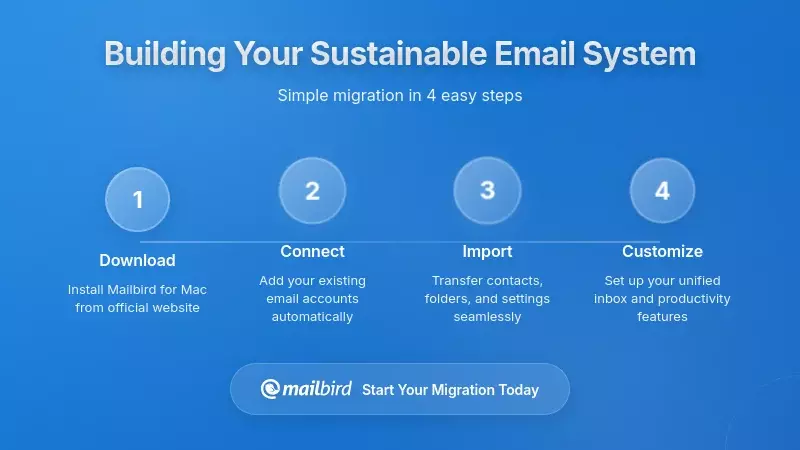
If you're ready to transform your email experience from a source of chronic stress to a manageable, supportive communication channel, here's a practical roadmap based on the evidence and strategies outlined above.
Step 1: Assess Your Current Challenges and Needs
Start by honestly identifying your specific pain points:
- Do you struggle with initiating responses or fear writing "wrong"?
- Does your inbox feel chaotic because everything is mixed together?
- Do you find yourself constantly checking email but never feeling caught up?
- Do you experience anxiety about response expectations or social interpretation?
- Do you prefer written communication but feel pressured to use phone or video?
The "Inbox Functional" model emphasizes identifying email priorities and transforming them into specific, measurable goals that reflect your actual needs rather than neurotypical ideals. Your goal might be "reduce unread emails to under 50" or "respond to all flagged items within scheduled sessions" rather than achieving a perpetually empty inbox.
Step 2: Configure Your Email Client for Neurodivergent Success
If you're using Mailbird, implement the ADHD-optimized setup outlined earlier:
- Create separate email addresses for work, personal, and subscription content if you haven't already
- Connect accounts in Mailbird and configure the unified inbox to show only work and personal messages
- Set up simple folders: Act, Waiting, Bills, Archive
- Create filters to automatically route newsletters and promotions to your subscription account
- Build a template library for common response types
- Learn core keyboard shortcuts for Snooze, archive, and delete
- Turn off notifications except during designated email windows
If you're using a different client, apply the same principles: separate streams by purpose, create action-oriented organization, automate routing, and control notifications.
Step 3: Establish Time-Based Batching Routines
Choose two specific times during your workday for email processing—ideally mid-morning and mid-afternoon—and add them to your calendar as actual appointments. During these sessions:
Morning triage (15 minutes):
- Scan new messages
- Delete obvious spam
- Archive misfiltered newsletters
- Flag urgent items requiring same-day response
- Snooze everything else to afternoon window
- Close Mailbird and return to priority work
Afternoon response (30 minutes):
- Address flagged urgent items first
- Use templates for quick replies
- Send acknowledgments for complex emails ("I'm reviewing this and will respond by [date]")
- Move actioned emails to Archive
- Snooze items requiring more thought to tomorrow or next week
- Add tasks derived from emails to your external task management system
Use timers to maintain boundaries and prevent email from consuming unlimited time. Protect your deep work periods by keeping Mailbird closed outside these windows.
Step 4: Communicate Your Boundaries and Preferences
If you're in a supportive workplace, proactively communicate your email habits to colleagues and managers:
- Set expectations: "I check email at 10:30 a.m. and 3:30 p.m. daily and typically respond within 24 hours for nonurgent messages"
- Indicate preferred modality: "I prefer written communication for complex topics—email works better for me than phone calls"
- Request clarity: "Please include explicit deadlines and next steps in your messages so I can prioritize effectively"
- Use auto-responders: Consider an email signature or auto-reply that notes your batching schedule
If you need formal accommodations, work with HR or your manager to document preferences for written communication, extended response windows, or other adjustments as reasonable accommodations under disability law.
Step 5: Monitor, Reflect, and Refine
Give your new system at least two to three weeks to become habitual, then assess what's working and what needs adjustment:
- Are you feeling less overwhelmed by your inbox?
- Are you responding to important messages within your target timeframe?
- Are you spending less total time on email while maintaining effectiveness?
- Are your anxiety levels around email decreasing?
Adjust batching times, folder structures, or template content based on what you learn. The goal is a sustainable system that respects your cognitive profile, not perfection.
Frequently Asked Questions
What makes email particularly challenging for neurodivergent workers compared to neurotypical colleagues?
Research demonstrates that neurodivergent workers face distinct challenges with email that stem from their cognitive profiles rather than lack of capability. For individuals with ADHD, executive function difficulties make it hard to initiate responses, prioritize among mixed-priority messages, and maintain focus when processing multiple emails, while novelty-seeking tendencies can lead to constant checking without productive processing. Autistic individuals may struggle with ambiguous language, implicit social expectations around tone and response timing, and anxiety about composing "correct" messages, even though they often prefer written communication over verbal interaction. The research on email load and work stressors shows that communication-related messages—which don't correspond to clear, prioritized actions—contribute significantly to strain, and this burden is amplified for neurodivergent workers whose cognitive resources for sorting and managing information are already constrained by underlying differences in executive functioning and sensory processing.
How can I convince my employer that batched email checking is a legitimate accommodation rather than poor responsiveness?
Legal guidance on reasonable accommodations for employees with autism and ADHD explicitly recognizes modified communication practices, including flexible schedules and written communication preferences, as valid workplace adjustments under disability law such as the Americans with Disabilities Act and the UK Equality Act 2010. You can frame batched email checking as a productivity strategy supported by research showing that high email load increases strain and time pressure, and that scheduled processing reduces technostress while maintaining overall responsiveness. Present your batching routine as a structured system with clear windows (e.g., 10:30 a.m. and 3:30 p.m.) and defined response timeframes (e.g., 24 hours for nonurgent messages), demonstrating that you're implementing a deliberate workflow rather than avoiding communication. If needed, work with HR to document this as a formal reasonable accommodation, providing research evidence that neurodivergent workers benefit from time-bounded email sessions that align with their executive function needs. Organizations increasingly recognize that accommodating diverse communication styles benefits overall team effectiveness and employee well-being.
Is Mailbird's unified inbox approach better for ADHD users than keeping accounts completely separate?
Mailbird's configurable unified inbox offers the best of both worlds for ADHD users when set up strategically. The neurodiversity-focused guidance recommends creating separate email addresses for work, personal, and subscription content, then connecting all accounts in Mailbird but configuring the unified inbox to include only work and personal accounts while excluding subscription content from the main view. This approach provides a consolidated view of genuinely important communications without the cognitive overload of promotional noise and automated notifications cluttering your primary workspace. Research on ADHD and executive functioning shows that mixed-content streams make prioritization and decision-making more difficult, so structural separation by purpose—with subscription content checked separately on a weekly basis—reduces the cognitive effort required during daily email sessions. The unified inbox prevents the need to switch between multiple separate interfaces for work and personal messages, which can be distracting and time-consuming, while the exclusion of low-priority accounts protects your attention during scheduled processing windows.
What should I do if my literal, concise email style is being misinterpreted as rude or unengaged?
Harvard Business Review explicitly argues that organizations should stop asking neurodivergent people to change their communication style and instead educate neurotypical colleagues to close the communication gap by adjusting expectations. Your literal, concise email style likely reflects cognitive efficiency and clarity rather than rudeness—autistic and ADHD individuals often communicate more directly to manage cognitive load and reduce ambiguity. Consider having a proactive conversation with your manager or team about your communication preferences, explaining that your concise messages are intentional and professional, not indicators of disengagement. You might say, "I write in a direct, literal style to ensure clarity and manage my cognitive resources effectively—this is how I communicate most clearly, and it's not a reflection of my engagement or respect." Some neurodivergent workers add brief explanatory signatures like "I communicate in a direct style for clarity" to normalize their approach. If misinterpretation persists despite explanation, this may constitute discrimination based on disability-related communication differences, and you can work with HR to address it as a workplace inclusion issue. Research on neurodiversity in the workplace emphasizes that inclusive organizations value diverse communication styles rather than enforcing neurotypical norms as universal standards.
Can email templates really reduce anxiety, or will they make my messages feel impersonal?
Research-backed guidance on ADHD email management and autistic communication preferences strongly supports template use as both a productivity tool and an anxiety-reduction strategy. Templates provide structured starting points that reduce the cognitive and emotional load of composing from a blank page, which is particularly valuable when executive function challenges or social anxiety make email initiation difficult. The key is building templates that feel authentic to your voice while providing consistent structure—for example, a status update template might include your natural phrasing for "I'm continuing work on [project]" followed by standard sections for current status and next milestone. Templates serve as social scaffolds that reduce uncertainty about tone, sign-offs, and request phrasing, which decreases anxiety for individuals who struggle with informal social conventions. Recipients generally appreciate clear, well-structured messages regardless of whether they originated from templates, and you can always customize template content to add personal details when appropriate. Many neurodivergent workers report that templates actually make their communication more consistent and professional while significantly reducing the stress and time required to compose responses, ultimately improving both their well-being and their responsiveness.
How do I balance email batching with workplace expectations for quick responses?
The research on digital communication overload shows that expectations for constant availability contribute to technostress and burnout, with around 60% of employees experiencing high stress linked to online communication fatigue. Balancing batching with responsiveness requires both personal strategy and organizational alignment. Start by establishing clear, predictable batching windows (e.g., mid-morning and mid-afternoon) and communicating these to colleagues along with your standard response timeframe for nonurgent messages (e.g., within 24 hours). Use email signatures or auto-responders to set expectations: "I check email at 10:30 a.m. and 3:30 p.m. daily and respond to most messages within 24 hours. For urgent matters, please call or text." During your batching sessions, prioritize flagged urgent items first to ensure time-sensitive communications are addressed promptly. Work with your manager to define what constitutes genuine urgency in your role versus routine communications that can wait for scheduled processing. If your organization's culture genuinely requires faster responses for specific message types, consider a compromise where you do a brief 5-minute urgent-only scan at midday in addition to your main processing windows, using filters or folders to surface only truly time-sensitive communications. Organizations that understand neurodiversity recognize that batched email processing is a legitimate accommodation that maintains effectiveness while supporting employee well-being.
What if I've tried email systems before and they always fall apart after a few weeks?
The "Inbox Functional" model developed specifically for neurodivergent users acknowledges that traditional Inbox Zero approaches often fail because they don't account for executive function challenges and fluctuating cognitive capacity. The research on ADHD and organization-in-time shows that maintaining rigid systems is particularly difficult when executive functioning is impaired, which is why sustainable email habits must be simple, forgiving, and aligned with your actual cognitive rhythms rather than idealized productivity standards. If previous systems failed, they were likely too complex, too perfectionistic, or not genuinely suited to your brain's needs. The Mailbird-based approach outlined in this article emphasizes minimal folder structures (just four action-oriented folders), automated routing through filters to reduce manual sorting, templates to lower composition barriers, and Snooze-based deferral that allows temporary lapses without system collapse. Start with just one or two elements—perhaps account segmentation and a single daily batching window—and add complexity only as those habits become automatic. Use external cues like calendar appointments and timers rather than relying on self-monitoring, and reframe success as "functional inbox with clear next steps" rather than "empty inbox." Most importantly, expect that your system will occasionally break down during high-stress periods or executive function fluctuations, and design for easy recovery rather than perfection. The goal is sustainable support for your cognitive profile, not conformity to neurotypical productivity ideals.


