Best Zoho Workplace App for MacOS in 2026: Comprehensive Guide to Email Management Solutions
Mac users struggle with Zoho Workplace's browser-dependent architecture, facing sluggish performance and workflow friction. This guide explores practical solutions, including Mailbird's new macOS integration, to help professionals overcome these limitations and achieve seamless email management with native Mac functionality in 2025.




Mac users working with Zoho Workplace face a frustrating reality in 2025: while Zoho's integrated productivity suite promises seamless collaboration, the actual experience on macOS often falls short of expectations. You're constantly switching between browser tabs, dealing with sluggish performance, and missing the native application experience that makes Mac productivity tools so powerful. If you've found yourself wondering why your email management feels clunkier than it should, you're not alone—thousands of professionals struggle with the same limitations.
The core challenge stems from Zoho Workplace's browser-dependent architecture. According to Zoho's official Workplace documentation, while the platform delivers comprehensive productivity features, Mac users must primarily access these tools through web browsers rather than fully native applications. This creates workflow friction that compounds throughout your workday: notifications lack sophistication, attachment handling becomes cumbersome, offline functionality remains severely limited, and context switching disrupts your focus.
The good news? Recent developments in the email client market have created powerful alternatives. Mailbird's October 2024 expansion to macOS represents a significant breakthrough for professionals seeking unified email management that combines Zoho Workplace integration with enhanced Mac-native functionality. This comprehensive guide examines your actual options as a Mac user working with Zoho Workplace, helping you understand which solutions genuinely address your productivity challenges rather than simply adding more complexity.
Understanding Zoho Workplace's Mac Limitations: Why You're Experiencing Friction

Before exploring solutions, it's important to validate what you're experiencing: the productivity friction you feel when using Zoho Workplace on Mac is real, measurable, and affects thousands of professionals daily. Understanding these limitations helps you make informed decisions about which tools will genuinely improve your workflow.
The Browser-Based Architecture Challenge
Zoho Workplace operates primarily as a web-based platform, which creates inherent limitations for Mac users expecting native application integration. According to comparative analysis of Zoho Mail versus native Mac applications, browser-based email management introduces several interconnected challenges that compound throughout daily workflows.
When you're managing email through a browser, you face constant context switching between tabs that disrupts focus. Opening an email requires navigating to the Zoho tab, checking calendar availability means switching to another tab, and accessing files stored in WorkDrive demands yet another navigation step. This fragmentation creates what researchers call "cognitive overhead"—the mental effort required to track where information lives and how to access it efficiently.
The performance implications manifest in slower response times when managing multiple email accounts, downloading attachments, or switching between different Zoho Workplace applications. Users consistently report that switching accounts requires page reloads, accessing calendar events while composing emails demands tab management, and file attachments often require separate WorkDrive navigation. These workflow interruptions accumulate throughout the workday, creating significant productivity drag.
Limited Native Application Support
While Zoho has developed some desktop applications for Mac, the implementation remains incomplete and inconsistent across the suite. Zoho Mail Desktop Lite provides a locally-hosted application for macOS that reduces loading times compared to browser access and enables desktop notifications with badge indicators.
However, Desktop Lite remains fundamentally constrained by its lightweight architecture—it functions primarily as a web interface wrapper rather than a true native application with full offline capabilities or sophisticated local data processing. The application supports macOS 11 or later and includes standard email management features while syncing seamlessly with the web version, but it doesn't deliver the deep system integration or performance characteristics that Mac users expect from native applications.
The fundamental limitation stems from fragmentation: while individual Zoho applications provide moderate improvements over browser access, they operate as isolated instances rather than a cohesive desktop experience. You cannot view email while simultaneously managing calendar events or collaborating on documents without switching between separate applications, defeating the unified experience that Zoho Workplace theoretically provides.
Multi-Account Management Complexity
If you're managing multiple email accounts—client communications, personal messages, organizational roles, specialized projects—Zoho's native solutions create additional friction. The platform doesn't provide sophisticated unified inbox capabilities that consolidate messages from different providers into a single interface with customizable filtering and prioritization rules.
This limitation forces you to manually check multiple inboxes, increasing the likelihood that important messages get overlooked or delayed. Research shows that professionals managing multiple email streams waste significant cognitive effort mentally routing incoming messages to appropriate contexts, switching between applications to check different accounts, and integrating responses across fragmented inboxes.
Mailbird for Mac: The Unified Email Management Solution You've Been Waiting For

Understanding your frustrations with browser-based Zoho access and limited native applications helps explain why Mailbird's Mac expansion has resonated so strongly with professionals. The solution directly addresses the specific pain points that make email management unnecessarily complex on macOS.
Strategic Mac Launch: Built for Your Workflow
Mailbird's official launch on macOS in October 2024 represents more than just platform expansion—it's a comprehensive reimagining of email management designed specifically for Mac user expectations and aesthetic sensibilities. The development process involved extensive user research, Windows user data analysis, and early access feedback to translate Mailbird's successful feature set into a solution optimized for Mac workflows.
The company explicitly adopted a unified licensing approach where existing Windows users can access the Mac version using identical license keys, reflecting genuine commitment to cross-platform consistency rather than segmented monetization. This approach benefits organizations with mixed computing environments where Windows and Mac users need consistent email management experiences without platform-specific training or support processes.
The Mac version prioritized core features that Windows users valued most—unified inbox management across multiple email accounts, email tracking and read receipts, comprehensive third-party app integrations, advanced search capabilities, and professional email signature management—while rebuilding the interface using native macOS frameworks rather than cross-platform abstractions. App Store distribution through Apple's marketplace provides automatic updates, trusted verification through Apple's review process, and seamless integration with Apple ID preferences.
Unified Inbox: Solving Multi-Account Fragmentation
Mailbird's fundamental contribution to Mac email management involves solving the multi-account fragmentation problem that frustrates professionals managing separate inboxes for client accounts, personal communications, organizational roles, and specialized projects. According to Mailbird's official overview, the unified inbox consolidates messages from Gmail, Outlook, iCloud, Yahoo, Exchange, and non-standard IMAP accounts—including Zoho Workplace Mail—into a single interface with customizable filtering, sorting, and prioritization rules.
You can configure how different accounts appear: unified in a single inbox, separated by account, or filtered by custom rules. This architectural flexibility addresses the core productivity challenge that isolated email applications fail to solve—professionals managing multiple email streams waste significant cognitive effort mentally routing incoming messages to appropriate contexts, switching between applications to check different accounts, and integrating responses across fragmented inboxes.
The application provides color-coded account indicators enabling you to quickly identify which account requires attention, eliminating the need to maintain multiple applications or browser tabs that fragment focus and create security risks. This simple innovation addresses daily workflow friction that organizational email solutions perpetually recreate: as teams grow and communication complexity increases, professionals accumulate more email addresses, creating the exact fragmentation that unified solutions eliminate.
Advanced Productivity Features That Transform Email Management
Beyond basic unified management, Mailbird integrates sophisticated productivity features that transform the email client from a message viewer into a comprehensive work management hub. Email tracking provides real-time notifications when recipients open messages, revealing which communications warrant follow-up and which have been ignored. This intelligence significantly improves sales processes and professional communication effectiveness by eliminating guesswork about message engagement.
Read receipts function similarly, confirming message delivery and engagement without requiring recipients to have compatible email clients. Email scheduling allows you to compose messages immediately while deferring delivery to optimized times, ensuring messages arrive when recipients actively check email rather than getting buried in inbox overflow. Snooze functionality temporarily removes messages from the inbox, returning them at specified times to support focused work sessions where you address messages in concentrated batches rather than constant context switching.
Sleep email functionality automatically delays new message notifications during configured do-not-disturb periods, protecting focus time while ensuring nothing gets permanently lost or overlooked. Advanced search capabilities enable locating specific messages using natural language queries, mathematical operations on email metadata, and comprehensive filtering across account boundaries that exceed what individual email providers offer.
Third-Party Integration Ecosystem
Mailbird's integration architecture extends email client functionality through connections to over 30 business applications and services, enabling you to access calendar tools, task managers, file storage, note-taking applications, and communication platforms without leaving the email interface. Official integrations include Slack for team communication updates, Dropbox and Google Drive for file management, Asana and Todoist for task tracking, Evernote for note organization, and Google Calendar for scheduling coordination.
You can add any website or application to customized Mailbird panels, effectively creating personalized workspaces where email sits alongside the specific tools required for your individual workflow. This integration approach addresses a fundamental limitation of traditional email clients: while email represents a critical hub for professional communication, modern workflows require seamless access to task management, calendar coordination, document collaboration, and team messaging without switching applications that fragment attention and disrupt flow.
Integrating Zoho Workplace Mail with Mailbird: Best of Both Worlds

One of the most powerful aspects of Mailbird is that it doesn't require you to abandon your Zoho Workplace investment. Instead, it enhances your existing infrastructure by providing sophisticated email management while maintaining full synchronization with your Zoho ecosystem.
Seamless Zoho Mail Configuration
According to comprehensive analysis of Zoho Workplace alternatives for Mac, Mailbird fully supports Zoho Workplace Mail account integration alongside other email providers. Configuration involves basic IMAP setup using Zoho's server addresses—imap.zoho.com for personal accounts, imappro.zoho.com for organizational accounts—with corresponding SMTP settings for outgoing messages.
The setup requires minimal technical expertise compared to configuring some enterprise systems. Once configured, your Zoho Mail accounts appear within Mailbird's unified inbox, subject to the same powerful filtering, sorting, and productivity features as any other supported email provider. This configuration approach enables organizations using Zoho Workplace to leverage Mailbird's advanced productivity features while maintaining full synchronization with their Zoho ecosystem.
Unified Workflow Integration
The practical benefit of accessing Zoho Workplace Mail through Mailbird involves eliminating constant context switching that fragments productivity and increases error rates when managing complex organizational communications. You can simultaneously view email conversations, linked calendar events showing meeting context, relevant task assignments related to message topics, and file attachments without switching applications or losing message context.
This integrated approach enables you to process email more efficiently while maintaining comprehensive situational awareness about projects, clients, and organizational initiatives that messages reference. For organizations already invested in Zoho Workplace infrastructure where email represents only one communication component among many, Mailbird provides a strategic advantage by enabling professional email management through a specialized client while preserving synchronization with the broader Zoho ecosystem.
Importantly, Zoho Mail stores remain authoritative, enabling you to switch between Mailbird and Zoho's web interface or native applications without sync conflicts. This flexibility prevents vendor lock-in and avoids forcing unnecessary dependency on any single client, giving you genuine choice about how you access your communications.
Alternative Mac Email Solutions: Comprehensive Comparison
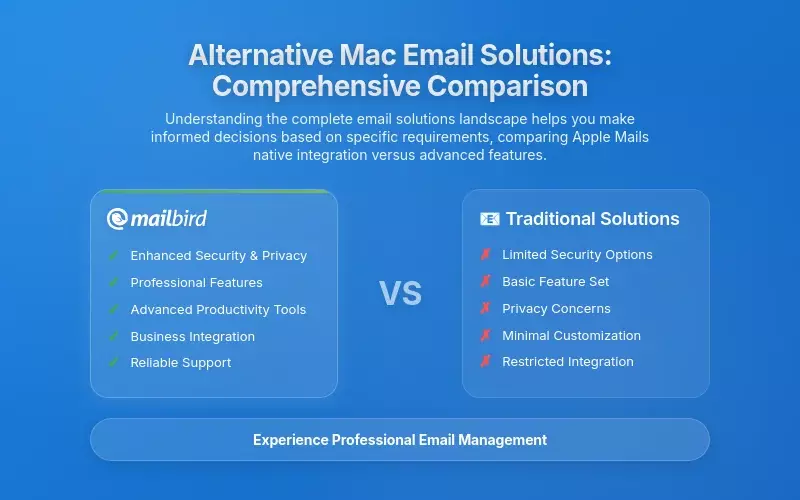
While Mailbird addresses many Mac users' needs, understanding the complete landscape of email solutions helps you make informed decisions based on your specific requirements and workflow preferences.
Apple Mail: Native Integration Versus Advanced Features
Apple Mail continues to represent the default email solution for Mac users, offering seamless integration with Calendar, Contacts, Notes, and other system applications through deep macOS architecture. According to comprehensive analysis of Apple Mail alternatives, the application requires zero additional investment, provides automatic synchronization across Mac, iPhone, and iPad through iCloud, and supports all major email providers including Zoho Mail when properly configured with IMAP settings.
Recent macOS updates have significantly modernized Apple Mail's capabilities, adding features like scheduled sending, message reminders, and improved search functionality that partially narrow the feature gap with specialized clients. Smart Mailbox functionality enables automatic message filtering based on conditions like sender, recipient, or account type.
However, Apple Mail's feature set remains fundamentally limited for professionals with complex email management requirements, particularly those maintaining multiple accounts across different providers or needing sophisticated automation, tracking, or integration capabilities. The application lacks email tracking to determine message engagement, provides no integration with productivity applications beyond Apple's ecosystem, offers limited customization options compared to specialized clients, and provides no built-in task management or advanced calendar-email coordination tools that modern workflows increasingly require.
Microsoft Outlook: Enterprise Power with Cross-Platform Compromise
Microsoft Outlook for Mac has evolved significantly from its historical reputation as a sluggish application, now delivering comprehensive email functionality optimized for users already invested in Microsoft 365 or heavily reliant on Exchange servers. The application provides focused inbox functionality that automatically categorizes messages by importance using machine learning algorithms, calendar integration with real-time meeting management, and Tasks application integration with Outlook tasks synchronization.
Microsoft Copilot integration enables AI-assisted email summarization for lengthy messages, automatic draft composition based on prompts, and intelligent reply suggestions that significantly accelerate email management for professionals processing high message volumes. Deep Microsoft 365 integration ensures seamless synchronization with OneDrive cloud storage, Teams collaboration, SharePoint document management, and To Do task application.
For Mac users already committed to Microsoft products, Outlook provides genuine value and advanced functionality that third-party alternatives struggle to replicate. However, the application carries significant disadvantages for users managing email across multiple providers or seeking lightweight productivity: Outlook typically consumes 2-7 GB of RAM even with single accounts, feels corporate and cluttered compared to more consumer-friendly interfaces, requires complex setup for non-Exchange accounts, and charges Microsoft 365 subscription fees that compound if email represents only one component of broader productivity needs.
Spark: Collaboration-Focused Email for Teams
Spark has established itself as the collaboration-focused email solution for teams prioritizing shared inbox features, group commenting, and real-time email collaboration without forwarding or copy-paste. The application provides smart inbox functionality that automatically categorizes messages into primary, newsletters, and notification streams, reducing inbox clutter while ensuring important messages remain visible.
Spark enables multiple users to collaborate on single draft emails with in-thread chat, shared email assignment, and team reply functionality that coordinates group responses to complex situations. The free tier provides core features including unified inbox, device sync, and smart inbox functionality, with premium plans starting at $4.99 monthly when billed annually enabling AI-powered features, advanced team collaboration, and unlimited shared storage.
For teams where shared email management represents a critical workflow, Spark provides genuine advantages including integrated team chat within emails, transparent communication about message status, and coordination tools that prevent duplicate responses or missed actionable items. However, Spark's limitations for individual professionals or mixed-mode usage remain significant: the free version limits team storage and active collaborators, the interface differs substantially from traditional email patterns requiring user adaptation, features targeting team collaboration remain underutilized for individuals, and integration options remain more limited than specialized alternatives.
Canary Mail: Security-First Email Management
According to comprehensive analysis of Zoho Mail alternatives, Canary Mail positions itself as the security-focused alternative for professionals handling confidential information or concerned about email surveillance and phishing risks. The application provides industry-grade end-to-end encryption, PGP support, and sophisticated impersonation detection that protect users from advanced email threats.
Canary Mail includes biometric app lock functionality securing the application itself against unauthorized access, read receipts confirming message delivery, and natural language search enabling intuitive message retrieval without complex syntax. The application's AI-powered email organization automatically prioritizes messages based on importance and urgency, automatically sorting incoming volume by relevance to reduce cognitive load and ensure critical communications receive immediate attention.
The application supports multiple email accounts with intelligent unified inbox management, though reviews occasionally mention performance concerns with very large mailbox volumes or excessive CPU consumption. Pricing includes a free tier with standard features and a Growth tier at $3 monthly for advanced functionality, positioning Canary Mail as a mid-range option between completely free solutions and premium specialized clients.
Thunderbird: Open-Source Alternative with Extensive Customization
Mozilla Thunderbird represents the open-source alternative for professionals prioritizing customization, privacy, and freedom from proprietary vendor lock-in. The application offers extensive add-on support enabling users to implement functionality matching specialized commercial applications, unified calendar access across multiple email providers, task management capabilities integrated with email workflows, integrated chat functionality, and strong privacy features including automatic encryption and sophisticated spam filtering with user-defined rules.
The application's open-source architecture enables community development of specialized extensions addressing niche requirements that commercial alternatives never address, including advanced filtering rules, custom workflow automation, and integrations with specialized tools. Thunderbird remains completely free with no premium tiers or subscription requirements, attracting budget-conscious professionals and organizations seeking to minimize software licensing costs.
The primary disadvantages involve steeper learning curves compared to consumer-friendly alternatives, less polished user interface despite significant recent improvements, and smaller feature-set consistency compared to commercial alternatives with dedicated development teams. However, for technical users comfortable with configuration and customization processes who prioritize long-term stability, privacy, and avoiding commercial product dependency, Thunderbird represents a compelling solution with surprisingly comprehensive functionality.
Security, Privacy, and Data Protection: Critical Considerations for 2026

Email security and privacy have become increasingly critical concerns as cyber threats evolve and regulatory requirements expand. Understanding how different solutions protect your data helps you make informed decisions that align with organizational compliance requirements and personal privacy preferences.
Zoho Workplace Security Architecture
According to Zoho's official data privacy documentation, the company emphasizes privacy-first architecture as a fundamental differentiator from competitors engaged in data monetization through advertising or analytics exploitation. Zoho maintains explicit commitments that customer data belongs entirely to users rather than Zoho, that data collection occurs only as necessary to improve services, that Zoho never sells customer information to third parties regardless of context or financial incentive, and that all customer data remains completely ad-free without usage tracking for targeted advertising or behavioral analysis.
Email content protection specifically ensures that only users can read their messages, achieved through automated spam filtering and virus detection that prevents Zoho employees from viewing actual email content while still protecting users from security threats. Access to customer data by Zoho employees occurs only in rare circumstances where customers have explicitly requested technical support or raised complaints requiring investigation, restricted to specific pre-cleared employees monitored in real-time with complete activity logging.
Zoho Workplace implements enterprise-grade security including single sign-on (SSO) authentication, directory integration for centralized user management, multi-factor authentication (MFA) options, built-in password management through Zoho Vault, and compliance with international standards including GDPR, HIPAA, and Safe Harbor regulations ensuring appropriate data protection for regulated industries.
Mailbird Security Implementation
Mailbird maintains a privacy-first design philosophy by storing email data locally on user computers rather than maintaining copies on Mailbird's servers, directly addressing user concerns about cloud-dependent services and potential unauthorized access. This local-storage approach provides explicit data ownership: you control where your email resides, what happens to message metadata, and what third parties can access without involving Mailbird as a data intermediary.
The application supports industry-standard encryption protocols including S/MIME and PGP for end-to-end encrypted communications, enabling you to send messages that only intended recipients can read even if intercepted or stored by email providers. Email tracking features remain transparent about when tracking occurs, enabling you to explicitly opt-in to tracking functionality rather than implementing hidden analytics that you cannot disable.
Mailbird's business model depends on direct user subscription revenue rather than data monetization, creating aligned incentives where user trust and privacy protection directly support business success. The company does not display advertising, does not profile users for behavioral analysis, and does not create business intelligence from user communication patterns unlike some competitors relying on data extraction for revenue generation.
Performance Analysis: Real-World Impact on Your Productivity
Understanding how different email solutions perform under actual working conditions helps you evaluate which tools will genuinely enhance your productivity rather than introducing new frustrations.
Desktop Application Responsiveness
Mac users transitioning from browser-based Zoho access to Mailbird report significant workflow improvements stemming from native application responsiveness and seamless macOS integration. The application launches rapidly, maintains responsive operation during peak email volumes, handles attachment download and upload without performance degradation, and provides Spotlight search integration enabling you to locate messages and contact information without leaving Finder.
Native notification system integration delivers message alerts through macOS notification center, supporting Do Not Disturb mode respect, allowing configuration of specific hours when notifications cease entirely, and enabling focus mode integration where only priority contacts generate notifications during designated work sessions. Keyboard shortcut support enables power users to navigate entirely without trackpad interaction, reducing repetitive strain and enabling faster workflow execution for professionals handling high email volumes.
Resource Efficiency Comparison
Technical performance analysis reveals that Mailbird's native macOS implementation achieves superior efficiency compared to cross-platform alternatives or resource-intensive browser-based solutions. The application typically utilizes 200-500 MB of RAM for configurations with multiple email accounts across different providers, representing dramatic efficiency gains compared to Microsoft Outlook implementations that consume 2-7 GB for similar configurations or Chromium-based alternatives that consume comparable memory overhead.
This resource efficiency becomes particularly meaningful for professionals working on MacBook Air models with base memory configurations or those who simultaneously run professional applications including video conferencing software, document editors, code development environments, and virtualization tools that collectively demand substantial system resources. The native macOS implementation avoids performance overhead that cross-platform frameworks introduce, resulting in responsive operation even when managing numerous email accounts or processing large attachments.
Offline Functionality
Mailbird's local storage architecture enables robust offline functionality where you can continue reading messages, composing responses, and organizing emails even without internet connectivity, with automatic synchronization when connection resumes. This offline capability proves particularly valuable for professionals working during travel, experiencing internet disruptions, or deliberately disconnecting to maintain focus without email distraction.
Messages remain accessible, searchable, and editable offline, with queued messages sending automatically when connectivity returns without requiring manual intervention. Zoho Workplace's browser-based architecture inherently limits offline functionality to what caching mechanisms provide, typically offering message viewing but restricting composition, organization changes, and search capabilities that depend on server connectivity.
Pricing Models and Total Cost of Ownership Analysis
Understanding the complete financial picture—including initial costs, ongoing subscriptions, and hidden expenses—helps you evaluate which solutions provide genuine value for your specific situation.
Zoho Workplace Pricing Structure
According to Zoho's official Workplace pricing, the platform's pricing strategy explicitly targets cost-conscious organizations while maintaining enterprise-grade capabilities. Mail Lite plans start at approximately $3 per user monthly when billed annually, including email with 5-10GB per user storage, Cliq team messaging, Calendar, ToDo, Notes, and Directory access.
Professional tiers at approximately $9-12 monthly add substantial storage (100GB per user), complete office suites (Writer, Sheet, Show), meeting functionality, password management through Vault, employee engagement features through Connect, and intranet functionality. Enterprise tier offers customizable pricing with unlimited storage, advanced compliance capabilities, and dedicated support for organizations with specific requirements.
For small organizations or departmental implementations where email represents the primary need, Zoho's pricing proves remarkably economical, delivering functional productivity infrastructure at costs substantially below Microsoft 365 or Google Workspace for equivalent users and functionality. The lack of premium licensing tiers where advanced email features demand significantly higher costs represents a strategic advantage where competitors charge substantially more for feature access that Zoho includes in base plans.
Mailbird Licensing Model
Mailbird employs a one-time purchase licensing model where single purchases unlock Pro features permanently with optional future version upgrade purchases rather than mandatory subscription renewal. This model appeals to professionals skeptical of subscription commitment, preferring permanent ownership and transparent upgrade economics where continued innovation delivers tangible value justifying additional purchase rather than subscription trap mechanics where discontinuing payments forfeits access to previously purchased functionality.
For professionals integrating Mailbird with Zoho Workplace, the total investment involves Zoho's monthly subscription plus Mailbird's one-time license, totaling substantially less than alternatives like Microsoft 365 ($15-30 monthly) or comprehensive Google Workspace implementations ($6-25 monthly) particularly when factoring in reduced software bloat, superior performance on modest hardware, and enhanced productivity features specialized for email-centric workflows.
Strategic Recommendations: Matching Solutions to Your Specific Needs
Different professional contexts demand different solutions. Understanding which configuration optimally addresses your specific requirements helps you avoid unnecessary complexity while ensuring you have the capabilities you actually need.
Small Business Owners and Solo Professionals
Solo professionals and small business owners typically prioritize simplicity, affordability, and avoiding unnecessary complexity that distracts from core business operations. For these users, Zoho Workplace provides exceptional value delivering comprehensive productivity infrastructure at prices substantially below alternatives, with integrated email, calendar, document collaboration, file storage, and communication tools enabling complete business operation without purchasing separate subscriptions.
Mac-based solo professionals benefit particularly from accessing Zoho Workplace through Mailbird for Mac, gaining unified email management across multiple accounts alongside sophisticated productivity features while maintaining local data storage and offline functionality that supports unpredictable schedules and connectivity challenges characterizing independent work. The combination of affordable Zoho Workplace subscription with one-time Mailbird license creates permanently owned productivity infrastructure without recurring software bloat or subscription expansion.
Enterprise Teams and Complex Organizations
Enterprise organizations with hundreds or thousands of users require comprehensive administration, role-based access control, compliance with regulatory requirements, and sophisticated integration with existing business systems including accounting software, CRM platforms, and specialized vertical applications. According to comprehensive office suite comparison for 2026, Zoho Workplace Enterprise tier provides necessary administration capabilities, compliance certifications including GDPR and HIPAA, audit logging for regulatory documentation, and API access enabling custom integrations addressing organization-specific requirements.
For enterprise Mac environments where Windows predominates and Windows-only email solutions create support complexity, Mailbird's cross-platform consistency reduces IT administration burden by supporting identical email client behavior across operating systems without platform-specific training or support processes. The unified licensing system where single purchases work across both Windows and Mac installations simplifies procurement and eliminates the license tracking fragmentation that plagues organizations managing multiple email clients across different platforms.
Organizations with Heavy Multi-Account Requirements
Professionals maintaining multiple email accounts for different client projects, organizational roles, or business functions represent a core segment where specialized email management delivers exceptional value over generic solutions. These professionals waste significant time switching between email addresses, risk missing important messages buried in unfamiliar inboxes, struggle coordinating responses across fragmented accounts, and experience cognitive overload trying to remember which account context applies to different communications.
Mailbird's unified inbox with color-coded account indicators, intelligent filtering enabling different display rules for different accounts, and integration with task managers enabling context-tagged task assignment directly from emails transform multi-account management from a source of frustration into streamlined workflow. Combined with Zoho Workplace's broader ecosystem, these professionals gain unified communication infrastructure while maintaining sophisticated email management that Zoho's native applications cannot provide independently.
Privacy-Conscious Organizations
Organizations prioritizing data privacy, regulatory compliance, and avoiding vendor data mining practices find strategic alignment between Zoho Workplace's privacy-first design philosophy and Mailbird's local storage architecture. Both platforms explicitly avoid data monetization, provide transparent data handling practices, support encryption, and respect user privacy in ways many competitors cannot claim.
Combining these platforms creates complete communication infrastructure where neither component generates data-driven revenue or profiles organizational communications for behavioral analysis. This approach proves particularly attractive for regulated industries including healthcare, finance, and law requiring explicit data governance and regulatory compliance, where Zoho's HIPAA and GDPR certifications combine with Mailbird's local storage to create privacy-protective communication infrastructure supporting organizational compliance obligations.
Practical Implementation Guide: Getting Started with Your Chosen Solution
Once you've identified which email management approach best addresses your needs, implementing it effectively ensures you realize the productivity benefits without unnecessary transition friction.
Setting Up Mailbird with Zoho Workplace
Configuring Mailbird to work with your Zoho Workplace Mail account involves straightforward IMAP configuration that takes only a few minutes. First, ensure IMAP access is enabled in your Zoho Mail settings by logging into the web interface, navigating to Settings, and confirming IMAP is activated. Then, within Mailbird, add a new account and select "Other" as the account type.
For incoming mail, use imap.zoho.com (port 993 with SSL) for personal Zoho accounts or imappro.zoho.com (port 993 with SSL) for organizational Zoho Workplace accounts. For outgoing mail, configure smtp.zoho.com (port 465 with SSL or port 587 with TLS). Enter your complete Zoho email address and password, and Mailbird will automatically synchronize your existing messages and folder structure.
Once configured, your Zoho Mail appears within Mailbird's unified inbox alongside any other email accounts you've added, subject to the same powerful filtering, sorting, and productivity features. You can customize how Zoho messages appear—unified with other accounts, separated by color-coded indicators, or filtered by custom rules that match your workflow preferences.
Optimizing Your Unified Inbox Configuration
After adding your accounts, invest time customizing Mailbird's unified inbox to match your specific workflow requirements. Configure color-coding for different accounts so you can instantly identify which context each message relates to. Set up custom filters that automatically sort messages into designated folders based on sender, subject patterns, or other criteria that reflect your organizational system.
Enable email tracking selectively for messages where engagement intelligence provides value—typically client communications, sales outreach, or critical business correspondence where knowing when recipients read messages helps you time follow-up appropriately. Configure snooze defaults that align with your work rhythm, whether that's returning messages later the same day, the following morning, or specific dates when projects become active.
Integrate the third-party applications you use regularly—calendar tools, task managers, file storage services, and communication platforms—so they appear as panels within Mailbird. This integration eliminates the need to switch applications for common workflow tasks, keeping you focused within your email context while accessing supporting tools.
Establishing Effective Email Management Habits
Technology alone doesn't create productivity—effective habits determine whether tools enhance or complicate your workflow. Establish consistent times for processing email rather than constantly monitoring your inbox, enabling focused work on substantive tasks without communication interruption. Use Mailbird's sleep functionality to silence notifications during designated deep work sessions, protecting your attention while ensuring messages remain accessible when you deliberately choose to check them.
Leverage email scheduling to compose messages when convenient while delivering them at optimal times when recipients actively check email. This approach separates your composition workflow from delivery timing, enabling you to clear your mental queue without bombarding recipients during off-hours or low-engagement periods.
Regularly review and refine your filtering rules, snooze defaults, and integration configurations as your workflow evolves. Email management remains dynamic—what works effectively during one project phase may need adjustment as responsibilities shift, teams change, or communication patterns evolve.
Frequently Asked Questions
Can I use Mailbird with my existing Zoho Workplace subscription without losing any functionality?
Yes, Mailbird works seamlessly with Zoho Workplace Mail through standard IMAP/SMTP configuration. You maintain full access to all your Zoho Mail features, folders, and message history while gaining Mailbird's advanced productivity capabilities including unified inbox management, email tracking, scheduling, and third-party integrations. Your Zoho Mail account remains the authoritative source, so you can switch between Mailbird and Zoho's web interface or native applications without sync conflicts. This configuration gives you the best of both worlds—Zoho Workplace's integrated productivity suite combined with Mailbird's specialized email management features.
How does Mailbird's performance compare to using Zoho Mail through a web browser on Mac?
Mailbird delivers significantly better performance than browser-based Zoho Mail access due to its native macOS implementation and local data storage. The application typically uses 200-500 MB of RAM compared to browser tabs that consume similar or greater resources while providing slower response times. Mailbird launches instantly, maintains responsive operation during peak email volumes, handles attachments without performance degradation, and provides robust offline functionality where you can read, compose, and organize messages without internet connectivity. Browser-based Zoho Mail inherently limits offline capabilities and requires constant server communication for most operations, creating latency that compounds throughout your workday.
What happens to my email data when using Mailbird—is it stored on Mailbird's servers?
No, Mailbird stores your email data locally on your Mac rather than maintaining copies on Mailbird's servers. This privacy-first architecture means you maintain complete control over your data—it resides on your computer, synchronized directly with your email providers (like Zoho), without Mailbird acting as an intermediary. This approach addresses common concerns about cloud-dependent services and potential unauthorized access. Mailbird's business model depends on direct user purchases rather than data monetization, creating aligned incentives where your privacy and trust directly support their business success. The company does not display advertising, profile users, or analyze communication patterns for revenue generation.
Can I manage multiple Zoho Mail accounts plus Gmail and Outlook accounts all in one Mailbird interface?
Yes, this represents one of Mailbird's core strengths. You can add unlimited email accounts from any provider supporting IMAP/SMTP protocols—including multiple Zoho Workplace accounts, Gmail, Outlook, iCloud, Yahoo, Exchange, and custom domain email—all accessible through Mailbird's unified inbox. The application provides color-coded account indicators enabling instant identification of which account each message relates to, customizable filtering rules that let you display accounts unified or separated based on your preferences, and unified search across all accounts simultaneously. This multi-account management eliminates the fragmentation and context switching that wastes significant time when managing email through separate applications or browser tabs.
Is Mailbird suitable for teams, or is it primarily designed for individual professionals?
Mailbird primarily targets individual professionals and small teams rather than large enterprise deployments requiring centralized administration and role-based access control. The application excels for professionals managing multiple email accounts, requiring sophisticated productivity features, or seeking unified email management across different providers. Organizations with mixed Windows and Mac environments benefit from Mailbird's cross-platform consistency and unified licensing. However, if your team requires shared inbox functionality, collaborative email drafting, or centralized policy management, solutions like Spark or enterprise platforms may better address those specific collaboration requirements. Mailbird focuses on individual productivity optimization rather than team coordination features.


