Best Yandex Mail App for Mac 2026: Complete Guide to Desktop Email Management
Mac users struggle to find exceptional desktop email clients for Yandex Mail, facing complex manual configurations and limited feature parity compared to mobile apps. This comprehensive 2025 analysis examines integration challenges, technical barriers, and workflow inefficiencies affecting productivity for professionals seeking seamless Yandex Mail desktop solutions.



Mac users managing Yandex Mail accounts have long faced a frustrating reality: while Yandex Mail offers robust features on mobile devices and through web browsers, finding a truly exceptional desktop email client that seamlessly integrates with Yandex Mail has remained challenging. The disconnect between the rich functionality available in Yandex's mobile app—including built-in translation, document scanning, and offline capabilities—and the limited options for Mac desktop users creates daily workflow inefficiencies that impact productivity and user satisfaction.
This comprehensive analysis examines the evolving landscape of Yandex Mail applications for Mac users in 2025, addressing the specific pain points that professionals and individuals encounter when seeking desktop email solutions. From complex manual configuration requirements to limited feature parity with mobile experiences, Mac users deserve email clients that not only support Yandex Mail but enhance their overall email management workflow.
Understanding Yandex Mail Integration Challenges on Mac
The primary frustration Mac users experience with Yandex Mail stems from the service's technical requirements that differ significantly from mainstream email providers. Unlike Gmail or Outlook, which offer streamlined automatic configuration in most email clients, Yandex Mail requires specific IMAP and SMTP server settings that must be manually configured, creating an immediate barrier for users seeking simple setup experiences.
The technical complexity extends beyond basic server configuration. Yandex Mail's app password authentication system requires users to generate unique credentials for third-party email client access, adding an additional security layer that, while protective, complicates the initial setup process. This system demands users navigate to their Yandex ID account, create named app passwords, and carefully preserve credentials that are displayed only once during generation.
Geographic variations in Yandex Mail services create further complications for international users. Different regions require specific server configurations, with Yandex.com.tr and other regional variants utilizing distinct IMAP and SMTP endpoints while maintaining consistent port and security requirements. This regional complexity often catches users off-guard during configuration attempts.
The Mobile-Desktop Feature Gap
Perhaps most frustrating for users is the significant disparity between Yandex Mail's mobile application capabilities and what's available through desktop email clients. The mobile app offers comprehensive functionality including built-in virus protection, spam blocking, document scanning, offline operation, and integrated translation services—features that remain largely unavailable when accessing Yandex Mail through third-party desktop clients.
This feature gap creates workflow inconsistencies that impact daily productivity. Users accustomed to the rich mobile experience find themselves limited to basic email operations when working on their Mac desktops, forcing them to switch between devices or rely on web browser access to maintain full functionality.
Mailbird's Strategic Solution for Mac Users
The October 2024 launch of Mailbird for Mac represents a significant development in addressing the long-standing challenges Mac users face with email management, particularly for services like Yandex Mail that require more sophisticated configuration approaches. After serving over 2 million Windows users, Mailbird's expansion to Mac maintains the company's core philosophy of functional simplicity while adapting to macOS design conventions.
What sets Mailbird apart for Yandex Mail users is its approach to configuration complexity. The application provides streamlined setup processes that handle the technical complexities of Yandex Mail integration while offering guided configuration for users who need manual setup assistance. This approach eliminates the common frustration points that prevent many users from successfully configuring their Yandex accounts with desktop email clients.
Unified Email Management Approach
Mailbird's unified inbox functionality addresses one of the most common workflow disruptions experienced by modern professionals: the need to manage multiple email accounts across different providers. The application consolidates emails from Yandex Mail alongside Gmail, Outlook, Yahoo, and other providers in a single interface, eliminating the productivity drain of switching between applications or browser tabs.
This unified approach proves particularly valuable for users who maintain Yandex Mail for personal use while using corporate email systems for professional communications. Rather than managing separate applications or constantly logging in and out of different web interfaces, users can handle all their email communications through one streamlined desktop application.
The technical implementation demonstrates comprehensive compatibility with modern macOS versions, including optimization for Apple Silicon Macs while maintaining support for Intel-based systems. This broad compatibility ensures accessibility across various Mac hardware generations and operating system preferences, from Catalina through the latest macOS releases.
Comprehensive Analysis of Alternative Solutions

While Mailbird offers compelling advantages for Yandex Mail integration, Mac users benefit from understanding the broader landscape of available email client options. Each solution addresses different aspects of the email management challenge, with varying degrees of success in handling Yandex Mail's specific requirements.
Security-Focused Email Clients
Canary Mail has established itself as the premier choice for users prioritizing security and AI features, earning a 4.7 rating and positioning itself as the best overall Mac email client for professionals concerned about security risks and email organization. The application's implementation of end-to-end encryption with Pretty Good Privacy (PGP) protocols ensures email content remains protected during transmission and storage, addressing critical security concerns for users handling sensitive communications.
The AI-powered functionality in Canary Mail demonstrates the evolution of email management beyond basic organization. Features such as follow-up reminders, email scheduling, and smart mailboxes streamline workflows while impersonation detection provides proactive defense against phishing attempts, making it particularly valuable for users who prioritize security alongside productivity enhancement.
Ecosystem Integration Options
Apple Mail continues to serve as the foundational choice for users seeking seamless integration with the broader Apple ecosystem, offering native compatibility with Calendar, Contacts, and Notes applications. While it may lack some advanced customization options preferred by power users, its zero-setup approach for basic email management appeals to users who prioritize simplicity over extensive feature sets.
Recent macOS updates have enhanced Apple Mail's capabilities, incorporating scheduled sending features and improved AI integration through Siri. However, the application's limitations become apparent when users require more sophisticated email management features or need to handle complex configurations like those required for optimal Yandex Mail integration.
Spark Mail offers another approach to email management, emphasizing unified inbox functionality and integration capabilities with popular productivity tools. The application's natural language search functionality allows users to locate specific emails using conversational queries rather than complex search syntax, addressing a common frustration with traditional email search limitations.
Performance-Optimization Solutions
Mailspring represents the open-source alternative in the Mac email client landscape, providing lightning-fast search capabilities through local email caching and robust customization options that appeal to technically-oriented users. The application's support for various keyboard shortcut configurations, including Gmail, Apple Mail, and Outlook layouts, enables users to maintain familiar workflows regardless of their email client background.
The open-source nature of Mailspring provides transparency and customization opportunities that proprietary solutions cannot match. Users who value the ability to examine source code, contribute to development, or implement custom modifications find Mailspring's approach particularly appealing, though this flexibility comes with increased technical complexity for average users.
Technical Setup Requirements and Best Practices
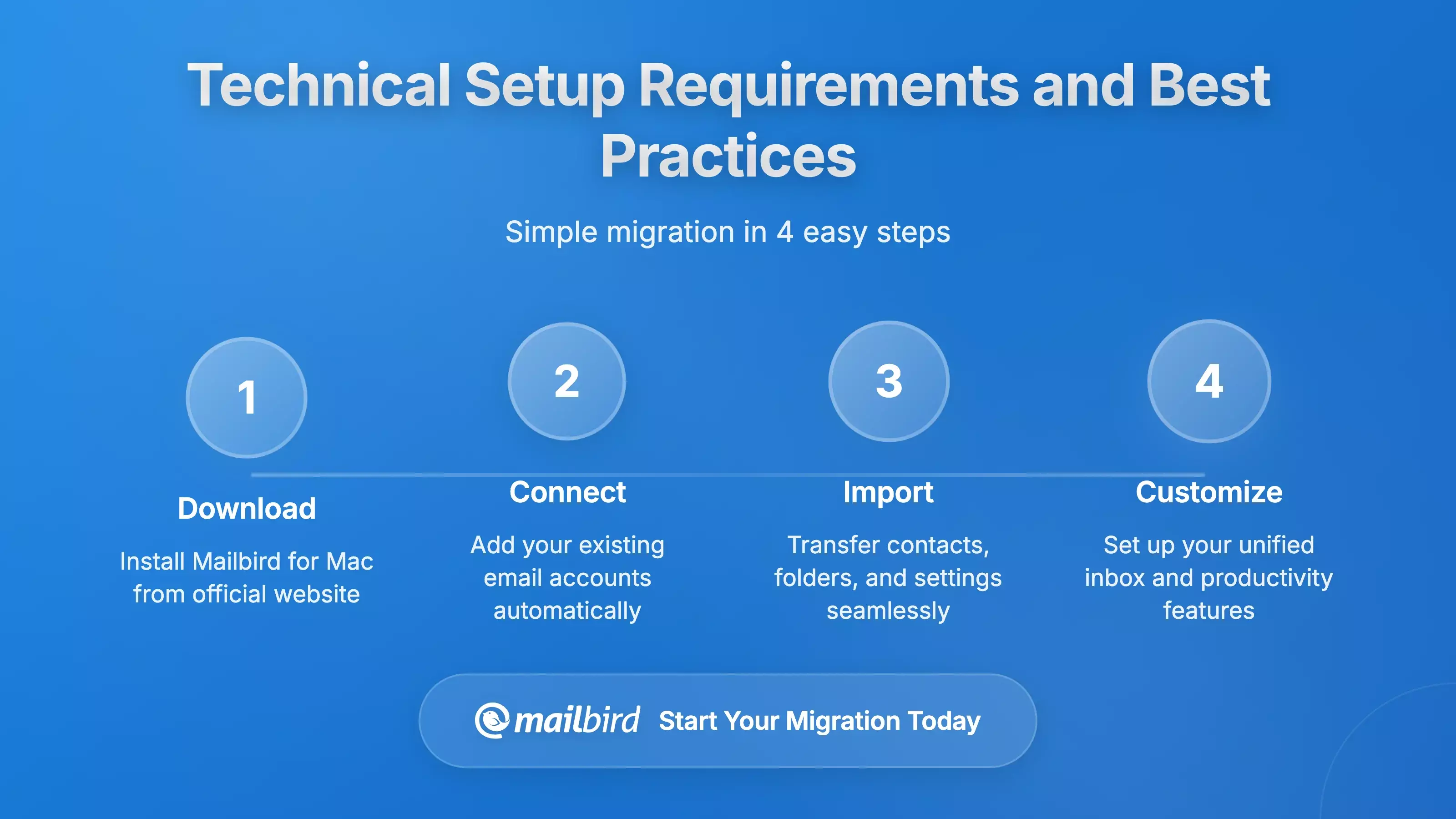
Understanding the technical requirements for successful Yandex Mail integration helps users make informed decisions about email client selection and configuration approaches. The complexity of Yandex Mail setup varies significantly across different applications, with some offering automated assistance while others require complete manual configuration.
Server Configuration Essentials
Yandex Mail's IMAP configuration utilizes imap.yandex.com as the primary server endpoint, operating on port 993 with SSL/TLS encryption protocols, while SMTP configuration employs smtp.yandex.com on port 465 with identical security standards. These technical specifications ensure secure data transmission while maintaining compatibility with standard email client expectations.
The authentication process requires careful attention to credential management. Yandex's app password system demands users generate unique credentials for third-party applications, with each password displayed only once during creation, requiring careful preservation of credentials during the setup process.
Regional variations add another layer of complexity that users must navigate based on their account origin. Different Yandex service regions require specific server endpoints, with Yandex.ru utilizing imap.yandex.ru and smtp.yandex.ru servers while maintaining identical port and security configurations.
Migration and Data Management
For users transitioning from webmail to desktop clients or migrating between different email services, specialized tools address the complexities of email archive transfer. Migration utilities support batch processing for multiple accounts and offer filtering options for selective email transfer based on date ranges, sender criteria, or folder specifications, ensuring users maintain access to their email history during transitions.
The migration process requires careful consideration of data security and privacy, particularly when using third-party migration tools that require temporary access to email credentials. Users must evaluate the security practices and data handling procedures of migration services to maintain data protection during email transitions.
User Experience Insights and Market Trends

User feedback and market analysis reveal distinct patterns in satisfaction levels and feature utilization across different email client solutions. Understanding these patterns helps users align their selection with proven success factors and emerging trends in email management.
Security and Privacy Priorities
The increasing emphasis on email security reflects growing user awareness of privacy and data protection requirements. User testimonials consistently highlight security features as primary decision factors, with verified users describing advanced security implementations as essential for professional email management. This trend suggests continued investment in security features across email client applications will remain a competitive necessity.
European users demonstrate particularly heightened sensitivity to privacy and data protection features, influenced by GDPR compliance requirements and cultural attitudes toward data security. This regional preference influences the competitive positioning of privacy-focused email services and clients that emphasize end-to-end encryption and minimal data collection practices.
Cross-Platform Consistency Demand
The evolution toward cross-platform email client solutions reflects changing user expectations for seamless experiences across diverse device ecosystems. Professional environments utilizing mixed hardware platforms drive demand for email clients that maintain consistent functionality and user experience across Windows and Mac systems.
This trend toward platform consistency addresses real workflow challenges experienced by users who operate across multiple device types. The ability to maintain familiar interfaces, keyboard shortcuts, and feature access regardless of the underlying operating system reduces learning curves and improves overall productivity.
Mobile-Desktop Feature Parity Expectations
User expectations increasingly align around consistent functionality across device types, driven by sophisticated mobile email applications that set high standards for desktop counterparts. The comprehensive feature set available in mobile applications, including translation services, document scanning, and offline operation, creates expectations for similar capabilities in desktop environments.
This expectation gap often drives user frustration and influences email client selection decisions. Applications that successfully bridge the mobile-desktop feature divide gain competitive advantages by meeting user expectations shaped by mobile application experiences.
Security and Privacy Considerations
The security landscape surrounding email client selection encompasses multiple protection layers, from application-level encryption to service provider policies and user configuration options. Understanding these security considerations helps users make informed decisions that align with their privacy requirements and risk tolerance levels.
Encryption and Authentication Standards
Advanced email clients implement industry-leading end-to-end encryption with Pretty Good Privacy (PGP) protocols, ensuring email content remains protected from unauthorized access during transmission and storage. These implementations provide proactive defense against increasingly sophisticated social engineering threats while maintaining user-friendly interfaces that don't compromise accessibility.
Data transmission security protocols across all major email configurations utilize SSL/TLS encryption for both IMAP and SMTP communications. This encryption ensures that email content, authentication credentials, and metadata remain protected during transit between email clients and servers, maintaining uniform protection standards regardless of geographic service location.
Local Data Storage Security
Desktop email client implementations present varying approaches to local data storage and security management. IMAP protocol implementations typically maintain server-side email storage while caching frequently accessed messages locally for performance optimization, providing benefits for data backup and multi-device synchronization while requiring appropriate local security measures.
Privacy policy compliance varies significantly across different email service providers and client applications. European-based services emphasize GDPR compliance and minimal data collection practices, appealing to users with heightened privacy concerns, while the geographic jurisdiction of service providers affects legal protections available to users.
Future Outlook and Strategic Recommendations
The email client landscape for Mac users continues evolving through technological advancements, changing user preferences, and market consolidation trends. Understanding these developments helps users make strategic decisions that align with long-term workflow requirements and emerging capabilities.
Artificial Intelligence Integration Trends
AI-powered email organization, priority detection, and natural language processing for search capabilities demonstrate the potential for machine learning to enhance email management efficiency significantly. The progression from basic spam filtering to sophisticated content analysis and automated response suggestions indicates a fundamental shift toward intelligent email processing that reduces manual user intervention requirements.
This trend toward AI integration suggests that future email client selection should consider not only current feature sets but also development roadmaps that incorporate machine learning capabilities. Users who invest in applications with strong AI development trajectories position themselves to benefit from productivity enhancements as these technologies mature.
Productivity Tool Integration Evolution
The integration of productivity tools within email client interfaces represents an emerging trend toward unified workspace applications rather than standalone email management solutions. Built-in integrations with calendars, messaging services, and task management tools exemplify the movement toward comprehensive communication hubs that consolidate workflow management.
This evolution addresses user preferences for simplified workflow management without the complexity of maintaining separate applications for different communication and productivity functions. Email clients that successfully implement comprehensive integration capabilities gain competitive advantages by reducing context switching and improving overall workflow efficiency.
Strategic Selection Guidance
For Mac users evaluating Yandex Mail client options, the recommendation emphasizes thorough assessment of specific workflow requirements, security priorities, and integration needs. The technical complexity associated with Yandex Mail configuration makes the selection of email clients with robust setup assistance and ongoing support particularly important.
Mailbird's comprehensive approach to cross-platform email management, combined with its focus on simplified user experiences and robust feature implementation, positions it as a leading solution for users seeking enhanced Yandex Mail functionality on Mac platforms. The application's ability to address common setup complexities while providing unified inbox management and productivity tool integration makes it particularly suitable for users managing multiple email accounts across different providers.
The success of email client implementation depends significantly on matching application capabilities with individual workflow requirements. Users who prioritize security should consider solutions with advanced encryption and privacy features, while those focused on productivity benefit from applications offering comprehensive integration capabilities and AI-powered organization features.
Frequently Asked Questions
What's the best way to set up Yandex Mail on Mac desktop clients?
Based on the research findings, successful Yandex Mail setup requires specific IMAP server configuration using imap.yandex.com on port 993 with SSL/TLS security, and SMTP configuration using smtp.yandex.com on port 465. The most important step is generating app-specific passwords through your Yandex ID account, as these unique credentials are required for third-party email client access. Mailbird simplifies this process by providing guided setup assistance that handles the technical complexities while ensuring proper security implementation.
Does Mailbird support all Yandex Mail features that are available on mobile?
While Yandex Mail's mobile app offers comprehensive features including built-in translation, document scanning, and offline operation, desktop email clients like Mailbird focus on core email management with enhanced productivity features. Mailbird provides unified inbox management, email tracking, scheduling capabilities, and integration with productivity tools that complement Yandex Mail's functionality. The research indicates that desktop clients excel in workflow integration and multi-account management rather than replicating mobile-specific features.
How secure is using Mailbird with Yandex Mail compared to webmail access?
The research findings show that desktop email clients like Mailbird can provide enhanced security through local data control and additional encryption layers. Mailbird maintains GDPR compliance and ensures that personal information including emails and account passwords remain on user devices rather than being transmitted to external servers. The app password system required by Yandex Mail adds an extra security layer, while SSL/TLS encryption protects all data transmission between the client and Yandex servers.
Can I migrate my existing Yandex Mail data to Mailbird without losing emails?
Yes, the research indicates that IMAP-based email clients like Mailbird maintain server-side email storage, meaning your existing Yandex Mail data remains accessible when you configure the account. The IMAP protocol ensures that emails, folders, and organization remain synchronized across devices. For users migrating from other email clients or needing to transfer archives, specialized migration tools support batch processing and selective email transfer while maintaining folder structures and message attributes.
What are the main advantages of using Mailbird over Apple Mail for Yandex accounts?
According to the research findings, Mailbird offers several key advantages over Apple Mail for Yandex users: unified inbox functionality for managing multiple email accounts from various providers in a single interface, built-in integrations with productivity applications, advanced features like email tracking and one-click unsubscribe capabilities, and highly customizable interfaces designed for modern email management. While Apple Mail provides seamless ecosystem integration, Mailbird excels in cross-platform consistency and handling complex email configurations like those required for Yandex Mail.
Is there a free version of Mailbird available for Mac users?
The research confirms that Mailbird offers a free version that includes all basic email functionality without time limitations, making it accessible to users who require fundamental email management capabilities. Premium plans unlock advanced features such as email tracking and enhanced integrations, with licensing that covers both Mac and Windows platforms. This eliminates the need for separate purchases across different operating systems, and the inclusion of a 14-day refund policy provides additional security for users evaluating premium features.


