The Hidden Dangers Lurking in Your Forgotten Email Accounts: Why That Old Yahoo Address Could Cost You Everything
Forgotten email accounts from years past pose a serious security threat, as cybercriminals actively target these dormant accounts to access your financial and personal information. With most abandoned accounts lacking two-factor authentication and using outdated passwords, they've become dangerous vulnerabilities in your digital life.



If you're like most people, you've probably created email accounts over the years that you've completely forgotten about—that old college Gmail address, the Yahoo account from your first job, or the AOL email you used to sign up for online shopping years ago. You might think these dormant accounts are harmless digital relics, but security experts warn they represent one of the most dangerous vulnerabilities in your digital life. These forgotten accounts are actively being targeted by cybercriminals who recognize them as easy entry points to your entire online identity.
The reality is sobering: abandoned email accounts are at least 10 times less likely to have two-factor authentication enabled compared to active accounts, according to research from ESET's WeLiveSecurity cybersecurity team. This security gap, combined with outdated passwords and lack of monitoring, makes old email accounts the perfect target for attackers looking to compromise your financial accounts, social media profiles, and sensitive personal information.
The Overwhelming Scale of Forgotten Accounts: You Have More Than You Think
Before diving into the specific threats, it's important to understand just how widespread this problem has become. You're not alone in having forgotten accounts—it's a universal issue affecting virtually everyone with an online presence. The average person maintains between 100 and 200 online accounts across various platforms and services, according to McAfee's comprehensive analysis of ghost accounts. Within this massive digital footprint, most users genuinely cannot remember or account for a significant portion of their accounts.
The problem extends beyond individual users into organizational environments where the stakes are even higher. Research examining public sector organizations found that 52% of all user accounts had not been accessed in more than six months, as documented by CoreToCloud's cybersecurity analysis. These dormant accounts represent a significant weakness that affects not only individuals but entire institutional networks.
What makes this situation particularly concerning is how these accounts accumulate. You create an account for a free trial, make a one-time purchase, register for an event, or explore a new platform—and then move on with your life. The account remains active in the service's database, still linked to your email address, still containing your personal information, and still vulnerable to compromise. Meanwhile, you've completely forgotten it exists.
Why Cybercriminals Specifically Hunt for Your Abandoned Email Accounts
Understanding why attackers prioritize old email accounts helps illustrate the genuine threat they pose. These aren't random targets—cybercriminals have developed sophisticated strategies specifically designed to identify and exploit dormant accounts because they recognize these accounts possess unique characteristics that make them exceptionally vulnerable.
Weak Security Posture: The Perfect Storm of Vulnerabilities
Your old email accounts suffer from a combination of security weaknesses that make them attractive targets. First, these accounts were often created during eras when security standards were significantly less rigorous, as highlighted in SANS Institute's security awareness newsletter. An account you created in 2010 might have a simple password like "password123" because that's all the platform required at the time.
Second, and critically, dormant accounts almost never have two-factor authentication enabled. The previously mentioned ESET research found that abandoned accounts are at least 10 times less likely to have 2-step verification configured compared to accounts you actively use. This means an attacker who obtains your password through a data breach can access the account immediately—no additional verification required.
Your Email Account Functions as a Master Key to Everything Else
The architectural reality of modern digital life makes email accounts particularly valuable targets. A comprehensive study analyzing 239 heavily-trafficked websites discovered that 92.5% of web services rely on email addresses to reset user passwords, and 81.1% of websites allow complete account compromise through email access alone, according to peer-reviewed research published by the University of Delaware's electrical and computer engineering department.
This dependency creates a dangerous hierarchy: your old email account might serve as the recovery mechanism for your banking account, cryptocurrency wallet, or social media profiles created years later. An attacker who compromises the old email address gains the ability to reset passwords for all these connected accounts, effectively taking control of your entire digital identity through a single point of failure.
The Invisibility Advantage: Attacks That Go Completely Unnoticed
Perhaps the most insidious aspect of dormant account compromise is that malicious activity goes completely undetected. When you're not monitoring an email account, you never see the warning signs that would alert you to compromise—unusual login locations, password change notifications, or suspicious activity logs simply go unnoticed because you're not checking the account.
From an attacker's perspective, a compromised dormant account functions as a hidden tool they can use for months or even years without detection. This extended access window allows them to conduct reconnaissance, gather personal information for social engineering attacks, or wait for the optimal moment to strike at higher-value targets connected to the compromised email.
The Massive Data Breach Landscape: Your Old Passwords Are Already Compromised
If you're thinking "but nobody knows my old email password," the uncomfortable truth is that cybercriminals probably already have it. The scale of credential theft has reached unprecedented levels, and historical data breaches have exposed billions of username-password combinations that now circulate through criminal networks.
The Staggering Scale of Credential Theft in 2025
The credential theft problem has accelerated dramatically. Infostealer malware harvested 1.8 billion credentials in 2025 alone—representing an 800% increase from previous years, according to Vectra AI's comprehensive analysis of infostealer malware trends. These sophisticated programs are specifically designed to extract saved passwords from browsers, password managers, and system files, then transmit them to attackers who compile them into massive credential databases.
Historical breaches have contributed billions more credentials to this underground ecosystem. Yahoo's massive 2013 breach affected all 3 billion of their accounts, and many victims likely maintained dormant Yahoo accounts they never secured or deleted after the breach. Similarly, countless regional services, gaming platforms, and niche websites have suffered breaches over the years, leaving their credential databases accessible to cybercriminals.
The Dark Web Marketplace: Your Credentials Are for Sale
These stolen credentials have become commodities in underground criminal markets. Complete identity packages called "fullz" containing email credentials and personal information sell for as little as $6 to $50, with email credentials specifically commanding prices in the $6 to $25 range, according to dark web marketplace analysis conducted by cybersecurity researchers.
This economic reality creates a disturbing incentive structure. An attacker can purchase access to thousands of compromised accounts for minimal investment, then systematically test these credentials across multiple platforms. When they find an old email account that still uses the compromised password, they've gained a foothold into that victim's entire digital infrastructure.
Password Reuse: The Vulnerability That Connects Everything
The credential stuffing attack methodology succeeds because of a persistent human behavior: password reuse. Research indicates that 51% of passwords are reused across multiple accounts, as documented by Dashlane's analysis of password reuse patterns. Even if you've improved your password hygiene in recent years, that old email account probably shares a password with other accounts you created during the same era.
Attackers exploit this pattern through automated credential stuffing attacks. They take username-password pairs from one breach and systematically test them across thousands of other websites. When the same password works on multiple platforms, the attacker gains access to multiple accounts through a single compromised credential.
Real-World Consequences: When Dormant Accounts Enable Devastating Attacks

The theoretical risks of dormant accounts become painfully concrete when examining actual attack cases where forgotten credentials served as entry points for devastating breaches. These examples demonstrate that dormant account compromise isn't just a possibility—it's actively happening with serious consequences.
The Microsoft Breach: How a Forgotten Test Account Compromised a Tech Giant
One of the most striking examples involved Microsoft itself. Russian intelligence agency SVR (tracked as "Midnight Blizzard") compromised a legacy non-production test account that lacked multi-factor authentication, then used that account to access corporate email systems and sensitive data, as detailed in Microsoft's official security response center disclosure.
This attack perfectly illustrates the dormant account threat. The compromised account was a forgotten test account—exactly the type of old, unmaintained credential that organizations and individuals overlook. Because it lacked modern security protections, it provided attackers with a foothold into Microsoft's infrastructure that they exploited to access far more valuable targets.
Colonial Pipeline: Dark Web Credentials Enable Critical Infrastructure Attack
The Colonial Pipeline ransomware attack of May 2021 followed a similar pattern. Attackers used compromised VPN credentials obtained from dark web marketplaces to establish initial access, then deployed ransomware across critical infrastructure, according to the comprehensive case study analysis of the Colonial Pipeline attack.
The initial credentials that enabled this devastating attack were old, compromised credentials purchased from criminal marketplaces—exactly the type of forgotten credentials that end up for sale after data breaches. The attack disrupted fuel supply across the Eastern United States and resulted in a $4.4 million ransom payment, all initiated through compromise of outdated credentials.
The Financial Impact: Business Email Compromise Losses Reach $8.5 Billion
The aggregate financial impact of email-based attacks has reached staggering levels. Business email compromise (BEC) attacks resulted in nearly $8.5 billion in losses between 2022 and 2024, according to FBI Internet Crime Complaint Center statistics reported by Nacha. Many of these BEC attacks initiate through compromise of old, inadequately protected corporate email accounts that attackers leverage to impersonate executives or initiate fraudulent transactions.
Taking Control: How to Identify and Secure Your Forgotten Email Accounts
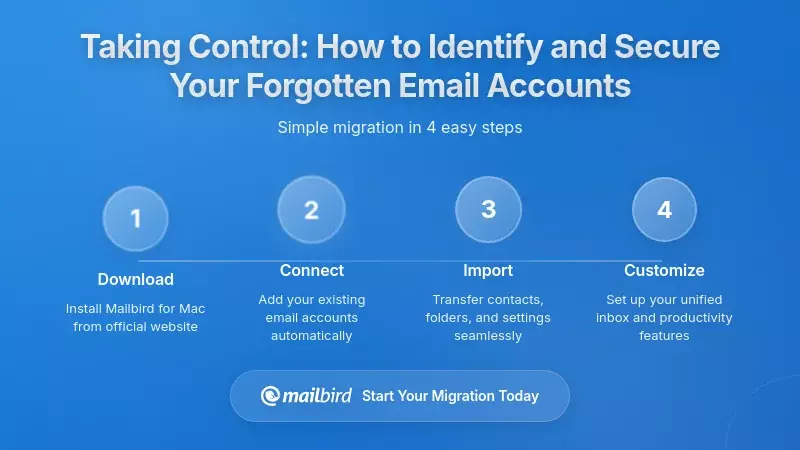
Understanding the threat is only the first step—you need practical strategies to identify forgotten accounts and either secure or eliminate them. The process requires systematic effort, but the security benefits far outweigh the time investment.
Step 1: Discover All Your Forgotten Accounts
The first challenge is simply identifying all the accounts you've created over the years. Security experts recommend searching your email inboxes for keywords associated with account creation, such as "welcome to," "verify your email," "receipt," or "reset your password", as outlined in Consumer Reports' comprehensive guide to identifying and eliminating old email accounts.
These search terms typically reveal registration confirmations and account notifications that expose accounts you've forgotten about. Additionally, reviewing password managers often reveals accounts whose existence you've forgotten—password management tools maintain records of all accounts for which passwords have been stored.
For accounts you're actively using, check which services use your various email addresses as recovery mechanisms. An old email address might serve as the recovery email for dozens of accounts you created years later, creating hidden dependencies you need to address.
Step 2: Assess the Risk Each Account Poses
Once you've identified your accounts, assess the risk each one represents. Key factors include:
- Monitoring frequency: Accounts you never check pose higher risk because compromise goes undetected
- Personal information: Accounts containing sensitive data or correspondence represent higher-value targets
- Recovery mechanism status: Accounts serving as recovery emails for important services pose systemic risk
- Security mechanisms: Accounts lacking two-factor authentication are significantly more vulnerable
- Breach history: Accounts that appear in known breach databases face elevated compromise risk
Tools like "Have I Been Pwned" enable checking whether specific email addresses appear in known breach databases, helping you identify accounts that may already be compromised.
Step 3: Delete Unnecessary Accounts
The most effective risk mitigation involves deleting accounts you no longer need. Deletion removes the account from the landscape of potential compromise vectors entirely. Before initiating deletion:
- Cancel active subscriptions: Ensure no ongoing paid services are associated with the account to prevent continued charges
- Inform contacts: Notify people who might send important communications to that address
- Archive important data: Save any emails or information you need to retain before the account is deleted
- Update recovery mechanisms: Change recovery email addresses on other accounts that use the old email for password resets
Note that major providers include delays in deletion processes. Google typically requires approximately 2 months for complete deletion from all systems after an initial deletion request, while Yahoo deactivates accounts for 30 days before permanent deletion to prevent unintentional data loss.
Step 4: Secure Accounts You Must Retain
Not all dormant accounts can or should be deleted. For accounts with ongoing value, implement specific protective measures:
- Change passwords: Update to strong, unique credentials not reused elsewhere
- Enable two-factor authentication: Add this critical security layer to significantly increase compromise difficulty
- Remove personal information: Delete or modify profile data to reduce the account's value if compromised
- Separate from important accounts: Ensure old email addresses don't serve as recovery mechanisms for banking, cryptocurrency, or other high-value accounts
- Set up monitoring: Configure alerts for unusual activity even if you don't actively use the account
How Mailbird Helps You Manage and Secure Multiple Email Accounts
Managing multiple email accounts—including old accounts you're securing or monitoring—becomes significantly easier with a unified email client designed for multi-account management. Mailbird provides a comprehensive solution that addresses the specific challenges of maintaining security across numerous email addresses.
Unified Dashboard for All Your Email Accounts
Rather than logging into multiple webmail interfaces separately (which creates security risks and management complexity), Mailbird enables you to manage all your email accounts from a single, secure desktop application. This unified approach means you can monitor even your old, infrequently-used accounts without the hassle of remembering separate login credentials or visiting multiple websites.
The unified inbox functionality allows you to see messages from all your accounts in one place, making it immediately obvious if suspicious activity occurs in any account. You'll notice unusual password reset requests, unexpected login notifications, or suspicious messages that might otherwise go undetected in an account you rarely check.
Enhanced Privacy Through Local Storage Architecture
One of Mailbird's key security advantages involves its local storage architecture. Unlike webmail services that store all your emails on provider servers, Mailbird stores email data locally on your device. This architectural approach means that even if one of your email accounts is compromised, the attacker cannot access your complete email history—only you, with physical access to your device, can access locally stored messages.
This local storage model provides enhanced privacy by ensuring email content remains under your direct control rather than maintained on provider servers that could be breached or accessed without your knowledge. For old accounts containing sensitive historical correspondence, this architecture provides an additional security layer.
Advanced Filtering and Organization for Security Monitoring
Mailbird's sophisticated filtering and rule systems enable you to automatically manage emails from dormant accounts in ways that enhance security. You can configure rules to:
- Automatically flag password reset requests from any account for immediate review
- Highlight security notifications and alerts from all your email providers
- Archive messages from old accounts separately so they don't clutter your active workflow
- Forward specific types of security-critical communications to your primary email for monitoring
These automated systems ensure that even accounts you rarely actively use remain monitored for security threats, preventing the "invisibility advantage" that makes dormant accounts attractive to attackers.
Privacy-Conscious Configuration Options
Mailbird includes privacy-focused configuration options that reduce information leakage and tracking. Features like disabling automatic image loading prevent tracking pixels from revealing when you've opened emails, while disabling read receipts ensures that accessing a dormant email account doesn't signal to attackers that someone is actively monitoring it.
For users managing old accounts they're considering deleting, these privacy features ensure that even checking the account doesn't inadvertently reveal activity patterns to potential attackers monitoring the account.
Preventing Future Account Accumulation: Sustainable Security Practices
Beyond addressing existing dormant accounts, establishing preventive practices ensures you don't accumulate new forgotten accounts that will pose future security risks. These strategies focus on mindful account creation and regular maintenance.
Adopt Mindful Account Creation Practices
Before creating any new account, ask yourself whether creating an account is genuinely necessary. Many services offer guest checkout options for one-time purchases, temporary email addresses for short-term needs, or alternative approaches that don't require permanent account creation.
When you do create accounts, document them systematically. Use a password manager not just for storing credentials, but as a comprehensive registry of all accounts you've created. This documentation ensures you'll remember the account exists years later when it might otherwise become forgotten.
Implement Regular Account Audits
Security professionals recommend conducting regular "digital spring cleaning" sessions where you deliberately review and manage your account portfolio. Schedule quarterly or semi-annual reviews where you:
- Review your password manager for accounts you no longer use
- Check email inboxes for services you've forgotten about
- Delete accounts that no longer serve any purpose
- Update security settings on accounts you're retaining
- Verify that recovery email addresses are current and monitored
This regular maintenance prevents the accumulation of forgotten accounts and ensures your security posture remains strong over time.
Consolidate Where Possible
Consider consolidating multiple old email accounts into a smaller number of actively managed addresses. Rather than maintaining separate email accounts for different purposes that you'll eventually forget about, use email aliases or filtering rules within a single well-managed account to achieve the same organizational benefits without creating additional security vulnerabilities.
When consolidation isn't possible, at minimum ensure that all accounts you maintain are documented, secured with strong unique passwords and two-factor authentication, and monitored regularly—even if only through a unified email client that checks them automatically.
Best Practices for Organizations: Managing Dormant Accounts at Scale
Organizations face dormant account challenges at a much larger scale than individuals, with potentially more severe consequences. Institutional best practices provide models that individuals can adapt while addressing the specific complexities organizations encounter.
Implement Systematic Account Lifecycle Management
Leading organizations establish clear lifecycle policies defining when accounts are created, how they're managed throughout their active life, and when they're deprovisioned. Identity and Access Management (IAM) systems increasingly include automated detection of dormant accounts based on login inactivity thresholds, typically flagging accounts with no login activity for 90 or 180 days.
These automated systems provide workflow processes to evaluate whether inactive accounts should be deactivated or deleted, preventing the accumulation of forgotten accounts that expand the organization's attack surface.
Regular Access Reviews and Certification
Organizations implement regular account access reviews where managers certify that employees still require the access levels they possess. This review process often reveals dormant or forgotten accounts that can then be deprovisioned, reducing the number of potential compromise vectors.
Implementing just-in-time access provisioning—providing access only for the duration needed to accomplish specific tasks, then automatically revoking access—prevents the accumulation of persistent permissions for accounts that should have temporary access only.
Compliance and Regulatory Requirements
Beyond security concerns, dormant accounts create compliance risks for organizations subject to regulations including GDPR, SOX, and HIPAA. These regulations require strict controls over who can access sensitive data, and unmonitored dormant accounts with unclear access rights represent clear violations that can result in failed audits and substantial financial penalties.
Frequently Asked Questions
How do I find all my old email accounts that I've forgotten about?
Based on security expert recommendations, start by searching your current email inboxes for keywords like "welcome to," "verify your email," "receipt," and "reset your password." These search terms typically reveal registration confirmations that expose forgotten accounts. Additionally, review your password manager—it often contains records of accounts you've forgotten about. Check your mobile devices for installed apps that might be associated with old accounts, and review browser autofill suggestions which sometimes reveal old email addresses you've used for account creation. Consumer Reports recommends this systematic approach as the most effective method for discovering dormant accounts that pose security risks.
Should I delete old email accounts or just secure them with better passwords?
Security professionals strongly recommend deletion as the primary mitigation strategy for accounts you no longer need. Deletion completely removes the account from the landscape of potential compromise vectors, eliminating the risk entirely. However, before deleting any account, ensure you've canceled active subscriptions, informed important contacts, archived any data you need to retain, and updated recovery email addresses on other accounts that use the old email for password resets. For accounts you must retain, implement comprehensive security measures including strong unique passwords, two-factor authentication, removal of personal information, and separation from high-value accounts. The research shows that abandoned accounts are 10 times less likely to have proper security protections, making deletion the safest option when possible.
How do cybercriminals actually get access to my old email passwords?
Attackers obtain old email passwords through multiple methods documented in recent cybersecurity research. First, massive data breaches have exposed billions of credentials that now circulate through criminal networks—Yahoo's 2013 breach alone affected 3 billion accounts. Second, infostealer malware harvested 1.8 billion credentials in 2025 alone, representing an 800% increase from previous years. These stolen credentials are compiled into databases available for purchase on dark web marketplaces for as little as $6 to $25 per email credential set. Third, attackers exploit password reuse—since 51% of passwords are reused across multiple accounts, a password compromised in one breach often works on other platforms. Attackers use automated credential stuffing attacks to systematically test stolen username-password pairs across thousands of websites until they find matches.
What's the biggest risk if someone gains access to my old email account?
The most critical risk involves your email account functioning as a "master key" to your other online accounts. Academic research analyzing 239 heavily-trafficked websites found that 92.5% of web services rely on email addresses to reset user passwords, and 81.1% of websites allow complete account compromise through email access alone. This means an attacker who compromises your old email can initiate password reset requests for your banking accounts, cryptocurrency wallets, social media profiles, and any other service using that email for recovery. They receive the password reset emails in the compromised inbox, complete the recovery process, and gain control of these higher-value accounts—all without needing to know the original passwords. Real-world examples include the Microsoft breach where attackers compromised a legacy test account lacking multi-factor authentication, then used it to access corporate email and sensitive systems.
How does Mailbird help me manage security across multiple old email accounts?
Mailbird addresses the dormant account security challenge through its unified multi-account management approach. Rather than logging into multiple webmail interfaces separately (which creates security risks and makes monitoring difficult), Mailbird enables you to manage all your email accounts from a single secure desktop application. The unified inbox functionality lets you see messages from all accounts in one place, making suspicious activity immediately obvious—you'll notice unusual password reset requests or unexpected login notifications even in accounts you rarely check actively. Mailbird's local storage architecture provides enhanced privacy by storing email data on your device rather than provider servers, meaning even if an account is compromised, attackers cannot access your complete email history. Advanced filtering rules enable you to automatically flag security notifications from any account, archive messages from dormant accounts separately, and forward critical communications to your primary email for monitoring—ensuring even infrequently-used accounts remain protected against the "invisibility advantage" that makes dormant accounts attractive to attackers.
Can two-factor authentication really protect my old email accounts from being compromised?
Two-factor authentication (2FA) provides substantial protection even for old accounts with potentially compromised passwords. Research shows that abandoned accounts are at least 10 times less likely to have 2-step verification enabled compared to active accounts, which is precisely why attackers target them. When 2FA is properly configured, even if an attacker obtains your password through a data breach or credential stuffing attack, they cannot access the account without also possessing your second authentication factor—typically a code from your phone or authentication app. However, 2FA isn't completely foolproof; sophisticated attackers have developed methods to bypass some 2FA implementations through SIM swapping, phishing, or social engineering. The most secure approach combines 2FA with other protective measures: strong unique passwords, regular monitoring for suspicious activity, and removal of the old email address as a recovery mechanism for high-value accounts. For accounts you must retain, enabling 2FA immediately is one of the single most effective security improvements you can implement.
How often should I audit my email accounts and online security?
Security professionals recommend conducting comprehensive account audits quarterly or semi-annually as part of regular "digital spring cleaning." During these reviews, systematically check your password manager for accounts you no longer use, search email inboxes for services you've forgotten about, delete accounts that no longer serve any purpose, update security settings on accounts you're retaining, and verify that recovery email addresses are current and monitored. Additionally, use tools like "Have I Been Pwned" during these audits to check whether your email addresses appear in newly-discovered breach databases. Between formal audits, maintain ongoing monitoring of all accounts—even dormant ones—using a unified email client that automatically checks them for security notifications. The research shows that dormant accounts go unmonitored for months or years, giving attackers extended access windows; regular audits combined with continuous monitoring through consolidated email management prevents this "invisibility advantage" that makes forgotten accounts so dangerous.


