Notion Mail alternatives at a glance
Notion Mail is shutting down on September 22, 2026, and the export window closes on September 21. If you used it as your daily inbox, you need somewhere else to read and send mail before that date.
The good news is that your mail itself is not at risk. Notion Mail synced two ways with Gmail, so every message you sent or received still lives in your Gmail account. What does not carry over is the layer you built on top: custom inbox organization, auto-label rules, snippets, scheduled sends, and email reminders.
That makes this a narrower question than it first looks. You are not replacing an email provider, you are replacing the client you read Gmail in. The options worth comparing are desktop and Gmail-focused clients including Mailbird, Superhuman, Spark, Mimestream, Mozilla Thunderbird, and Apple Mail, reviewed at length in our full alternatives roundup. You can also compare platform-specific picks on our best email client Windows and best email client Mac pages, or see how a Gmail-first setup works on our Gmail email client page.
Why Notion Mail users are moving now
This is not a gradual decline in a product people drift away from. It is a dated shutdown with a hard export deadline, and it affects every plan tier on iOS, desktop, and web.
The dates that matter are simple. September 21, 2026 is the last day to export anything you want to keep. September 22, 2026 is when the service stops and anything unsaved is deleted. Organizations with HIPAA obligations were advised to move earlier still.
Before you switch, export your drafts, your scheduled emails, your snippets, and your auto-label instructions — our step-by-step export and migration guide walks through each one. Attachments inside snippets have to be downloaded manually. Once you have those, the only decision left is which client you want to read Gmail in.
Most people who chose Notion Mail were not looking for a basic inbox. They wanted keyboard-driven triage, a calmer interface, and reusable text they could send without retyping. Those are the features to hold a replacement to, along with something Notion Mail never offered: the ability to keep more than one email account in a single window. If you juggle a work address and a personal one, a multiple email accounts setup removes a tab-switch you have been living with.
Compare the best Notion Mail alternatives
This comparison focuses on what a displaced Notion Mail user actually needs: solid Gmail support, fast triage, reusable text, and a desktop app that does not send you back to a browser tab.
| Email client | Best for | Platforms | Multiple accounts | Works with | Pricing |
|---|---|---|---|---|---|
| Mailbird | Notion Mail users who want a desktop Gmail client and more than one account in one window | Windows, Mac | Yes | Gmail, Outlook, Yahoo Mail, iCloud Mail, Exchange and other common email accounts | Free for 1 account. Paid plans available |
| Superhuman | Mac and iOS users who want the closest match to Notion Mail's keyboard-first, speed-focused approach | Mac, iOS, Android, web — no native Windows app | Yes | Gmail and Outlook accounts | Subscription only; pricing varies by plan |
| Mimestream | Mac users who want a native app built specifically around Gmail's own features | Mac | Yes | Gmail and Google Workspace accounts | Subscription only; free trial available |
| Spark | Users who want a modern interface with shared drafts and team features | Windows, Mac, Web, Mobile | Yes | Gmail, Outlook, iCloud Mail and other common providers | Free tier available; paid plans available |
| Mozilla Thunderbird | Users who want a free, highly configurable desktop client | Windows, Mac, Linux | Yes | Common email providers via standard protocols | Free |
| Apple Mail | Mac users who want the built-in option with no extra install | Mac, iOS | Yes | Gmail, iCloud Mail, Outlook and other common providers | Included with macOS |
| Gmail on the web | Users happy to go back to the interface Notion Mail was sitting on top of | Web | Account switching only | Gmail and Google Workspace accounts | Free |
The short answer: on a Mac, Superhuman is the nearest match to Notion Mail on keyboard-driven speed, and Mimestream is the most focused choice if you read only Gmail. On Windows the picture is different: Superhuman has no native Windows app, so a Windows user runs it in a browser tab instead of a desktop app — a step back toward the webmail a desktop client exists to replace. If you want an actual desktop app that keeps Gmail alongside your other accounts in one window, Mailbird is the better fit on either platform.
Compare Notion Mail alternatives with AI
Want a second opinion before you commit? Pick your assistant and open a ready-made prompt, already framed around Gmail support, multiple accounts, and everyday triage speed.
Top Notion Mail alternative reviews
These short reviews are written for the specific situation of moving off Notion Mail before September 22.
Mailbird
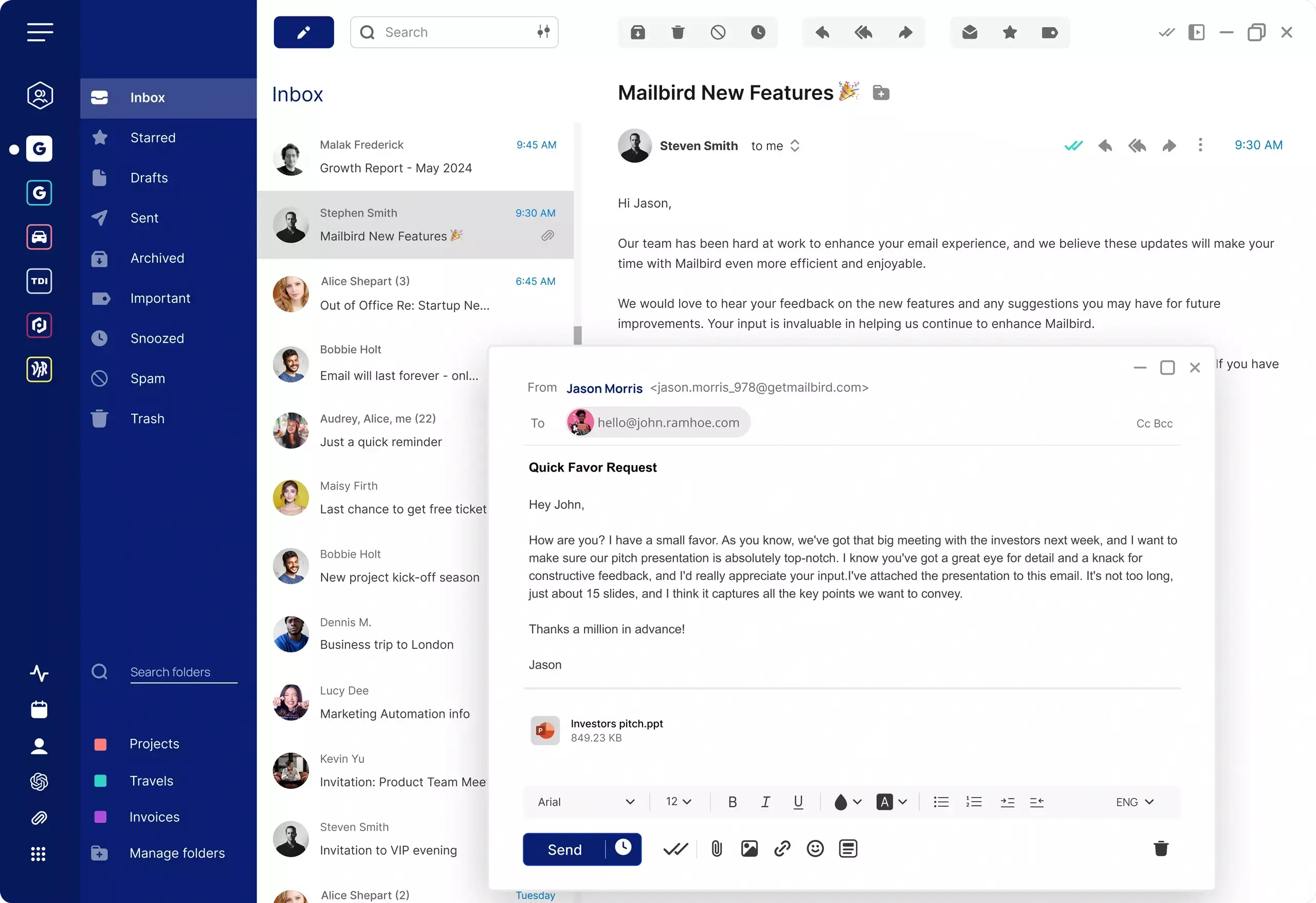
Mailbird is a desktop email client for Windows and Mac that connects Gmail alongside Outlook, Yahoo Mail, iCloud Mail and Exchange accounts in a single unified inbox. For a Notion Mail user that solves two problems at once: it replaces the desktop app you are losing, and it removes the account switching Notion Mail never handled, since it was built around Gmail alone. Snippets and scheduled sending both have direct equivalents, so the habits worth keeping survive the move. It is a desktop application, so there is no mobile app to pair with it.
Superhuman
Superhuman is the closest thing to a like-for-like replacement if what you valued in Notion Mail was speed and keyboard control. It is Gmail and Outlook focused and heavily shortcut-driven, with native apps on Mac, iOS and Android. ⚠ Windows is the catch: there is no native Windows app, so Windows users run it in a browser. If you are replacing a desktop app on Windows, that is a real step backwards. It is also subscription only and sits at the premium end of the market, so on Mac the trade is cost against the smallest change in daily habit.
Mimestream
Mimestream is a Mac-only client built natively around Gmail, so labels, filters and search behave the way they do in Gmail itself rather than being mapped onto generic IMAP folders. If you are a Mac user who reads only Gmail, it is the most focused option here. It offers nothing for Windows users, which rules it out for a large share of Notion Mail's desktop base.
Spark
Spark offers a modern interface with shared drafts and team-oriented features, across Windows, Mac, web and mobile. It suits people who want collaboration around email rather than just a faster personal inbox. Its privacy posture has drawn scrutiny in the past, so it is worth reading the current terms if that matters to you.
Mozilla Thunderbird
Thunderbird is free, open source and endlessly configurable, and it will connect to Gmail without complaint. It is the opposite of Notion Mail in feel: functional rather than designed, and it expects you to set it up rather than guiding you. If budget is the deciding factor it is the strongest free desktop option.
What to look for in a Notion Mail replacement
Because your mail is already safe in Gmail, the choice is about the working layer you rebuild on top of it. Five things are worth checking before you commit.
- Real Gmail support, not generic IMAP. Labels, filters and search behave differently when a client understands Gmail properly rather than treating it as any other mailbox.
- More than one account in one window. Notion Mail was Gmail-only. If you have been switching between a work and a personal address, this is the upgrade most people notice first.
- Reusable text. Snippets were one of the first things Notion Mail users exported. Check that whatever you move to has an equivalent, and that it is quick to reach while composing.
- Scheduled sending. Another feature that does not transfer. Confirm it exists before you rely on it again.
- Keyboard-driven triage. If speed was why you used Notion Mail, test how far you can get through an inbox without reaching for the mouse.
One honest caveat worth stating plainly: Notion Mail ran on iOS as well as desktop, and not every replacement covers both. Mailbird is a desktop application for Windows and Mac, so if a phone app is essential to your routine you will want to pair it with your provider's own mobile app. For a fuller walk through the trade-offs, our desktop email client page compares the desktop-first approach against staying in a browser.
FAQ
When is Notion Mail shutting down?
Notion Mail shuts down on September 22, 2026. September 21 is the last day to export anything you want to keep, and unsaved data is deleted after that. The shutdown covers iOS, desktop and web on every plan tier.
Will I lose my emails when Notion Mail closes?
No. Notion Mail synced two ways with Gmail, so every message you sent or received also exists in your Gmail account and stays there. What you lose is the layer built on top of it: custom inbox organization, auto-label rules, snippets, scheduled emails and reminders.
What should I export before September 21?
Export your drafts, scheduled emails, snippets and auto-label instructions. Attachments held inside snippets need to be downloaded manually, so check those separately rather than assuming the export covers them.
What is the best Notion Mail alternative?
It depends on what you are protecting. For the closest match to Notion Mail's keyboard-first speed, Superhuman is the nearest option. For a desktop app that keeps Gmail alongside your other accounts in one window, Mailbird is the better fit. For a Mac used only for Gmail, Mimestream is the most focused choice.
Do I need to change email providers?
No. Notion Mail was a client sitting on top of Gmail, not an email provider. Your address, your history and your contacts are unaffected. You are only choosing a new application to read and send that mail in.
Is there a Notion Mail alternative for Windows?
Yes, but fewer than the full list suggests. Mailbird, Thunderbird and Spark all have native Windows apps that connect to Gmail. Superhuman does NOT — on Windows it runs in a browser rather than as a desktop app. Mimestream and Apple Mail are Mac only. So if a native Windows application is what you are replacing, the shortlist is Mailbird, Thunderbird and Spark.


