Secure Syncing: How to Keep Multiple Devices Private Without Losing Access
Struggling to balance email accessibility across devices while keeping messages secure? This comprehensive guide explores how to achieve both privacy-first email storage and seamless multi-device synchronization, examining technical protocols, local versus cloud architectures, and actionable strategies for secure email management without sacrificing convenience.




If you're reading this, you've likely experienced the frustration of trying to balance email accessibility across your laptop, smartphone, and tablet while wondering whether your private messages are truly secure. You're not alone in this concern. Research from privacy-focused email providers reveals that over 50% of professionals worry about unauthorized access to their email data, yet they need seamless synchronization across multiple devices to maintain productivity.
The core challenge is straightforward but significant: traditional cloud-based email services make your messages available everywhere by storing complete copies on centralized servers—creating exactly the kind of single point of failure that cybersecurity experts identify as high-risk targets for data breaches. Meanwhile, the alternative—keeping emails only on local devices—seems to eliminate the multi-device access that modern work demands.
This comprehensive guide examines how you can achieve both objectives: maintaining secure, private email storage while enabling reliable synchronization across all your devices. We'll explore the technical foundations of email protocols, evaluate local storage architectures versus cloud-based systems, and provide actionable strategies for implementing privacy-first email management without sacrificing convenience.
Understanding the Multi-Device Synchronization Challenge

The tension between privacy and accessibility stems from competing technical requirements. You need your emails instantly available whether you're checking messages during your morning commute on your smartphone, responding from your laptop at a coffee shop, or reviewing archives from your desktop at home. This requires data synchronization mechanisms that maintain consistency across all devices while ensuring that actions taken on one device—marking a message as read, creating a folder, organizing emails—are immediately reflected everywhere else.
According to data management specialists, effective synchronization must balance three critical factors: data consistency (ensuring all devices show the same information), real-time updates (reflecting changes immediately), and security (protecting data during transmission and storage). Traditional cloud email services achieve the first two objectives by centralizing all data on remote servers, but this architectural choice creates the privacy vulnerabilities that increasingly concern users.
The Cloud Storage Privacy Problem
When cloud providers maintain centralized copies of all user data on remote servers, they create attractive targets for cybercriminals seeking to compromise millions of user records simultaneously. Recent high-profile breaches demonstrate this risk: major data breaches have exposed customer information at unprecedented scales, with financial impacts measured in millions and reputational damage extending far beyond the immediate data loss.
Beyond security concerns, centralized cloud storage creates what privacy advocates describe as a fundamental asymmetry: you lose direct control over where your data resides, who can access it, and how it gets processed. Privacy-focused email providers note that email service providers can analyze message content for advertising purposes, share data with third-party marketers, or be compelled by government requests to hand over complete archives without your knowledge or explicit consent.
This architectural problem becomes particularly acute if you handle sensitive information. Healthcare professionals managing patient data, attorneys handling privileged communications, financial advisors managing confidential transactions, and business executives discussing proprietary strategies all face heightened privacy obligations under various regulatory frameworks. Even metadata—information about emails rather than the message content itself—presents privacy risks, as HIPAA compliance specialists warn that sender and recipient addresses, timestamps, subject lines, and routing information can reveal sensitive patterns about communication networks, professional relationships, and organizational structures.
Email Synchronization Protocols and Their Privacy Implications

Understanding how email gets synchronized across devices requires examining the technical protocols that enable modern email systems. Your choice of protocol fundamentally determines both your synchronization capabilities and your privacy exposure.
IMAP: The Multi-Device Standard
The Internet Message Access Protocol (IMAP) has emerged as the dominant standard for multi-device email access. Technical documentation from hosting providers explains that IMAP maintains a persistent connection between email clients and remote mail servers, continuously synchronizing the state of messages across multiple devices in real-time. When you mark an email as read on your smartphone, that status change synchronizes to your laptop within seconds. When you create a folder on your desktop, that folder appears instantly on your tablet.
However, IMAP's architecture does not inherently require cloud storage or centralized data control. Privacy-focused implementations use IMAP as a synchronization protocol while implementing local storage of the actual email content. In this model, email messages are downloaded from the IMAP server and stored locally on each of your devices, with the server maintaining only metadata about message state rather than the actual content. The IMAP server functions as a synchronization coordinator rather than a data repository, ensuring that all devices see consistent information about which messages exist, their folder locations, and their read status, while the actual message content remains under your control on local devices.
POP3: Local Control Without Synchronization
By contrast, POP3 implements a one-way retrieval model designed for simpler scenarios where you access email from a single device. Email protocol comparisons show that POP3 clients download messages from the server to a local device and typically delete them from the server afterward, making messages available only on the device where they were retrieved. While this provides complete local control of message data—no backup copies exist on remote servers that could be compromised—the lack of synchronization makes POP3 unsuitable if you need to access email from multiple devices.
SMTP and Transport Security
The Simple Mail Transfer Protocol (SMTP) handles outgoing email transmission and can be secured using Transport Layer Security encryption, which protects message content during transmission between sending clients and mail servers. However, SMTP alone provides only transit encryption—protecting data while it moves through networks—rather than end-to-end encryption that would prevent the mail server itself from accessing message content.
Local Storage Architecture: The Privacy-First Alternative
The emergence of privacy-focused email clients represents a significant architectural departure from the cloud-centric model that has dominated consumer email for the past two decades. Rather than storing all your emails on company servers, local-first architectures keep email data exclusively on your computers or devices.
How Local Storage Changes the Privacy Equation
Mailbird's official guide explains that the application operates as a purely local email client for Windows and macOS, storing all emails, attachments, and personal data directly on your computer rather than on company servers. This architectural choice has profound implications: because Mailbird cannot access your emails even if legally compelled or technically breached, the company simply does not possess the infrastructure necessary to access stored messages.
This local storage approach fundamentally reshapes the privacy and security equation. When email data never leaves your device except during transmission directly to intended recipients, the vulnerability profile changes dramatically. A breach affecting Mailbird's infrastructure—a highly unlikely scenario given the company does not maintain centralized email repositories—would not expose your messages, because those messages never resided on Mailbird servers in the first place.
The Responsibility Trade-Off
The responsibility shift inherent in local storage is neither universally positive nor universally negative—it represents a deliberate tradeoff that exchanges dependence on provider security for personal responsibility over device security. For users capable of maintaining device security, including keeping operating systems updated with security patches, using full-disk encryption, and protecting devices from physical theft, this tradeoff provides superior privacy compared to cloud services.
You should keep your email client updated to receive security patches, regularly backup local data to protected storage, and consider using full disk encryption to protect stored emails if your device is lost or stolen. For users lacking technical sophistication or unwilling to manage device security, cloud services with professional security teams may actually provide better protection despite the privacy concerns.
Multi-Account Management with Local Storage
Multi-account management becomes particularly straightforward with local storage architectures. Mailbird enables you to connect multiple Gmail accounts, business email addresses, personal iCloud accounts, and Outlook accounts simultaneously, displaying all incoming messages in one unified inbox or filtering by specific accounts when needed. The setup process implements modern OAuth2 authentication standards, meaning the application never stores your passwords locally but rather receives temporary authentication tokens from email providers.
This architectural approach substantially improves security compared to older email clients that stored passwords in potentially vulnerable local files. You can maintain separate accounts for different purposes—commercial accounts for shopping, professional accounts for work, secure accounts for sensitive communications—while accessing all accounts through a single, unified interface.
Encryption Implementation: Transport Security Versus End-to-End Protection
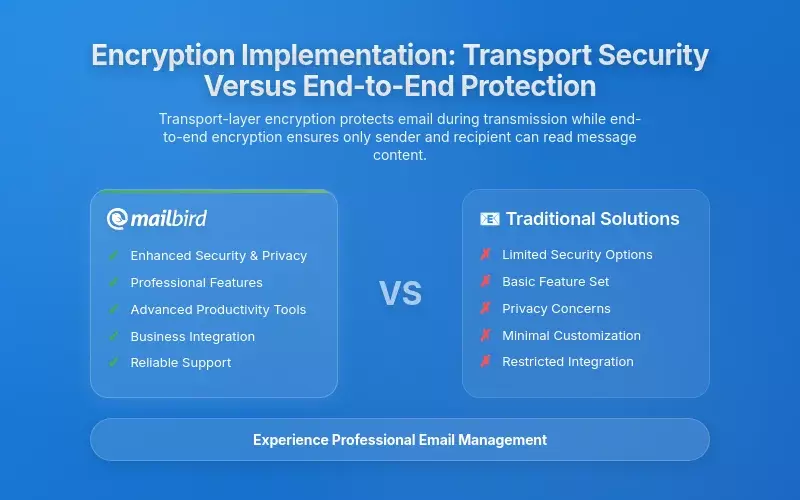
A frequent source of confusion in email privacy discussions involves the distinction between transport-layer encryption, which protects email while it travels through networks, and end-to-end encryption, which ensures that only sender and recipient can read message content. Understanding this distinction proves essential for evaluating email security solutions.
Transport Layer Security (TLS)
Security specialists explain that Transport Layer Security encrypts the connection between an email client and email servers using a handshake mechanism where the client and server authenticate each other, select encryption algorithms, and exchange symmetric keys prior to data exchange. When Mailbird connects to email servers to send and receive messages, it uses encrypted connections through HTTPS protocol and Transport Layer Security standards.
However, TLS provides only transit encryption—protecting messages while they travel between clients and servers. Once data reaches the email server, it becomes unencrypted and accessible to anyone with server access, including the service provider itself. For many business users and routine communications, TLS serves an important purpose by preventing passive network surveillance and man-in-the-middle attacks during transmission.
End-to-End Encryption Standards
End-to-end encryption implements fundamentally different protection by ensuring that message content remains encrypted from sender through transmission to recipient storage, with only the sender and intended recipient holding decryption keys. Two primary standards dominate end-to-end email encryption: Pretty Good Privacy (PGP) using the open-source OpenPGP implementation, and Secure/Multipurpose Internet Mail Extensions (S/MIME).
OpenPGP represents the open-source implementation of PGP, with modern email clients like Mozilla Thunderbird supporting it natively. The strength of PGP lies in its open-source nature, strong cryptographic foundations, and independence from centralized certificate authorities. S/MIME takes a different approach, relying on Certificate Authorities rather than PGP's "Web of Trust" model, making S/MIME the world's leading email security standard primarily used in business environments.
Combining Local Storage with Encrypted Providers
Mailbird itself does not provide built-in end-to-end encryption, creating a limitation for users requiring maximum cryptographic protection. Instead, the application uses Transport Layer Security to encrypt connections between your computer and email servers during transmission. However, you can connect Mailbird to encrypted email providers like ProtonMail or Mailfence that implement end-to-end encryption at the provider level.
The combination of Mailbird's local storage with an encrypted email provider creates a particularly robust privacy architecture. Users connecting Mailbird to ProtonMail receive end-to-end encryption at the provider level combined with local storage security from Mailbird, providing comprehensive privacy protection while maintaining productivity features.
Multi-Factor Authentication and Authentication Security Across Devices
Protecting email access across multiple devices requires robust authentication mechanisms that prevent unauthorized access even if passwords are compromised. Multi-factor authentication (MFA) adds a critical security layer by requiring you to provide two different forms of verification before gaining account access.
How Authentication Works with Local Email Clients
Mailbird relies on the two-factor authentication of connected email providers rather than providing its own 2FA implementation. When you enable 2FA on Gmail, Outlook, Yahoo, ProtonMail, or other services, those authentication protections remain in effect when accessing accounts through Mailbird. This architectural approach is important because it means you should enable 2FA on all connected email accounts to ensure comprehensive account protection.
Modern authentication approaches have evolved significantly from traditional password-only systems. Microsoft has transitioned to OAuth2 authentication, which provides enhanced security compared to basic password-based authentication. With OAuth2, you authenticate using temporary tokens rather than storing passwords in third-party applications, enabling granular access control and easier revocation of third-party application permissions.
Implementing Two-Factor Authentication
Authentication specialists recommend that two-factor authentication works by requiring you to provide two forms of authentication before accessing your accounts—typically something you know (like a password) and something you have (like a code from an authenticator app or a hardware security key). Even if a hacker guesses or steals your credentials, they cannot access the account without the second authentication factor.
To secure your Mailbird setup, you should enable 2FA on each email account (Gmail, Outlook, Yahoo, ProtonMail, etc.), going to each provider's security settings and enabling two-factor authentication using an authenticator app like Google Authenticator or Authy. For maximum security, you should use hardware security keys (YubiKey) if your email provider supports them. Once enabled, these 2FA protections remain active when accessing accounts through Mailbird, preventing unauthorized access even if passwords are compromised.
Email Tracking: Privacy Threats Hidden in Invisible Pixels
A particularly insidious privacy threat in modern email involves tracking mechanisms that senders use to monitor recipient behavior. You may not realize it, but many emails you receive contain invisible surveillance tools designed to report back information about your behavior.
How Tracking Pixels Work
Research reveals that over 50% of emails are secretly tracked using invisible pixels that monitor when recipients open messages, record their location, log their device information, and collect other sensitive behavioral data. The primary surveillance tool hiding in inboxes is deceptively simple: a transparent image measuring exactly one by one pixel, embedded in HTML emails as a tiny, invisible image that email clients automatically request from a remote server when you open messages.
The moment you open an email containing a tracking pixel, your email client sends a request to the sender's server to display that invisible image, triggering immediate data transmission that reveals your behavior to the sender. Each tracking pixel URL is unique to individual recipients, meaning senders can track not just whether their email was opened, but specifically which email address opened it, creating direct links between identities and behavior.
What Tracking Pixels Reveal About You
The surveillance extends far beyond simple open tracking. Tracking pixels collect extensive personal data including exact timestamps of when messages were opened down to the second, IP addresses revealing approximate geographic location sometimes accurate to neighborhoods, device information revealing operating system type and model, email client information revealing which applications you employ, and behavioral patterns revealing how many times you opened messages.
Email tracking extends beyond marketing analytics to present serious security threats: malicious actors use tracking pixels to confirm that email addresses are active and monitored before launching targeted phishing campaigns, verify physical locations to enable doxxing and profiling, and establish communication patterns that enable social engineering attacks.
Blocking Tracking Pixels
Disabling automatic image loading within Mailbird settings provides effective protection against tracking pixels. When automatic image loading is disabled, tracking pixels cannot execute their surveillance function because email clients never request the image from the sender's server, preventing data transmission back to the sender. You can configure these settings globally to disable image loading for all emails, or implement per-sender rules that allow image loading only for trusted contacts while blocking images from unknown senders.
GDPR Compliance and International Privacy Regulations
If you handle email communications across international boundaries, you must navigate complex regulatory frameworks governing personal data protection. The European Union's General Data Protection Regulation represents the most comprehensive and enforceable privacy framework, with compliance requirements that extend extraterritorially to any organization processing EU resident data regardless of company location.
GDPR Requirements for Email Handling
GDPR compliance specialists note that the regulatory landscape intensified dramatically in 2024-2026, with enforcement actions resulting in substantial penalties: a Dutch ride-sharing company received a €290 million fine for improper US data transfers, an AI company faced a €30.5 million penalty for collecting special category data without consent, and Google paid €200 million for disguised advertising emails.
GDPR imposes specific requirements on email handling. A fundamental requirement involves establishing Data Processing Agreements with email service providers, outlining the responsibilities of both data controllers (the organization) and data processors (the email provider) in handling personal data. These agreements must include provisions for handling data breaches, specifying how personal data should be processed, and ensuring confidentiality and security.
How Local Storage Supports GDPR Compliance
Mailbird's architecture embodies privacy-first principles that align well with GDPR requirements through local data storage, minimal data collection, transparent privacy policies, and user control over data. Because Mailbird stores all emails locally on user devices rather than on company servers, it minimizes data collection and processing—key GDPR requirements.
The company cannot access your emails even if legally compelled or technically breached because they simply do not possess the infrastructure to do so. For organizations requiring email archiving for compliance purposes, Mailbird's compatibility with enterprise archiving solutions enables seamless integration without disrupting workflows, allowing organizations to maintain unified encryption, retention, and access control policies.
Backup and Recovery: Protecting Email Data While Maintaining Privacy
Email data loss prevention represents a critical concern for organizations where email comprises roughly 75% of enterprise proprietary data and intellectual property according to Microsoft. Both cyber-attacks and accidental deletion pose significant risks to email archives.
The 3-2-1 Backup Strategy
Microsoft's security documentation recommends a comprehensive approach to data protection following the 3-2-1 backup rule: maintain 3 copies of data (original plus 2 backups), store copies on 2 different media types, keep 1 copy offsite, ideally implementing 1 immutable or air-gapped copy, and verify 0 backup recoverability errors through regular testing. This approach provides defense against ransomware attacks where compromised systems encrypt all accessible data, holding it hostage until victims pay extortion demands.
Local Storage Backup Advantages
Local storage email clients like Mailbird enable straightforward backup approaches. Email data stored locally on your personal devices remains under your direct control, allowing implementation of custom backup strategies including external hard drives, local network storage, cloud backup services, or combinations thereof. You can choose your backup methods, encryption levels, and storage locations rather than relying on cloud provider backup policies.
However, this control requires active maintenance: you must implement and test backup procedures before they become necessary, establish regular backup schedules, and verify that backups can be successfully restored when needed. Mailbird supports IMAP, POP3, and Microsoft Exchange protocols, enabling you to back up emails through your email provider's server retention or through local backup software.
Remote Work Security: Email Access Beyond the Office
The shift toward remote and hybrid work has transformed requirements for secure email access outside traditional office environments. You must support working from home offices, coffee shops, airports, and other locations requiring access to business-critical communications while protecting against network-level security threats.
Remote Work Security Challenges
Harvard's privacy and security specialists identify that remote work presents unique security challenges including exposure to unsecured networks, physical security risks with portable devices, potential malware infections on home computers, and data leakage through personal devices or insecure home networks. Public Wi-Fi networks present particularly significant risks, as attackers on the same network can intercept unencrypted communications, inject malicious content, or redirect users to fraudulent websites.
VPN Protection for Remote Email Access
Virtual Private Networks (VPNs) create essential protection for remote email access. A VPN establishes an encrypted tunnel between your device and the organization's VPN server or internet service provider, encrypting all network traffic to prevent interception by anyone monitoring the shared network. When accessing email from public Wi-Fi networks, always using a VPN encrypts the connection, protecting communications from interception.
However, VPNs address only network-level security; they do not protect you from malware on your devices or phishing attacks that exploit human behavior rather than technical vulnerabilities. Mailbird's local storage architecture aligns well with secure remote access requirements, as email data remains on your devices rather than being synced to cloud servers, maintaining data control in distributed work environments.
Implementation Best Practices: Building a Secure Multi-Device Email Strategy
Implementing secure email access across multiple devices requires thoughtful strategy balancing security, privacy, and usability. Here are the essential steps you should take to protect your email while maintaining productivity.
Password Management Foundation
The foundation involves establishing unique, complex passwords for each email account. Modern security research strongly recommends against reusing passwords across multiple accounts. Password managers have evolved from optional convenience tools into essential security infrastructure, enabling you to maintain unique cryptographically strong passwords for each account while requiring you to remember only a single master password.
Privacy Configuration Steps
You should disable automatic loading of remote images and read receipts within Mailbird settings, preventing email senders from tracking when messages are opened. You should carefully evaluate third-party application integrations, granting only necessary permissions and regularly auditing connected services for removal of unused applications. Mailbird provides you with controls to opt out of feature usage statistics, diagnostic data collection, and telemetry transmission without impacting core email functionality.
Combining Local Storage with Encryption
For maximum privacy with multi-account management, you should connect Mailbird to encrypted email providers like ProtonMail, Mailfence, or Tuta. This combination provides end-to-end encryption at the provider level combined with local storage security from Mailbird, delivering comprehensive privacy protection while maintaining productivity features and interface advantages.
Mailbird's unified inbox functionality addresses one of the most persistent pain points driving users away from basic email clients and toward more sophisticated alternatives. Rather than forcing you to mentally track which account might contain a specific message or requiring context switching, Mailbird consolidates messages from multiple accounts into a single intelligently organized interface while preserving ability to access individual account views.
Frequently Asked Questions
How does local email storage improve privacy compared to cloud-based email?
Local email storage fundamentally changes the privacy equation by keeping your email data exclusively on your personal devices rather than on centralized company servers. According to Mailbird's security analysis, this architecture means that even if the email client company experiences a security breach, your actual email messages cannot be compromised because they never resided on the company's servers in the first place. You maintain direct control over your data, deciding how it's stored, who can access it, and what security measures you implement around it. This represents a fundamental shift from hoping your email provider implements adequate security to taking direct responsibility for protecting your own data through device-level encryption and security practices.
Can I use Mailbird with encrypted email providers like ProtonMail?
Yes, Mailbird is fully compatible with encrypted email providers including ProtonMail, Mailfence, and Tutanota. This combination provides particularly robust privacy protection by layering Mailbird's local storage architecture with the end-to-end encryption implemented by these providers. You receive encryption protecting message content even from the email provider itself, local storage ensuring the email client provider cannot access your messages, OAuth2 authentication preventing password exposure in third-party applications, and the ability to manage multiple encrypted accounts through Mailbird's unified inbox interface. This hybrid approach delivers comprehensive privacy protection while maintaining the productivity features and user experience advantages that make Mailbird valuable for managing multiple accounts.
What's the difference between transport encryption (TLS) and end-to-end encryption?
Transport Layer Security (TLS) encrypts the connection between your email client and email servers during transmission, protecting messages while they travel through networks. However, as security specialists explain, TLS provides only transit encryption—once data reaches the email server, it becomes unencrypted and accessible to anyone with server access, including the service provider itself. End-to-end encryption implements fundamentally different protection by ensuring that message content remains encrypted from sender through transmission to recipient storage, with only the sender and intended recipient holding decryption keys. With end-to-end encryption using standards like OpenPGP or S/MIME, even the email server cannot read your message content. For routine business communications, TLS provides adequate protection against network-level attacks, but for highly sensitive communications, end-to-end encryption represents the gold standard.
How do I protect my email from tracking pixels?
Tracking pixels are invisible one-by-one pixel images embedded in HTML emails that transmit information back to senders when you open messages. Research shows that over 50% of emails contain these tracking mechanisms, collecting data about when you open messages, your approximate location, device information, and behavioral patterns. The most effective protection is disabling automatic image loading within your email client settings. When automatic image loading is disabled, tracking pixels cannot execute their surveillance function because your email client never requests the image from the sender's server, preventing data transmission. In Mailbird, you can configure these settings globally to disable image loading for all emails, or implement per-sender rules that allow image loading only for trusted contacts while blocking images from unknown senders. This simple configuration change dramatically reduces your exposure to email-based surveillance.
Does using a VPN protect my email when working remotely?
A Virtual Private Network (VPN) provides essential protection for remote email access by creating an encrypted tunnel between your device and the VPN server, encrypting all network traffic to prevent interception by anyone monitoring shared networks. Harvard's security specialists recommend always using a VPN when accessing email from public Wi-Fi networks at coffee shops, airports, or hotels, as these networks present significant risks for intercepting unencrypted communications. However, it's important to understand that VPNs address only network-level security—they protect data in transit but do not protect you from malware already on your device, phishing attacks that exploit human behavior, or security vulnerabilities in the email service itself. For comprehensive protection, you should combine VPN usage with other security measures including two-factor authentication on all email accounts, keeping your operating system and email client updated with security patches, and using email clients with local storage architectures that minimize data exposure to centralized breaches.
How does Mailbird handle multi-factor authentication across multiple accounts?
Mailbird relies on the two-factor authentication implementations of your connected email providers rather than providing its own 2FA system. When you enable 2FA on Gmail, Outlook, Yahoo, ProtonMail, or other email services, those authentication protections remain fully active when accessing accounts through Mailbird. This architectural approach means you should enable 2FA on all connected email accounts to ensure comprehensive protection. Mailbird also implements modern OAuth2 authentication standards, meaning the application never stores your passwords locally but rather receives temporary authentication tokens from email providers. This token-based approach provides enhanced security compared to older email clients that stored passwords in potentially vulnerable local files, and enables granular access control where you can easily revoke Mailbird's access to specific accounts without changing your passwords. For maximum security, you should use authenticator apps like Google Authenticator or Authy, or hardware security keys like YubiKey if your email providers support them.
What backup strategy should I use with local email storage?
With local email storage, you take direct responsibility for protecting your data through comprehensive backup procedures. Microsoft's security documentation recommends following the 3-2-1 backup rule: maintain three copies of your data (the original plus two backups), store copies on two different media types (such as your computer's hard drive plus an external drive), and keep one copy offsite (such as encrypted cloud backup or a physical backup stored at a different location). You should also implement one immutable or air-gapped copy that cannot be modified or encrypted by ransomware attacks, and regularly verify that your backups can be successfully restored. With Mailbird's local storage architecture, you can implement custom backup strategies including external hard drives, local network storage, encrypted cloud backup services, or combinations thereof. The key is developing and maintaining your backup strategy before it becomes necessary—regularly scheduled backups with periodic restoration testing ensure you can recover your email data if your primary device fails, gets stolen, or becomes compromised by malware.


