






All plans include:
-
 14-day money-back guarantee
If you're not satisfied, get a full refund within 14 days.
14-day money-back guarantee
If you're not satisfied, get a full refund within 14 days.
-
 Cross-platform license
Access your email on Windows and MacOS. Licenses are valid for both platforms.
Cross-platform license
Access your email on Windows and MacOS. Licenses are valid for both platforms.
-
 Multi-account support
Manage all your email accounts effortlessly with our IMAP and POP3 support.
Multi-account support
Manage all your email accounts effortlessly with our IMAP and POP3 support.
Trusted by email professionals


The easiest way to manage your inbox
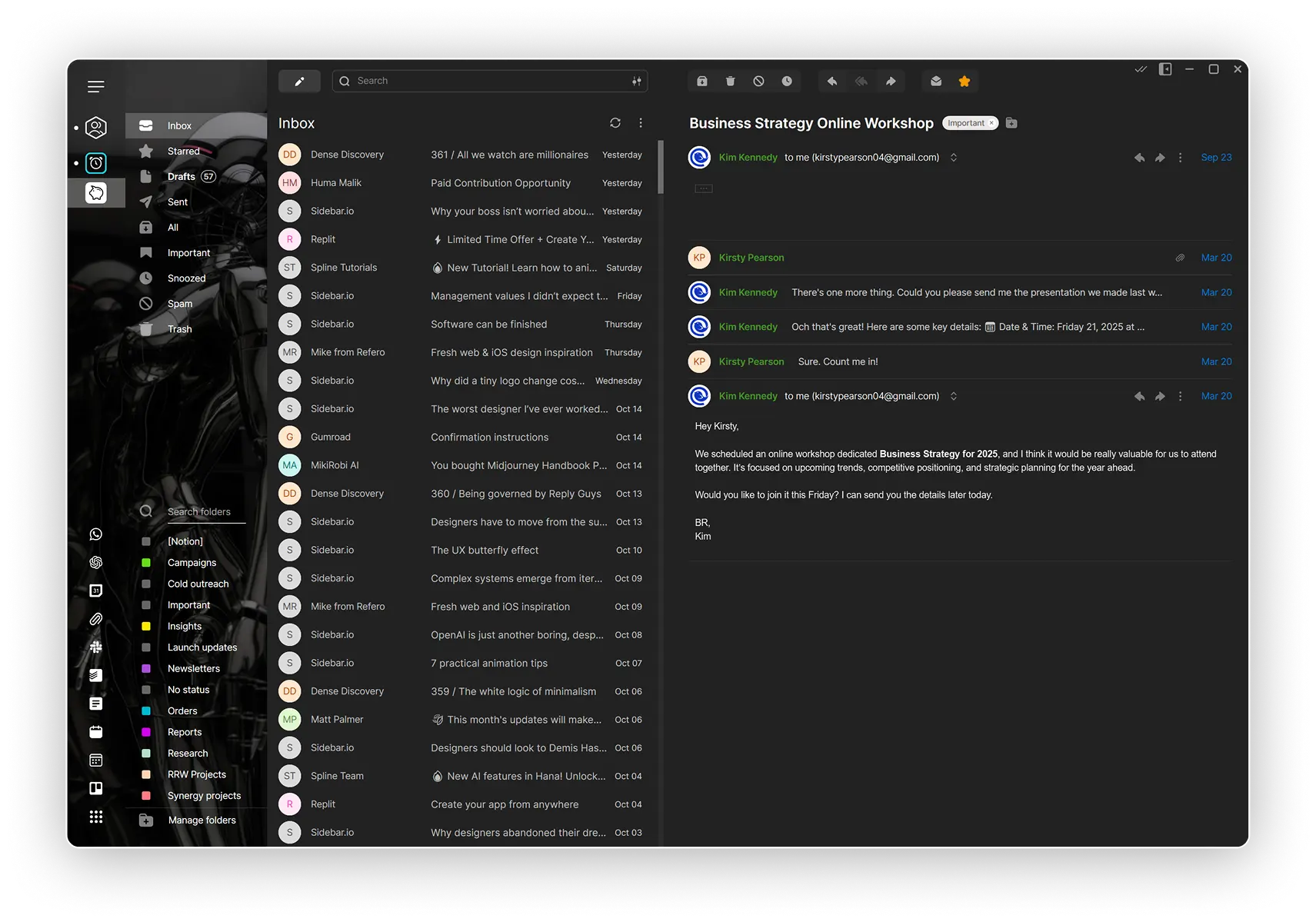
All your accounts. One beautiful inbox
No more bouncing between Gmail, Outlook, or custom providers. Mailbird unifies all your accounts into one smart inbox—so you can finally keep everything in one place.
Your favorite apps, built right in
Stop tab-hopping just to check messages or schedule a call. WhatsApp, Slack, Google Calendar, Zoom, Dropbox, and more all live directly inside Mailbird.
A Workspace That Works Your Way
From layout and shortcuts to color themes and dark mode—Mailbird is built to adapt to your workflow, not the other way around.
-
 Highest User Adoption
2025
Highest User Adoption
2025
-
 Best Email Client
2024
Best Email Client
2024
-
High Performer
2023
-
Easiest Admin
2022
Loved by millions of customers
Users all around the world reach for Mailbird by choice.

Frequently asked questions
Buying Mailbird
- Can a Mailbird for Mac license be used for both Windows and Mac?
-
Yes, the license is compatible with both Mac and Windows for Mailbird 3.0 or newer. However, it is not valid for Mailbird 2.x versions.
- Which payment methods do you accept?
-
For all our payment plans, we accept most major debit and credit cards (Mastercard, Visa, Amex, Discover, JCB, Union Pay) and PayPal.
- Do you offer any discounts?
-
We offer additional discounts on purchases of multiple Mailbird Premium licenses (applied automatically at checkout). Since our "Pay Once" Premium license is already heavily discounted, the additional reduction applies to the discounted price listed on our Pricing page.
- 5% discount on 2 to 10 licenses
- 10% discount on 11 to 25 licenses
- 15% discount on 26 to 50 licenses
- 20% discount on 51 to 100 licenses
- 25% discount on 101 or more licenses
- Can I change my plan any time?
-
Yes, of course! You can change your license to suit your needs at any time. Simply go to our upgrade page and choose the plan that meets your needs. If you can't decide or have trouble upgrading, contact our Customer Happiness Team and they'll gladly help you.
Using Mailbird
- What macOS version is required for Mailbird for Mac?
-
Mailbird for Mac requires macOS Ventura or later.
- Which email providers can I use with Mailbird?
-
So many! Search for your email provider here—we're confident you'll find it.
- Can I connect a POP3 account to Mailbird for Mac?
-
Currently, connecting a POP3 account to Mailbird for Mac is not supported. Please check back for future updates.
- Can Mailbird for Mac be used on iPads or iPhones?
-
Mailbird for Mac is not currently compatible with iPads or iPhones. However, mobile applications are part of our future roadmap.
- How many tracked emails can I send?
-
Customers with a Standard license can track up to 5 emails/month. Customers with a Premium license can enjoy unlimited email tracking.


Hey, you made it all the way down here! Head back up and give the wheel a spin. 😎 🎡 Spin now to win!